What Does Ashampoo Disk Space Explorer Do?
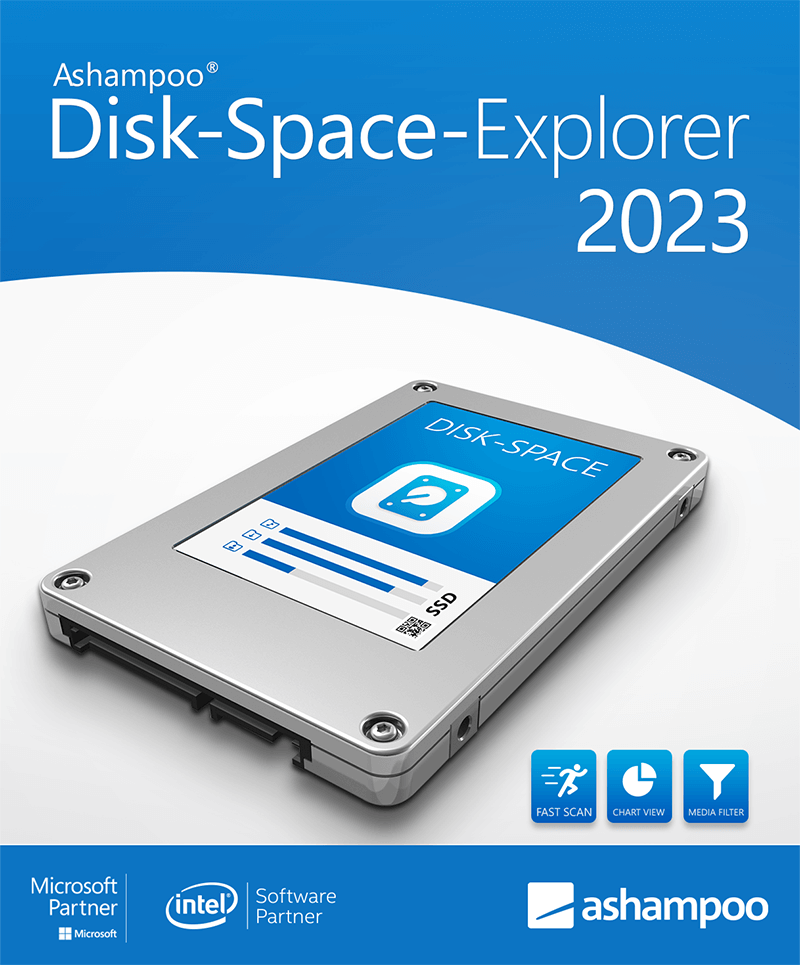
Disk Space Explorer 2023 is a specialized utility designed to analyze and visualize the internal file structure of local drives. While standard file managers provide basic navigation, this software offers a detailed breakdown of disk space occupancy, helping users identify specific folders and file types that act as resource hogs.
The application utilizes bar graphs and various chart formats to illustrate the percentage of total storage consumed by different directories. A core feature is the file-type filtering system, which allows for the categorization of data into groups such as videos, audio files, or documents. Users can customize these filters by adding or removing specific formats, or by grouping multiple extensions together to conduct targeted analyses of their storage distribution.
Powered by the latest WinOptimizer technology, the tool provides fast scanning and factual reporting on drive contents. Key functionalities included in the software are:
- Visualization of file distribution by folder and structure
- Disk space consumption analysis based on file formats
- Identification of redundant or oversized files
- Customizable file type filters for granular searching
- Multiple graphical formats for result visualization
By providing a clearer overview of how disk space is allocated, the software assists in managing local storage more effectively than default operating system tools. It offers a precise look at drive occupancy, enabling users to track down and manage files that would otherwise remain hidden within complex directory structures.
Top 5 Reasons To Download Ashampoo Disk Space Explorer
If you have ever stared at your computer screen, wondering where all your hard drive space went, you are not alone. In an era of 4K video, high-resolution photography, and massive software installations, our digital storage fills up faster than we can manage. Windows Explorer is a fine tool for basic navigation, but when it comes to deep-dive diagnostics, it often leaves users in the dark. That is where Disk Space Explorer 2023 comes in. This isn't just another utility; it is a surgical tool for your data. Here are the top five reasons why you need to download this giveaway today:
- Unparalleled Visual Transparency: The app transforms boring file lists into intuitive bar graphs and charts, making it instantly obvious which folders are eating your storage.
- Surgical Precision in Locating Resource Hogs: Easily identify massive, forgotten files that are cluttering your drive without having to click through dozens of subfolders.
- Deep Analysis by File Format: Unlike standard tools, this software categorizes your data by type, showing you exactly how much space is taken up by videos, music, photos, or documents.
- Fully Customizable Filtering: You are in control of the analysis, with the ability to create, edit, and group file formats to suit your specific organizational needs.
- Performance Driven by WinOptimizer Technology: Built on a foundation of world-class optimization code, the software is fast, lightweight, and incredibly reliable.
As a tech reviewer, I see hundreds of utilities every year that promise to "clean your PC" or "speed up your system." Most of them are fluff. However, every now and then, a tool comes along that provides genuine, actionable data that puts the power back into the hands of the user. Disk Space Explorer 2023 is exactly that kind of tool. It doesn't just tell you that your disk is full; it shows you why it is full and gives you the roadmap to fix it. Let’s dive deep into why this software is a must-have for any serious PC user.
1. Unparalleled Visual Transparency through Advanced Charts
The biggest hurdle in managing disk space is the lack of visual context. When you open a drive in standard Windows Explorer, you see a list of folders. You can see the names, the dates modified, and maybe the size if you hover over them long enough. But you don't get a sense of scale. You don't see the relative weight of one folder against another. This is the first area where Disk Space Explorer 2023 completely changes the game.
The software utilizes sophisticated bar graphs and visual aids to represent file distribution. When you run a scan, the program doesn't just give you a list; it provides a visual breakdown. You can see at a glance that your "Downloads" folder is taking up 40% of your drive, while your "Work" folder is only using 5%. This visual hierarchy is essential for effective decision-making. Instead of hunting through every directory, your eyes are immediately drawn to the largest bars on the graph. This is the difference between searching for a needle in a haystack and having the needle highlighted with a bright neon sign.
For users who are more visually oriented, this tool is a revelation. It takes the abstract concept of "gigabytes" and turns it into a physical representation of space. You can navigate through your folder structure and watch the charts update in real-time, providing a dynamic look at your storage health. It’s an emotive experience to finally see exactly what is "choking" your SSD, and the clarity provided by these charts is worth the download alone.
2. Surgical Precision in Locating Resource Hogs
We all have them: the "Resource Hogs." These are the massive files that we downloaded once, used for five minutes, and then forgot about for three years. Maybe it’s a high-definition movie you’ve already watched, a massive ISO file for a Linux distribution you never installed, or a leftover temporary file from a software update that failed to delete itself. These files hide in the depths of your AppData or nested deep within your user profile.
Disk Space Explorer 2023 is specifically designed to hunt these culprits down. By using the built-in filters and the "resource hog" detection logic, the software surfaces the largest files on your system regardless of where they are buried. It bypasses the tedious process of manual searching. In many cases, users find that deleting just two or three "hogs" can reclaim more space than hours of deleting small documents or photos.
What makes this even better is the speed at which it identifies these files. Because it is optimized for modern hardware, the scanning process is incredibly efficient. You aren't waiting for twenty minutes while the software "thinks." It provides fast and to-the-point information. For anyone who has ever received a "Disk Space Low" notification while trying to install a new game or update their OS, this feature is a lifesaver. It turns a stressful situation into a quick, five-minute fix.
3. Deep Analysis by File Format and Type
One of the most unique features of Disk Space Explorer 2023 is its ability to categorize data by file type. Standard file managers focus on folders, but data doesn't just live in folders; it exists in formats. If I ask you right now, "How many gigabytes of MP3 files do you have on your D: drive?" could you answer? Probably not. You might know your "Music" folder size, but what about the audio files scattered in your downloads or project folders?
This software gives you a whole new perspective by grouping files by their extension and category. You can see exactly how much space is occupied by Videos, Photos, Audio, Archives, and Executables. This is incredibly powerful for users who are content creators or hobbyists. If you are a photographer, you can quickly see how much space your RAW files are taking up versus your JPEGs. If you are a video editor, you can isolate those massive 4K MP4 files that are bloating your storage.
This "format-centric" view often reveals surprises. You might find that you have 50GB of "Compressed Archives" (.zip, .rar, .7z) that are simply old backups you no longer need. Or perhaps you'll find that your "System" files aren't the problem, but rather a massive collection of "Temporary" files created by a specific app. By viewing your drive through the lens of file formats, you get a much more accurate picture of your digital footprint.
4. Fully Customizable Filtering for Total Control
While the built-in categories are fantastic, Disk Space Explorer 2023 takes it a step further by offering full customization. Not every user is the same. A software developer has different needs than a digital artist or a casual gamer. This software respects that by allowing you to create your own custom filters and groups.
You can add or remove file formats to existing groups or create entirely new ones from scratch. For example, if you are a developer, you might want to create a group specifically for source code files (.cpp, .py, .java, .html) to see how much of your drive is dedicated to your projects. If you work with specialized CAD software, you can group those specific proprietary formats together. This level of granularity is usually reserved for high-end enterprise storage tools, yet here it is in a user-friendly package.
Furthermore, these filters are not just for show. They allow you to run custom analyses that provide deep insights into your habits. You can save these filters and use them every time you perform a monthly system checkup. This makes the software grow with you. As your digital life changes and you start using new types of software, Disk Space Explorer 2023 can be adjusted to track those new file types, ensuring you are never caught off guard by a full drive again.
5. Performance Driven by WinOptimizer Technology
Ashampoo is a name that is synonymous with system performance, largely due to their flagship WinOptimizer suite. Disk Space Explorer 2023 is built on the same core technology that powers their premium optimization tools. This is a crucial point for anyone wary of "bloatware." Many disk analysis tools are poorly coded, slow, and prone to crashing when faced with millions of files. This software is the opposite.
The engine under the hood is designed for speed and stability. It leverages the latest WinOptimizer technology to ensure that scans are performed with minimal impact on your system resources. You can run a scan in the background while you continue to work, and you won't experience the system lag that often accompanies heavy disk-reading operations. It is "fast and to-the-point," providing the information you need without the wait.
Because it comes from a pedigree of system maintenance, the software is also incredibly intuitive to navigate. The interface is clean, professional, and avoids the "clutter" that plagues many tech utilities. It feels like a part of the OS, a natural extension of your computer's capabilities. When you download this giveaway, you aren't just getting a simple app; you are getting a piece of high-performance engineering that has been refined over years of development in the system optimization space.
Conclusion: Why You Shouldn't Miss This Giveaway
In the digital age, storage is our most precious resource. Every time your computer slows down or you are forced to delete a file to make room for another, you are losing time and productivity. Disk Space Explorer 2023 is the ultimate solution for taking back control. It transforms the way you look at your computer, turning a confusing mess of files into an organized, visual map of your digital life.
Think about it: when was the last time you actually knew exactly what was on your hard drive? Most of us just keep adding files until the red bar appears in Windows Explorer. By then, it's often too late, and we end up deleting things in a panic just to clear space. With this software, you can be proactive. You can spot the "resource hogs" before they become a problem. You can understand your storage habits and optimize your file structure for better performance.
This giveaway is a golden opportunity to add a professional-grade tool to your arsenal for free. Whether you are a power user looking to squeeze every bit of efficiency out of your NVMe SSD, or a casual user who is tired of seeing "Disk Full" messages, Disk Space Explorer 2023 is the answer. It is fast, visual, customizable, and backed by world-class technology. Do your computer a favor—download this giveaway, run your first scan, and prepare to be amazed at what you find lurking on your drives. Your PC will thank you, and your digital life will be much better for it.
Don't wait until your drive is at 99% capacity. Download Disk Space Explorer 2023 now and see your data in a whole new light. It’s time to stop guessing where your space went and start knowing. This is the clarity your system deserves.

Reviews for Ashampoo Disk Space Explorer
Click Here to Read Reviews for Ashampoo Disk Space Explorer >> Click Here to Submit Reviews for Ashampoo Disk Space Explorer >>