What Does Ashampoo Home Design 7 Do?
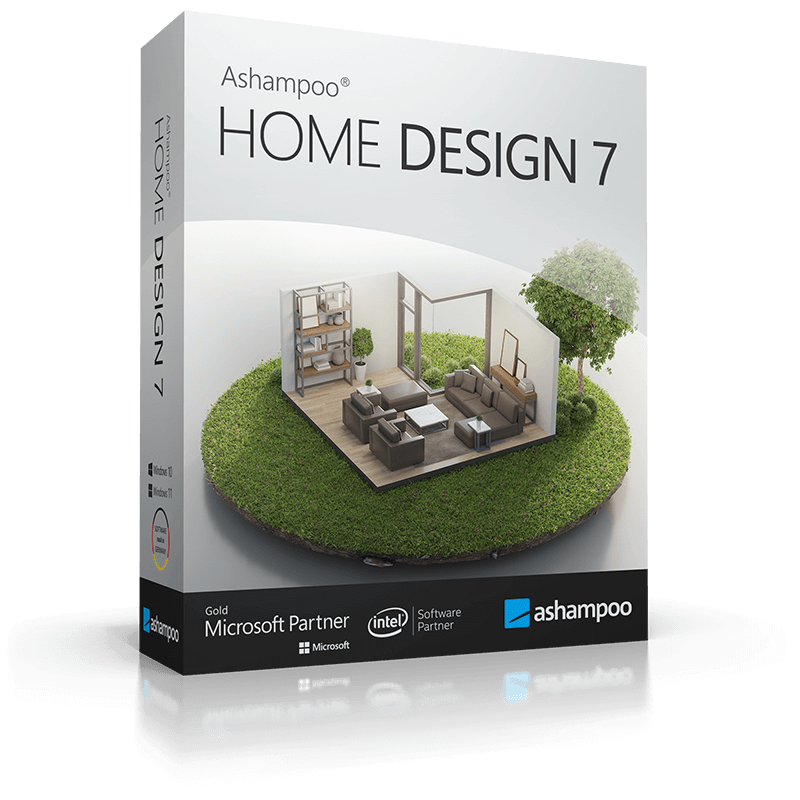
Ashampoo Home Design 7 is a comprehensive 3D design utility developed for residential planning and interior visualization. The software allows users to draft, furnish, and inspect architectural models on a PC, ranging from simple room redecorations to complex home extensions. A built-in project wizard automates initial calculations, while three distinct design levels—2D, 3D, and cross-section—provide structural clarity during every stage of the planning process.
The application features an extensive object catalog that includes professional-grade architectural elements such as walls, skylights, and chimneys, as well as specialized components like roof-mounted photovoltaic installations. Version 7 introduces significant updates, including over 1,200 new 3D objects and 250 pre-assembled groups for garages, kitchen units, and garden sheds. For users requiring more specific items, the software supports SketchUp and Collada imports to bring in custom furniture and decor models.
Technical features of the software include:
- Precise 3D previews with furniture, lighting, and environmental simulations for virtual tours.
- Numeric editing tools for walls, windows, and doors to ensure exact measurements.
- Expanded library containing over 380 symbols for electrical, gas, water, and security appliances.
- Streamlined catalog management with the ability to create and add custom folders for object groups.
- Comprehensive construction planning covering everything from shutter boxes and blinds to solar panels.
Top 5 Reasons To Download Ashampoo Home Design 7
- Unrivaled 3D Visualization and Immersive Virtual Tours
- Massive Object Library with SketchUp and Collada Integration
- Simplified Professional Planning with the Project Wizard
- Precision Engineering with Advanced Numeric Editing Tools
- Comprehensive Utility and Sustainable Energy Planning
If you have ever spent an afternoon staring at a blank wall in your living room, trying to visualize how a new window or a different furniture layout might look, you know the frustration of "mental modeling." It is imprecise, exhausting, and often leads to expensive mistakes once the actual construction or moving begins. This is why, as a tech reviewer, I am always on the lookout for tools that bridge the gap between imagination and reality. Enter Ashampoo Home Design 7. This is not just another "room planner" app that feels like a glorified video game; it is a robust, professional-grade architectural suite tailored for the home user. When I saw this giveaway, I knew I had to break down exactly why this is a "must-download" for anyone from a casual DIYer to someone planning a full-scale home construction. Let’s dive deep into the top five reasons why you need to grab this software right now.
1. Unrivaled 3D Visualization and Immersive Virtual Tours
The most significant hurdle in any home design project is the "spatial gap." You see a 2D floor plan, and while you can see where the walls are, you cannot feel the space. Ashampoo Home Design 7 solves this by providing a seamless transition between three distinct design levels: 2D, 3D, and cross-section. This multi-level approach ensures that you have maximum clarity at every planning step. But the real star of the show is the 3D preview mode. It is stunningly precise.
The software allows you to take virtual tours of your building while it is still in the planning phase. Imagine being able to "walk" through your future kitchen, checking if the island is too close to the refrigerator or if the morning sun will hit your breakfast nook exactly where you want it. This isn't just a static image; it is an environment complete with furniture, realistic lighting, and surroundings. The 3D view supports complex calculations for shadows and light, meaning you can see how your home will look at different times of the day. For anyone who has ever regretted a paint color or a furniture placement, this feature alone is worth the download. It provides a level of confidence that you simply cannot get from a flat piece of paper or a mobile app.
Furthermore, the cross-section view allows you to peek "inside" the structures. This is invaluable for understanding the thickness of walls, the placement of ceilings, and the integration of recessed lighting or skylights. It allows you to catch design flaws that would otherwise remain hidden until the hammers start swinging. By using these visualization tools, you are essentially "beta-testing" your home before a single penny is spent on materials.
2. Massive Object Library with SketchUp and Collada Integration
A house is just a box until you put something in it. One of the biggest complaints I have with entry-level design software is the lack of variety in the object catalogs. You end up with a "dream home" that looks like every other generic house because the furniture options are so limited. Ashampoo Home Design 7 completely obliterates this problem. Version 7 comes with over 1,200 new 3D objects and a brand-new catalog featuring over 250 ready-made object groups.
This includes everything from professional-quality walls and ceilings to specific details like shutter boxes, blinds, borders, and chimneys. But where it truly excels for the modern user is the inclusion of specialized pre-assembled groups. Need to design a kitchen? There are ready-made kitchen units. Planning a backyard oasis? Use the pre-assembled garden sheds or saunas. Want to ensure your car actually fits? Use the garage groups.
The "killer feature" here, however, is the support for SketchUp and Collada imports. If you cannot find the exact sofa you want in the internal library, you can go to the web, find a 3D model of that specific designer piece, and import it directly into your project. This means you are no longer limited by what the developers have included; you have access to millions of objects created by the global design community. This level of customization ensures that your digital model is a perfect 1:1 replica of what you intend to buy or build in the real world.
3. Simplified Professional Planning with the Project Wizard
Let’s be honest: professional CAD software is intimidating. Most people give up on home design software because they are greeted with a million buttons and no idea where to start. Ashampoo Home Design 7 handles this beautifully with its Project Wizard. This is the "secret sauce" that makes the software accessible to beginners without stripping away the power that pros need.
The wizard walks you through the initial setup, helping you define the basic parameters of your project. It handles the complex calculations in the background—things like area, volume, and wall measurements—so you can focus on the creative side of design. This automation is a massive time-saver. Instead of spending hours trying to figure out how to join two walls at a specific angle, the software does it for you.
This "smart" approach extends to the automatic features throughout the app. Whether you are placing doors or windows, the software understands the architectural logic of what you are doing. It ensures that windows are placed at correct heights and that doors have the necessary clearance. It takes the guesswork out of the technical side of architecture, allowing you to act as the architect and the interior designer simultaneously without needing a degree in either. For a "giveaway" software to offer this level of guided sophistication is frankly unheard of.
4. Precision Engineering with Advanced Numeric Editing Tools
As much as we love the creative "drag and drop" aspect of design, a home is a structural entity that requires absolute precision. You cannot "eyeball" the placement of a load-bearing wall. Ashampoo Home Design 7 introduces new numeric edit tools for walls, windows, and doors that elevate the software from a "hobbyist toy" to a "serious planning tool."
With these numeric input methods, you can specify exact dimensions down to the millimeter. If you know your window needs to be exactly 120 centimeters from the corner of the room, you can simply type that value in. The software will then move the object with mathematical precision. This is crucial for anyone who is actually going to use these plans to guide a contractor or for DIY renovations.
The ability to edit every aspect of construction planning—including recesses, skylights, and solar panels—with this level of detail is what sets this version apart. You can customize the thickness of the insulation, the height of the baseboards, and the specific trim on a door. In Version 7, editing these elements has become much easier and more intuitive. It’s the perfect blend of "artistic freedom" and "mathematical reality." When you print out your plans from this software, they aren't just sketches; they are actionable blueprints.
5. Comprehensive Utility and Sustainable Energy Planning
A modern home is more than just four walls and a roof; it is a complex system of utilities and, increasingly, a power plant. Most design software ignores the "guts" of the house—the pipes, the wires, and the energy systems. Ashampoo Home Design 7 goes in the opposite direction by providing comprehensive tools for utility planning.
This version includes over 380 new symbols for electrical, gas, water, and security appliances. This means you can plan exactly where your outlets go, where the water shut-off valve is located, and where your security cameras should be mounted. This level of planning prevents "afterthought" mistakes, like realizing your favorite reading spot doesn't have a nearby plug or that the plumbing for your new sink is in an awkward position.
Perhaps most impressively, the software includes a dedicated tool to plan roof-mounted photovoltaic installations. In an era where energy costs are skyrocketing and sustainability is a priority, being able to accurately map out solar panels on your 3D roof is a game-changer. You can visualize how they will look on your home and plan their placement for maximum efficiency. It even handles the planning of electrical appliances within the 3D view, ensuring that your home is as functional as it is beautiful. This forward-thinking approach to "smart" and "green" home design makes this giveaway an essential tool for the modern homeowner.
In conclusion, Ashampoo Home Design 7 is a powerhouse of a program that manages to be both incredibly deep and surprisingly accessible. Whether you are designing your "forever home" from scratch, planning a kitchen remodel, or just want to see if that new sectional sofa will fit in your den, this software provides the tools you need. With its advanced 3D engine, massive object library, and precise engineering tools, it turns the stressful process of home design into an enjoyable, creative endeavor. Don’t miss the chance to download this giveaway—your future home (and your wallet) will thank you for it.

Reviews for Ashampoo Home Design 7
Click Here to Read Reviews for Ashampoo Home Design 7 >> Click Here to Submit Reviews for Ashampoo Home Design 7 >>