What Does Ashampoo Home Design 9 Do?
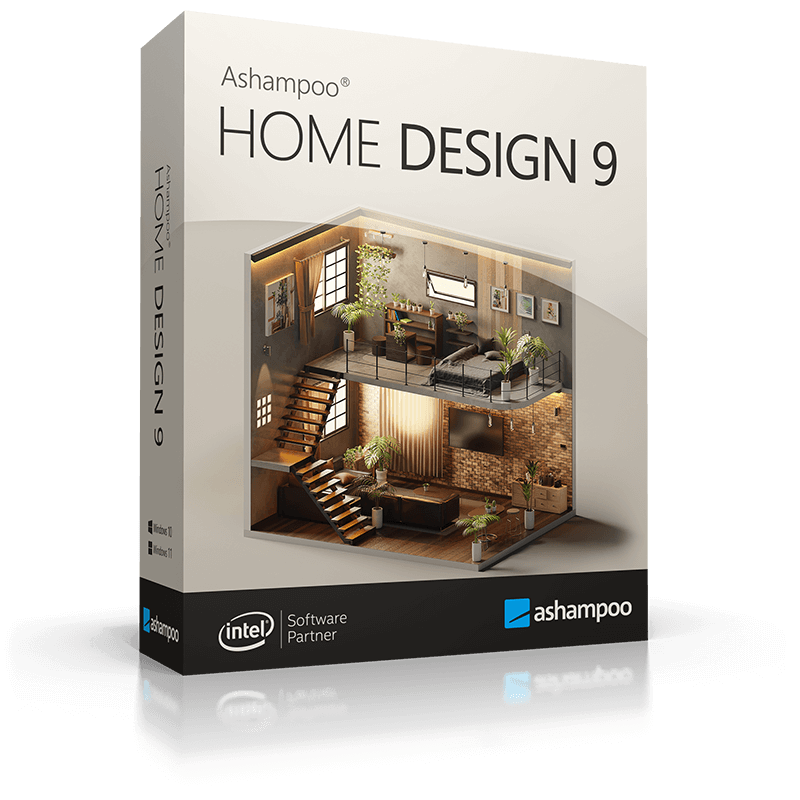
Ashampoo Home Design 9 is a specialized CAD application developed for planning, furnishing, and visualizing residential construction projects. The software allows users to create detailed digital models of houses, extensions, or redecorations using a 3D interface supported by a project wizard and automated calculation tools. It is designed to bridge the gap between conceptual sketches and technical blueprints.
The current iteration includes several technical enhancements and expanded libraries for more granular control:
- Design and Import: Users can access a vast internal catalog of furniture and appliances or import third-party 3D models via SketchUp and Collada to enhance interior details.
- Structural Elements: The toolset features dedicated modules for walls, ceilings, skylights, and chimneys. New numeric edit tools provide precision for windows and doors, while the balcony catalog and retaining walls assist with complex terrain and garden planning.
- Utility Mapping: Over 380 symbols are available for documenting electrical, gas, water, and security installations within the floor plan.
- Visualization: Planning occurs across three levels: 2D floor plans, 3D views, and cross-sections. Automatic dimensioning and position texts streamline the documentation process.
Functionality extends to specialized tasks such as planning roof-mounted photovoltaic systems and terrain modeling with 3D borders and fences. Integrated virtual tours enable users to survey the planned environment with realistic lighting and surroundings to assess spatial layouts before physical construction begins.
Top 5 Reasons To Download Ashampoo Home Design 9
1. Professional-Grade 3D Visualization and Virtual Tours
2. Massive Object Library with SketchUp and Collada Support
3. Intelligent Automation and Precision Editing Tools
4. Comprehensive Landscape and Exterior Planning
5. Advanced Utility Planning and Eco-Friendly Solar Integration
If you have ever stood in an empty room with a measuring tape, trying to visualize how a new sofa might look next to a window that hasn't been installed yet, you know the frustration of home design. The gap between what we imagine and what is actually possible is often filled with expensive mistakes and wasted time. This is where Ashampoo Home Design 9 steps in as a total game-changer. As a tech reviewer, I have seen plenty of CAD software that requires a PhD in architecture just to draw a straight line, but this tool strikes the perfect balance between professional-grade power and consumer-level accessibility. This isn't just a program; it is a laboratory for your dreams. Whether you are planning a complete renovation, building a house from the ground up, or just want to see if that new kitchen layout actually works, this software is the ultimate digital sandbox. Here is a deep dive into why you absolutely need to snag this giveaway right now.
1. Professional-Grade 3D Visualization and Virtual Tours
The most compelling reason to download Ashampoo Home Design 9 is its incredible ability to turn flat, boring floor plans into living, breathing 3D environments. We have all seen 2D blueprints—they are confusing, clinical, and tell you very little about how a room actually feels. This software bridges that gap by offering three distinct design levels: 2D, 3D, and cross-section. The magic happens when you toggle into the 3D view. Suddenly, your walls have height, your windows have depth, and your furniture has presence.
The virtual tour feature is particularly impressive. It allows you to walk through your future home before a single brick is laid or a single nail is driven. You can survey the building from every angle, checking the flow of traffic between the kitchen and the dining room, or seeing if the sunlight from the skylight hits the floor where you want it to. This level of visualization is vital because it prevents "builder’s remorse." It is much cheaper to move a digital wall with a mouse click than it is to move a physical one with a sledgehammer. The software renders textures, light, and surroundings with such precision that you get a genuine sense of scale. You can see how the shadows fall at different times of the day, helping you decide where to place your windows or your patio doors. For anyone serious about home improvement, this visual clarity is worth its weight in gold.
Furthermore, the cross-section view provides a technical depth that many other consumer-grade apps lack. It allows you to peek "inside" the construction to see how different levels interact. This is essential for complex projects involving multiple floors or staggered ceilings. By providing this 360-degree perspective, Ashampoo ensures that you aren't just guessing—you are planning with total confidence.
2. Massive Object Library with SketchUp and Collada Support
A home design app is only as good as its catalog. If you are stuck with generic, blocky furniture that looks like it came from a 1990s video game, your design won't feel real. Ashampoo Home Design 9 solves this by offering an extensive object catalog that covers every conceivable niche. We are talking about furniture, electrical appliances, decorations, and even specific items like shutters, blinds, and shutter boxes. The latest version features an expanded catalog with over 250 new 3D objects, giving you more variety than ever before.
But the real "pro tip" here is the software’s support for SketchUp and Collada imports. This is a massive feature that elevates the software from a simple tool to a limitless design engine. If you can't find the specific designer chair or high-end refrigerator you want in the native catalog, you can simply import a model from the web. This means you can populate your digital home with real-world products. You can download the exact dimensions of a specific sofa or a specific kitchen island and see exactly how it fits in your space. This level of customization ensures that your digital mockup is an accurate reflection of the reality you are trying to create.
The catalog also includes specialized items like the new balcony catalog, which allows you to group elements together for faster placement. Whether you are looking for specific door types, ornate railings, or specific bathroom fixtures, the library provides the building blocks you need to make the space your own. It takes the "design" part of home design and makes it fun, like playing a high-stakes version of a life simulation game, but with real-world applications.
3. Intelligent Automation and Precision Editing Tools
One of the biggest hurdles in home design is the math. Calculating area, ensuring walls are perfectly parallel, and getting the dimensions of window recesses just right can be a nightmare. Ashampoo Home Design 9 removes this friction with its project wizard and a suite of automatic features. When you start a project, the wizard guides you through the basic setup, ensuring you have the foundations right before you move on to the creative details.
The automation doesn't stop at the setup. The software handles complex calculations in the background. If you move a wall, the software automatically updates the dimensions. The new version introduces automatic dimensioning for 2D floor plans and automatic position texts for marking walls and windows. This is a huge time-saver. Instead of manually labeling every element, the software does the heavy lifting for you, allowing you to focus on the aesthetics and the layout.
For those who crave precision, the new numeric edit tools are a godsend. You can enter exact values for walls, windows, and doors, ensuring that your plan is accurate down to the millimeter. This is the difference between a "rough sketch" and a "working plan." The software also features smart tools for railings, which can now be used in many variations, and the ability to add fences as railings. These tools are intuitive enough for a beginner but powerful enough that a professional contractor could use the outputs to understand your vision. The "north arrow" dialog is another brilliant addition, allowing you to rotate and scale your orientation so you can accurately plan for natural lighting and heat gain based on your home's actual position on the earth.
4. Comprehensive Landscape and Exterior Planning
Many home design programs focus solely on the interior, leaving the exterior as an afterthought. Ashampoo Home Design 9 recognizes that a home doesn't exist in a vacuum; it exists on a plot of land. This software offers robust tools for terrain and garden planning, which is essential for anyone looking to build an extension or landscape their yard. The new ground terrain element with 3D borders allows you to model the actual topography of your lot. If your backyard slopes or if you need to plan for retaining walls, this software can handle it.
The exterior planning features allow you to design the "curb appeal" of your home just as meticulously as the interior. You can add paths, terraces, and gardens. You can experiment with different types of fences and railings to see how they impact the privacy and look of your property. The ability to plan balconies as grouped objects makes it easy to add complex architectural features to the exterior of your building without having to build them piece by piece.
This holistic approach to design is vital because it helps you understand how your home interacts with its environment. You can see how an extension might eat up your garden space or how a new fence might block your view. By including the exterior in the 3D tour, Ashampoo provides a complete picture of the living experience. It allows you to plan your "outdoor rooms" with the same level of detail as your living room, ensuring a cohesive design across your entire property.
5. Advanced Utility Planning and Eco-Friendly Solar Integration
In the modern world, design isn't just about where the sofa goes; it's about where the power, water, and energy come from. Ashampoo Home Design 9 includes professional-quality tools for utility planning that you usually only find in much more expensive software. One of the standout features is the ability to plan roof-mounted photovoltaic installations. As more homeowners look toward green energy, being able to visualize and plan solar panels on your digital roof is an incredible advantage. You can check the placement and see how they fit with the overall aesthetic of the house before committing to a costly installation.
Furthermore, the software includes over 380 new symbols for electrical, gas, water, and security appliances. This means you can map out exactly where your outlets, light switches, radiators, and security cameras will go. This level of planning is essential for a smooth renovation. There is nothing worse than finishing a room only to realize you don't have a power outlet where you need one, or that a radiator is blocking the only spot for your bookshelf.
By including these technical symbols and utility planning tools, Ashampoo Home Design 9 ensures that your design is practical and functional. It encourages you to think about the "bones" of the house—the infrastructure that makes a home livable. Whether you are planning a smart home with integrated security or just trying to figure out the plumbing for a new bathroom, these symbols and tools provide the clarity you need to communicate with contractors and avoid mid-construction changes that can blow your budget.
In conclusion, Ashampoo Home Design 9 is more than just a piece of software; it is a comprehensive toolkit for anyone who cares about their living space. It combines high-end 3D rendering with practical, easy-to-use tools that take the guesswork out of home design. From the initial wizard-assisted setup to the final virtual tour of your furnished dream home, the experience is smooth, intuitive, and incredibly rewarding. Given the sheer depth of the object catalog, the flexibility of SketchUp imports, and the precision of the new editing tools, this is an essential download for DIY enthusiasts, homeowners, and anyone who loves to dream in three dimensions. Do not miss your chance to get this powerful design suite—it is time to stop imagining and start building.
Summary of why you should download:
- Visualization: See your project in 3D and take virtual tours to catch design flaws early.
- Customization: Use thousands of objects or import your own via SketchUp and Collada.
- Ease of Use: Let the project wizard and automatic calculations do the hard math for you.
- Full Control: Plan your landscape, your terrain, and your garden alongside your house.
- Future-Proof: Plan for solar panels and map out all your electrical and plumbing needs with specialized symbols.
This software turns the complex task of architectural design into an accessible and enjoyable process. Whether you are a seasoned pro or a first-time decorator, Ashampoo Home Design 9 provides the features you need to bring your vision to life with professional accuracy. Download it now and start building your future.

Reviews for Ashampoo Home Design 9
Click Here to Read Reviews for Ashampoo Home Design 9 >> Click Here to Submit Reviews for Ashampoo Home Design 9 >>