What Does Ashampoo Music Studio 2020 Do?
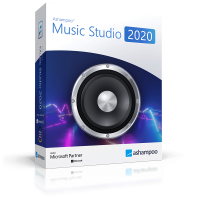
Ashampoo Music Studio is a comprehensive software suite designed for the management, editing, and distribution of audio files. The application provides a centralized interface for tasks ranging from basic file organization to multi-track audio production.
Users can digitize physical media through the CD ripping feature, which automatically fetches metadata and cover art from an online database. For library maintenance, the tool includes an automated renaming utility that applies consistent naming schemes across individual tracks or entire folders based on ID3 tags. This ensures that even large collections remain organized and searchable.
The built-in audio editor supports precise manipulation, including cropping, cutting, and volume normalization. It also facilitates the extraction of audio tracks from video files and direct recording from system input sources. For playback, the software generates playlists compatible with standard formats such as M3U, PLS, WPL, and XSPF, ensuring cross-device compatibility.
Additionally, the software features a mix tape creator with adjustable transitions and fades for social events. For physical media, it includes disc burning capabilities and a design module for creating custom covers. Integrated utility tools also allow for metadata editing and file analysis to maintain consistent sound quality across a user's entire audio library.
Top 5 Reasons To Download Ashampoo Music Studio 2020
- A Comprehensive Audio Editing and Recording Powerhouse: Unlike basic tools, this software offers surgical precision for cutting, cropping, and recording your own high-quality audio tracks directly from your PC.
- Intelligent Library Organization and Fast Renaming: Say goodbye to thousands of files named Track 01; the smart auto-naming and massive database integration fix messy music libraries in seconds.
- The Ultimate Mix Tape and Playlist Architect: Create professional-grade transitions, crossfades, and device-compatible playlists that work on everything from your car stereo to your smartphone.
- High-Speed CD Ripping with Automatic Metadata: Effortlessly digitize your physical collection with automated cover art retrieval and track identification, saving you hours of manual data entry.
- Seamless Audio Extraction from Video Files: Quickly pull epic soundtracks or hilarious quotes from any video file to create custom ringtones or standalone audio tracks.
If you are anything like me, your digital music collection is probably a bit of a disaster. We all start with the best intentions, but somewhere between downloading tracks, ripping old CDs, and saving audio clips from the web, things get messy. Files are named incorrectly, volume levels are all over the place, and finding that one specific song for a party feels like searching for a needle in a digital haystack. This is exactly why you need to pay attention to this giveaway. We are looking at a piece of software that doesn't just "play" music; it masters it. I am talking about Ashampoo Music Studio, a versatile suite designed to be the only tool you will ever need for your audio needs.
As a tech reviewer, I see a lot of "all-in-one" solutions that end up being "master of none." However, Ashampoo has a long-standing reputation for building utility software that is both powerful enough for power users and simple enough for your parents to use. This music studio is no exception. It is a sleek, focused, and incredibly efficient package. Let’s dive deep into the five reasons why this is a mandatory download for anyone who takes their audio seriously.
1. A Comprehensive Audio Editing and Recording Powerhouse
The core of any good music software is its editing suite. Most free tools give you a basic "cut" and "paste" feature, but they often lack the finesse required to make a track sound professional. This software changes the game by providing an editor that allows you to manipulate audio with extreme precision. Whether you need to trim the silence off the beginning of a live recording or cut a specific segment out of a podcast, the interface makes it intuitive.
But it isn't just about cutting. One of the most common issues with digital music is inconsistent volume. You know the feeling: one song is whisper-quiet, and the next one blasts your eardrums out. The built-in normalization tool fixes this instantly, ensuring that your entire library plays back at a consistent, comfortable level. You can also mute specific sections, adjust volumes for individual parts of a track, and apply fades that sound like they were done in a professional recording studio.
Furthermore, the recording capabilities are top-notch. If you are a budding podcaster, a voice-over artist, or just someone who wants to record a quick memo, you can do it all right here. You simply select your audio source—be it a high-end microphone or your system’s internal audio—and hit record. Once you're done, you don't have to export the file to another program to clean it up; you can jump straight into the editor. This seamless workflow is something you usually only find in expensive, professional-grade digital audio workstations.
2. Intelligent Library Organization and Fast Renaming
Let’s be honest: a music library with thousands of files named Unknown Artist - Track 05 is useless. It’s a digital graveyard. One of the standout features of this giveaway is the smart auto-naming and organizational tools. This software doesn't just look at the filename; it looks at the metadata. It uses a massive, comprehensive database to identify your tracks and fill in the blanks.
The Fast Song Renaming feature is a literal lifesaver. You can take an entire folder of inconsistently named files and apply a customizable naming scheme. Do you want Artist - Album - Track Number - Title? Done. Do you prefer Year - Title? No problem. With the click of a button, what was once a chaotic mess becomes a perfectly organized library. This isn't just about aesthetics; it’s about findability. When your files are named correctly and the tags are filled out, your media players and smartphones can actually categorize your music by genre, year, and artist, making your listening experience significantly better.
Beyond just renaming, the software helps you bring order to the file structure itself. It can move files into appropriate folders based on their tags, ensuring that your hard drive is just as organized as your playlist. For anyone who has spent hours manually right-clicking files to "Rename," this feature alone makes the software worth the download.
3. The Ultimate Mix Tape and Playlist Architect
There is an art to the perfect mix tape. It isn't just about picking good songs; it’s about the flow. In the old days, we had to carefully time our recordings to get the transitions right. Now, Ashampoo Music Studio does the heavy lifting for you. The mix tape feature allows you to turn a collection of songs into a cohesive listening experience. You can set the mood with fitting transitions and fades, ensuring there are no awkward silences or jarring jumps between tracks.
Whether you are prepping for a wedding, a backyard BBQ, or a formal dinner party, you can craft the exact ambience you need. You pick the format, you pick the quality, and the software blends the tracks together. It’s like having a digital DJ at your disposal. The crossfade feature is particularly impressive, allowing one song to bleed into the next in a way that feels organic and professional.
Then there is the issue of compatibility. We have all created a playlist on our PC only to find it won't load on our car's infotainment system or our portable MP3 player. This software supports a wide array of playlist formats, including M3U, PLS, WPL, and XSPF. This means the playlists you create here are virtually guaranteed to work on any device you own. It takes the guesswork out of digital music management and ensures your soundtrack follows you wherever you go.
4. High-Speed CD Ripping with Automatic Metadata
While streaming is king these days, many of us still have crates of physical CDs gathering dust. Those CDs hold high-quality audio that often sounds better than compressed streams, but they aren't exactly portable. This giveaway provides one of the fastest and most reliable CD rippers I have ever tested. It turns your physical discs into space-saving digital files (like MP3 or FLAC) in a breeze.
What sets this ripper apart is its intelligence. As soon as you insert a disc, the software reaches out to its gigantic database to find the track titles, artist names, and album years. But it goes a step further: it also finds the original cover art. There is something incredibly satisfying about seeing your digital library populated with vibrant album covers rather than generic grey icons. It makes the digital experience feel more "physical" and premium.
The ripping process is optimized for speed, but it doesn't sacrifice quality. You have full control over the output format and bitrate, allowing you to choose between maximum space savings or lossless audio fidelity. If you have been put off by the daunting task of digitizing your old collection, this is the tool that will finally help you get it done without the headache.
5. Seamless Audio Extraction from Video Files
How many times have you watched a movie or a YouTube video and thought, "I wish I had that song," or "That quote would make a perfect ringtone"? Usually, extracting audio from video requires a complicated series of conversions and third-party websites that are often filled with malware. This software includes a dedicated tool to extract audio from videos quickly and safely.
The process is incredibly straightforward. You load the video file, and the software strips away the visual data, leaving you with a high-quality audio track. You can then take that audio straight into the editor to trim it down to the exact second you need. This is perfect for creating custom notification sounds, extracting soundtracks from home movies, or saving a speech or lecture as an audio file for listening on the go.
The speed of extraction is remarkable. Even for long-form videos, the software processes the data efficiently, giving you a standalone audio file in seconds. This "extra" feature is a massive value-add that turns a standard music organizer into a versatile media tool. It’s these kinds of thoughtful inclusions that make this software a standout in the crowded "utilities" market.
In addition to these five pillars, the software comes packed with useful tools that every music lover needs. You can design and print beautiful covers for your burned CDs, which is a fantastic touch for anyone making personalized gifts. There is also an audio analysis tool that can check your files for errors, ensuring your library is healthy and functional. It even supports burning music directly to CD or DVD, a feature that is becoming harder to find in modern software but remains essential for many users.
The user interface is worth mentioning as well. Ashampoo has mastered the "dark mode" aesthetic, providing a look that is modern, clean, and easy on the eyes during late-night editing sessions. Everything is categorized logically, so you won't find yourself digging through endless sub-menus to find the tool you need. It’s designed for results.
Why should you download this now? Giveaways of this caliber don't come around every day. We are talking about a full-featured, "Swiss Army Knife" for audio that normally comes with a price tag. Whether you are looking to clean up a messy library, digitize a CD collection, or create the perfect mix for your next big event, this software provides every tool you could possibly need in one handy package. It’s efficient, it’s powerful, and most importantly, it’s incredibly easy to use.
In conclusion, if you have even a passing interest in music or audio, this is a no-brainer. The ability to edit, organize, rip, and burn all within a single interface is a productivity boost that you will appreciate from the moment you install it. Don't let your music library stay in a state of chaos. Grab this giveaway, put in a little time to organize and normalize your tracks, and rediscover your love for your music collection. You will be amazed at how much better your favorite songs sound when they are properly managed and perfectly edited. Go check it out—you won't be disappointed!


Reviews for Ashampoo Music Studio 2020
Click Here to Read Reviews for Ashampoo Music Studio 2020 >> Click Here to Submit Reviews for Ashampoo Music Studio 2020 >>