What Does Ashampoo Burning Studio 2026 Do?
Ashampoo Burning Studio 2026 is a comprehensive utility designed for managing optical media on current Windows operating systems. The software facilitates the burning of data, movies, and music to CDs, DVDs, and Blu-ray discs, including high-capacity BDXL media. For large projects, an integrated disc spanning feature automatically distributes data across multiple discs to ensure complete storage of extensive document or media collections.
Beyond standard burning, the application provides specialized tools for audio management and data security. Users can rip audio CDs with automated track naming and CD-text support, or create custom audio discs with generated playlists. The scratch protection function enhances data reliability by ensuring files remain readable even if the disc surface sustains physical damage. For mobile users, the software includes a one-click backup tool for securing files from cellphones, tablets, and external drives to optical media or USB storage.
Key technical capabilities include:
- Creation and browsing of disc images such as ISO and CUE/BIN with preview support.
- Direct copying and duplication of existing optical discs.
- Integrated design tools for printing custom covers, inlays, and cases for all disc types.
- Backing up external devices directly to disc, USB flash drives, or hard drives.
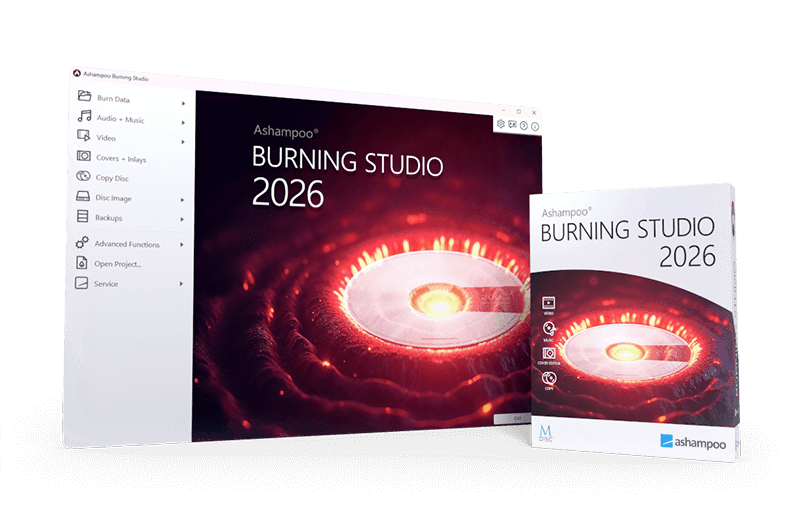
The 2026 version introduces a modernized user interface designed to streamline complex tasks, ranging from disc imaging to high-security data archiving.
Top 5 Reasons To Download Ashampoo Burning Studio 2026
- Unrivaled Versatility and High-Capacity Disc Spanning: Whether you are working with CDs, DVDs, or high-capacity Blu-rays (including BDXL), the software handles every format with ease. Its intelligent disc spanning feature automatically splits massive data sets across multiple discs, ensuring you never have to worry about running out of space.
- Bulletproof Security with Scratch Protection: By utilizing advanced data redundancy, Ashampoo Burning Studio 2026 allows you to create discs that remain readable even if the surface becomes physically scratched or damaged. This makes it the ultimate choice for long-term archiving and mission-critical data storage.
- Effortless One-Click Mobile Backups: In an age where our phones are overflowing with photos and videos, this software offers a seamless solution to back up cellphones, tablets, and external drives directly to physical media or secure storage with minimal effort.
- Professional Multimedia Ripping and Mastering: From high-fidelity CD ripping with automatic track identification and CD-text support to creating custom playlists and professional-grade covers and inlays, this tool is a complete creative suite for music and movie lovers.
- Modernized UI and Full Windows Compatibility: The 2026 version boasts a sleek, intuitive user interface that is fully optimized for all current Windows versions. It provides a smooth, lag-free experience that caters to both tech-savvy power users and beginners alike.
In the rapidly evolving world of digital technology, it is easy to assume that physical media is a relic of the past. However, any seasoned tech enthusiast or data professional will tell you that physical storage remains the gold standard for "cold storage" and long-term preservation. When the cloud fails, or when a hard drive suffers a mechanical breakdown, having your most precious memories and critical files on a high-quality disc is the ultimate safety net. This brings us to Ashampoo Burning Studio 2026, a powerhouse of a utility that proves burning software is more relevant today than ever before. If you have been looking for a reason to tidy up your digital life and secure your data for the next decade, look no further. This software is not just a tool; it is a comprehensive insurance policy for your digital assets. Let’s dive deep into why you need to download this giveaway immediately.
1. Unrivaled Versatility and High-Capacity Disc Spanning
One of the biggest frustrations with traditional burning software is the limitation on file size and disc types. Ashampoo Burning Studio 2026 eliminates these hurdles entirely. It supports everything from the humble CD-R to the massive 128GB BDXL Blu-ray discs. For those of us who deal with 4K video projects, massive high-resolution photo libraries, or complex software backups, the ability to write to high-capacity media is essential. But the real magic happens when your data exceeds the capacity of a single disc.
The Disc Spanning feature is a game-changer for data management. Imagine you have a 50GB folder of wedding photos, but you only have standard 4.7GB DVDs on hand. Instead of manually sorting files and trying to do the math yourself, Ashampoo Burning Studio 2026 takes the reins. It intelligently calculates how many discs are needed and distributes the data across them automatically. When it comes time to restore that data, the software guides you through the process, making it as simple as inserting the discs in order. This level of automation is what separates professional-grade software from the basic utilities built into operating systems. It transforms a tedious afternoon task into a simple, set-it-and-forget-it operation.
2. Bulletproof Security with Scratch Protection
We have all experienced the heartbreak of finding an old disc that contains precious family photos, only to realize that a few surface scratches have rendered the data unreadable. Physical media is durable, but it is not invincible—until now. Ashampoo Burning Studio 2026 features a revolutionary Scratch Protection function that is designed to combat the inevitable wear and tear of time.
By writing multiple copies of your data across the disc and utilizing advanced error-correction techniques, the software ensures that your files remain accessible even if the disc surface is moderately damaged. This makes it the ideal choice for creating backups that you intend to store for five, ten, or twenty years. When you burn a scratch-protected disc, you aren't just saving files; you are preserving history. Whether it is important tax documents, digital family heirlooms, or your favorite music collection, this feature provides a level of reliability that no USB stick or external hard drive can match. It is the closest thing to "bulletproof" storage available for the consumer market.
3. Effortless One-Click Mobile Backups
Our smartphones have become the primary cameras and storage devices for our daily lives, but they are also incredibly vulnerable. Losing a phone or experiencing a software crash can result in the loss of thousands of photos in an instant. While cloud services are popular, they often come with recurring monthly fees and privacy concerns. This is where Ashampoo Burning Studio 2026 steps in to bridge the gap between your mobile device and your permanent archive.
The software includes a dedicated backup tool for cellphones, tablets, and other external devices. With just a few clicks, you can transfer your mobile data directly to a CD, DVD, or Blu-ray. It supports a wide range of devices and simplifies the import process, ensuring that you don't have to navigate through confusing folder structures on your phone. This "one-click" philosophy makes it incredibly easy to maintain a physical backup of your mobile life. It is the perfect solution for anyone who wants to clear out space on their device without permanently deleting their memories or paying for extra cloud storage every month.
4. Professional Multimedia Ripping and Creative Tools
For the audiophiles and cinephiles among us, Ashampoo Burning Studio 2026 is a dream come true. Despite the rise of streaming, many people still value their physical CD and DVD collections for their superior bitrates and ownership rights. This software allows you to rip audio CDs with surgical precision. It doesn't just copy the files; it automatically identifies the tracks, downloads the correct metadata via CD-text, and names your files perfectly. It even creates playlists during the ripping process, so your music is ready to be played in the correct order on any device.
Beyond just ripping, the software provides a robust suite of creative tools for Mastering your media. If you are burning a custom mix for a car ride or a gift, you can use the integrated cover and inlay designer. This isn't just a basic text editor; it is a user-friendly design studio that allows you to create professional-looking cases and labels for all disc types. You can import your own images, choose from various templates, and print them out to give your physical discs a polished, retail look. It’s about bringing back the tactile, personal experience of media ownership that streaming simply cannot replicate.
5. Modernized UI and Full Windows Compatibility
Software that feels dated is frustrating to use, no matter how powerful its features are. Ashampoo understands this, which is why the 2026 version features a sleek new user interface that feels right at home on modern versions of Windows. The navigation is logical, the buttons are clear, and the overall aesthetic is clean and unobtrusive. Whether you are using a high-resolution 4K monitor or a standard laptop screen, the UI scales beautifully and provides a responsive experience.
Furthermore, compatibility is never an issue. This version is built from the ground up to be compatible with all current Windows versions, ensuring that it runs stably and efficiently. You won't have to worry about driver conflicts or legacy errors that plague older burning utilities. The developers have also optimized the engine to ensure that the burning process itself is as fast as your hardware allows, minimizing wait times and maximizing productivity. In a world of "bloatware," Ashampoo Burning Studio 2026 remains a streamlined, focused application that does its job exceptionally well without slowing down your system.
Conclusion: Why You Shouldn't Wait
In summary, Ashampoo Burning Studio 2026 is more than just a burning tool—it is a comprehensive data management suite. It addresses the modern user's needs by combining the reliability of physical media with the convenience of modern software features. From the security of scratch protection to the creative freedom of cover design and the practicality of mobile backups, it covers every base.
As a tech reviewer, I see a lot of software come and go, but Ashampoo has consistently maintained a reputation for quality and reliability. This 2026 edition is the culmination of years of refinement. It handles complex tasks like disc spanning and ISO image browsing with the same ease as it handles burning a simple music CD. It is rare to find a tool that is both this powerful and this user-friendly.
If you value your data, if you love your music, and if you want a dependable way to archive your digital life, this giveaway is an absolute no-brainer. Don't leave your most important files to the whims of the cloud or the mechanical fragility of a hard drive. Take control of your data, embrace the security of physical media, and let Ashampoo Burning Studio 2026 do the heavy lifting for you. Download it today and experience the peace of mind that comes with knowing your data is truly safe.
Make sure to take advantage of this offer while it lasts. In the world of tech, the best tools are the ones that simplify your life, and Ashampoo Burning Studio 2026 does exactly that, one disc at a time.

Reviews for Ashampoo Burning Studio 2026
Click Here to Read Reviews for Ashampoo Burning Studio 2026 >> Click Here to Submit Reviews for Ashampoo Burning Studio 2026 >>