What Does Ashampoo WinOptimizer 2022 Do?
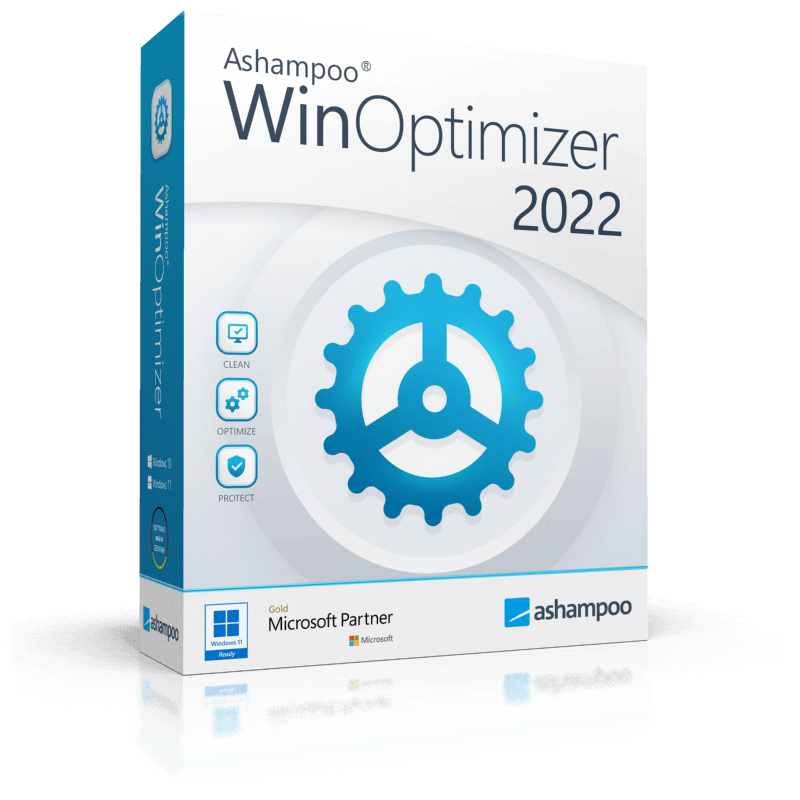
Ashampoo WinOptimizer 2022 is a comprehensive system utility suite designed to clean, accelerate, and secure the Windows operating system. The software provides 23 distinct modules to address common OS performance issues, such as registry clutter, leftover temporary files, and fragmented disks. This version features full Windows 11 compatibility and updated cleaning algorithms for modern environments.
Key functionalities focus on system maintenance and privacy. The Privacy Manager allows users to limit telemetry and data collection by Microsoft, while the 1-Click Optimizer automates routine maintenance tasks. For file management, the suite provides a File Wiper for permanent data destruction, an Undeleter for recovering accidentally removed files, and specialized tools for file encryption and splitting. Users can also back up and restore desktop icon arrangements using the Icon Saver feature.
Technical analysis tools include DiskSpace Explorer for identifying large files and hardware benchmarks for performance testing. Performance-enhancing features like Game Booster and Service Manager allow for fine-tuning system resources by disabling unnecessary background processes. The interface utilizes a centralized navigation bar and interactive start screens for immediate problem analysis. Additionally, the software manages system policies through the User Rights Manager and includes power scheme management to preserve battery life on portable devices.
Top 5 Reasons To Download Ashampoo WinOptimizer 2022
- Complete System Revitalization and Maintenance: Ashampoo WinOptimizer 2022 acts as a digital spa for your PC, utilizing over 20 modules to scrub away Registry errors, junk files, and browser traces that slow down your experience.
- Unrivaled Privacy and Telemetry Control: Take back control of your personal data by disabling Windows' intrusive telemetry and data collection features through the dedicated Privacy Manager.
- Maximum Gaming and Work Performance: With specialized tools like Game Booster and Service Manager, the software reallocates system resources to ensure your active applications get the horsepower they need.
- In-Depth Hardware and System Diagnostics: Move beyond guesswork with professional-grade analysis tools that monitor hard drive health, benchmark performance, and visualize disk space usage.
- Professional-Grade File Management and Security: Whether you need to recover an accidentally deleted document, securely wipe sensitive data, or encrypt private files, the included file tools provide total security.
Let’s be honest for a second: Windows is a bit of a mess. Whether you are running the latest version of Windows 11 or you are sticking with the tried-and-true Windows 10, the operating system has an inherent tendency to collect "digital sludge" over time. Every time you install an app, browse the web, or even just move files around, Windows leaves behind little breadcrumbs. Eventually, these breadcrumbs turn into a mountain of clutter that chokes your processor, eats up your RAM, and fills your hard drive with useless junk. This is where Ashampoo WinOptimizer 2022 comes in, and why this giveaway is an absolute must-have for anyone who takes their PC performance seriously.
As a tech reviewer, I see a lot of "optimization" software. Most of them are nothing more than glorified "Delete" buttons that don't do much more than empty your Recycle Bin. However, Ashampoo has consistently proven that they understand the architecture of Windows better than almost anyone else in the third-party utility space. The 2022 edition of WinOptimizer is not just a cleaner; it is a full-scale maintenance suite, a diagnostic laboratory, and a security vault all rolled into one intuitive interface. If you’ve noticed your boot times creeping up or your applications stuttering, you need to pay attention to the details below.
1. Complete System Revitalization and Maintenance
The core reason most users look for a tool like this is speed. Windows is notorious for its Registry—a massive database that stores settings for every single thing on your computer. Over time, the Registry becomes bloated with orphaned entries from long-deleted programs. Ashampoo WinOptimizer 2022 features a totally overhauled 1-Click Optimizer that dives deep into these system arteries. It doesn't just "look" for problems; it identifies valid issues and repairs them without compromising system stability.
Beyond the Registry, the system maintenance modules tackle the "Internet Cleaner" and "Drive Cleaner." Think about every website you visit. Your browser stores images, scripts, and cookies to make things load faster next time. But when those files reach into the gigabytes, they actually start to hinder performance. The 2022 version introduces new direct cookie management, allowing you to keep the cookies that matter (like login info) while purging the tracking cookies that follow you around the web. By merging free disk space with the built-in Defrag tool and detecting file system errors via Disk Doctor, you aren't just cleaning your PC; you are structurally reinforcing it.
The "Auto-emptying" of the Windows recycle bin and the up-to-date cleaners ensure that the maintenance isn't just a one-time event. It’s about creating a leaner, faster environment where your hardware isn't fighting against your software. The result is a machine that feels "fresh out of the box" every time you hit the power button. For anyone who hasn't reinstalled Windows in over a year, this module alone will make the download worth your time.
2. Unrivaled Privacy and Telemetry Control
In the modern era of computing, privacy is no longer a luxury—it’s a necessity. It is a well-known fact that Microsoft Windows, particularly in its most recent iterations, collects a staggering amount of data about your usage habits. From your location to your typing patterns and app usage, "telemetry" is constantly being sent back to the mothership. For most users, finding the settings to turn this off is like trying to find a needle in a haystack of nested menus and confusing legal jargon.
The Privacy Manager module in Ashampoo WinOptimizer 2022 is a game-changer. It puts all those hidden "spy" settings into one easy-to-navigate dashboard. You can disable telemetry, stop apps from accessing your microphone or camera without permission, and prevent Microsoft from collecting "diagnostic" data that you never agreed to share in the first place. This isn't just about being paranoid; it's about system efficiency. Every bit of data that your computer sends out is a background process that uses CPU cycles and bandwidth.
By using the Privacy Manager, you are effectively putting a digital "Do Not Disturb" sign on your PC. It allows you to customize Windows system policies through the User Rights Manager, ensuring that you are the true administrator of your own machine. In a world where our digital footprint is being tracked by every corporation, having a tool that acts as a shield is incredibly empowering. This giveaway gives you the professional tools to lock down your OS in minutes, something that would take hours to do manually.
3. Maximum Gaming and Work Performance
If you are a gamer or a creative professional using resource-heavy software like video editors or CAD tools, you know that background tasks are the enemy. Windows often runs dozens of "services" that you simply do not need. For example, if you don't own a printer, why is the Print Spooler service eating up your RAM? If you don't use a specific peripheral, why is the driver service for it running in the background?
Ashampoo WinOptimizer 2022 solves this with the Service Manager and the Game Booster. The Game Booster is particularly impressive. With a single click, it identifies non-essential background processes and suspends them. This frees up immediate RAM and CPU threads, funneling all that power into your game. When you’re done playing, it restores everything to exactly how it was. It’s the difference between a game stuttering during a critical moment and a smooth, high-frame-rate experience.
For the non-gamers, the Internet Tuner and Service Manager provide similar benefits for productivity. The Internet Tuner optimizes your connection settings—adjusting things like MTU and TTL—to ensure you’re getting the maximum throughput your ISP allows. Meanwhile, the Service Manager provides detailed descriptions of every running service, telling you exactly what is "safe to disable." This level of granular control allows you to "overclock" your user experience without actually touching your hardware's clock speeds. It makes Windows 11 feel as light as a tablet OS while maintaining the power of a desktop workstation.
4. In-Depth Hardware and System Diagnostics
Knowledge is power. Most users have no idea what’s actually happening under the hood of their computer until something breaks. The HDD Inspector and Disk Doctor modules in Ashampoo WinOptimizer 2022 are designed to prevent those "blue screen of death" moments before they happen. By analyzing the S.M.A.R.T. data from your hard drives or SSDs, the software can warn you if a drive is beginning to fail. This gives you time to back up your precious photos and documents before the hardware gives up the ghost.
The 2022 version also includes a dramatically faster DiskSpace Explorer. Have you ever wondered where all your hard drive space went? You look at your folders and they seem small, yet your 1TB drive is somehow full. DiskSpace Explorer provides a visual representation of your storage, highlighting exactly which folders and file types are the culprits. It’s usually a forgotten folder of 4K video downloads or a massive "temp" folder from an old software installation. Finding and deleting these through WinOptimizer is satisfyingly fast.
Furthermore, the suite includes System Benchmarks. These allow you to compare your computer's performance against other users online. It’s a great way to see if your hardware is performing as it should or if there is a bottleneck somewhere in your configuration. By having access to these diagnostics, you stop being a passive user and start being an informed owner. You’ll know exactly when it’s time to upgrade and when a simple software optimization is all you need to stay current.
5. Professional-Grade File Management and Security
The final reason you need to download this giveaway is the "File Tools" module. Most people don't realize that when you delete a file in Windows and empty the Recycle Bin, the file isn't actually gone. It’s just marked as "free space," meaning someone with basic recovery software could potentially bring that file back. This is a massive security risk if you are selling an old computer or handling sensitive financial documents.
The File Wiper module in WinOptimizer 2022 uses military-grade wiping standards to overwrite that data multiple times, making it permanently unrecoverable. On the flip side, we have all had that heart-stopping moment where we accidentally delete something important. The Undeleter module is your safety net, allowing you to scan your drives and recover files that haven't been overwritten yet. Having both a "shredder" and a "recovery tool" in the same toolbox is incredibly convenient.
Additionally, the File Encrypter and Decrypter allow you to password-protect individual files. If you have a spreadsheet of passwords or private scans of your ID, you can encrypt them so that even if someone gets access to your computer, they can’t read your files. The suite also includes a File Splitter for breaking up massive files into smaller chunks for easier sharing, and a Link Checker to find and remove broken shortcuts that lead to nowhere. It is a comprehensive set of tools that replaces half a dozen separate apps, keeping your desktop clean and your workflow efficient.
Conclusion: Why You Should Download This Now
Ashampoo WinOptimizer 2022 is the ultimate software toolbox. With 23 modules, it covers every conceivable aspect of PC maintenance. Whether you are looking to boost your boot speed, secure your private data, or simply understand your hardware better, this program delivers. The 2022 version is specifically optimized for Windows 11, featuring the new Icon Saver to keep your desktop layout exactly how you like it, and a refined user interface that looks brilliant on high-resolution displays.
As a tech reviewer, I always tell people: "Don't wait for your computer to slow down to start taking care of it." Maintenance should be proactive, not reactive. Most of the issues that cause people to buy a new computer—sluggishness, crashing, lack of space—can be solved with a few clicks in Ashampoo WinOptimizer. It is a lightweight, memory-efficient program that replaces the need for expensive technician visits.
This giveaway is a rare opportunity to get a premium, fully-featured optimization suite for free. In an age where everything is moving to a monthly subscription model, owning a perpetual license to a tool of this caliber is a huge win for any user. It’s intuitive enough for a beginner to use the "1-Click" features, yet deep enough for a power user to spend hours tweaking system policies and benchmarks. Download it, run the analysis, and I guarantee you will be surprised at just how much "junk" your Windows PC has been hiding under the surface. Give your computer the clean slate it deserves and enjoy a faster, safer, and more productive digital life.
Key Features at a Glance:
- Compatibility: Fully ready for Windows 11 and older versions.
- Usability: Handy tooltips and a context-sensitive help system.
- Visuals: Modern UI that scales perfectly on any monitor.
- Safety: Built-in Backup Manager to revert any changes instantly.
- Efficiency: Reduced memory consumption so the app itself never slows you down.
Don't settle for the "standard" Windows experience. Microsoft builds a general OS for billions of people, but Ashampoo WinOptimizer 2022 allows you to tailor that OS to your specific needs. From the "Game Booster" to the "Privacy Manager," this is the most comprehensive tool you will download this year. Grab it while the giveaway lasts and see the difference a truly optimized PC can make.

Reviews for Ashampoo WinOptimizer 2022
Click Here to Read Reviews for Ashampoo WinOptimizer 2022 >> Click Here to Submit Reviews for Ashampoo WinOptimizer 2022 >>