What Does COLOR Projects 7 Professional Do?
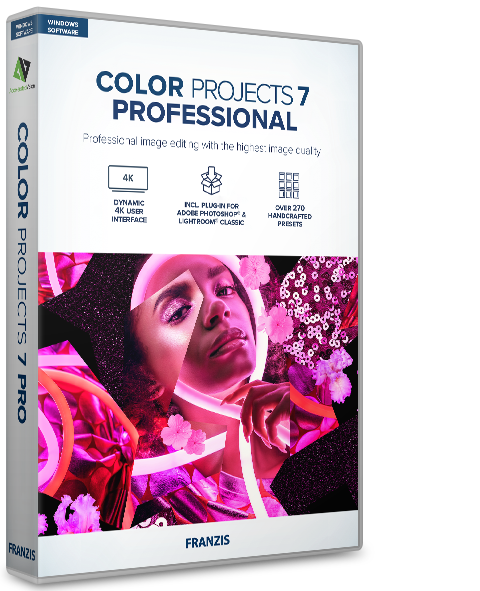
COLOR projects #7 professional is a Windows-based photo-editing application designed for color correction and creative image enhancement. The software features 272 presets categorized into 12 distinct groups, enabling users to apply automated optimizations or develop custom artistic profiles. A core addition to this version is the real-time color module, which allows for selective color processing across up to 10 independent layers.
The suite includes a dedicated LUT management section for handling .cube and hald-image formats. Lighting adjustments are managed via a selective drawing module that incorporates Smart-Ambient-Light technology and an eight-layer color filter system. For stylistic variety, the software offers 12 photo film emulations alongside virtual micro-details and focus-peaking modules to refine image clarity and sharpness.
Technical workflow improvements include an upgraded RAW module and a sensor error correction tool that supports up to 500 correction areas. COLOR projects #7 professional operates as a standalone program or integrates directly into existing environments as a plug-in for Adobe Photoshop and Lightroom Classic. These tools are structured to provide high-level control over color dynamics and final image presentation for gallery-ready results.
Top 5 Reasons To Download COLOR Projects 7 Professional
We see a lot of photo editing applications hit the market these days. Some of them are overly simplistic tools that do little more than slap a generic, washed-out filter over your precious memories. Others are massive, intimidating suites that require a multi-year subscription and a college degree in color theory just to adjust the contrast. It is incredibly rare to find a software package that successfully bridges the gap between instant, eye-catching results and deep, professional-grade manual control.
That is exactly why you need to pay attention to this giveaway. COLOR projects #7 professional is a powerhouse Windows desktop application designed to transform flat, lifeless digital photographs into expressive, gallery-ready masterpieces. It is robust, it is incredibly fast, and right now, you can get your hands on it without spending a single penny. If you are serious about your photography, or if you simply want your social media feed to look like it was shot by a seasoned professional, this is a download you cannot afford to pass up.
Before we dive into the deep technical analysis of what makes this software so special, let us look at the high-level summary. Here are the top five reasons why you need to download this giveaway today:
- An Overwhelming Library of 272 Professional Presets: Instant, one-click optimizations across 12 distinct categories that eliminate the guesswork from photo editing.
- Deep Manual Control with a 10-Layer Color Module: Advanced selective color processing and Look-Up Table (LUT) management for absolute creative freedom.
- Authentic Cinematic Film Emulations: Revitalize your digital images with 12 new classic film styles, virtual micro-details, and integrated focus-peaking modules.
- Intelligent Lighting and Drawing Tools: Achieve perfect exposures using the revolutionary Smart-Ambient-Light engine and an 8-layer color filter system.
- Seamless Integration into Existing Workflows: Use it as a lightweight, snappy standalone Windows application or as a direct plug-in for Adobe Photoshop and Lightroom Classic.
Now that you have seen the highlights, let us break down each of these features to understand why they matter to your creative process, and why this specific giveaway is such a massive win for photographers of all skill levels.
1. An Overwhelming Library of 272 Professional Presets
Let us be completely honest with ourselves: we do not always have hours to spend nudging sliders back and forth for a single photo. Sometimes, you just need a shot to look spectacular, and you need it done five minutes ago. This is where the massive library of 272 optimized presets in COLOR projects #7 professional comes into play. Spanning across 12 distinct categories, these presets are not just simple, generic overlays. They are mathematically calibrated configurations designed by professional photographers and color scientists to analyze the specific tonal values of your image and apply targeted enhancements.
Whether you are editing a dramatic landscape, a moody street portrait, a vibrant architectural shot, or a delicate macro image, there is a category tailored specifically for your needs. The software even features brand-new color scheme presets and frame templates to give your photos a polished, finished look ready for print or digital publication. If you are a beginner, these presets serve as an incredible learning tool. You can apply a preset, see what adjustments the software made to achieve that look, and learn how different settings affect the final image. For seasoned professionals, these presets act as a launchpad, allowing you to establish a baseline mood for your photos in a single click before diving in to make your own custom tweaks. It is speed, efficiency, and beauty all wrapped up in one elegant package.
2. Deep Manual Control with a 10-Layer Color Module and LUT Support
While one-click presets are fantastic for rapid workflows, true artistic expression often requires a deeper, more hands-on approach. COLOR projects #7 professional does not leave advanced creators out in the cold. In fact, it offers some of the most sophisticated manual color grading tools available on the market today. At the heart of this manual control is the brand-new, real-time color module. This feature allows you to perform selective color processing across up to 10 independent layers. Imagine wanting to warm up the skin tones of your subject while simultaneously cooling down the shadows in the background and boosting the saturation of a specific neon sign in the distance. With a traditional editor, this would require complex, tedious masking. In this software, you can isolate these adjustments on individual layers, making it easy to toggle them on and off, adjust their opacities, and fine-tune your composition with surgical precision.
In addition to the multi-layer module, the software features a dedicated Look-Up Table (LUT) section. If you are unfamiliar with LUTs, they are essentially the industry-standard translation tables used by Hollywood colorists to map colors from one space to another, creating consistent, highly cinematic color schemes. COLOR projects #7 professional seamlessly calculates and manages custom .cube and hald-image photo styles. This means you can import your favorite LUTs from your video editing suites, apply them directly to your still photography, or export your custom creations to use across other platforms. This level of cross-compatibility and deep color control is typically reserved for software that costs hundreds of dollars, making its inclusion in this giveaway an absolute steal.
3. Authentic Cinematic Film Emulations and Micro-Detail Controls
There is a undeniable charm to analog photography. The organic grain, the rich color roll-off, and the subtle imperfections of chemical film stocks have a certain soul that modern, ultra-sharp digital sensors often fail to capture. Many digital photos end up looking sterile, clinical, and flat right out of the camera. COLOR projects #7 professional solves this modern dilemma with its expanded suite of cinematic film emulations. Featuring 12 brand-new, highly accurate photo film emulations, this software allows you to replicate the look and feel of legendary analog films with the click of a button. Whether you want the punchy, high-contrast saturation of vintage slide film or the soft, nostalgic grain of classic black-and-white stocks, you can achieve it instantly.
But the developers did not stop at simple color emulation. To truly replicate the analog feel, the software includes advanced virtual micro-details and focus-peaking modules. The micro-details engine allows you to inject organic texture back into your images, avoiding the artificial-looking digital noise that plague cheaper editing apps. Meanwhile, the integrated focus-peaking module is a game-changer for evaluating sharpness. By highlighting the exact areas of your image that are in sharp focus, you can ensure that your artistic additions are perfectly aligned with the natural depth of field of your shot. The result is a tack-sharp, highly cinematic image that carries the weight, depth, and emotion of a physical photograph.
4. Intelligent Lighting and Drawing Tools
Photography, at its core, is the study and capture of light. If the lighting in your photograph is flat or poorly balanced, no amount of color grading can save it. That is why the advanced selective drawing module in COLOR projects #7 professional is such a crucial feature. The headline addition here is the revolutionary Smart-Ambient-Light engine. This intelligent system analyzes the existing light sources and luminosity values in your image, allowing you to manipulate and redirect ambient light naturally. If you have ever tried to manually paint light or shadows into a photo using a traditional brush tool, you know how incredibly difficult it is to make it look realistic. The Smart-Ambient-Light tool understands the physics of how light behaves, allowing you to add realistic glows, soft directional light, and environmental atmospheric effects that blend seamlessly into your scene.
To complement this smart lighting system, the software features an 8-layer color filter system within the selective drawing module. This allows you to apply highly targeted color corrections to specific areas of your image without affecting the overall composition. To make things even better, the software includes a massive upgrade to its RAW development module and its sensor error correction tool. We have all experienced the frustration of capturing a perfect shot, only to realize later that there was a speck of dust on the camera sensor, leaving an ugly gray spot in the middle of a beautiful sky. With the expanded sensor error correction tool, you can manage up to 500 individual correction areas. This means you can clean up complex sensor dust, lens spots, and unwanted minor distractions in seconds, leaving you with a flawless, professionally polished canvas.
5. Seamless Integration into Existing Workflows
One of the biggest pain points when adopting new software is the disruption to your established workflow. No one wants to learn an entirely new file management system or spend hours exporting and importing files back and forth between different programs. The creators of COLOR projects #7 professional understood this frustration, which is why they designed the software to be as flexible as possible. First and foremost, it functions as a highly optimized, snappy standalone application for Windows. If you just want to drag a photo from your desktop, apply a stunning preset, clean up a couple of sensor spots, and export it quickly, you can do so without having to boot up any heavy, resource-intensive creative suites.
However, if you are a power user who already relies on Adobe's industry-standard tools, you do not have to abandon your routine. The software comes fully equipped with external plug-ins for both Adobe Photoshop and Lightroom Classic. This means you can catalog and organize your images inside Lightroom, quickly export a file to COLOR projects #7 professional to take advantage of its unique presets, film emulations, or lighting engines, and have the finished, stylized image automatically saved right back into your Lightroom catalog. It gives you the best of both worlds: the immense organizational power of the Adobe ecosystem combined with the specialized, creative, and artistic rendering power of the projects software engine. This seamless integration ensures that downloading this tool will only enhance, never hinder, your creative output.
The Bottom Line: Why You Need To Download This Today
Opportunities to secure professional-grade creative software for free do not come around every day. Typically, tools of this caliber are locked behind restrictive monthly subscription models that slowly drain your wallet over time. By taking advantage of this giveaway of COLOR projects #7 professional, you are adding an incredibly versatile, highly powerful asset to your digital darkroom permanently.
Whether you are a casual hobbyist looking to make your family vacation photos look like postcards, a social media influencer aiming for a cohesive and cinematic aesthetic, or a seasoned professional photographer looking for a tool that can speed up your daily workflow, this software has something substantial to offer. From its massive array of 272 presets to its sophisticated 10-layer color modules, smart lighting engines, and seamless Adobe plug-in integration, it is a complete, feature-rich editing package that respects your time and unleashes your creativity.
Do not let your photography sit flat on your hard drive. Download this incredible giveaway, experiment with the cinematic analog film styles, play with the advanced ambient light settings, and watch your images transform into stunning, expressive works of art that demand attention. Your portfolio will thank you.

Reviews for COLOR Projects 7 Professional
Click Here to Read Reviews for COLOR Projects 7 Professional >> Click Here to Submit Reviews for COLOR Projects 7 Professional >>