What Does EasePaint Do?
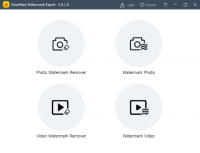
EasePaint Watermark Remover is a utility designed for the correction and cleanup of visual media. This software allows users to eliminate unwanted elements from both still images and video files. It functions by identifying and removing specific artifacts such as logos, date stamps, text, emojis, and watermarks. Additionally, it can be used to erase larger distractions, including buildings, power lines, and people.
The application employs an algorithm that evaluates the colors and textures surrounding a selected area. It then generates a fill that matches the environment, aiming to maintain the original visual quality of the file. To improve efficiency, the program supports batch mode for the simultaneous processing of multiple assets.
The operational workflow consists of three distinct steps:
- Import the photo or video files into the interface.
- Highlight the specific area or object intended for removal.
- Execute the erase command to generate the final output.
EasePaint Watermark Remover supports a broad range of file types. Image compatibility includes JPEG, PNG, TIFF, and EXIF. For video, the software works with standard containers such as MP4, WMV, MOV, and AVI. This tool provides a streamlined solution for users needing to refine visual content without engaging in complex manual editing processes.
Top 5 Reasons To Download EasePaint
If you have ever spent hours trying to perfect a photograph only to realize there is an ugly date stamp in the corner, or if you have recorded a once-in-a-lifetime video clip that is unfortunately marred by a distracting logo, then you know the frustration of "almost perfect" digital media. Enter EasePaint Watermark Remover. This software is a surgical tool for your digital library, designed to strip away the distractions and leave you with the professional-grade results you deserve. This isn't just another basic editor; it is a specialized powerhouse that focuses on one of the most difficult tasks in post-production: seamless object removal. Here are the top five reasons why you need to download this giveaway immediately.
- Sophisticated Smart-Texture Analysis: Unlike basic "clone stamp" tools, this software uses advanced algorithms to analyze surrounding pixels and textures, ensuring that when an object is removed, the "hole" is filled with a background that matches the original quality and lighting perfectly.
- Universal Media Compatibility: It is a one-stop-shop for both still images and moving pictures. Whether you are dealing with a JPEG photo from your smartphone or an MP4 video from a high-end camera, EasePaint handles a massive range of file formats including TIFF, PNG, AVI, and MOV.
- High-Speed Batch Processing: For those who deal with large volumes of content, the batch mode is a revolutionary time-saver. You can apply removal parameters to dozens of files simultaneously, allowing the software to do the heavy lifting while you focus on other creative tasks.
- The "Three-Step" Masterclass in Simplicity: You do not need a degree in graphic design to use this. The workflow is streamlined into three intuitive steps: Add, Select, and Erase. It is designed to be accessible for beginners while providing the precision required by professionals.
- Comprehensive Object Eradication: It is not just for watermarks. This tool is capable of deleting people, buildings, power lines, emojis, and text. If it is an unwanted element in your frame, EasePaint can make it disappear as if it were never there.
1. Sophisticated Smart-Texture Analysis and Quality Preservation
In the world of photo editing, the biggest challenge has always been what happens after you delete an object. In the past, removing a person from a beach photo would leave a blurry, smudged mess where the sand and waves used to be. Most users would have to spend hours in expensive, complex software manually painting back the textures. EasePaint Watermark Remover changes the game by utilizing smart-texture analysis. This technology doesn't just "blur" the area; it looks at the colors, the grain, and the lighting of the surrounding background and intelligently reconstructs the missing data.
When you use the tool to highlight an unwanted watermark, the software’s engine performs a deep scan of the selection's perimeter. It asks: What should be here? If the watermark is over a brick wall, the software understands the pattern of the bricks. If it is over a clear blue sky, it matches the gradient of the blue perfectly. This means the final result is indistinguishable from an original, untouched photo. For anyone who values high-fidelity results, this feature alone makes the giveaway worth the download. You are essentially getting an automated retouching assistant that works at the sub-pixel level to ensure your images remain crisp and professional.
Furthermore, this quality preservation extends beyond just the pixels. Many tools compress your file when you save it, leading to a loss of detail. EasePaint is built to respect the original file’s integrity. If you upload a high-resolution TIFF or a detailed EXIF-laden JPEG, the software aims to output a file that maintains that same level of professional clarity. It is about more than just removing an object; it is about preserving the art around it.
2. Universal Media Compatibility for Photos and Videos
Most software on the market forces you to choose a side: you either buy a photo editor or a video editor. It is rare to find a utility that bridges the gap with such efficiency. EasePaint Watermark Remover is a dual-threat tool. In today's digital landscape, we are constantly switching between capturing still shots for Instagram and recording 4K video for YouTube or TikTok. Having a single piece of software that can clean up both types of media is a massive workflow advantage.
On the photo side, the support is extensive. It handles the classics like JPEG and JPG, the web-standard PNG, and the professional-grade TIFF. It even handles EXIF data, which is crucial for photographers who need to maintain their camera metadata. This means your professional portfolio can be cleaned of distracting elements without losing the "soul" of the technical data attached to the file.
On the video side, the challenge of removing watermarks is significantly higher because the background is often moving. EasePaint’s engine is optimized for formats like MP4, WMV, MOV, and AVI. Whether it is a pesky TV station logo in the corner or a timestamp that was accidentally left on during recording, the software tracks the area and applies its erasure logic across the frames. This versatility makes it an essential tool for content creators who need to repurpose footage or clean up archival videos that have been cluttered with old-school graphics and text overlays.
3. High-Speed Batch Processing: A Power User’s Dream
Time is the most valuable resource for any digital creator. Imagine you have just returned from a vacation where you took five hundred photos, only to realize that your camera’s "Date/Time" overlay was turned on for every single one of them. Manually editing five hundred photos would take days. This is where the batch mode of EasePaint Watermark Remover becomes your best friend. It is designed specifically for high-volume efficiency.
With batch processing, you can import an entire folder of images or videos. If the watermark or logo is in the same place on every file—which is almost always the case with date stamps or brand logos—you can set the selection area once and apply it to the entire queue. The software then goes to work in the background, processing file after file with the same level of precision it would apply to a single image. This "set it and forget it" approach is what separates professional utility tools from hobbyist apps.
Even if the objects you want to remove are in different spots, the batch interface allows for quick navigation between files. You can line up your targets, hit the erase button, and walk away to grab a coffee. By the time you return, your entire media library has been "cleaned." For social media managers, photographers, and video editors, this feature represents a massive return on investment in terms of reclaimed time.
4. The Ultimate "Three-Step" Simplicity
We have all downloaded software that felt like it required a flight manual just to open a file. The beauty of EasePaint Watermark Remover lies in its radical simplicity. The developers have stripped away the clutter and focused on a UI (User Interface) that guides the user toward the finish line as quickly as possible. The entire philosophy of the app is built on a three-step process that anyone can master in under sixty seconds.
Step One: Add. You simply drag and drop your files into the workspace. The interface is clean and uncluttered, providing a clear view of your media. There are no hidden menus or confusing sidebars. You see exactly what you are working on immediately.
Step Two: Select. This is where the magic happens. You use the selection tool to highlight the unwanted object. Whether it is a small logo or a large building in the background, the selection tools are responsive and easy to control. You don't need the steady hand of a surgeon; the software is designed to understand your intent even if your selection is a bit broad.
Step Three: Erase. With one click of the "Erase" button, the software's engine kicks in. It analyzes, fills, and renders the result in real-time. There is no waiting for complex exports or navigating through "save as" dialogues with confusing settings. You get your results fast.
This simplicity is an intentional design choice. It empowers users who might be intimidated by "Photoshop-level" complexity to take control of their own media. It is about democratizing high-end photo and video editing. If you can click a mouse, you can remove a watermark. It is truly that straightforward.
5. Total Creative Control Over Your Digital Assets
The final reason to download this giveaway is the sheer creative freedom it provides. We often settle for mediocre photos because we think we are stuck with what the lens captured. We see a beautiful landscape but ignore the "No Parking" sign that ruins the composition. We see a great candid photo of a friend but wish the random stranger in the background wasn't there. EasePaint Watermark Remover gives you the power to say "no" to those distractions.
Think about the possibilities:
- Heritage Restoration: You can take old scanned family photos and remove scratches, dust spots, or the "1994" date stamp that obscures your grandmother's face.
- Real Estate Perfection: If you are trying to sell a house, you can remove distracting power lines or a neighbor's car from your exterior shots to make the property look its absolute best.
- Social Media Polishing: Remove those "helpful" but annoying emojis or stickers that someone else put on a video before they sent it to you.
- Travel Photography: Finally get that "empty" shot of a famous monument by erasing the tourists who walked into your frame at the last second.
By removing these unwanted objects, you are effectively restoring the original intent of the image. You are taking back control of the narrative of your photos and videos. This software isn't just about deleting pixels; it is about cleaning the canvas so that your subject can truly shine. When you remove the distractions, you allow the viewer to focus on what matters most in the frame.
In conclusion, EasePaint Watermark Remover is a specialized, efficient, and incredibly powerful tool that belongs in every digital creator's toolkit. From its intelligent texture-matching algorithms to its time-saving batch mode, it addresses the most common headaches of photo and video editing with grace and speed. This is a giveaway you do not want to miss. Whether you are a professional looking to speed up your workflow or a casual user who wants their vacation photos to look perfect, this software is the solution. Download it now, and start seeing your media for what it could be—clean, professional, and completely distraction-free.
Don't let a watermark or a stray object be the reason a great memory stays hidden in your hard drive. Take the "one-click" path to perfection today.


Reviews for EasePaint
Click Here to Read Reviews for EasePaint >> Click Here to Submit Reviews for EasePaint >>