What Does Guardian Of Data Professional Do?
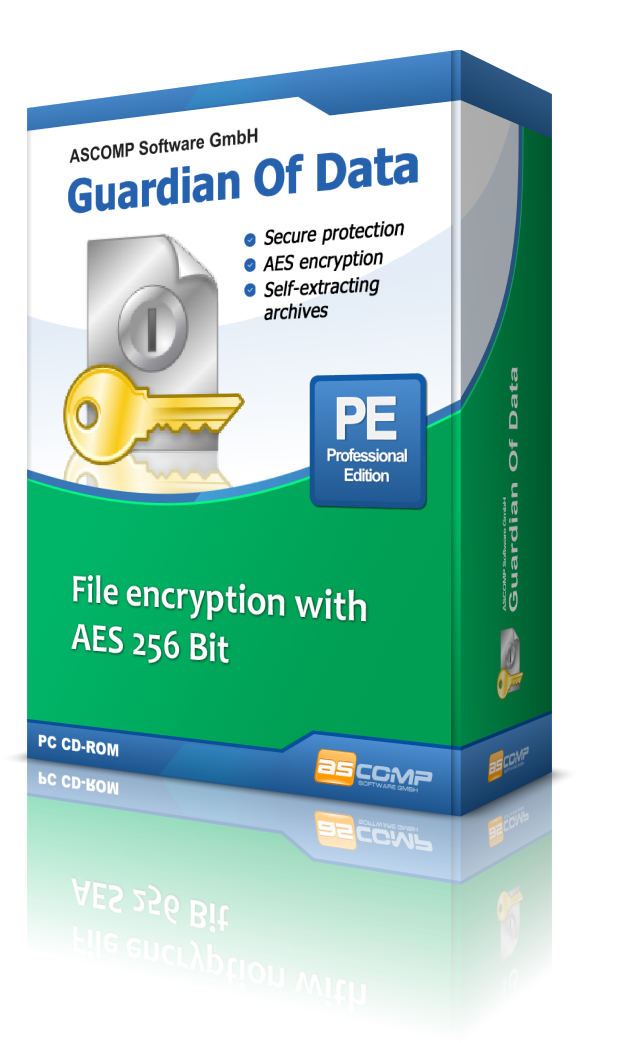
Guardian Of Data is a Windows-based utility designed to streamline document encryption through direct integration with the Windows Explorer context menu. The application utilizes the AES (Rijndael Encryption Algorithm), supporting up to 256-bit encryption to secure various file types against unauthorized access. This standard aligns with current cryptographic requirements for protecting sensitive information during storage or transit.
The software includes several practical features for data management and secure distribution:
- Context Menu Integration: Users can trigger the encryption process directly by right-clicking files within the Windows file system, bypassing the need to open a separate interface.
- Self-Extracting Archives: The tool can generate self-extracting files. This allows recipients to decrypt and access content using a password without requiring Guardian Of Data to be installed on their local system.
- Integrated Compression: The software compresses documents during the encryption process, reducing the storage footprint and making it easier to share multiple files via email or cloud services.
- Secure Deletion: To ensure that no sensitive data remnants are left behind, the program uses recognized deletion standards to irretrievably wipe the original, unencrypted versions of the files.
By combining encryption, compression, and secure file shredding into a single workflow, Guardian Of Data provides a functional solution for users handling confidential documents. The tool focuses on providing high-level security protocols through a simplified user experience.
Top 5 Reasons To Download Guardian Of Data Professional
- Seamless Windows Explorer Context Menu Integration
- Military-Grade AES 256-Bit Encryption
- Portable Self-Extracting Encrypted Archives
- Integrated Data Compression for Efficient Sharing
- Permanent and Irretrievable Secure File Deletion
In an era where our digital lives are constantly under the microscope, the importance of data privacy cannot be overstated. Every day, we handle sensitive information: tax returns, private business proposals, scanned identification documents, and personal correspondence. Yet, most of us treat these digital assets with a level of recklessness that would be unthinkable for physical documents. We leave them sitting in unencrypted folders, or worse, we send them through standard email channels as if we were passing a postcard through the mail for anyone to read. The hurdle has always been the complexity of security tools. Most encryption software feels like it was designed for cryptographers, not for the average user who just wants to get work done. That is exactly why you need to pay attention to this giveaway. Guardian Of Data is a game-changer that bridges the gap between high-end security and everyday usability. As a tech reviewer, I see hundreds of "security solutions" every year, but few manage to strip away the jargon and deliver a product that is both incredibly powerful and virtually invisible in your daily workflow. This isn't just another utility; it is the missing piece of your digital armor. Let’s dive deep into why this specific tool deserves a permanent spot on your hard drive.
1. Seamless Windows Explorer Context Menu Integration
We have all been there: you have a file that needs protection, but the thought of opening a heavy, bloated security application, navigating through a complex file tree, and selecting various obscure settings makes you hesitate. In that moment of hesitation, convenience usually wins over security, and you end up sending the file unprotected. This is what I call "security friction." Guardian Of Data eliminates this friction entirely by living exactly where you do your work: the Windows Explorer context menu. This is, without a doubt, the single best feature of the software from a productivity standpoint. When you want to protect a document, you do not need to launch a separate program. You simply right-click the file or folder, and the option to encrypt is right there, waiting for you. It is frictionless security.
This level of integration means that encryption becomes a habit rather than a chore. By embedding itself into the operating system's natural workflow, Guardian Of Data ensures that you are never more than two clicks away from total privacy. Whether you are working with a single Word document or a massive folder full of project assets, the process remains the same. The beauty of this approach is that it respects your time. In the fast-paced world of tech, any tool that adds steps to a process is a tool that eventually gets ignored. By making encryption as easy as "copy" or "paste," this software ensures that you actually use the protection you have. It turns a complex cryptographic process into a simple, intuitive gesture that anyone, regardless of their technical expertise, can master in seconds.
2. Military-Grade AES 256-Bit Encryption
When we talk about security, the "how" is just as important as the "where." Guardian Of Data utilizes the AES (Advanced Encryption Standard), specifically the Rijndael Encryption Algorithm. If those names sound familiar, it is because they are the gold standard for data protection worldwide. AES-256 is the same encryption level used by banks, healthcare providers, and the military to protect top-secret information. When you encrypt a file with this software, you aren't just putting it behind a simple digital "lock"; you are essentially turning your data into a mathematical fortress. Even with the world's most powerful supercomputers, a 256-bit AES key is currently considered "unbreakable" by brute-force standards.
As a reviewer, I always tell my readers to look for products that don't try to reinvent the wheel with proprietary, "secret" encryption methods. True security comes from transparency and the use of industry-standard protocols that have been poked, prodded, and tested by the world's leading security researchers. By sticking to the Rijndael algorithm, Guardian Of Data provides you with peace of mind. You don't have to take the developer's word for it; you are relying on a standard that has stood the test of time. Whether you are protecting trade secrets or your family’s private photos, you are getting a level of protection that is professionally recognized. This isn't just about stopping your nosy roommate; it’s about ensuring that even if your data is intercepted or your laptop is stolen, the contents remain absolutely unintelligible to anyone without your specific password.
3. Portable Self-Extracting Encrypted Archives
One of the biggest headaches in the world of encrypted file sharing is the "recipient problem." You go through the effort of encrypting a file, send it to a colleague, and then spend the next hour on the phone explaining how they need to download, install, and configure the same software just to open the document. It’s a workflow killer. Guardian Of Data solves this elegantly by offering the creation of self-extracting files. This is a massive win for anyone who needs to collaborate with business partners, clients, or family members who might not be tech-savvy.
When you create a self-extracting archive, the software packages the encrypted data along with a tiny, lightweight decryption engine into a single executable (.exe) file. The recipient doesn't need to have Guardian Of Data installed on their machine. They simply run the file, enter the password you’ve provided through a separate secure channel, and the files are decrypted and extracted right then and there. This feature makes it possible to send encrypted data over insecure channels—like standard email or cloud storage links—without worrying about the recipient's software configuration. It maintains the integrity of your security chain while providing the ultimate convenience for the end-user. It’s a professional touch that shows your clients you value their security without making their lives more difficult. In the world of freelance and corporate consulting, this kind of seamless professional security is an absolute must-have.
4. Integrated Data Compression for Efficient Sharing
We often forget that security and storage efficiency can go hand-in-hand. Guardian Of Data doesn't just wrap your files in a layer of encryption; it also compresses them. If you have ever tried to email a large set of confidential PDFs or high-resolution images, you know the frustration of hitting email attachment limits. By compressing the data during the encryption process, this software ensures that your files take up as little space as possible. This makes sharing faster, reduces bandwidth usage, and helps you stay within those pesky storage quotas on cloud platforms.
This "two-for-one" approach is what differentiates a well-thought-out utility from a basic one. The compression happens automatically as part of the encryption workflow, so you don't have to use a separate zip utility before you encrypt. This further streamlines your process. Moreover, compressed files are inherently easier to manage in bulk. If you are archiving old financial records or backing up sensitive project files to an external drive, the space savings can really add up over time. It’s about more than just security; it’s about smart data management. You get a compact, secure, and easily transportable package that represents the best practices in digital hygiene. For anyone managing large volumes of sensitive data, this feature alone is worth the download.
5. Permanent and Irretrievable Secure File Deletion
This is perhaps the most overlooked aspect of digital security: what happens to the original file after you have encrypted it? Most people don't realize that when you delete a file in Windows, it isn't actually "gone." The operating system simply marks the space it occupied as available for new data, but the original bits and bytes remain on the disk until they are overwritten. To a data recovery specialist or a malicious actor with the right tools, your "deleted" sensitive document is still very much retrievable. This creates a massive security hole. You might have a perfectly encrypted version of your file, but the unencrypted original is still sitting in the digital shadows of your hard drive.
Guardian Of Data addresses this critical vulnerability with its integrated secure deletion feature. When the software finishes encrypting your document, it can automatically delete the original unencrypted file using recognized deletion standards. This isn't a standard "Recycle Bin" delete; this is a shredding process. The software overwrites the data multiple times, ensuring that no forensic tool can piece it back together. This provides a "closed-loop" security system. You start with an exposed file, you create a secure encrypted version, and you permanently destroy the evidence of the exposed original. This level of thoroughness is what separates professional-grade tools from amateur ones. It gives you the confidence to know that your sensitive data exists only in its protected state, leaving no "ghost" files behind for someone else to find later. If you are serious about privacy, you cannot afford to leave these digital crumbs behind.
In conclusion, Guardian Of Data is more than just a simple encryption tool. It is a comprehensive solution designed for the reality of modern computing. It understands that users are busy, that recipients don't always have the same tools, and that "deleted" doesn't always mean "gone." By combining the power of 256-bit AES encryption with the convenience of Windows Explorer integration, the portability of self-extracting archives, the efficiency of compression, and the finality of secure deletion, it provides a 360-degree shield for your digital life. Security doesn't have to be complicated, and this software is the living proof of that mantra. Don't wait for a data breach or a privacy scare to realize you need this. Grab this giveaway now, integrate it into your workflow, and finally get the peace of mind that comes with knowing your confidential documents are truly, irrevocably secure.
Whether you are a student protecting your research, a freelancer securing client contracts, or simply a privacy-conscious individual who wants to keep their personal life personal, Guardian Of Data is an essential addition to your toolkit. It is rare to find a software package that balances such high-level technical specs with such a low barrier to entry. This is the kind of software that, once you start using it, you will wonder how you ever managed without it. It’s slick, it’s fast, and most importantly, it’s effective. Download it, try the right-click encryption for yourself, and experience what it feels like to have professional-grade security at your fingertips.

Reviews for Guardian Of Data Professional
Click Here to Read Reviews for Guardian Of Data Professional >> Click Here to Submit Reviews for Guardian Of Data Professional >>