What Does HitPaw Toolkit: Video Editor Do?
HitPaw Toolkit is a multi-purpose software suite designed to centralize essential video editing and conversion utilities. By consolidating diverse tools into a single interface, the application aims to simplify the post-production workflow for digital content creators.
Key features include basic manipulation tools such as cutting, cropping, and rotating footage. Users can also adjust video parameters and integrate background music through a simplified three-step process. The toolkit is engineered for speed, allowing for rapid adjustments without the steep learning curve often associated with professional-grade non-linear editors.
Specific creative modules available in the suite include:
- Speed Control: Users can accelerate or decelerate video playback using one-click presets.
- Stop Motion: This module enables the creation of stop-motion sequences, a feature typically reserved for more advanced animation software.
- GIF Conversion: A dedicated utility for converting video segments into the GIF format for web and social media use.
By providing a unified location for these features, HitPaw Toolkit serves as an all-in-one resource for users who need to perform quick edits, alter video timing, or optimize files for different platforms. The interface is optimized for efficiency, prioritizing a drag-and-drop experience for the most common video tasks.
Top 5 Reasons To Download HitPaw Toolkit: Video Editor
- The All-In-One Creative Command Center: Eliminate the need for dozens of scattered apps by having every essential video editing tool—from cutting to rotating—in one centralized, high-performance toolkit.
- Professional Stop Motion for the Everyday Creator: Unlock a complex cinematic technique once reserved for experts, allowing you to create charming, high-quality stop-motion animations with just a few clicks.
- Lightning-Fast Social Media Optimization: Instantly convert videos to high-quality GIFs and adjust aspect ratios through cropping to ensure your content is perfectly formatted for TikTok, Instagram, and beyond.
- Effortless Audio Integration and Speed Control: Transform the mood of your footage by adding perfect soundtracks in three steps and manipulating time with precision speed adjustments for dramatic or comedic effect.
- The "Zero Learning Curve" User Experience: Designed for maximum efficiency, the interface allows you to execute professional-grade edits like precision cutting and visual adjustments without ever needing to open a manual or watch a tutorial.
In the modern digital landscape, video is no longer just a luxury; it is the primary language of the internet. Whether you are a budding YouTuber, a small business owner trying to gain traction on social media, or simply someone who wants to preserve family memories in a more engaging way, the barrier to entry has always been the software. For years, we have been trapped between two extremes: professional-grade software that costs a fortune and requires a college degree to understand, or "free" mobile apps that are riddled with watermarks and invasive advertisements. Enter the HitPaw Toolkit. This is the software giveaway you have been waiting for, a literal "Swiss Army Knife" for video production that prioritizes your time, your creativity, and your hardware’s performance. As a tech reviewer who has seen every bloated editor on the market, I am here to tell you why this toolkit is a mandatory addition to your digital arsenal.
1. The All-In-One Creative Command Center
One of the biggest frustrations in the world of digital creation is "software bloat." We have all been there: you want to crop a video, so you open a massive program that takes three minutes to load. Then, you realize you also need to convert that video to a GIF, but that specific program doesn't do it, so you have to export, close the app, and open another one. It is a workflow nightmare that kills creativity. The HitPaw Toolkit solves this by consolidating every essential utility into a single, sleek interface. It is the ultimate utility hub.
By downloading this giveaway, you are essentially reclaiming your desktop. You get tools to cut, crop, rotate, adjust, and speed up videos, alongside specialized features like music integration and stop-motion creation. This isn't just about saving space on your hard drive; it is about cognitive load. When you know that every tool you need is under one roof, the wall between "having an idea" and "finishing a video" disappears. The toolkit approach means you aren't fighting a complex timeline-based editor for a simple task. If you need to rotate a video shot on a sideways smartphone, you click the "Rotate" tool, do the job, and you’re done. It is efficiency redefined.
Furthermore, the performance optimization of this toolkit is top-tier. Unlike heavy-duty editors that demand 32GB of RAM and a dedicated graphics card just to trim a clip, HitPaw is lightweight and nimble. It handles high-resolution footage without the lag that typically plagues entry-level software. This makes it the perfect companion for laptop users or those who don't have a high-end workstation but still want professional-looking results.
2. Professional Stop Motion for the Everyday Creator
If you have ever watched a Wes Anderson film or a classic claymation short, you know the magic of stop motion. It is a whimsical, eye-catching style that stands out instantly in a sea of generic filtered videos. However, historically, stop motion has been incredibly difficult to produce. It required precise frame-by-frame manipulation and specialized software that was often too expensive for the casual hobbyist. The HitPaw Toolkit changes the game by making stop motion accessible to everyone.
With this giveaway, stop motion is no longer exclusive to professional studios. HitPaw has streamlined the process so that you can take your existing footage or series of images and transform them into a rhythmic, frame-stopped masterpiece. This is a massive advantage for influencers and brands. Imagine creating a "product reveal" video where your items march into the frame on their own, or a recipe video where the ingredients assemble themselves like magic. These are the types of videos that stop the scroll and drive engagement.
The beauty of the HitPaw implementation is how it handles the technical heavy lifting. You don't need to worry about the mathematics of frame rates or the complexities of "onion skinning." The software guides you through the process, allowing you to focus on the art of the movement rather than the science of the software. It democratizes a high-level cinematic technique and puts it right in your pocket.
3. Lightning-Fast Social Media Optimization
We live in the era of short-form content. If your video isn't optimized for the specific platform you’re posting on, it will be ignored. This is where the HitPaw Toolkit truly shines as a social media powerhouse. Two of its standout features—the Video-to-GIF converter and the Crop & Rotate tool—are essential for anyone looking to build an online presence.
Let’s talk about GIFs. In the world of messaging and social commentary, GIFs are the ultimate currency. Being able to take a funny moment from a video and instantly turn it into a high-quality, lightweight GIF is a superpower. HitPaw makes this "super easy and fast," allowing you to capture the perfect loop without the pixelation or watermarking found in online converters. It allows you to create your own memes, personalized reaction shots, or promotional loops for your business emails in seconds.
Then there is the issue of framing. A video shot for YouTube (16:9) looks terrible on a TikTok feed or an Instagram Story (9:16). The Crop & Rotate feature in HitPaw allows you to reframe your content perfectly. You can cut out the clutter, focus on the subject, and ensure that your video looks like it was natively shot for the platform it’s being viewed on. When you combine this with the Change Speed feature—allowing you to create those trendy "fast-motion" transitions or dramatic "slow-mo" reveals—you have a suite of tools that can turn raw footage into a viral-ready clip with minimal effort.
4. Effortless Audio Integration and Visual Polishing
A video is only as good as its audio and its "look." Even the most stunning 4K footage will feel amateur if the sound is flat or the colors are washed out. The HitPaw Toolkit addresses these two pillars of production with its "Add Music" and "Adjust Video" features. As a reviewer, I am often disappointed by how complex adding a simple background track can be in other programs. HitPaw simplifies this to a mere three steps: Import, Sync, and Save.
Adding music is vital for setting the emotional tone. Whether you want an upbeat track for a travel vlog or something subtle for a tutorial, HitPaw lets you layer your audio with precision. But it doesn't stop at audio. The Adjust Video feature is where you can truly make your content "outstanding." It offers special adjustment features that allow you to tweak brightness, contrast, and saturation. Most people don't realize that a 5% increase in saturation and a slight adjustment to the contrast can make a video look like it was shot on a professional cinema camera rather than a mid-range phone.
The "Speed" feature also plays a huge role here. Speeding up a video can help you condense a long process (like a drawing or a construction project) into a "time-lapse" style clip that is much more digestible. Conversely, slowing down a specific moment can highlight an emotion or an action that the human eye might otherwise miss. HitPaw gives you 1-click control over these temporal shifts, giving you the power to manipulate time to suit your storytelling needs.
5. The "Zero Learning Curve" User Experience
The final, and perhaps most compelling, reason to download the HitPaw Toolkit giveaway is the philosophy behind its design. This is software built for the "doer," not the "student." Most video editors require you to watch hours of "Getting Started" videos on YouTube just to figure out how to export a file. HitPaw is different. It is built on a "Drag, Click, Finish" workflow.
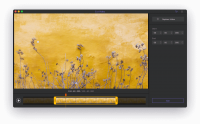
Take the Cut Video feature, for example. It is the most basic task in editing, yet so many programs make it difficult with complex razor tools and multi-track timelines. In HitPaw, you just drag your video in, select the parts you want to keep, and you are done. It is the fastest way to trim the "fat" from your clips. This lack of friction is what makes HitPaw a joy to use. It doesn't get in your way. It acts as an extension of your intent.
In the tech world, we often talk about "UX" or User Experience. The UX of HitPaw Toolkit is centered around the idea that the user's time is valuable. Every icon is intuitive, every process is streamlined, and every output is high-quality. You don't need to be a "pro" to get "pro" results. This is the ultimate tool for the entrepreneur who needs to get a video out by 5:00 PM, the student who needs to polish a presentation, or the parent who wants to make a montage of their child’s birthday party without spending the whole night at the computer.
Conclusion: Why You Need To Download This Now
We are currently in a golden age of content creation, but that age is often gated by expensive and complicated software. The HitPaw Toolkit is the key that unlocks that gate. It provides a comprehensive, powerful, and incredibly easy-to-use suite of tools that covers 99% of what the average user needs to do with video. From the artistic potential of stop motion to the practical necessity of cropping and cutting, it is all here.
By taking advantage of this giveaway, you are giving yourself the gift of creative freedom. You are removing the technical hurdles that prevent you from sharing your vision with the world. You are choosing a tool that is fast, reliable, and versatile. Don't let your raw footage sit on your hard drive gathering digital dust because you "don't know how to edit." With HitPaw, you already know how to edit. The interface is so intuitive that your first project will look like it was done by a seasoned veteran.
Make your videos stand out. Make your workflow faster. Make your content better. The HitPaw Toolkit is the only video companion you will ever need, and this giveaway is the perfect opportunity to see why thousands of creators are making the switch. Stop fighting your software and start creating with HitPaw. Download it today and start your journey toward becoming a video master.
Whether you are looking to create the next viral GIF, a stunning stop-motion animation, or just a perfectly trimmed family video, the HitPaw Toolkit is ready to deliver. It is efficient, it is powerful, and most importantly, it is designed with you in mind. Don't miss out on this chance to upgrade your digital toolkit with one of the most versatile video utilities on the market today. Your audience—and your sanity—will thank you.


Reviews for HitPaw Toolkit: Video Editor
Click Here to Read Reviews for HitPaw Toolkit: Video Editor >> Click Here to Submit Reviews for HitPaw Toolkit: Video Editor >>