What Does Magic Data Recovery Do?
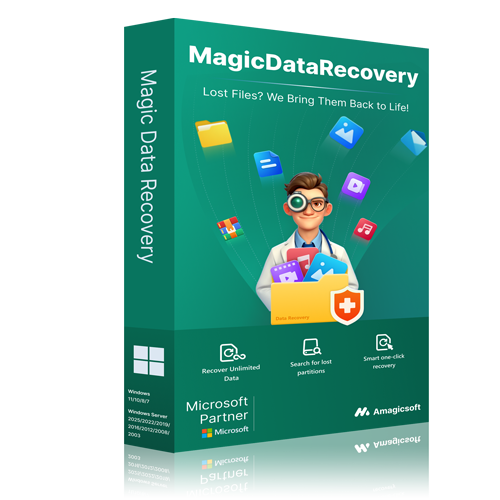
Magic Data Recovery, developed by AmagicSoft, is a Windows utility designed to retrieve deleted, formatted, or corrupted files across various storage media. The software supports more than 5,000 file formats, including documents, images, videos, audio, and archives. Users can deploy the tool to recover data from internal and external HDDs, SSDs, USB flash drives, and SD cards, as well as digital and action cameras.
The application functions through a streamlined three-step process: scanning the target device, previewing the discovered items, and performing the final recovery. For different data loss scenarios, it provides two distinct operations: a Quick Scan for recently deleted files and a Deep Scan for more complex cases involving formatted drives or damaged partitions. This allows the utility to address both accidental deletions and system-level data corruption.
Before finalizing the restoration, users can utilize the built-in preview feature to identify and select specific files for retrieval. Magic Data Recovery is Microsoft-certified and compatible with major storage brands and memory card formats. Currently used in over 100 countries with more than 1.2 million downloads, the tool serves as a technical solution for both basic file retrieval and advanced partition recovery tasks without requiring specialized expertise.
Top 5 Reasons To Download Magic Data Recovery
Here is a quick look at the top five reasons why you need to download Magic Data Recovery today:
- Massive Versatility: Support for over 5,000 file types across almost any storage device.
- Advanced Dual-Scanning Technology: Deep scan and quick scan capabilities that recover data from formatted, corrupted, or lost partitions.
- Ultra-Simple Three-Step Interface: An intuitive, wizard-driven process requiring zero technical expertise.
- Risk-Free Pre-Recovery Preview: The ability to inspect and verify files before committing to restoring them.
- Rock-Solid Security and Industry Trust: Microsoft-certified software backed by leading antivirus organizations and trusted by millions worldwide.
We have all experienced that sudden, stomach-churning moment of panic. You are cleaning up your hard drive, clearing out old folders, and emptying the Recycle Bin, only to realize a split second too late that you just deleted a folder containing years of irreplaceable family photos, critical tax documents, or a massive project for work. Or perhaps you plugged in an old USB flash drive only for your operating system to flash a terrifying message: "This drive is corrupted and unreadable."
Data loss is not a matter of if it will happen to you, but when. Hardware fails, software crashes, and, most frequently of all, human error strikes. When it does, your immediate reaction is probably to search for a quick solution, only to find yourself bombarded with overly complex software options that require a degree in computer science to operate, or worse, programs that demand exorbitant fees just to show you what you lost.
That is why this giveaway of Magic Data Recovery by AmagicSoft is an absolute must-download. As a tech reviewer, I see hundreds of utilities come and go, but few offer the sheer utility, polish, and reliability of this tool. It bridges the gap between high-level forensic data recovery and household simplicity. If you have ever wanted a reliable insurance policy for your digital life, this giveaway is your ticket. Let us dive deep into the top five reasons why you need to grab Magic Data Recovery right now.
1. Unmatched Versatility with Support for 5,000+ File Types
One of the biggest frustrations with entry-level data recovery software is format limitation. There is nothing worse than running a scan for hours only to realize the tool you downloaded can only recognize basic text files or standard JPEG images. Your digital life is incredibly diverse, and your recovery software needs to match that complexity.
Magic Data Recovery stands out from the crowd by supporting more than 5,000 distinct file types. This is not just a tool for retrieving a lost Word document or a simple picture. It is a comprehensive digital dragnet that can identify and reconstruct:
- Documents: DOC/DOCX, XLS/XLSX, PPT/PPTX, PDFs, TXT, and various proprietary business file formats.
- Images: Standard formats like JPG, PNG, BMP, and GIF, alongside professional RAW camera formats such as CR2, NEF, and ARW.
- Videos and Audio: MP4, AVI, MKV, MOV, MP3, WAV, AAC, and highly specialized media containers.
- Archives and Databases: ZIP, RAR, 7Z, ISO, CAB, and complex SQL or database structures.
Beyond file types, its device compatibility is incredibly broad. It does not matter if your files were lost on a state-of-the-art internal NVMe SSD, an older spinning mechanical hard drive (HDD), a external backup drive, a USB thumb drive, or an SD card pulled straight out of an action camera. Magic Data Recovery treats them all with the same high level of scanning precision. It even works flawlessly with digital cameras and MP3 players, ensuring that no matter where your data was residing when disaster struck, you have a fighting chance of getting it back.
2. Powerful Dual-Scanning Modes for Every Data Loss Scenario
Not all data loss events are created equal. Sometimes you just deleted a file five minutes ago and need it back instantly. Other times, you are dealing with a hard drive that was completely formatted or a partition that has mysteriously vanished after a system crash. Magic Data Recovery addresses these different levels of severity with two distinct, highly optimized scanning modes: Quick Scan and Deep Scan.
The Quick Scan mode is your first line of defense. When you delete a file on Windows, the operating system does not actually erase the data instantly; it simply marks the space as "available" and hides the file from your directory tree. Quick Scan takes advantage of this by rapidly sweeping your drive’s file allocation table to locate these recently deleted files. Within seconds, it can display and recover files that were cleared out of the Recycle Bin, saving you valuable time when speed is of the essence.
But what happens when a drive has been completely formatted, or when file system corruption has scrambled the directory structures? That is where the Deep Scan engine comes into play. Deep Scan bypasses the file directory entirely and conducts a sector-by-sector search of your physical storage medium. It looks for known file signatures, effectively piecing together the raw binary data of lost files from the ground up. This allows Magic Data Recovery to achieve spectacular results even on formatted drives, corrupted partitions, or drives that the operating system marks as "RAW" or unreadable. It is like having a digital archaeologist digging through the layers of your drive to unearth buried treasures.
3. A Simple, Intuitive Three-Step Recovery Process
Let’s be honest: when you have just lost important data, the last thing you want to deal with is a confusing interface filled with complex technical jargon, command lines, and endless settings menus. High stress levels require simple, calming interfaces, and AmagicSoft understands this perfectly.
Magic Data Recovery is built around a beautifully clean, streamlined three-step wizard designed to guide users of all technical backgrounds safely through the recovery process. You do not need to know the difference between FAT32 and NTFS, nor do you need to understand sector sizes. Here is how simple it is:
Step 1: Choose and Scan. Upon launching the program, you are greeted with a clear, visual list of your connected drives and storage devices. Simply click on the drive where your lost files used to be and select your preferred scan mode.
Step 2: Preview and Find. Once the scan completes, the software organizes the discovered files into a clean folder structure. You can easily browse through the files, search for specific names, or filter by file type to locate exactly what you need.
Step 3: Click to Recover. Select the checkboxes next to the files you want to save, click the "Recover" button, and choose a safe location to restore them. That is it.
By keeping the process this straightforward, Magic Data Recovery ensures that beginner users can achieve the exact same professional-grade recovery results as an IT expert, without the risk of making a mistake that could permanently overwrite their precious data.
4. Time-Saving Pre-Recovery File Preview
If you have ever used low-quality recovery tools, you know the frustration of recovering a massive batch of files, only to find out that half of them are corrupted, unreadable, or not the files you actually wanted. This waste of time and storage space is completely eliminated thanks to Magic Data Recovery's robust file preview system.
Before you commit to recovering a single megabyte, the software allows you to view the contents of recoverable files directly within the scan results window. You can look at photographs, read text documents, inspect PDFs, and verify that the file is fully intact and healthy.
This preview feature serves several incredibly useful purposes:
- It saves storage space: You do not need to recover a massive, bloated folder of miscellaneous files just to find the one specific document you actually need. You can target your recovery with pinpoint accuracy.
- It verifies file integrity: You can instantly see if a photo or document is corrupted before restoring it, managing your expectations and saving you from unnecessary hassle.
- It speeds up the process: By previewing files on the fly, you can quickly scan through dozens of recovered images to find the exact shot you want, making the entire workflow incredibly efficient.
It is a premium feature that demonstrates AmagicSoft’s commitment to providing a user-centric experience, ensuring you always know exactly what you are recovering before you click the button.
5. Industry-Certified Security and Proven Reliability
When you are recovering sensitive data, security and trust are paramount. A data recovery tool requires deep, low-level access to your computer’s storage systems. Downloading unverified, sketchy software from the internet to perform these tasks is a massive security risk that could lead to malware infections or further data destruction.
Magic Data Recovery is a highly respected, widely trusted software solution. It boasts over 1.2 million downloads across more than 100 countries worldwide. This is not an untested, experimental utility; it is a mature, battle-tested program that has saved millions of files for users across the globe.
Furthermore, the software is fully Microsoft certified, meaning it meets the strict performance, stability, and security guidelines set by Microsoft for Windows applications. It is also recognized and whitelisted by leading antivirus providers, giving you peace of mind that your system remains completely safe, secure, and free from malware during the recovery process. When you run Magic Data Recovery, you are using a tool that is respected by industry professionals and built with the highest standards of software integrity.
Why You Should Download This Giveaway Right Now
We often ignore utility software until we are in the middle of a crisis. However, trying to find, download, and purchase a data recovery tool *after* you have accidentally deleted something is actually counterproductive. The very act of browsing the web, downloading installers, and running setup files on a compromised drive can overwrite the deleted files you are trying to save, destroying them forever.
The smartest thing you can do is to have a professional-grade recovery tool already installed, configured, and ready to go before disaster strikes. By downloading this giveaway of Magic Data Recovery today, you are securing a premium digital safety net for absolutely free.
Whether you are a professional photographer looking to safeguard your client shoots, a student protecting your thesis, or a casual user who wants to keep family memories safe, Magic Data Recovery provides the ultimate combination of power, versatility, and ease of use. Do not wait for a hard drive crash or an accidental deletion to teach you the value of a good recovery tool. Secure your peace of mind, download the Magic Data Recovery giveaway, and rest easy knowing your files are always protected.

Reviews for Magic Data Recovery
Click Here to Read Reviews for Magic Data Recovery >> Click Here to Submit Reviews for Magic Data Recovery >>