
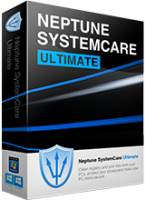
Neptune SystemCare Ultimate is an Advanced PC optimization utility that protects your privacy and makes your PC faster and safer. Neptune SystemCare Ultimate removes the junk files and whatever slows down your PC to allow Windows running faster and free up valuable hard disk space; erases the online traces that threats your privacy to provide better surfing protection. The built-in Registry Cleaner and Defrag fix errors and broken settings to make your computer more stable. The Speedball inside is a one-click powerful and advanced system optimizer for improving your computers performance. What’s more, it contains a fully featured big file manager, system monitor, and password generator.
Official Product Description
Overview
What Does Neptune SystemCare Ultimate Do?
Neptune SystemCare Ultimate is a comprehensive PC optimization suite designed to improve Windows performance and enhance user privacy. The application functions by scanning for and removing redundant junk files that occupy hard drive space and contribute to system slowdowns. By clearing these caches and temporary files, the utility aims to restore lost storage and increase overall operating speeds.
The software integrates several core maintenance tools to ensure system stability, including:
- Registry Cleaner and Defrag: This module identifies and repairs broken settings within the Windows registry while organizing data to reduce system errors.
- Speedball: A one-click optimization feature that streamlines background processes to provide an immediate performance boost.
- Privacy Protection: This tool erases online traces and digital footprints to protect the user against tracking and various security threats during web browsing.
Beyond standard maintenance, the utility provides additional administrative modules for system management. These include a big file manager for identifying and relocating large, space-consuming data, a system monitor to track real-time hardware resource usage, and a built-in password generator for creating complex security credentials. By consolidating these features into a single interface, Neptune SystemCare Ultimate offers a centralized solution for the routine upkeep required to keep a computer running efficiently and securely.
Top 5 Reasons To Download Neptune SystemCare Ultimate
- Complete Performance Overhaul via the Advanced Speedball Optimizer
- Comprehensive Privacy Protection and Digital Footprint Erasure
- Maximum System Stability through Registry Repair and Defragmentation
- Intelligent Storage Management with the Big File Finder
- Real-Time System Monitoring and Essential Security Utilities
If you have been using a Windows PC for more than a few months, you already know the "slowdown" is real. It starts subtly. Maybe a folder takes an extra second to open, or your browser feels just a bit more sluggish than it did when the machine was brand new. Fast forward a year, and you are staring at a computer that feels like it is wading through digital molasses. We have all been there, and usually, the solution involves a frustrating afternoon of hunting down temporary files or, in extreme cases, a full system reinstall. But what if I told you there is a way to reclaim that "day one" speed without the headache? Enter Neptune SystemCare Ultimate.
As a tech reviewer, I see dozens of so-called "system boosters" cross my desk every month. Most of them are nothing more than flashy interfaces over basic Windows tools you can find yourself. However, Neptune SystemCare Ultimate stands out because it is a comprehensive, all-in-one suite that targets the root causes of PC degradation. It doesn't just put a band-aid on the problem; it performs deep surgery on your operating system to ensure everything is running at peak efficiency. This giveaway is an absolute must-download for anyone who values their time, their privacy, and their hardware’s longevity. Let’s dive deep into the five primary reasons why you need to grab this utility today.
1. Complete Performance Overhaul via the Advanced Speedball Optimizer
The crown jewel of Neptune SystemCare Ultimate is undoubtedly the Speedball. This isn't just a gimmick with a cool name; it is a powerful, one-click optimization engine designed for users who don't want to spend hours digging through system settings. When you trigger the Speedball, the software performs a massive sweep of your active memory and background processes. It identifies applications that are hogging resources without providing any benefit and safely terminates them, instantly freeing up CPU cycles and RAM for the tasks you actually care about.
Beyond the instant gratification of the Speedball, the software excels at junk file removal. Every time you browse the web, install an update, or even just move files around, Windows creates a trail of temporary data. Over time, these files—logs, cache data, temporary installers, and thumbnails—can take up gigabytes of space. More importantly, they clutter the file system, making it harder for your hard drive to find the data it needs. Neptune SystemCare Ultimate meticulously scans these hidden corners of your drive, removing the digital debris that slows down your boot times and application launches. By cleaning out these bottlenecks, you aren't just gaining disk space; you are giving your Windows installation room to breathe.
In my testing, the difference is night and day. Applications that used to "bounce" in the taskbar before opening now pop up nearly instantaneously. If you are a gamer or a creative professional using resource-heavy software like video editors, the performance gains from the Speedball alone make this download worth it. It’s like giving your computer a shot of adrenaline exactly when it needs it most.
2. Comprehensive Privacy Protection and Digital Footprint Erasure
In today’s digital landscape, privacy is no longer a luxury—it is a necessity. Every move you make online is tracked, recorded, and often stored locally on your machine. From your browser history and cookies to the "most recently used" lists in your applications, your PC is essentially a diary of your life. If you share a computer or use a laptop in public spaces, this is a massive security risk. Neptune SystemCare Ultimate addresses this with a robust suite of Privacy Protection tools.
The software goes beyond just clearing your browser cache. It identifies and erases online traces that could be exploited by malicious actors or intrusive advertisers. By wiping your digital footprint, you are effectively making yourself a smaller target for trackers. This isn't just about hiding what you do; it’s about surfing protection. When your system is clean of tracking cookies and old session data, there are fewer entry points for browser-based threats to latch onto.
Furthermore, the inclusion of a Password Generator is a stroke of genius. Most users are guilty of "password recycling"—using the same password for their email, banking, and social media. Neptune helps you break this dangerous habit by creating complex, unhackable passwords on the fly. When you combine this with the privacy cleaning tools, you have a multi-layered defense system that keeps your personal information exactly where it belongs: with you. In an era where data breaches are a weekly occurrence, having a dedicated privacy tool integrated into your system utility is a massive advantage.
3. Maximum System Stability through Registry Repair and Defragmentation
If the CPU is the heart of your computer, the Windows Registry is its brain. The Registry is a massive database that stores settings and options for the operating system and almost every piece of software you install. Unfortunately, the Registry is notoriously fragile. When you uninstall a program, it often leaves behind "orphaned" entries. Over time, these broken settings and errors pile up, leading to system instability, weird error messages, and the dreaded Blue Screen of Death (BSOD).
Neptune SystemCare Ultimate features a Built-in Registry Cleaner that is both thorough and safe. It scans for these broken links and obsolete entries, pruning the Registry to ensure that Windows can access the correct information without getting confused by old data. This results in a significantly more stable environment. You will notice fewer crashes and a more responsive interface overall. For many users, a Registry cleanup is the secret ingredient that saves an aging PC from the scrap heap.
Complementing the Registry Cleaner is the Disk Defrag tool. While modern SSDs handle data differently than old-school HDDs, file fragmentation can still occur at the OS level, and keeping your file system organized is crucial for long-term health. Neptune’s defragmenter reorganizes how data is stored on your disk, ensuring that related files are physically (or logically) grouped together. This reduces the work your drive has to do to read a file, which not only speeds up your PC but also reduces wear and tear on your hardware. It’s a win-win for performance and longevity.
4. Intelligent Storage Management with the Big File Finder
We have all seen that terrifying red bar in Windows Explorer indicating that our "C:" drive is almost full. The problem is, when you go to delete things, it’s hard to know where to start. You might delete hundreds of photos and only save a few megabytes, while a massive, forgotten 10GB installer file sits hidden in a sub-folder somewhere. Neptune SystemCare Ultimate solves this frustration with its Full-Featured Big File Manager.
This utility is an absolute lifesaver for anyone managing limited storage, such as on a laptop with a 256GB SSD. It quickly scans your entire drive and presents you with a list of the largest files, regardless of where they are buried. You might find old video projects, duplicated backup files, or massive game caches that you haven't touched in years. Instead of hunting through folders for hours, you can identify the "space hogs" in seconds and remove them with a single click.
This level of disk management is essential for keeping a PC running smoothly. Windows needs a certain amount of free "buffer" space to function correctly—if your drive is too full, the system can't create temporary swap files, leading to massive lag. By using the Big File Manager, you ensure that your drive always has the headroom it needs. It’s about valuable hard disk space recovery, and Neptune does it better than almost any other tool I've used. It empowers the user to take control of their storage without needing to be a database administrator.
5. Real-Time System Monitoring and Essential Security Utilities
Knowledge is power, and Neptune SystemCare Ultimate provides you with a "cockpit view" of your computer through its System Monitor. Most users have no idea what is happening under the hood of their PC until something breaks. The System Monitor changes that by giving you a clear, easy-to-understand breakdown of your hardware usage. You can see exactly which processes are eating your CPU, how much RAM is being utilized, and the temperature of your components. This is vital for troubleshooting—if your computer is running loud or hot, a quick glance at the monitor will tell you exactly why.
But the utility doesn't stop at just monitoring. It acts as a safety net for your entire computing experience. By combining the system monitor with the various cleaning and optimization tools, Neptune creates a proactive maintenance environment. Instead of waiting for your PC to get slow and then fixing it, you can use these tools to keep it in peak condition indefinitely.
Emphasizing the user experience is key here. Many "advanced" utilities are intimidating, filled with jargon and dangerous buttons that look like they might break your computer. Neptune SystemCare Ultimate is different. It is designed with a sleek, intuitive interface that makes professional-grade optimization accessible to everyone. Whether you are a tech-savvy power user or someone who just wants their computer to work without a fuss, this software caters to you. The "Ultimate" in the name isn't just marketing—it refers to the fact that this is likely the only utility you will ever need to keep your PC fast, safe, and stable.
In conclusion, Neptune SystemCare Ultimate is a powerhouse. It tackles the three pillars of a great PC experience: speed, stability, and security. By downloading this giveaway, you are getting a premium toolkit that clears out junk, protects your private life, stabilizes your operating system, manages your storage, and monitors your hardware health. Don't wait until your PC starts acting up or your private data is compromised. Take the proactive step today and give your computer the "Ultimate" treatment it deserves. Your Windows PC will thank you, and you will enjoy a smoother, faster, and much safer computing experience from the very first click.
Reviews for Neptune SystemCare Ultimate
Click Here to Read Reviews for Neptune SystemCare Ultimate >> Click Here to Submit Reviews for Neptune SystemCare Ultimate >>