What Does simplitec Power Suite Do?
simplitec Power Suite is an automated maintenance utility designed to optimize PC performance, stability, and security. The software functions by identifying system weaknesses and executing targeted fixes to resolve underlying technical issues. It provides a streamlined approach to system management for users seeking to maintain an efficient computing environment through a simplified interface.
The suite includes several core tools for system optimization and maintenance:
- Startup Optimization: The software analyzes and manages the Windows autorun list, deactivating unnecessary background processes to accelerate boot times.
- Driver Management: It automatically identifies and downloads current drivers for hardware components, including updates for ATI, NVIDIA, and Intel hardware, to ensure system stability.
- Security Patching: The tool scans installed programs for missing security updates and patches, closing vulnerabilities to protect the system from potential exploits.
- Performance Tuning: It performs a wide range of automated optimizations to reclaim disk space and improve overall system responsiveness.
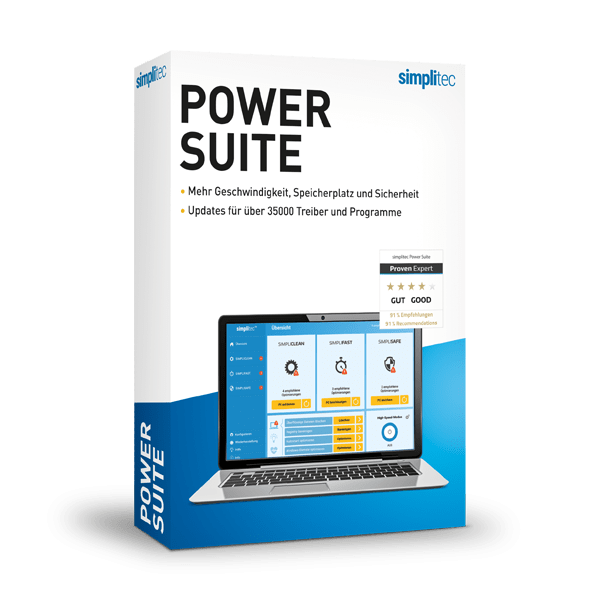
To date, the software has recorded over 10,000,000 downloads and maintains a 91% recommendation rate among its user base. By automating complex maintenance tasks such as registry cleaning and software patching, simplitec Power Suite offers a functional solution for maintaining hardware efficiency and software integrity over time.
Top 5 Reasons To Download simplitec Power Suite
Before we dive into the deep technical analysis of why this software has become a staple for millions of users, let’s look at the core benefits. If you are looking for a way to revitalize your computer, here are the top five reasons you need to download simplitec Power Suite today:
- Complete Automated System Optimization: It identifies and fixes system weaknesses without requiring manual intervention.
- Advanced Driver and Security Patch Management: It keeps your hardware running at peak performance while closing dangerous security loopholes.
- Drastic Improvements to Boot Times: By optimizing the autorun process, it removes the "bloat" that slows down your Windows startup.
- Comprehensive Junk Removal and Space Recovery: It clears out unnecessary processes and files to free up valuable storage and RAM.
- Proven Reliability with Global Trust: With over 10 million downloads and a 91% recommendation rate, it is a battle-tested solution for PC maintenance.
1. Complete Automated System Optimization
In the world of modern computing, we often take for granted just how complex our operating systems are. Windows is a marvel of engineering, but it is also prone to a phenomenon I like to call "digital entropy." Over time, every action you take—installing an app, browsing the web, or even just moving files around—leaves behind a footprint. Eventually, these footprints turn into a heavy burden that drags your processor down. This is where simplitec Power Suite steps in as a game-changer for the average user and the power user alike.
The standout feature of this suite is its ability to perform automatic system protection and optimization. Many utility programs on the market require the user to have a degree in computer science just to navigate the menus. You are often asked to make decisions about registry keys, heap sizes, and DLL fragments that you might not fully understand. If you click the wrong thing, you could potentially brick your OS. This software removes that anxiety entirely. It is designed to automatically identify system weaknesses and underlying problems that are invisible to the naked eye.
When you run the Power Suite, it doesn’t just scan for surface-level issues; it digs deep into the system architecture to find the root causes of instability. Whether it is a fragmented file structure or a misconfigured system setting that is eating up CPU cycles, the software identifies it and fixes it in just a few easy steps. For anyone who has ever felt the frustration of a computer that used to be "lightning fast" but now feels like it's wading through molasses, this automated approach is the ultimate remedy. It brings your PC back up to speed without requiring you to spend hours in the Command Prompt or the Registry Editor.
Furthermore, the "set it and forget it" nature of this tool means your PC stays protected. It isn't just a one-time fix; it provides ongoing maintenance that keeps the system running fast, clean, and safe. In a tech landscape where our time is our most valuable resource, having a tool that handles the "dirty work" of PC maintenance automatically is not just a luxury—it’s a necessity.
2. Advanced Driver and Security Patch Management
If you ask any tech reviewer what the most common cause of system crashes and hardware malfunctions is, they will likely give you one word: drivers. Drivers are the essential pieces of software that allow your operating system to talk to your hardware. If your drivers are outdated, your graphics card won't render games properly, your Wi-Fi might drop out, and your printer might decide to stop working at the worst possible moment. Managing these manually is a nightmare. You have to visit various manufacturer websites, identify your specific hardware model, and hope you’re downloading the right version.
This software solves this problem by offering automatic downloads of new drivers for all major components, including ATI, NVIDIA, and Intel. This ensures that your hardware is always running the most stable and efficient code provided by the manufacturers. For gamers, this can mean the difference between a stuttering experience and a smooth, high-frame-rate session. For professionals, it means a stable environment where their creative software doesn't crash during a render. By keeping your hardware optimized at the driver level, the suite maximizes both speed and stability.
But performance is only half of the story. Security is the other, perhaps more critical, half. We live in an era where cyber threats are becoming increasingly sophisticated. Many people assume that having an antivirus is enough, but antivirus software often misses the security loops created by outdated third-party programs. Vulnerabilities in software you haven't updated in months can provide a "backdoor" for malware and hackers.
The Power Suite tackles this head-on by closing these security loops with current patches and security updates for all your installed programs. It scans your system for software that is out of date and provides the necessary updates to ensure that known exploits are patched. This proactive approach to security is far more effective than simply waiting for a virus to appear and trying to delete it. It strengthens the "walls" of your digital fortress, making it much harder for threats to gain a foothold in the first place.
3. Drastic Improvements to Boot Times
There is nothing quite as frustrating as pressing the power button on your computer and then having enough time to go into the kitchen, make a cup of coffee, and come back before the desktop icons have even finished loading. This "startup lag" is usually caused by a crowded Autorun list. Whenever you install a new piece of software, there is a high probability that it secretly adds itself to your startup routine, even if it’s a program you only use once a month. Over time, dozens of these unnecessary processes launch the moment you log in, fighting for resources and slowing your Windows start to a crawl.
One of the most impressive tools within this suite is the automatic autorun optimization. This feature performs a surgical analysis of everything that tries to launch when your computer turns on. It identifies which processes are essential for the operating system and which ones are simply "bloat" that can be safely deactivated. By trimming the fat from your startup sequence, the software allows Windows to launch noticeably faster.
What I find particularly useful about this specific implementation is how it handles these processes. It doesn't just "delete" them; it deactivates them so they don't run at startup, but they remain perfectly functional when you actually choose to open the program yourself. This means you don't lose any functionality—you only lose the wait time. For users who work on laptops, this has the added benefit of saving battery life, as there are fewer background processes draining power from the moment the screen turns on.
In my experience, optimizing the autorun is the single most effective way to make an old computer feel "new" again. When you remove that initial bottleneck, the entire user experience feels snappier and more responsive. You can get straight to work or play without the traditional five-minute waiting period that plagues so many unoptimized Windows machines.
4. Comprehensive Junk Removal and Space Recovery
Storage space is a finite resource, and even with the massive hard drives and SSDs available today, it’s remarkably easy to fill them up. However, what most users don’t realize is that a significant portion of their used space isn't taken up by photos or documents, but by system clutter. Temporary files, cached data, old log files, and discarded installation remnants can easily account for tens of gigabytes of wasted space. This isn't just a storage issue; it’s a performance issue. When a drive is nearly full, the operating system has a harder time managing the "swap file" and other virtual memory tasks, leading to slowdowns.
The simplitec Power Suite functions as a high-powered digital janitor. It identifies these system weaknesses and cleans them out with precision. It looks into the corners of the OS that most users never see—like the Prefetch folder, Temp directories, and browser caches—to reclaim that space. By clearing out these unnecessary files, you are essentially giving your PC more "room to breathe."
Beyond just deleting files, the suite performs wide-ranging optimizations to the way data is handled on your drive. This includes ensuring that the file system is organized in a way that allows for the fastest possible read/write speeds. If you are using a traditional HDD, this is vital. If you are using an SSD, the suite ensures that the "trim" and other optimization commands are handled correctly to preserve the lifespan of your drive.
The result of this deep cleaning is a PC that feels clean. There is a psychological benefit to knowing your system is lean and efficient, but the physical benefits are even better. You’ll have more room for the things you actually care about—your media, your projects, and your games—while the operating system runs with a level of fluidity that you likely haven't experienced since the day you first unboxed the machine.
5. Proven Reliability with Global Trust
In the tech world, we are often bombarded with new apps and utilities that promise the world but deliver very little. It can be hard to know which tools are legitimate and which are just "snake oil." One of the most compelling reasons to download this particular giveaway is the sheer weight of social proof and historical success behind it. This isn't an unproven, niche utility; it is a global favorite.
With more than 10,000,000 copies downloaded, this software has been put through its paces on millions of different hardware configurations. Whether you are running an older desktop, a modern gaming rig, or a budget laptop, the Power Suite has a track record of delivering results. In the software industry, you don't reach ten million downloads by accident. You reach that number by providing a tool that actually does what it says on the box.
Even more impressive than the download count is the user satisfaction rate. Statistics show that 91% of users have recommended the program to others. In the world of PC utilities—a category often fraught with skepticism—a 91% recommendation rate is almost unheard of. It speaks to the program's functionality, simple operation, and the tangible, proven improvements to performance that users see immediately after use.
When you download this giveaway, you aren't just getting a piece of software; you are joining a massive community of users who have already vetted the product for you. You are benefiting from years of development, refining, and optimization that have been poured into this suite. It is a professional-grade tool that has been simplified for the everyday user, backed by a reputation for excellence that spans the globe.
Final Thoughts: We all want our technology to work for us, not against us. We want our computers to be fast when we need them, safe from the many threats that exist online, and clean of the clutter that naturally accumulates over time. This software offers a comprehensive, all-in-one solution to the most common problems facing PC users today. From the automatic driver updates that keep your hardware stable to the autorun optimizations that save you time every single morning, every feature is designed with the user's experience in mind. Given its proven track record and the ease of use it provides, downloading this suite is one of the easiest decisions you can make for the health of your computer. Give your PC the speed, space, and security it deserves—you won't regret it.


Reviews for simplitec Power Suite
Click Here to Read Reviews for simplitec Power Suite >> Click Here to Submit Reviews for simplitec Power Suite >>