What Does Softdiv PDF Split and Merge Do?
Softdiv PDF Split and Merge is a desktop utility designed for the streamlined management of PDF documents through batch processing. The software addresses two core administrative needs: the consolidation of multiple files and the decomposition of large documents into manageable segments.
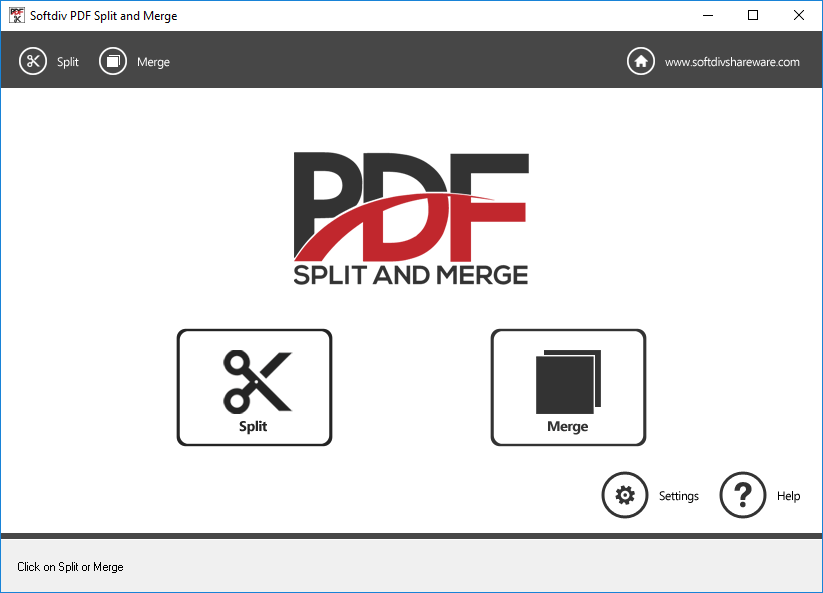
The merging feature allows users to combine an unlimited number of PDF files into a single document. Users can choose to integrate entire files or specify precise page ranges for a more targeted compilation. Conversely, the splitting module offers several distinct methods to break down larger PDFs. These methods include:
- Extracting every page into individual single-page PDF files.
- Deleting unwanted pages or specific page ranges.
- Dividing documents into smaller parts based on a group of pages.
The interface includes a built-in PDF reader, enabling users to preview content directly within the application before finalizing any split or merge operations. The software is fully compatible with password-protected documents, provided the user has the necessary credentials for processing. Additionally, the tool provides functionality to modify document metadata, allowing for the manual adjustment of title, author, creator, and subject fields. Users can also apply new password encryption settings to the processed output, ensuring that the resulting files remain secure. This combination of structural and metadata tools provides a comprehensive solution for organizing digital PDF libraries.
Top 5 Reasons To Download Softdiv PDF Split and Merge
If you have ever spent an afternoon wrestling with a stubborn PDF document, you know exactly how frustrating the format can be. It is the gold standard for document sharing because it preserves formatting across every device, but that very "sturdiness" makes it a nightmare to edit, rearrange, or consolidate. Whether you are a student trying to compile research papers, a legal professional organizing discovery documents, or a small business owner trying to manage invoices, the need for a reliable, high-speed PDF management tool is universal. Today, we are looking at a powerhouse utility that solves these problems with surgical precision: Softdiv PDF Split and Merge. This software is currently being offered as a giveaway, and if you deal with digital documents in any capacity, this is one download you cannot afford to skip.
Before we dive into the deep technical details of why this software stands out in a crowded market, let us look at the core benefits. Here are the top five reasons why you need to download this giveaway today:
- Limitless Batch Merging Capabilities: Combine an unlimited number of PDF files into a single document with precise control over page ranges.
- Comprehensive Splitting Methods: Break down massive files using four distinct methods, including single-page extraction and group-based splitting.
- Native PDF Previewer: View your documents within the application interface to ensure accuracy before you commit to any changes.
- Advanced Security and Metadata Control: Manage password protection and edit internal document properties like author, title, and subject.
- Local Processing for Maximum Privacy: Unlike online converters, all processing happens on your machine, keeping your sensitive data off third-party servers.
1. Limitless Batch Merging Capabilities
We have all been there: you have twelve different PDF files that need to be sent as one cohesive report. Most free online tools will cap you at three files, or they will slap a giant watermark across the center of your work. Softdiv PDF Split and Merge removes those artificial barriers entirely. The batch mode is the star of the show here. You can drag and drop a massive list of documents into the interface and watch as the software prepares to stitch them together into one seamless file.
But it is not just about quantity; it is about precision. This software does not force you to merge the entire contents of every file. Imagine you have a 100-page manual, but you only need the table of contents and the final index to be merged with a new introductory letter. This program allows you to specify exact page ranges for each document in the queue. You can tell the software to take pages 1-5 from File A, page 10 from File B, and the entire contents of File C. This level of granular control turns a tedious "copy-paste" nightmare into a few clicks of the mouse. For professionals who handle complex reports, this feature alone is worth the download. It transforms the way you curate information, allowing you to build bespoke documents tailored to your specific audience without ever needing to open a heavy, expensive suite like Adobe Acrobat.
Furthermore, the merging process is incredibly fast. Because the software is optimized for local hardware, it does not rely on your upload or download speeds. It leverages your system's processing power to rewrite the PDF structure in seconds. This efficiency is a game-changer when you are working against a tight deadline and need to consolidate a dozen different project components into a single submission.
2. Comprehensive Splitting Methods
While merging is about consolidation, splitting is about liberation. Often, we receive a massive PDF file—perhaps a 500-page ebook or a massive corporate data dump—and we only need a fraction of that information. Softdiv PDF Split and Merge offers four distinct splitting methods, ensuring that no matter your goal, you have the right tool for the job.
First, there is the single-page PDF split. This is perfect for those who need to break an entire document down into individual pages. If you have a 20-page portfolio and want to send each page as a separate attachment to different stakeholders, this feature automates that process in a heartbeat. Second, the software allows you to delete unwanted pages. This is essentially a "cleanup" tool. If you have a document with unnecessary filler, blank pages, or outdated information, you can simply mark those pages for removal and generate a "clean" version of the file.
Third, the delete unwanted page ranges feature is a more aggressive version of the cleanup tool, allowing you to excise large chunks of a document at once. Finally, and perhaps most impressively, is the split by group of pages method. This is a dream for educators and trainers. Imagine you have a 100-page workbook and you want to split it into five 20-page modules for your students. Instead of doing this manually five times, you can set the group size to 20, and the software will automatically generate five separate, perfectly partitioned PDF files. This versatility makes the software an essential tool for data organization, allowing you to deconstruct complex files as easily as you can build them.
3. Native PDF Previewer
One of the biggest risks when merging or splitting PDFs is the "blind edit" error. You think you are deleting page 14, but it turns out page 14 was actually the signature page you desperately needed. Most lightweight PDF utilities require you to have a separate PDF viewer open (like Chrome or Adobe Reader) so you can constantly switch back and forth to verify page numbers. Softdiv PDF Split and Merge eliminates this friction by including a built-in PDF Reader.
The integrated previewer is a massive productivity booster. As you are setting up your split or merge tasks, you can view the files directly within the software. This allows you to visually confirm that you have selected the correct files and the correct page ranges. It provides a "what you see is what you get" experience that gives the user immense confidence. You can scroll through the document, check the layout, and ensure that the formatting is exactly where it needs to be before you hit the "Process" button. This prevents the frustration of generating a new file only to realize you made a mistake and have to start the process all over again. In the world of tech productivity, context is king, and having your previewer and your editor in the same window is a luxury that quickly becomes a necessity once you have tried it.
4. Advanced Security and Metadata Control
In the modern digital landscape, security is not optional. Many of the PDFs we handle contain sensitive information—financial records, personal identification, or proprietary business strategies. Softdiv PDF Split and Merge respects this by offering robust support for password-protected documents. If you are trying to merge files that are encrypted, the software can handle them (provided you have the password), ensuring that your workflow is not interrupted by security barriers.
But the software goes a step further by allowing you to apply security and organizational data to your output files. When you create a new merged or split PDF, you have the option to set a new password. This ensures that the new document remains just as secure as the originals. Beyond passwords, the software allows you to edit metadata. Metadata is the "hidden" information attached to a file, such as the Title, Author, Creator, and Subject.
Why does metadata matter? For professionals, it is about branding and searchability. When you send a PDF to a client, you want the "Author" field to show your company name, not the name of the person who originally scanned the document five years ago. For researchers, proper metadata makes files easier to index and find using desktop search tools. By giving you control over these values during the split/merge process, the software ensures that your output is professional, organized, and ready for official distribution. It is these "small" features that separate a basic utility from a professional-grade tool.
5. Local Processing for Maximum Privacy
We live in an age where "the cloud" is the default answer for everything, but when it comes to document management, the cloud can be a liability. When you use a "Free Online PDF Merger," you are uploading your documents to a server owned by a company you likely know nothing about. You have no idea how long they keep your files, who has access to them, or what kind of data mining might be happening in the background. For anyone handling confidential or sensitive information, online PDF tools are a massive security risk.
This is where Softdiv PDF Split and Merge truly shines. Because this is a downloadable desktop application, all the heavy lifting happens locally on your computer's hard drive and CPU. Your files never leave your machine. This "offline" nature provides a level of privacy and security that no web-based tool can match. If you are working on a laptop without an internet connection—perhaps on a plane or in a remote location—the software works perfectly. You aren't tethered to a Wi-Fi signal, and you aren't at the mercy of a website's server uptime.
Additionally, local processing is significantly faster for large files. Uploading a 200MB PDF to a website just to split it is a time-consuming chore. With this software, the file is processed instantly. There are no queues, no "wait for your download link" emails, and no advertisements. You get a clean, high-performance environment that respects both your time and your privacy. In an era of data breaches and intrusive tracking, having a dedicated, local tool for document management is a significant advantage for any tech-savvy user.
Conclusion: A Must-Have Tool for Your Digital Toolbox
The Softdiv PDF Split and Merge giveaway is a rare opportunity to snag a utility that is both powerful and incredibly user-friendly. It addresses the fundamental pain points of the PDF format without overcomplicating the user experience. By focusing on the core needs of the user—merging, splitting, previewing, and securing—it manages to be a comprehensive solution that fits into any workflow.
Whether you are looking to clean up your digital filing cabinet, prepare professional reports, or simply stop wasting time with unreliable online converters, this software is the answer. The ability to handle unlimited files in batch mode, combined with the surgical precision of its splitting methods, makes it a powerhouse. When you add in the security features and the peace of mind that comes with local, private processing, it becomes clear why this is a must-download.
Don't wait until you are in the middle of a "PDF emergency" to look for a solution. Download Softdiv PDF Split and Merge while this giveaway is available and give yourself the gift of stress-free document management. It is lightweight, efficient, and designed to do one thing perfectly: give you total control over your PDF files. This is the kind of software that you might not realize you need every day, but once you have it in your arsenal, you will wonder how you ever managed without it. Get it now, organize your digital life, and never struggle with a PDF document again.

Reviews for Softdiv PDF Split and Merge
Click Here to Read Reviews for Softdiv PDF Split and Merge >> Click Here to Submit Reviews for Softdiv PDF Split and Merge >>