What Does Steganos Password Manager 18 Do?
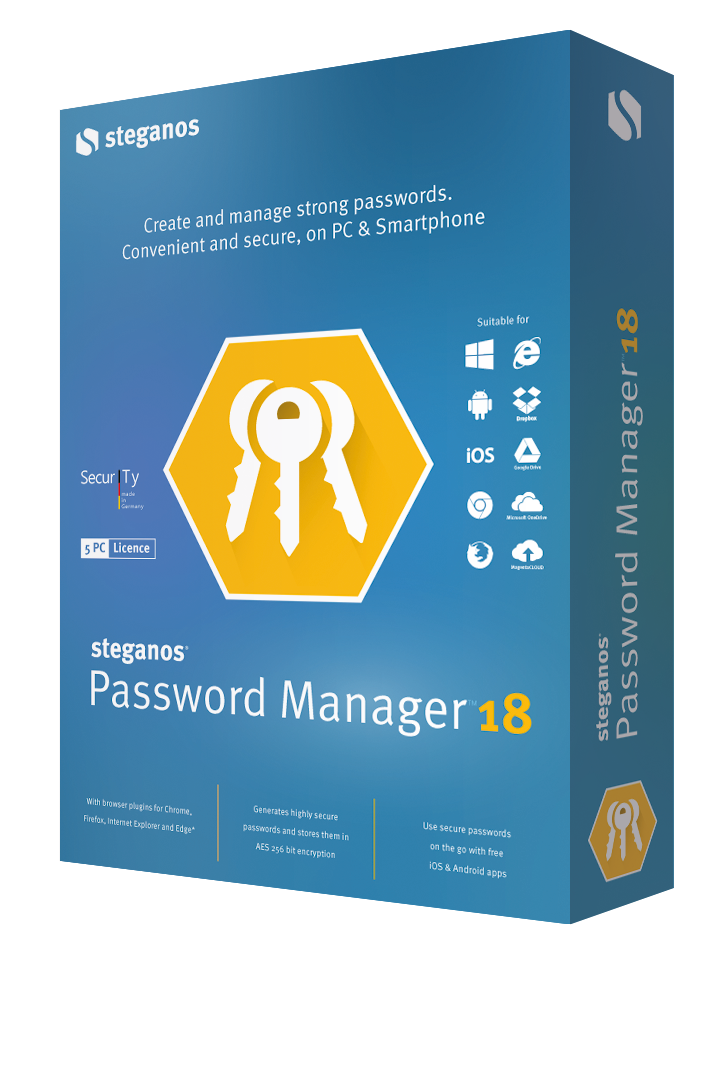
As digital footprints expand, the challenge of maintaining secure, unique credentials for every account grows. Steganos Password Manager addresses this by centralizing data management under AES 256-bit encryption. The software automates the generation and entry of login details while providing a suite of tools designed to thwart various interception methods.
For mobile users, the Steganos Mobile Privacy app for iOS and Android facilitates credential auto-fill via an in-app browser. Synchronization is flexible; users can utilize cloud-based storage via OneDrive, Dropbox, Google Drive, or MagentaCLOUD, or perform local synchronization through iTunes or Android Explorer without requiring cloud access.
The utility includes several specialized security and convenience features:
- Keylogger Protection: A virtual keyboard and character randomizer prevent the recording of hardware inputs and mouse clicks.
- Portability: A portable version allows the encrypted database to run from a USB drive on any PC.
- PicPass: Users can implement picture-based passwords for an alternative layer of security.
- Physical Backup: A print function allows for the creation of hard-copy lists for storage in a bank vault or safe.
The software further supports secure notes and includes handy templates for organizing various data types. By integrating an automated password generator, it ensures that every account is protected by distinct, high-entropy credentials without the need for manual memorization.
Top 5 Reasons To Download Steganos Password Manager 18
- Unrivaled Military-Grade Security: With AES 256-bit encryption and specialized anti-keylogger tools like a virtual keyboard, your data remains impenetrable to both hackers and malicious software.
- Seamless Mobile and Cloud Integration: Access your passwords anywhere via Google Drive, Dropbox, OneDrive, or MagentaCLOUD, with a dedicated mobile app that auto-fills your credentials on the go.
- Maximum Portability and Offline Flexibility: Unlike many competitors, this software includes a portable USB version and allows for offline syncing via iTunes or Android Explorer, ensuring you are never locked out of your accounts.
- Automated Password Lifecycle Management: From generating complex, unbreakable passwords to automatically filling them into browsers and apps, the software removes the cognitive burden of remembering login details.
- Innovative Backup and Authentication Methods: Beyond standard text passwords, you can use PicPass (picture passwords) for visual security and even print physical, encrypted lists for secure offline safekeeping in a bank vault or notary.
If you have been following the tech world lately, you know that the "Wild West" of the internet is getting more dangerous by the second. Data breaches are no longer a rare occurrence; they are a weekly headline. Every time you reuse a password, you are essentially leaving the front door of your digital life wide open. But let’s be honest: trying to remember fifty different strings of random characters is impossible for the human brain. This is where a high-tier tool becomes essential. Today, I am looking at Steganos Password Manager, a powerhouse in the privacy industry, and I am going to explain exactly why this specific giveaway is the one you cannot afford to miss. This isn't just another utility; it is a fortress for your digital identity.
1. Unrivaled Military-Grade Security
When we talk about security in the tech world, we often throw around terms like "encryption" without really explaining what they mean for the end user. Steganos Password Manager utilizes AES 256-bit encryption. To put that into perspective, this is the same standard used by governments and military organizations to protect state secrets. It is computationally infeasible for a brute-force attack to break this level of encryption within several lifetimes. When you store your login data, credit card numbers, and private notes in this vault, they are transformed into a scrambled mess of data that is useless to anyone without your master key.
But the security doesn’t stop at the encryption of the database itself. One of the most common ways hackers steal passwords today isn't by "cracking" the vault, but by watching you type. Keyloggers—malicious scripts that record every stroke on your physical keyboard—are a silent plague. Steganos fights back with a Virtual Keyboard. By using your mouse to click on an on-screen keyboard, you bypass the physical hardware entirely, rendering keyloggers useless. Furthermore, for the truly security-conscious, there is an optional character randomizer that protects against mouse-click logging. This level of proactive defense is something you rarely see in standard, free-to-use password managers. It shows a deep understanding of the threat landscape that only a veteran privacy company like Steganos can provide.
In my years of reviewing software, I’ve found that many apps focus on "looking pretty" while neglecting the actual engine under the hood. Steganos does both, but it prioritizes the integrity of your data above all else. When you download this giveaway, you aren't just getting an organizer; you are getting a sophisticated security suite that protects you at the point of entry and at the point of storage. It creates a "zero-trust" environment where your sensitive information remains yours and yours alone.
2. Seamless Mobile and Cloud Integration
A password manager is only useful if it is available where you are. In the modern era, we are constantly switching between our desktops, laptops, tablets, and smartphones. Steganos Password Manager bridges this gap perfectly. By offering mobile access via the most popular cloud services—OneDrive, Dropbox, Google Drive, and MagentaCLOUD—the software ensures that your encrypted password list is always synced and ready to go. If you update a password on your PC at home, that change is instantly reflected on your phone when you’re out at a coffee shop.
The Steganos Mobile Privacy app for iOS and Android is a revelation for mobile productivity. We’ve all dealt with the frustration of trying to copy and paste a long, complex password from a notes app into a mobile login screen, only to have the app refresh and lose our progress. Steganos solves this by automatically inserting passwords into your mobile browser and apps. It streamlines the experience so much that you’ll forget you’re even using a high-security tool. It just works. This integration turns a chore into a seamless background process.
Moreover, the cloud integration is handled with the same "security-first" mindset. Your data is encrypted locally before it ever touches the cloud. This means that even if someone were to hack into your Dropbox or Google Drive account, they would find nothing but an encrypted file that they cannot open. You get all the convenience of the cloud with none of the typical security compromises. This balance of accessibility and protection is the "gold standard" for tech reviewers like myself, and Steganos hits the mark perfectly.
3. Maximum Portability and Offline Flexibility
While cloud syncing is fantastic, I know there is a segment of my audience that remains wary of the cloud, or perhaps you work in an environment where cloud access is restricted. Steganos caters to these needs in a way that many modern "SaaS-only" (Software as a Service) password managers do not. One of the standout features of this giveaway is the Portable Version. You can install the encrypted password list and the manager software onto a USB stick. This allows you to carry your passwords in your pocket and use them on any PC—at work, in a library, or at a friend's house—without leaving a trace of your data on the host machine.
But the portability doesn't stop with a USB drive. For those who want mobile access but refuse to put their data on a third-party server, Steganos allows for direct syncing via iTunes or Android Explorer. This means you can sync your passwords directly from your computer to your phone over a local connection. No cloud required. In an era where tech companies are forcing users into "the cloud or nothing," it is incredibly refreshing to see a developer respect user sovereignty. This gives you absolute control over the physical location of your data.
The flexibility of having a portable USB version also serves as an excellent emergency tool. If your primary computer dies, you aren't left stranded. As long as you have your USB stick and your master password, you can regain access to your entire digital life from any other device. This level of redundancy is vital for anyone who manages business accounts or sensitive financial data. It is a "fail-safe" that ensures your productivity is never hampered by hardware failure or lack of internet connectivity.
4. Automated Password Lifecycle Management
Let's talk about Password Fatigue. It is a real psychological phenomenon where users, overwhelmed by the need for dozens of passwords, resort to using the same weak password for everything. Steganos Password Manager eliminates this fatigue entirely. The built-in Password Generator creates strings of characters that are statistically impossible to guess. You no longer have to think of a "clever" password; the software does it for you, ensuring that every single one of your accounts has a unique, high-entropy key.
Once those passwords are generated, the software takes over the heavy lifting of automatically entering and storing login data. When you visit a website, the manager recognizes the domain and offers to fill in your credentials. It’s like having a digital assistant that never sleeps and never forgets a detail. This feature alone saves hours of cumulative time over a year, but more importantly, it encourages better security habits. When logging in is this easy, you are much more likely to use unique, complex passwords for every site you visit.
Furthermore, the software includes handy templates for various types of data. It isn't just for website logins; you can store credit card info, ID cards, and private notes. The templates make it easy to organize this data so you can find what you need in seconds. Think of it as a digital wallet that is locked behind a vault door. The automation features of Steganos Password Manager take the "work" out of being secure, which is the only way to ensure that people actually stick to a security protocol in the long run.
5. Innovative Backup and Alternative Authentication Methods
The final reason you need to download this giveaway is the suite of "extras" that show Steganos' commitment to comprehensive data protection. First up is PicPass. We are visual creatures, and sometimes a picture is easier to remember than a string of text. PicPass allows you to select a series of images in a specific order as your password. This adds an extra layer of security that is resistant to traditional hacking methods and is perfect for users who struggle with alphanumeric memorization.
Then, there is the Print Function. While it might seem counter-intuitive to print out digital passwords in a tech-focused article, it is actually a brilliant security move. By printing an encrypted, organized list of your access data, you can create a "cold storage" backup. You can place this physical paper in a bank safe deposit box or leave it with a notary. In the event of a catastrophic digital failure or a personal emergency where family members might need access to your accounts, this physical backup is a life-saver. It’s about having a plan for every scenario.
Finally, the inclusion of secure notes gives you a place to store sensitive information that doesn't fit into a standard username/password field. Whether it’s the combination to a physical safe, software license keys, or private medical information, it is all protected by the same AES 256-bit encryption. Steganos isn't just managing your passwords; it’s managing your entire secret life. When you add up the generator, the auto-fill, the mobile app, the USB portability, and these unique backup features, you realize that Steganos Password Manager is a complete ecosystem designed to give you total peace of mind.
In conclusion, your digital security is not something you should leave to chance. Free, browser-based password managers are often the first targets of malware, and they lack the robust features found in a dedicated suite like Steganos. This giveaway offers you the chance to upgrade your digital lifestyle with professional-grade tools. You get the security of the military, the convenience of the cloud, and the flexibility of local control. Download it today and take the first step toward a worry-free digital future. You won't realize how much you needed it until you start using it.

Reviews for Steganos Password Manager 18
Click Here to Read Reviews for Steganos Password Manager 18 >> Click Here to Submit Reviews for Steganos Password Manager 18 >>