What Does WidsMob PhotoVault Do?
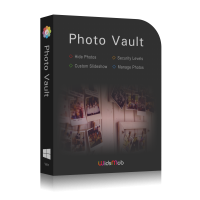
WidsMob PhotoVault is a desktop security utility designed to encrypt and conceal various image formats, including JPEG, PNG, BMP, GIF, and over 50 types of RAW files. Unlike mobile-based security applications, this software leverages desktop storage and provides robust security parameters for sensitive media and professional documents.
The program features two distinct security levels. The Standard level focuses on basic encryption and hiding files, while the High level implements additional restrictions on exporting, sharing, or accessing the application’s preferences. A dedicated "Lock" button allows for the immediate concealment of all imported images, and the program supports various hotkeys to manage hidden files efficiently.
Beyond encryption, the utility includes tools for organization and viewing. Users can group photos into custom albums or a "Favorites" category for streamlined management. Integrated viewing options include thumbnail previews, full-screen mode, and automated slideshows with customizable loop and duration settings. To prevent unauthorized distribution, users can establish specific passcodes that must be entered before any photo can be shared via email or exported to a local drive. This combination of multi-level encryption and internal management tools provides a secure environment for protecting visual data from unauthorized access.
Top 5 Reasons To Download WidsMob PhotoVault
- Advanced Dual-Layer Security and Encryption: Offers both Standard and High-security levels to ensure your private photos and sensitive documents remain impenetrable to unauthorized users.
- Comprehensive Format Support including RAW and GIF: Unlike basic privacy tools, it supports over 50 different RAW formats, high-quality JPEGs, BMPs, and even animated GIFs.
- Pro-Level Organizational Tools: Features a robust system for categorizing, naming albums, and marking favorites, allowing you to manage thousands of hidden files with ease.
- Immersive Slideshow and Viewing Modes: Provides a full-screen viewing experience with customizable slideshow settings, including loop options and duration controls.
- Granular Export and Sharing Restrictions: Gives you total control over how files leave the vault, requiring passcodes for sharing via email or exporting to local storage.
In the modern digital landscape, our personal privacy is constantly under siege. We carry our lives in our pockets and on our hard drives, often forgetting that a single shared laptop or a misplaced device could expose our most intimate memories, sensitive business documents, or private creative projects to the wrong eyes. We have all been there—handing a computer to a friend to show them a vacation photo, only to realize that a quick swipe or a click in the wrong direction could lead them to something they were never meant to see. This is where WidsMob PhotoVault steps in as a game-changer for anyone serious about digital discretion. If you have been looking for a reason to finally lock down your digital assets, this giveaway provides the perfect opportunity to secure your library with professional-grade software.
As a tech reviewer, I have seen dozens of "privacy" apps that are little more than fancy folders with a password. They are often clunky, support very few file types, and provide a user experience that feels more like a chore than a benefit. WidsMob PhotoVault breaks that mold by offering a sophisticated, desktop-centric solution that prioritizes both security and usability. It is not just about hiding a file; it is about creating a secure environment where your media can live, be organized, and even be enjoyed without ever compromising its safety. Let’s dive deep into the five core reasons why this software is a must-download during this giveaway period.
1. Advanced Dual-Layer Security and Encryption
The primary reason anyone looks for a photo vault is security, but not all security is created equal. Most applications offer a single gate—once you are in, you have total access. This software takes a much more nuanced approach by offering two distinct security levels: Standard and High. This is a critical distinction for power users who need different tiers of protection for different types of data.
The Standard level is perfect for your everyday privacy needs. It hides your photos from the general file system, ensuring they don't pop up in "Recent Files" or standard image galleries. However, the High level is where the software truly shines. When set to High security, the program adds significant restrictions to what can be done within the interface. It doesn't just hide the photo; it locks down the ability to export the file, share it via email, or even access the internal Preferences menu without additional authentication. This prevents someone who might have gained access to your logged-in computer from circumventing your security settings.
Furthermore, the "Lock Screen" feature is a stroke of genius for the busy professional. If you are working on sensitive images and need to step away from your desk, a single click of the "Lock" button or a quick hotkey command instantly shields your entire library. Unlike mobile apps that rely on simple four-digit pins, this desktop solution leverages the power of your workstation to provide a much more robust barrier against intrusion. It is the digital equivalent of having a heavy-duty safe inside a locked room.
2. Comprehensive Format Support including RAW and GIF
One of the biggest frustrations with privacy software is the limitation on file types. Many "vault" apps only support standard JPEGs or PNGs, which is useless for professional photographers, designers, or hobbyists who work with high-quality imagery. One of the most compelling reasons to download WidsMob PhotoVault is its incredible versatility regarding file formats. It doesn’t just handle the basics; it is a powerhouse that supports over 50 different RAW file types.
For the uninitiated, RAW files are the "digital negatives" used by professional cameras. They contain massive amounts of data and are often the most valuable assets a photographer owns. Being able to encrypt and hide these files without having to convert them to a lower-quality format first is a massive time-saver and a win for data integrity. Whether you are using a Canon, Nikon, Sony, or any other major camera brand, this software can ingest those files and keep them hidden from prying eyes.
But it doesn't stop at professional stills. The software also offers full support for GIF files. In an era where memes and short animated clips are a staple of digital communication, having a secure place to store these—especially if they contain personal or sensitive content—is a major plus. The fact that you can also store BMP, PNG, and other standard formats means that this software acts as a universal repository for all your visual media, regardless of its source or complexity.
3. Pro-Level Organizational Tools
If you have thousands of photos, hiding them is only half the battle. If you can't find what you’re looking for once it's hidden, the software becomes more of a hindrance than a help. WidsMob PhotoVault excels here by providing organizational tools that rival dedicated photo management suites. It allows you to move beyond the "one big pile of photos" approach and into a structured, searchable database.
Once you import your images into the program, you have the ability to group them into different categories. You can create custom albums, name them according to your specific needs, and move files between them with ease. This is particularly useful for separating personal family photos from important scanned documents, like passports or contracts, which are also often saved in JPEG format. The ability to categorize your hidden files means that even when your vault grows to include thousands of items, you are never more than a couple of clicks away from the exact file you need.
Additionally, the "Favorites" feature is a standout. Sometimes you have a handful of images that you need to access frequently—perhaps reference photos for a project or essential identification documents. By marking these as favorites, you create a shortcut category that bypasses the need to dig through specific albums. This level of management, combined with the "Lock button" for quick hiding, makes it the most efficient way to handle a large volume of sensitive data on a desktop environment.
4. Immersive Viewing Experience
Most encryption software treats your files like cold, hard data. They give you a list of filenames and perhaps a tiny, pixelated thumbnail. WidsMob PhotoVault treats your images like art. It understands that even if a photo is hidden, you still want to view it and enjoy it in high quality. This software provides a viewing experience that is as fluid and beautiful as any premium photo gallery app.
The program allows you to view your hidden photos in several modes: thumbnail mode for quick browsing, full-screen mode for detailed inspection, and a fully customizable slideshow mode. The slideshow feature is particularly impressive. You aren't just stuck with a default transition; you can customize the loop options and the duration of each slide. This allows you to sit back and view your precious memories or review a portfolio of work automatically, all within the secure confines of the encrypted vault.
The full-screen mode is also essential for those working with documents. If you have hidden a JPEG scan of a contract or a high-resolution RAW file, you need to be able to see every detail without exporting it back to your unprotected desktop. The software's ability to render these files beautifully and let you navigate through them using multiple hotkeys ensures that your workflow remains fast and intuitive. It turns your private vault into a private gallery, giving you the best of both worlds: total security and total accessibility.
5. Granular Export and Sharing Restrictions
The ultimate goal of a photo vault is to keep files in, but there are always times when you need to get a file out—whether to send it to a trusted colleague or to move it to a backup drive. Many privacy apps fail here; they either make it too difficult to export files or they make it too easy, creating a security loophole. This software strikes the perfect balance by offering granular control over the export and sharing process.
When you are ready to share a hidden photo via email or export it to your computer, WidsMob PhotoVault allows you to set a passcode specifically for these actions. This is a brilliant feature for anyone who shares their computer with family members or coworkers. Even if the program is open, someone cannot simply select your photos and "Save As" to an external thumb drive or email them to themselves without knowing your specific security code. It adds an extra layer of "intentionality" to your data management.
Furthermore, the software is designed to handle these transitions smoothly. Whether you are exporting a single JPEG or a batch of RAW files, the program maintains the integrity of the data while ensuring that the transition from "hidden" to "shared" is strictly controlled by you. This feature, combined with the larger storage space and superior security levels compared to mobile-based vaults, makes it the definitive choice for desktop users. It ensures that your photos only leave the vault when you specifically authorize it, providing peace of mind that is simply unavailable with standard file management systems.
In conclusion, WidsMob PhotoVault is not just another utility; it is a comprehensive privacy solution for the modern age. It addresses the specific needs of desktop users who require more space, more format support, and more robust security than a simple smartphone app can provide. By downloading this giveaway, you are taking a proactive step toward securing your digital life. You are getting a tool that offers dual-layer encryption, supports professional RAW formats, provides elite organizational features, delivers a stunning viewing experience, and gives you total control over how your files are shared.
Don’t wait until after a privacy breach to realize you needed this. The ability to hide, encrypt, and manage your most important photos and documents with such ease is a luxury that every tech-savvy user should have in their arsenal. Download it now, set your passcodes, and breathe a sigh of relief knowing your private life is truly private.


Reviews for WidsMob PhotoVault
Click Here to Read Reviews for WidsMob PhotoVault >> Click Here to Submit Reviews for WidsMob PhotoVault >>