What Does YouiDraw Premium Do?
YouiDraw is a cloud-based vector graphic design application that functions as a browser-resident alternative to traditional desktop software like Adobe Illustrator. Because it integrates directly with Google Drive, the platform requires no local installation and facilitates project access from any hardware with an internet connection. The service is designed for both novice users and experienced designers seeking a mobile-ready workflow.
The service provides a comprehensive suite of vector tools, including Pen, Pencil, and Brush implements. Users can perform precision path manipulation through a point-edit mode, allowing for the adjustment of anchor points and curves. For rapid production, the software includes hundreds of customizable templates, icons, and pre-defined styles spanning gradients and artistic presets.
Core features and technical capabilities include:
- Text and Shape Effects: Customizable fills, strokes, drop shadows, inner glows, reflections, and specialized 3D light effects.
- Boolean Operations: Complex shape combination modes such as Union, Subtract, Intersect, Exclude, and Divide.
- Transformations: Precise control over scaling, skewing, rotation, and alignment for multiple elements.
- SVG Integration: Support for inserting and editing external SVG files via node manipulation.
Completed projects can be managed through layer ordering and exported in several industry-standard formats, including PDF, SVG, PNG, and JPG, ensuring compatibility with both digital and print workflows.
Top 5 Reasons To Download YouiDraw Premium
1. Professional Vector Power Without the Heavy Software Bloat.
2. Seamless Cloud Integration and Universal Accessibility via Google Drive.
3. An Extensive Library of High-End Templates and Artistic Styles.
4. Advanced Light Effects and Granular Shape Customization.
5. Professional-Grade SVG Editing and Robust Export Capabilities.
Let’s be honest: the world of professional graphic design has long been dominated by a few "titans" of software. We all know their names. They are powerful, yes, but they also come with a baggage of massive installation files, high subscription costs, and a steep learning curve that can feel like climbing a mountain without a rope. For many of us—whether we are burgeoning freelancers, small business owners, or seasoned designers looking for a more nimble workflow—we need something that combines power with accessibility. That is exactly where YouiDraw enters the frame, and let me tell you, it is a total game-changer.
As a tech reviewer, I’ve seen countless "web-based" design tools that promise the world but deliver something that feels like a glorified version of MS Paint. YouiDraw is the first service I’ve used in a long time that actually makes me feel like I’m sitting in front of a high-powered desktop suite like Adobe Illustrator or CorelDraw, yet it lives entirely within my browser. It is sleek, it is responsive, and it is built for the modern, mobile creator. If you have been looking for a reason to transition your design workflow to a more flexible environment, this is it. Here are the top five reasons why you need to jump on this giveaway and start using YouiDraw today.
1. Professional Vector Power Without the Heavy Software Bloat
The first thing you notice when you start using YouiDraw is that it doesn’t compromise on the fundamental tools that define professional vector design. In the past, "online" meant "limited." You might get a few basic shapes and a text tool, but the moment you wanted to do serious path manipulation, you were out of luck. YouiDraw shatters that limitation by providing a suite of tools that are remarkably familiar to anyone who has spent time in professional design environments.
You have access to the Pen Tool, the Pencil, and various Brushes, all of which feel smooth and precise. But where it truly shines is in the Point Edit Mode. This isn’t just about drawing lines; it’s about the surgical precision of vector manipulation. You can switch any element into edit mode and see every anchor point and handle. You can drag points to change positions, double-click to toggle between sharp corners and smooth curves, and use assist points to refine your arcs. For a tech reviewer who values precision, seeing this level of control in a cloud-based app is refreshing. It means you can create complex logos, intricate icons, and detailed illustrations without ever feeling like the software is "dumbing down" your vision.
Furthermore, the inclusion of Shape Combine modes—including Union, Subtract, Intersect, Exclude, and Divide—allows for the creation of complex geometries from simple primitives. This is the hallmark of professional vector work. Being able to perform these Boolean operations effortlessly in a browser means that your creative ceiling is essentially non-existent. You aren't just "drawing"; you are engineering visual assets with the same technical rigor you would find in a thousand-dollar software suite.
2. Seamless Cloud Integration and Universal Accessibility via Google Drive
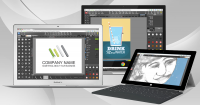
We live in a world that is increasingly untethered from the office desk. I might start an idea on my desktop at home, want to tweak a logo while sitting in a coffee shop with my laptop, and then need to show the final version to a client from a tablet. Traditional software makes this a nightmare of file versions, USB sticks, and "Missing Font" errors. YouiDraw solves this by being built from the ground up for the cloud, specifically integrating with Google Drive.
By tying your design environment directly to your Google account, you eliminate the concept of "losing your work." Every stroke, every gradient, and every layer is synced. This means your work is available anytime, anywhere. There is no software to download, no installation packages to manage, and no worrying about whether your operating system is compatible with the latest update. If you have a browser and an internet connection, you have your entire design studio with you.
This "always-on" accessibility also changes the way you collaborate. Because your files live on Google Drive, sharing your work becomes a matter of clicks rather than heavy email attachments. This creates a fluidity in the creative process that traditional software simply cannot match. It unleashes your creativity by removing the technical friction that usually sits between an idea and its execution. You can literally jump from a brainstorm to a finished vector graphic in the time it would take a traditional design program just to finish its loading screen.
3. An Extensive Library of High-End Templates and Artistic Styles
One of the biggest hurdles in graphic design is the "blank canvas syndrome." Even the best designers sometimes need a spark of inspiration or a way to speed up the repetitive parts of their workflow. YouiDraw excels here by offering a massive library of Templates and Styles. We aren’t just talking about a few basic colors; we’re talking about hundreds of different styles including sophisticated gradients, artistic textures, and professional icon sets.
The template system is designed for high efficiency. If you need to create a professional-looking graphic quickly, you can pull from a variety of shapes and basic icons that act as building blocks for your project. But the real "secret sauce" is the Style library. Applying a complex, multi-layered gradient or an artistic filter to a shape usually takes minutes of fine-tuning. In YouiDraw, it’s a one-click process. This is a massive boon for non-designers who need to produce high-quality visuals for social media or presentations, as well as for pros who need to mock up concepts at lightning speed.
The variety of shapes available—from standard rectangles and ellipses to more complex convex, concave, and gear shapes—means you aren't spending your time building basic components from scratch. Instead, you can focus on the composition and the "vibe" of your design. The templates are not just static images; they are fully editable vector paths, meaning you can take a template as a starting point and completely transform it into something unique to your brand.
4. Advanced Light Effects and Granular Shape Customization
What separates a "flat" design from a "stunning" one is often the subtle use of light, shadow, and depth. This is an area where YouiDraw truly punches above its weight class. Many web-based tools offer basic opacity settings, but YouiDraw goes significantly deeper with its Text and Shape Effects. When I was testing the software, I was particularly impressed by the Light Effect tool. It allows you to apply three different types of light onto your shapes or text, creating an amazing 3D-like artistic effect that gives your work a level of polish usually reserved for high-end rendering engines.
Beyond light, you have a full suite of professional effects at your fingertips:
- Drop Shadows and Inner Shadows: Perfect for creating depth and making elements "pop" off the page.
- Outer and Inner Glows: Essential for creating neon effects or soft highlights.
- Reflection and Blur: These tools allow for the creation of sleek, modern web aesthetics and glassmorphism styles.
- Complex Fills: You can choose between solid colors, intricate gradients, or even patterns to fill your designs.
The Stroke options are equally robust, allowing for solid, dotted, dashed, and dash-dotted lines. When you combine these strokes with the transform tools—allowing you to scale, skew, and rotate with mathematical precision—you realize that you have a level of granular control that is rare in the cloud design space. You aren't just placing elements; you are sculpting them with light and texture.
5. Professional-Grade SVG Editing and Robust Export Capabilities
In the world of modern web design and digital branding, the SVG (Scalable Vector Graphics) format is king. It is lightweight, infinitely scalable, and readable by code. One of the most compelling reasons to use YouiDraw is its native handling of SVG files. You can insert an SVG, enter edit mode, and immediately begin manipulating the paths as if you had created them within the app yourself. This makes YouiDraw an incredible tool for editing existing icons or logos that you might have purchased or downloaded elsewhere.
But a design tool is only as good as its ability to get your work out into the world. YouiDraw doesn’t lock your designs into a proprietary format. When you are finished with your masterpiece, the Share and Download functions provide you with all the industry-standard formats you need. You can export your work as a:
- PDF: Ideal for print and high-quality document sharing.
- SVG: For web use and further editing in other vector tools.
- PNG: With transparency support, perfect for web assets and social media.
- JPG: For high-efficiency image sharing.
This flexibility ensures that your workflow remains "open." You can start a project in YouiDraw, export the SVG, and finish it in another tool if needed—though, honestly, with the features available here, you likely won't need to. The ability to align multiple shapes at once and adjust the layer order (moving elements forward, backward, to top, or to bottom) ensures that your final export is as organized and professional as the design itself.
Conclusion: Why You Should Grab This Now
As a tech reviewer, my job is to cut through the marketing hype and tell you if a tool actually delivers on its promises. After putting YouiDraw through its paces, I can confidently say that it is one of the most capable and user-friendly vector design solutions available on the web today. It bridges the gap between "too simple" and "overly complex," providing a powerful middle ground that serves both the weekend hobbyist and the professional designer.
The "giveaway" aspect of this makes it a no-brainer. You are essentially getting a professional-grade design studio that requires zero installation, works on any computer with a browser, and integrates perfectly with the cloud storage you already use. It removes the barriers to entry for graphic design. You no longer need a $2,000 workstation to create stunning visuals; you just need your creativity and a login.
Whether you are designing a new logo for your startup, creating icons for a mobile app, or just looking to experiment with vector art, YouiDraw provides the tools, the effects, and the freedom to do it right. The combination of precision point-editing, advanced light effects, and seamless Google Drive integration makes it a standout choice in a crowded market. Don't let your design ideas stay trapped in your head because you don't have the "right" software installed. Unleash your creativity, embrace the cloud, and start building something amazing with YouiDraw today. This is one "download" you definitely don't want to miss out on.


Reviews for YouiDraw Premium
Click Here to Read Reviews for YouiDraw Premium >> Click Here to Submit Reviews for YouiDraw Premium >>