What Does Images Generator Do?
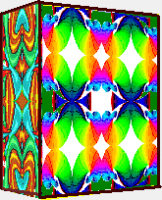
Images Generator is a multipurpose application that bridges the gap between conventional graphic editors and automated design systems. The software offers a comprehensive toolkit for 2D photo processing, featuring pixel-level selection, advanced graphic filters, and specialized algorithms for defect removal. These capabilities facilitate the production of high-fidelity graphics suitable for the textile industry, paper manufacturing, and web development tasks such as icon and banner creation.
Beyond standard editing, the program supports technical workflows by generating three-dimensional images for engineering and mathematical modeling. It maintains compatibility with AutoCAD through dxf file support, allowing users to export complex configurations for plotting. A built-in object library—containing electrical symbols, hieroglyphs, and apparel—simplifies the assembly of technical diagrams, identikits, and landscape compositions. The software even includes specialized functionality for virtual clothing fitting.
Despite its broad feature set, the application maintains a compact size through the use of efficient tools like the Raster and Vector Brush. It leverages diverse color models for precise image segmentation and proprietary transformation methods to convert raster images into vector-style line drawings. This combination of creative and technical tools positions the software as a utility for both professional designers and hobbyists requiring a small-footprint design solution.
Top 5 Reasons To Download Images Generator
- A Seamless Hybrid of Raster and Vector Capabilities: Unlike traditional editors that force you to choose between pixel-based art and scalable vectors, this tool combines both for ultimate creative freedom.
- Professional-Grade Photo Restoration and Precision: With pixel-perfect selection tools and advanced defect removal, you can transform damaged or low-quality photos into gallery-ready masterpieces.
- Bridge the Gap Between Art and Engineering: Support for 3D modeling and DXF file exports makes it a rare bridge between the world of digital painting and technical AutoCAD design.
- Extensive Built-In Asset Library for Rapid Design: From electrical symbols and hieroglyphs to clothing templates and animal graphics, the program provides a massive head start for any project.
- Ultra-Lightweight Performance with Innovative UI: It delivers the power of a heavy-weight graphic suite in a compact package that runs smoothly on almost any hardware without the bloat.
If you have been following the tech world lately, you know that the "software arms race" has become a bit of a nightmare for the average user. Professional graphic suites are getting heavier, more expensive, and more demanding on your hardware. On the other end of the spectrum, free tools are often too simplistic to get any real work done. That is why, when a "unicorn" like Images Generator comes across my desk, I have to stop everything and tell you about it. This is not just another photo editor; it is a specialized powerhouse that manages to be a workhorse for the pro and a playground for the hobbyist. Here is a deep dive into why you absolutely need to download this giveaway today.
1. A Seamless Hybrid of Raster and Vector Capabilities
In the world of digital design, we usually live in two separate silos. You have your raster programs for photo editing and painting, and you have your vector programs for logos and technical drawings. Usually, moving between the two involves a messy export-import process that kills your workflow. Images Generator completely shatters this barrier. It is designed as a general-purpose program that combines the properties of high-end graphic editors with the precision of automatic design software.
The secret sauce here is the innovative Raster and Vector Brush. Imagine being able to paint with the organic feel of a raster brush while maintaining the mathematical precision of a vector path. This allows for the creation of multicolored lines of variable width that look hand-drawn but behave with the flexibility of a CAD object. For a designer, this means you can start with a rough sketch and refine it into a technical blueprint without ever switching applications. This hybrid approach is particularly powerful for those working in the textile or paper industries, where a design needs to look beautiful but also adhere to strict manufacturing dimensions. It is the kind of versatility that you usually only find in software costing hundreds of dollars a year.
Furthermore, the program uses sophisticated methods for the transformation of raster images into complex configurations of lines. This means you can take a hand-drawn portrait or a photo and convert it into a series of lines that can be used in systems of automatic design. This "raster-to-vector" pipeline is often the most difficult part of a digital artist's job, but this program handles it with a level of elegance that is frankly impressive for its size.
2. Professional-Grade Photo Restoration and Precision
We all have those photos—the ones with a scratch across a face, a distracting object in the background, or just general digital noise that ruins the moment. While many apps claim to fix these issues with a single click, they often leave behind blurry artifacts that look worse than the original problem. Images Generator takes a different, more professional approach. It provides a full suite of 2D graphic tools and many graphic filters that allow for "surgical" editing.
One of the standout features I found was the ability to select parts of an image with a resolution of one single pixel. If you have ever tried to cut out a complex object—like hair or a tree branch—you know that standard selection tools are your worst enemy. With this level of precision, you can mask out objects perfectly. When you combine this with their "powerful methods for removal of image defects," you get a tool that can truly restore old family photos or prep commercial images for high-end web use. It handles converters and filters with a level of mathematical accuracy that ensures your colors stay true and your edges stay sharp.
Whether you are creating icons, buttons, or banners for a website, or preparing a high-resolution file for industrial printing, the photo processing engine inside this app is built for quality. It doesn't just "smudge" away problems; it uses advanced algorithms to reconstruct the image data, making it an essential tool for anyone who takes their visual content seriously.
3. Bridge the Gap Between Art and Engineering
This is where Images Generator really pulls away from the competition. Most "art" programs are useless for engineering, and most "engineering" programs are too rigid for art. This software, however, is a bridge between the two worlds. It allows for the creation of 3D images that can be utilized for engineering and mathematical modeling. This is a game-changer for inventors, students, and DIY enthusiasts.
Perhaps the most impressive technical feature is the compatibility with AutoCAD through the use of dxf files. If you are a designer who needs to create a complex decorative element that will later be used in a CNC machine, a 3D printer, or a professional drafting environment, you can do it here. You can take a complex configuration of lines created with the artistic tools and export them directly into a technical ecosystem. This makes the program a "useful addition to the toolkit of professional artists and designers" who need to interface with the manufacturing world.
Even if you aren't an engineer, the 3D modeling capabilities allow for a level of depth in your graphic design that 2D-only programs can't match. You can visualize objects in a three-dimensional space, which is incredibly helpful for creating realistic product mockups or architectural visualizations. It turns your computer into a digital workshop where the only limit is your imagination and your ability to plot lines.
4. Extensive Built-In Asset Library for Rapid Design
Starting from a blank canvas is the hardest part of any creative project. Images Generator solves this by including a massive library of pre-loaded objects and symbols. This isn't just a collection of generic clip art; it is a curated set of functional assets that cater to specific industries and creative needs. We are talking about electrical symbols, hieroglyphs, pictures of animals, and even pieces of clothing.
Let's talk about the practical applications of this. Need to draft a quick electrical diagram for a home project? Use the electrical symbols. Writing a historical paper or designing a themed poster? The hieroglyphs are right there. But perhaps the most unique feature is the "fitting of clothes" functionality. By using the stored images of clothing pieces, you can actually use the program to visualize fashion designs or see how different garments might look together. This is a level of niche functionality that you simply do not see in general-purpose editors.
The "convenient way of a combination of these images" makes it incredibly simple to create complex compositions. You can build identikits (facial composites), design landscapes for a presentation, or whip up a congratulatory card in minutes. Because the program is designed to handle these disparate elements easily, it functions as a "developing toy for children" just as well as it functions as a tool for a marketing pro. It encourages play and experimentation, allowing you to drag, drop, and transform objects until you have something completely original.
5. Ultra-Lightweight Performance with Innovative UI
In an era where a simple photo editor can take up gigabytes of space and hog all your RAM, Images Generator is a breath of fresh air. It is characterized by its small size and convenience of use. But don't let the small footprint fool you; it is packed with innovative solutions that make it punch way above its weight class.
The developers have implemented clever ways to handle color models and image transformation that don't require massive processing power. This means you can run this on a standard laptop without hearing the fans kick into overdrive. It’s the "workhorse for ordinary users" who don't have a $3,000 workstation but still want to produce professional-quality work. The interface is streamlined to put the most important tools—like the Vector Brush and Raster Brush—right at your fingertips.
The convenience factor extends to how the program helps you learn. Because it combines so many different types of design (2D, 3D, Vector, Raster, CAD), it naturally develops the creative abilities of the user. It’s an educational tool masquerading as a graphic suite. For parents, it's a great way to introduce kids to the world of digital design without the overwhelming complexity of industry-standard bloatware. For pros, it’s the lightweight tool you keep on your thumb drive for those quick edits and technical conversions that need to happen on the fly.
Final Thoughts from the Reviewer:
In the tech world, we often talk about "convergence"—the idea that eventually, one tool will be able to do everything. Images Generator is one of the closest examples I have seen of this concept in action. It manages to be a photo editor, a vector illustrator, a CAD assistant, and a 3D modeler all at once. Usually, a program that tries to do everything ends up doing nothing well, but by focusing on innovative mathematical methods for image transformation and defect removal, this software avoids that trap. It provides high-quality results in a package that is small enough to be portable and simple enough for a child to use.
When you consider the dxf compatibility for AutoCAD users and the pixel-perfect selection for photographers, it becomes clear that this is a "must-have" for your digital toolkit. Whether you are fitting clothes, drawing electrical diagrams, or just trying to fix an old photo of your grandmother, this program has a tool designed specifically for you. This giveaway is a rare opportunity to snag a versatile, lightweight, and powerful piece of software that will serve you for years to come. Do not let this one pass you by—your creative projects deserve a tool this capable.
Download it, explore the symbol libraries, and start creating. You will be surprised at how quickly this becomes your go-to application for all things visual.


Reviews for Images Generator
Click Here to Read Reviews for Images Generator >> Click Here to Submit Reviews for Images Generator >>