What Does Topaz ReStyle Do?
Topaz ReStyle is a specialized photography tool designed to transform the aesthetic of digital images through more than a thousand professional-grade effects. Unlike standard filters, the application utilizes a proprietary image mapping engine that intelligently applies external color palettes and tones to specific photographs to achieve unique results.
The software offers several key functionalities for post-processing:
- Extensive Library: Users can access over one thousand photographic effects, searchable by keyword or specific color profiles.
- Customization Tools: The interface provides fine-tuning controls for HSL adjustments, blending modes, and opacity levels to balance the effect with the original image data.
- Precision Masking: A built-in masking suite allows users to apply effects selectively to specific regions of a photo rather than the entire frame.
- Workflow Integration: The software functions as a plugin for various hosts, including Adobe Photoshop, Lightroom, and Apple Aperture, allowing it to fit into existing professional editing pipelines.
- Custom Styles: Beyond the provided presets, photographers can create and save their own unique styles for future use.
By leveraging technology that learns from real-world photography, Topaz ReStyle provides creative directions and complex color transformations that would typically require significant manual effort in standard image editing software.
Top 5 Reasons To Download Topaz ReStyle
- Unprecedented Creative Library: Access to over one thousand professional-grade photographic effects and looks instantly.
- Revolutionary Image Mapping Technology: A proprietary engine that intelligently maps colors and tones from source images into your photos for organic results.
- Pro-Level Precision and Masking: A comprehensive suite of masking and blending tools that allow for selective application and fine-tuned control.
- Seamless Workflow Integration: Full compatibility as a plugin for industry-standard software like Photoshop, Lightroom, and Aperture.
- Intelligent Search and Discovery: The ability to find the perfect aesthetic by searching via keywords or even specific color palettes.
Every photographer, from the weekend hobbyist to the seasoned professional, eventually hits the same frustrating wall: the creative plateau. You have captured a technically perfect shot. The focus is sharp, the composition follows the rule of thirds, and the lighting is balanced. Yet, when you look at the RAW file on your monitor, it lacks that certain je ne sais quoi. It feels clinical, perhaps even a bit sterile. In the past, the only solution to this problem was hours of tedious manual color grading in Photoshop, stacking adjustment layers, and tweaking curves until your eyes glazed over. But what if you could bypass that entire grind? That is exactly why Topaz ReStyle is the giveaway you cannot afford to miss.
As someone who has reviewed hundreds of photo editing utilities, I have seen plenty of "filter apps" that claim to transform your photography. Most of them are nothing more than glorified Instagram presets that blow out your highlights and crush your shadows. Topaz ReStyle is an entirely different beast. It is a sophisticated color-mapping engine designed to expand your creative horizons and introduce you to "looks" you would never have arrived at on your own. This isn't just about adding a tint to your photo; it is about re-imagining the entire soul of the image. Here is a deep dive into why this software deserves a permanent spot on your hard drive.
1. An Unprecedented Creative Library
The sheer scale of Topaz ReStyle is its most immediate selling point. When you first open the interface, you are greeted with a library of over one thousand high-quality photographic effects. To put that in perspective, most premium preset packs for Lightroom offer perhaps thirty or forty variations. ReStyle gives you an entire universe of aesthetic possibilities. These aren't just random color shifts; they are curated looks categorized into styles like Landscape, Street Photography, Portrait, and Vintage.
The value of having a thousand options at your fingertips cannot be overstated. Often, we get stuck in a "style rut." If you are a landscape photographer, you might habitually gravitate toward high contrast and saturated greens. By using ReStyle, you might stumble upon a cinematic, desaturated look intended for street photography that suddenly makes your mountain range look epic and ethereal. It forces you to think outside of your self-imposed boxes. Because these effects are professional-grade, they maintain the integrity of your image data, ensuring that you don't lose detail in the pursuit of style.
Having such a massive library also serves as an incredible educational tool. By seeing how different color palettes affect the mood of your photo, you begin to develop a more sophisticated eye for color theory. You start to see how a shift toward teal and orange creates a modern blockbuster feel, or how a sepia-and-gold map can evoke nostalgia without looking like a cheap filter. It is an exploratory product that turns your photo editing session into a journey of discovery.
2. Revolutionary Image Mapping Technology
This is where Topaz ReStyle leaves the competition in the dust. Most filter software works by applying a global overlay to your pixels. ReStyle uses a proprietary breakthrough image mapping technology. Instead of just "painting" over your photo, the software intelligently analyzes the luminance and chrominance values of your original image and maps them to a new color palette derived from real-world photos. This creates a result that looks "baked in" rather than "tacked on."
The engine understands the relationship between light and shadow. If you choose a look that features deep blue shadows and warm, golden highlights, ReStyle doesn't just turn the whole image purple. It identifies the dark areas of your photo and applies the blue tones there, while simultaneously lifting the highlights with the golden hue. This mapping is so sophisticated that it can completely change the time of day in a photo. You can take a midday shot and, with the right style map, make it look like it was taken during the "blue hour" or under a harsh neon streetlamp.
This technology is designed to learn from the best. The styles included in the software are based on the color profiles of sublime, professional images. When you apply an effect, you are essentially borrowing the "color DNA" of a world-class photograph and grafting it onto your own work. This results in a level of sophistication that would normally take a professional colorist hours to achieve in a dedicated suite. It is the difference between a child with a crayon and a master with a palette.
3. Pro-Level Precision and Masking
One of the biggest fears professional photographers have with automated tools is the loss of control. You might love what a specific style does to the sky in your photo, but you hate what it does to the skin tones of your subject. In most apps, that would be a dealbreaker. In Topaz ReStyle, it is just the beginning. The software includes a powerful masking suite that allows you to selectively apply effects to specific parts of your image.
The masking tools are intuitive and edge-aware, meaning you can quickly brush the effect out of a person's face or a specific foreground element without having to be a master of the pen tool. This turns ReStyle from a "one-click" tool into a precision instrument. You can apply a dramatic, high-contrast look to the background of a portrait to make the subject pop, while keeping the subject's skin looking natural and untouched. This level of customization ensures that the final result is always uniquely yours.
Furthermore, the software offers robust HSL (Hue, Saturation, and Luminance) adjustments and blending tools. Once you have chosen a style, you aren't stuck with it. You can dive into the individual color channels and tweak the results. If the blue is a bit too saturated, you can pull it back. If you want the effect to be subtle, you can play with the opacity and blending modes—such as Multiply, Overlay, or Screen—to find the perfect balance. It gives you the power of a professional color grading studio within a simplified, user-friendly interface.
4. Seamless Workflow Integration
As a tech reviewer, I always look for how a new tool fits into an existing ecosystem. No one wants to export their photo, open a different app, save it, and then import it back into their primary editor. Topaz ReStyle is designed to be a "team player." It plugs directly into Photoshop, Lightroom, Aperture, and iPhoto. This means you can keep your existing non-destructive workflow intact.
In Photoshop, for instance, you can use ReStyle as a filter on a Smart Object. This is a game-changer for professional editors. It allows you to go back and change the ReStyle settings at any point in your project without losing any of your other layers or masks. For Lightroom users, the integration is equally smooth, allowing you to "Edit In" ReStyle and have the finished TIFF or PSD file pop right back into your catalog automatically.
This integration is about more than just convenience; it is about efficiency. Time is the most valuable commodity for any creative professional. By utilizing ReStyle within your existing workflow, you can achieve results in five minutes that would typically take two hours of manual work in Photoshop. It streamlines the "polish" phase of your editing, allowing you to spend more time behind the camera and less time behind the monitor. It is the ultimate productivity hack for the modern photographer.
5. Intelligent Search and Discovery
With over a thousand effects to choose from, you might worry about becoming overwhelmed. How do you find the right look when you have so many options? Topaz Labs solved this problem with a brilliant UI design. ReStyle features an intelligent search and gallery system that makes finding the perfect aesthetic incredibly fast. You can search by keyword, but more importantly, you can search by color.
Imagine you have a photo of a sunset and you want to enhance those specific oranges and purples. You can click on those colors in the search interface, and ReStyle will instantly filter its thousand-plus library to show you only the effects that incorporate those specific tones. This is an incredibly intuitive way to work. It aligns with how our brains process visuals. We don't always think in terms of "Vintage" or "Grunge"; often, we just think, "I want more of that deep emerald green."
The full-sized gallery view also allows for quick browsing. You can see large previews of how the effect will look on your specific image before you ever click "Apply." This encourages a playful, experimental approach to editing. You can scroll through hundreds of variations in seconds, watching your photo transform into a hundred different moods. This "creative jump-start" is often exactly what is needed to break through a creative block. If the built-in styles still aren't enough, you can even create your own custom styles and save them for future use, essentially building your own signature "look" library over time.
In conclusion, Topaz ReStyle is not just another photo editor; it is a creative catalyst. It combines a massive library of professional inspiration with the surgical precision of high-end masking tools and a revolutionary color-mapping engine. Whether you are looking to save time on your professional projects or simply want to see your photography in a brand new light, this software provides the tools to make it happen. Most importantly, it gives you results you wouldn't have thought of otherwise. It takes the "happy accidents" of the creative process and makes them a repeatable, professional reality. Do not miss the chance to download this and elevate your portfolio to the next level. Your photos deserve that extra something, and Topaz ReStyle is the fastest way to find it.
Final Verdict: If you are serious about the emotional impact of your images, this is a must-have tool. It bridges the gap between a standard photograph and a work of art. The proprietary technology alone is worth the download, but the intuitive UI and workflow integration make it a total no-brainer for any digital artist.


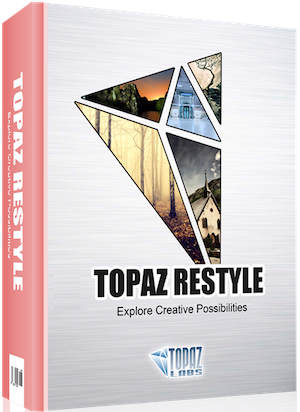
Reviews for Topaz ReStyle
Click Here to Read Reviews for Topaz ReStyle >> Click Here to Submit Reviews for Topaz ReStyle >>