What Does Flash Drive Recovery Do?
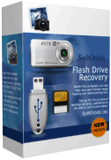
SoftOrbits Flash Drive Recovery is a dedicated data recovery utility designed to retrieve lost or corrupted files from a wide array of storage media. The software supports various hardware types, including USB flash drives, digital cameras, SD cards, xD Picture Cards, and Sony Memory Sticks. It is engineered to recover documents, photos, and audio files even in instances where the storage medium has been reformatted or contains corrupted sectors.
The application utilizes a built-in data recovery wizard that automates the restoration process, removing the requirement for users to manually configure complex restoration settings. A key feature of the utility is its preview functionality, which allows users to inspect recovered images and documents to verify their integrity before completing the process.
Specific capabilities of the software include:
- Broad Media Compatibility: Restoration of data from Zip Disks, Floppy disks, Compact Flash cards, MicroDrives, and Smart Media Cards.
- Image Recovery: Support for common image formats such as JPEG, PNG, GIF, BMP, TGA, and TIFF.
- RAW Format Support: The ability to preview and restore RAW digital camera files, including PEF, CRW, RAF, CR2, and NEF formats.
- File Diversity: Recovery of various file types ranging from standard office documents to MP3 audio files.
By employing automated scanning algorithms, the software reconstructs file structures from damaged or formatted media to facilitate data retrieval with minimal user intervention.
Top 5 Reasons To Download Flash Drive Recovery
- Universal Media Compatibility: It works with everything from modern USB 3.0 drives and SD cards to legacy hardware like Zip disks and floppy drives.
- Deep Recovery from Formatted Drives: Unlike basic tools, it can reconstruct files even after a drive has been completely re-formatted or the file system has been corrupted.
- Fully Automated Recovery Wizard: No technical knowledge is required; the built-in wizard handles the heavy lifting, making data restoration a simple click-through process.
- Visual Preview Functionality: You can actually see your photos and documents before you commit to the recovery, ensuring you are getting back exactly what you lost.
- Professional RAW Image Support: It provides high-end support for professional camera formats like CR2, NEF, and RAF, making it an essential tool for photographers.
1. Universal Media Compatibility: A Tool for Every Gadget in Your Drawer
We live in a world overflowing with digital storage. Think about it: you have a digital camera in your travel bag, a handful of USB sticks in your desk drawer, a micro-SD card in your smartphone, and perhaps even some older tech like a Sony Memory Stick or a Zip disk tucked away in a box of old college memories. The problem with this diversity is that when things go wrong, you often need specialized tools for different types of hardware. That is where SoftOrbits Flash Drive Recovery absolutely shines and why it should be your first choice during this giveaway.
One of the most frustrating aspects of data loss is finding a tool that actually "sees" your device. Many standard recovery programs are designed only for internal hard drives. When you plug in a niche xD Picture Card or an older Compact Flash card, those programs often fail to recognize the file structure. SoftOrbits has been engineered with an incredibly broad driver database. Whether you are dealing with a modern high-speed USB disk or a legacy floppy disk, this software treats them all with the same level of precision. It bridges the gap between the cutting-edge technology of today and the reliable storage of yesterday.
In my years of reviewing tech, I have seen countless users lose sleep because their digital camera’s memory card suddenly became "unreadable." Often, the camera itself won't even turn on properly because it’s stuck trying to read a corrupted card. By using this utility, you bypass the device’s own limitations. You simply plug the media into your PC, and SoftOrbits takes over. This level of universal compatibility ensures that no matter what device you use to capture your life's moments, you have a safety net waiting to catch you if the hardware fails.
2. Deep Recovery from Formatted Drives: Beyond Simple Deletion
Most people think that once they hit the "Format" button, their data is gone forever. I am here to tell you that in the world of data forensics, that is rarely the case—provided you have the right software. SoftOrbits Flash Drive Recovery is built on advanced algorithms that don't just look for "deleted" flags; they scan the physical sectors of the drive to find the "ghosts" of your files. This is the killer feature that elevates this tool from a simple utility to a professional-grade recovery suite.
When you format a drive, the computer essentially clears the "Table of Contents" but leaves the actual "Chapters" (your data) intact until they are overwritten by new information. If you have accidentally formatted your travel photos or a vital work presentation, the panic is real. But if you stop using that drive immediately and run SoftOrbits, the software can reconstruct the file signatures. It can piece back together corrupted documents, fragmented MP3s, and lost spreadsheets that other programs would simply ignore.
This "deep dive" capability is also what makes it effective against file system corruption. We have all experienced that dreaded "Drive must be formatted before use" pop-up in Windows. Usually, this happens when a USB stick is pulled out without being safely ejected. Most users think their only option is to click "Format" and lose everything. With this giveaway, you have a tool that can look past the corrupted file system, grab your files, and move them to safety. It turns a potential digital catastrophe into a minor inconvenience.
3. Fully Automated Recovery Wizard: Professional Power for Every User
One of the biggest barriers to data recovery is the complexity of the software. I have tested tools that require you to understand hex values, partition offsets, and file headers. For the average user who just wants their wedding photos back, that is a nightmare. SoftOrbits removes that barrier entirely with its built-in data recovery wizard. This is quite possibly the most user-friendly implementation of data restoration I have ever seen in a tech review.
The beauty of the wizard is its "set it and forget it" nature. You don't need to manually configure scan depths or select specific file systems. When you launch the program, it guides you through a series of simple questions. Which drive do you want to scan? Where do you want to save the recovered files? From there, the automated engine takes over. It performs the complex task of scanning millions of bytes of data, identifying file headers, and organizing them into a readable format without you having to lift a finger.
As a tech reviewer, I always emphasize that the best tool is the one you actually know how to use. You could have the most powerful forensic suite in the world, but if the interface is confusing, you might make a mistake and overwrite the very data you are trying to save. The SoftOrbits wizard eliminates user error. It is designed to be "read-only" on the source drive, meaning it won't accidentally delete anything while it's looking for your files. This safety-first, automated approach makes it the perfect download for anyone, regardless of their technical skill level.
4. Visual Preview Functionality: Know Before You Restore
There is nothing more frustrating than waiting three hours for a recovery scan to finish, only to find that the 5,000 files it "found" are actually just junk data or unreadable fragments. This is why the preview functionality in SoftOrbits Flash Drive Recovery is such a game-changer. It gives you visual confirmation of your data's integrity before you even start the restoration process.
When the scan is complete, the software presents you with a gallery of found items. If you are looking for photos, you can actually see the thumbnails of your JPEG, PNG, or GIF files. If it’s a document, you can often see a preview of the content. This is incredibly important for two reasons. First, it saves you an immense amount of time. You can cherry-pick the exact files you need rather than restoring a massive 64GB folder of "Recovered_File_001.jpg" and having to sort through them manually later.
Second, it provides peace of mind. Data recovery can be a stressful process. Seeing the face of a loved one in a preview thumbnail or the text of a lost thesis paper is the moment the stress disappears. The free trial version even allows you to use this preview feature, so you can prove to yourself that the software works before you move forward. By downloading this giveaway, you are getting the full power of this visual engine, allowing you to browse your "lost" data as if it were still sitting in your Windows File Explorer.
5. Professional RAW Image Support: A Lifesaver for Photographers
If you are a photographer—whether a hobbyist or a pro—you know that JPEG is not enough. You likely shoot in RAW formats to preserve every bit of data from your camera's sensor. However, RAW files (like .CR2 for Canon, .NEF for Nikon, or .ARW for Sony) are notoriously difficult to recover. Because they are uncompressed and proprietary, standard recovery tools often see them as "corrupted" data blobs. SoftOrbits Flash Drive Recovery is specifically optimized to handle these high-end professional formats.
This software supports an impressive array of RAW extensions, including PEF, CRW, RAF, CR2, NEF, and many others. This is a level of sophistication usually reserved for very expensive, niche photography software. For a photographer, a corrupted memory card after a once-in-a-lifetime shoot is a career disaster. Having a tool that understands the specific "language" of your camera’s RAW files is the difference between getting the shot back and having to tell a client the images are gone.
Even if you aren't a professional, you probably have a high-end DSLR or a mirrorless camera for family vacations. These cameras produce much larger and more complex files than a smartphone. SoftOrbits’ ability to parse these complex structures and provide a preview of RAW data is a massive technical achievement. It ensures that your high-resolution memories are protected with the same level of care that a professional studio would use. This specialized support is the final reason why this giveaway is an absolute "must-download" for anyone who takes their digital media seriously.
Conclusion: Why You Need This Now
In the world of tech, we often talk about "insurance" software. You hope you never have to use it, but when the moment comes, you will be infinitely glad you have it. Data loss isn't a matter of if, it's a matter of when. Flash drives wear out, SD cards get corrupted by static electricity, and human error is always a factor. By the time you realize you’ve lost something important, it might be too late to start searching for a solution.
SoftOrbits Flash Drive Recovery is that rare combination of powerful, versatile, and incredibly easy to use. It handles the "forgotten" media types like Floppy and Zip disks just as easily as it handles the latest USB 3.1 drives. It digs deep into formatted sectors where other tools give up. It guides you through the process with a friendly wizard, shows you your files before you save them, and even speaks the complex language of professional RAW photography.
This giveaway is your chance to add a professional-grade tool to your digital toolkit for free. Don't wait until you see the "Disk Error" message on your screen. Be proactive. Download this utility, keep it ready, and the next time a flash drive fails or a memory card goes blank, you won't feel panic—you’ll feel prepared. This is a top-tier utility that delivers on its promises, and as a reviewer who has seen it all, I can confidently say this is one download you will never regret having in your arsenal.
The peace of mind that comes with knowing your digital life is recoverable is priceless. With SoftOrbits Flash Drive Recovery, that peace of mind is just a few clicks away. Grab it while the giveaway lasts and ensure that your photos, documents, and memories stay exactly where they belong: with you.

Reviews for Flash Drive Recovery
Click Here to Read Reviews for Flash Drive Recovery >> Click Here to Submit Reviews for Flash Drive Recovery >>