What Does WINner Tweak 3 Pro Do?
WINner Tweak 3 Pro is a comprehensive utility suite designed for the optimization and fine-tuning of Windows operating systems. The software organizes hundreds of system settings through a centralized Tune-Up Center, which is categorized into five primary sections: Windows, Hardware, Security, Network, and Software. To assist with navigation, each tweak features a right-click tooltip providing a detailed explanation of its specific function.
The suite includes specialized wizards, such as the Windows Performance Booster and Security Adjuster, which guide users through step-by-step system improvements. For routine maintenance, the software provides a Disk Cleaner for temporary files, a Registry Cleaner with backup functionality, and a Shortcut Cleaner to remove broken links. System resource management is handled via an Uninstall Manager, a Start-Up Manager for autorun control, and a Process Explorer that monitors handles and DLLs.
Additional utilities focus on security and desktop customization. These include:
- Internet Cache Analyzer: Erases browsing history and exports cache data.
- File Shredder: Performs secure data destruction (Windows XP only).
- Password Generator: Creates complex, random strings for security.
- Autoshutdown: Manages scheduled power actions like restarts and logoffs.
- Translucenter: Adjusts the transparency levels of individual windows.
- Access Limiter: Sets time-based usage restrictions for workstations.
WINner Tweak 3 Pro also offers a System Backup tool to preserve desktop, network, and application configurations, alongside a Folder Drive utility that maps directories to virtual drive letters.
Top 5 Reasons To Download WINner Tweak 3 Pro
- A Massive Library of Hundreds of System Tweaks: Access over five dedicated categories of optimizations that cover everything from hardware to software.
- Guided Performance and Security Wizards: Take the guesswork out of optimization with step-by-step tools designed to boost speed and tighten security automatically.
- Comprehensive All-in-One Maintenance Suite: Reclaim disk space and stabilize your system with advanced cleaners for your disk, registry, and shortcuts.
- Deep Privacy and Data Protection Utilities: Protect your digital footprint with a secure file shredder, internet cache analyzer, and professional-grade password generator.
- Unique Productivity and Desktop Enhancements: Improve your workflow with innovative tools like Translucenter, Folder Drive, and the advanced Autoshutdown manager.
If you have been a Windows user for any length of time, you know the inevitable "slowdown" that eventually plagues every machine. Over months and years, the operating system gathers digital dust—leftover registry entries, redundant startup items, and a cache full of fragments from the internet. It becomes sluggish, prone to errors, and generally less responsive than the day you first turned it on. While Windows provides some basic tools to manage these issues, they are often buried deep in the control panel or lack the granular control that power users and performance seekers truly crave. This is exactly where WINner Tweak 3 Pro enters the frame.
As a tech reviewer, I see dozens of "system optimizers" every year. Many are little more than flashy interfaces over basic Windows commands. However, WINner Tweak 3 Pro stands out because it isn't just a simple cleaner; it is a comprehensive tuning station for your entire PC. It provides a level of depth that is rarely seen in giveaways of this nature. It doesn't just delete files; it reshapes the way your hardware and software interact. Whether you are looking to squeeze more frames out of your gaming rig, protect your privacy from prying eyes, or simply make your daily workflow more efficient, this suite has something for you. Let’s dive deep into the top five reasons why you need to hit that download button right now.
1. A Massive Library of Hundreds of System Tweaks
The heart of WINner Tweak 3 Pro is its Tune-Up Center. Unlike other tools that give you a single "Optimize" button and hope for the best, this software treats the user like a pilot in a cockpit. The Tune-Up Center is divided into five main pillars: Windows, Hardware, Security, Network, and Software. Within these categories, you will find hundreds of individual tweaks that can be toggled to suit your specific needs.
The "Windows" section allows you to customize the shell, the desktop, and the interface behavior in ways the standard settings menu won't allow. You can speed up menu animations, change how the taskbar behaves, and disable background services that are eating up your CPU cycles. Moving to the "Hardware" section, you get access to settings that optimize how your processor and memory interact with the OS, ensuring that your hardware is actually living up to its potential. The "Network" section is particularly impressive, offering tweaks that can help stabilize your internet connection and potentially improve browsing speeds by adjusting hidden packet settings.
One of the biggest hurdles with "tweaking" software is the fear of the unknown. Users are often afraid to flip a switch because they don’t know what it does. WINner Tweak 3 Pro solves this brilliantly. For every single tweak, you can simply right-click to see a detailed description and tip. It explains exactly what the setting does and why you might want to change it. This turns the software into an educational tool as much as an optimization tool, giving you the confidence to truly master your operating system.
2. Guided Performance and Security Wizards
While having hundreds of tweaks is great for the power user, sometimes you just want the job done without diving into the weeds. This is where the WINner Tweak Wizards come into play. These are essentially your personal system administrators. The suite includes two primary guides: the Windows Performance Booster and the Security Adjuster.
The Windows Performance Booster is designed for the user who feels their PC is lagging but isn't sure why. It walks you through a series of questions and automated checks, identifying the "low-hanging fruit" of performance. It looks at your system resources and suggests changes that will have the most significant impact on your day-to-day speed. Instead of you hunting for settings, the wizard brings the settings to you in a logical, step-by-step flow. This ensures that even a novice user can achieve a professional-grade tune-up without accidentally breaking something.
Similarly, the Security Adjuster is a godsend in an era where digital privacy is constantly under threat. Windows is notoriously "chatty," often sharing data and leaving ports open that don't need to be. The Security Adjuster guides you through the process of locking down your system. It helps you disable unnecessary remote access features, adjust user account controls, and ensure that your system is as hardened as possible against external threats. These wizards make WINner Tweak 3 Pro an accessible tool for everyone, regardless of their technical expertise.
3. Comprehensive All-in-One Maintenance Suite
A fast computer is a clean computer. Over time, your hard drive becomes a graveyard for temporary files, broken shortcuts, and "ghost" entries in the system registry. WINner Tweak 3 Pro includes a powerhouse of maintenance utilities that would often cost a significant amount if purchased as individual apps. This giveaway gives you the whole "janitorial crew" for free.
First, the Disk Cleaner identifies and removes the junk—temporary internet files, log files, and obsolete data that your system no longer needs but refuses to delete. This isn't just about freeing up space; it's about reducing the workload on your drive's indexing service. Pair this with the Registry Cleaner, and you have a recipe for stability. The registry is the "brain" of Windows, and when it gets cluttered with invalid entries from uninstalled software, it can lead to crashes and "Blue Screens of Death." This utility scans the entire registry, identifies errors, and lets you clean them safely after creating a backup.
The maintenance doesn't stop there. The Shortcut Cleaner finds those annoying "dead" icons on your desktop and in your start menu that lead nowhere. More importantly, the Start-Up Manager gives you absolute control over what happens when you turn your computer on. Many apps sneak into your boot sequence, slowing down your start time to a crawl. This manager allows you to disable, edit, or even add new items, ensuring that your PC is ready to work the moment you are. Finally, the Uninstall Manager provides a much cleaner and more effective way to remove software than the default Windows "Add/Remove Programs" tool, ensuring that when you delete an app, it's actually gone.
4. Deep Privacy and Data Protection Utilities
We live in an age where your personal data is a commodity. WINner Tweak 3 Pro takes this seriously by including tools that go far beyond basic optimization. One of the standout features is the File Shredder. Many people don't realize that when you "delete" a file in Windows, it isn't actually gone; the space it occupies is simply marked as available for new data. Until that data is overwritten, anyone with basic recovery software can bring those files back. The File Shredder securely destroys sensitive files beyond recovery, making it an essential tool for anyone handling private documents or confidential business plans.
In addition to physical file security, the suite includes an Internet Cache Analyzer. This tool allows you to see exactly what traces you are leaving behind while browsing the web. It provides extended information about each cache item and allows you to erase them to protect your privacy. If you are a power user, you can even export these lists to Excel for further auditing. Combined with the Password Generator—which helps you create highly secure, uncrackable passwords using combinations of punctuation, numbers, and mixed-case letters—you have a robust defense against identity theft and unauthorized access.
For those who share a computer or manage a workplace, the Access Limiter is a game-changer. It allows you to set specific times when the computer can be used. This is perfect for parents who want to manage their children’s screen time or employers who want to ensure work machines aren't being used after hours. It is these kinds of "extra" tools that elevate this software from a mere utility to a full-scale system management platform.
5. Unique Productivity and Desktop Enhancements
The final reason to download WINner Tweak 3 Pro is the collection of "quality of life" utilities that change how you interact with your PC. These are the tools you didn't know you needed until you used them. A perfect example is Translucenter. This utility allows you to make any window or part of the Windows interface translucent. While it sounds purely aesthetic, it is incredibly functional. It allows you to keep an eye on a background process or a video while you work in a foreground window, making your desktop feel more organized and expansive.
Then there is Folder Drive. This is a brilliant productivity hack that allows you to turn any folder on your hard drive into a "pseudo" disk drive with its own drive letter. If you are working on a massive project buried deep in a dozen subdirectories, you can map that folder as the "Z:" drive. Suddenly, your most important files are just one click away in the "My Computer" section. It saves time, reduces clicking, and streamlines your entire file management process.
Lastly, the suite includes Process Explorer and Autoshutdown. Process Explorer gives you a much deeper look into what is running on your machine than the standard Task Manager, showing you exactly which DLLs and handles are being used by every process. This is invaluable for troubleshooting stubborn apps. Autoshutdown provides unattended control over your PC, allowing you to schedule restarts, logoffs, or full shutdowns based on time. It can even run specific applications before it shuts down or lock your workstation automatically to secure your work. These tools are the "secret sauce" that makes WINner Tweak 3 Pro more than just a cleaner—it makes it a productivity powerhouse.
In conclusion, WINner Tweak 3 Pro is a massive, multi-functional toolkit that addresses every pain point a Windows user might face. It combines the deep system access of a professional developer tool with the ease of use of a consumer app. Whether you are looking to revitalize an old laptop, protect your private data, or just customize your desktop to look and feel exactly how you want it, this software delivers. Considering the sheer number of utilities included—from the Disk Cleaner to the Translucenter—this is one of the most high-value giveaways you will find this year. Don't let your PC settle for "good enough" when it could be running at its absolute peak. Download it, run the wizards, and see the difference for yourself!

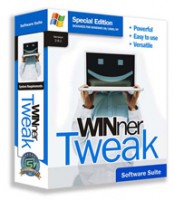

Reviews for WINner Tweak 3 Pro
Click Here to Read Reviews for WINner Tweak 3 Pro >> Click Here to Submit Reviews for WINner Tweak 3 Pro >>