What Does AOMEI Backupper Home Do?
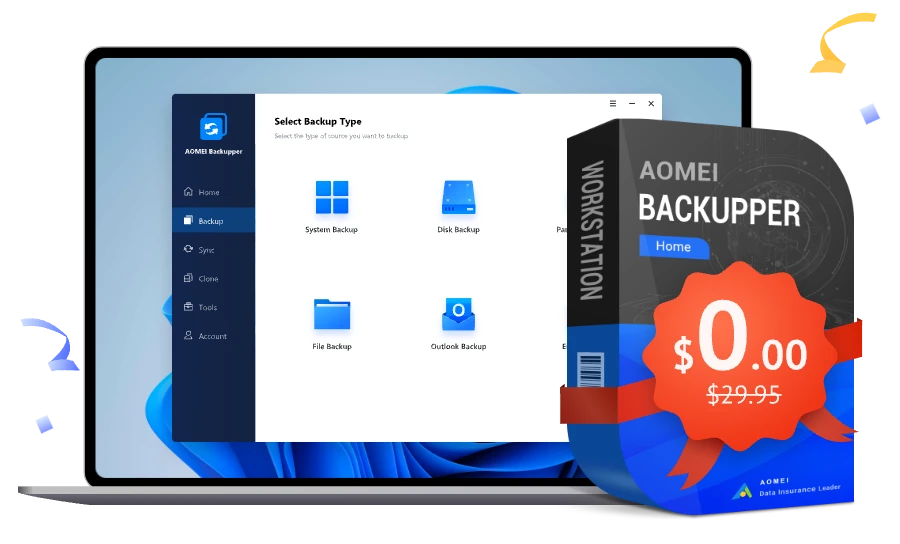
AOMEI Backupper Home is a comprehensive data protection and disaster recovery utility designed for the Windows operating system. This giveaway provides users with access to the software’s VIP features, which extend beyond basic file copying to include advanced system imaging, cloning, and synchronization tools.
The application is structured around three core functionalities. First, it offers automated backup solutions. Users can schedule regular backups of the entire Windows system, specific disk partitions, or individual files and folders. These images serve as a recovery point in the event of a system crash or hardware failure. Second, the software includes cloning capabilities, allowing for the direct transfer of data from one hard drive or SSD to another, which is frequently utilized during hardware upgrades to avoid reinstalling the operating system.
Finally, the synchronization module ensures that files remain consistent across different directories or drives. Key features included in this version are:
- Scheduled Backups: Set specific intervals for system, disk, and file redundancy.
- Automatic Synchronization: Real-time or scheduled folder mirroring to keep data up to date.
- System Deployment: Tools for migrating an existing OS to new storage media.
- VIP Feature Set: Full access to professional-tier backup and sync settings.
By utilizing this giveaway, Windows users can implement a set-and-forget data security strategy, maintaining accessible copies of critical information while ensuring system bootability through various recovery options.
Top 5 Reasons To Download AOMEI Backupper Home
Before we dive into the technical brilliance of this software, let’s look at the core reasons why you need to grab this giveaway immediately. AOMEI Backupper Home is a powerhouse in the world of data preservation, and here is why it should be on your Windows machine right now:
- Complete System and Data Protection: It offers a comprehensive suite for backing up your entire OS, individual disks, or specific files.
- Real-Time File and Folder Synchronization: Keep your data consistent across different locations without lifting a finger.
- Professional-Grade Automation and Scheduling: Set your backup once and let the software handle the rest with "set-it-and-forget-it" efficiency.
- Lightning-Fast Disk and Partition Cloning: The easiest way to migrate your data to a new SSD or upgrade your hard drive without reinstalling Windows.
- Access to All Premium VIP Backup Features: This giveaway unlocks the full potential of the Home edition, giving you high-speed performance and advanced tools typically reserved for paid users.
In the digital age, there are two types of people: those who have lost data and those who are about to lose data. We live our entire lives through our screens. From irreplaceable family photos and videos to critical work documents and financial records, our hard drives are the vaults of our modern existence. Yet, most users treat backup as an afterthought—something to "get around to" until the blue screen of death appears or a ransomware attack locks them out of their own files. If you value your digital life, you need a professional-grade solution that is both powerful and easy to use. That is exactly where AOMEI Backupper Home comes into play. As a tech reviewer who has seen countless backup utilities come and go, I can tell you that this is the one you’ve been waiting for. Let’s break down exactly why this giveaway is a must-download.
1. Complete System and Data Protection
When most people think of "backing up," they think of dragging a few folders onto a USB thumb drive. That is a start, but it is far from a complete solution. What happens if your Windows registry gets corrupted? What if a Windows Update goes sideways and your computer refuses to boot? Dragging and dropping folders won't save you there. You would have to reinstall Windows, reinstall all your apps, and reconfigure all your settings from scratch. That is a weekend-ruining task.
AOMEI Backupper Home provides what we call System Imaging. This isn’t just copying files; it is taking a "snapshot" of your entire digital environment. It captures your operating system, your boot sectors, your installed programs, and your personal settings. If your system crashes, you can use a bootable rescue media created by AOMEI to restore that image. Within minutes, your computer is exactly back to the way it was before the disaster struck. It’s like having a time machine for your PC.
Beyond the system level, the software offers Disk Backup and Partition Backup. If you have multiple drives—perhaps a fast SSD for your OS and a massive HDD for your games and media—you can back them up individually. This flexibility ensures that you aren't wasting storage space on things you don't need, while keeping the critical stuff locked down tight. The File Backup feature is the surgical tool in the kit, allowing you to pick specific projects or folders that need extra protection. In my experience, the reliability of AOMEI's imaging engine is second to none; it uses the Volume Shadow Copy Service (VSS), meaning you can keep working on your PC while the backup runs in the background without any interruptions.
2. Real-Time File and Folder Synchronization
Backup and synchronization are two different animals, and AOMEI Backupper Home excels at both. While a backup is a compressed archive of your data at a specific point in time, synchronization ensures that two locations have identical versions of your files at all times. This is a game-changer for anyone who works across multiple drives or networked locations.
With this giveaway, you get access to the VIP Sync features. This includes Real-Time Sync, which monitors your source folders for any changes. The moment you save a document, change a photo, or add a new file, the software detects the change and immediately replicates it to the target destination. This destination could be an external hard drive, a second internal drive, or even a Network Attached Storage (NAS) device. This is incredibly useful for professionals who cannot afford to lose even five minutes of work. Imagine working on a video project; every edit you save is instantly mirrored to your backup drive. If your primary drive fails mid-edit, your most recent work is already safe and waiting for you.
The software also supports Mirror Sync, which ensures that the destination folder is always an exact copy of the source. If you delete a file in the source, it gets deleted in the destination. This prevents your backup drives from becoming cluttered with "ghost" files that you no longer need. It’s a clean, efficient way to manage data redundancy. For those who want more control, there is also Two-Way Sync, ensuring that changes made in either the source or the destination are reflected in both places. This level of versatility is usually locked behind a heavy price tag, but it’s all here in this package.
3. Professional-Grade Automation and Scheduling
The biggest reason backups fail is human error—specifically, forgetting to do them. We all have the best intentions, but life gets in the way. AOMEI Backupper Home eliminates this weakness by offering a sophisticated scheduling engine that handles everything for you. You can set your backups to run daily, weekly, or monthly. But it goes much deeper than that.
One of the standout features of this version is Event-Triggered Backups. You can tell the software to start a backup the moment you log in, the moment you shut down the computer, or even when you plug in a specific USB drive. This last one is a personal favorite of mine. You can configure the software so that as soon as you connect your "Backup Drive," the software recognizes it and automatically begins syncing your files. Once the task is done, you unplug it and go about your day. It’s the height of convenience.
Furthermore, the software manages your storage space intelligently through Incremental and Differential Backups. A full backup takes a lot of time and space. Incremental backups, however, only save the data that has changed since the last backup. This makes the process incredibly fast and saves a massive amount of disk space. AOMEI also includes a Backup Scheme feature that can automatically delete old, outdated backup images to make room for new ones. You don't have to worry about your external drive filling up and your backups failing; the software grooms its own archives. This is the kind of "set-it-and-forget-it" logic that separates professional software from amateur utilities.
4. Lightning-Fast Disk and Partition Cloning
We’ve all been there: your old mechanical hard drive is clicking and slowing down, or perhaps you've finally decided to upgrade to a lightning-fast NVMe SSD. The prospect of moving your entire digital life to a new drive is usually terrifying. Most users think they have to start over, installing Windows and all their apps from scratch. With AOMEI Backupper Home, that fear is a thing of the past.
The Disk Cloning feature is a masterpiece of engineering. It allows you to create an exact bit-by-bit copy of your current drive and transfer it to a new one. This includes the operating system, the boot settings, your desktop wallpaper, your browser cookies—everything. Once the process is finished, you simply swap the drives, and your computer boots up exactly as it did before, only much faster if you’ve moved to an SSD. The software even includes a specialized "SSD Alignment" feature. This ensures that the data is written to the SSD in a way that optimizes its lifespan and performance.
What if you are moving from a large HDD to a smaller SSD? No problem. AOMEI's Intelligent Clone technology can resize partitions on the fly, allowing you to move your system even if the destination drive has less total capacity, provided your data fits. This takes the guesswork out of hardware upgrades. It’s also a vital tool for IT professionals or hobbyists who want to deploy the same system configuration across multiple identical machines. The cloning process is streamlined, stable, and incredibly fast, making it one of the most valuable tools in this giveaway's arsenal.
5. Access to All Premium VIP Backup Features
This isn't just a "lite" version of the software. By downloading this giveaway, you are unlocking the VIP features that make AOMEI Backupper Home a leader in the industry. These features are designed to provide a higher level of security and efficiency that you simply don't get with free, basic backup tools. For starters, you get significantly faster backup and sync speeds. Time is money, and waiting three hours for a backup to finish is a thing of the past; AOMEI utilizes advanced algorithms to compress and transfer data at the maximum speed your hardware allows.
Security is another pillar of the VIP experience. This version allows you to encrypt your backup images with passwords. In an era where data breaches are common, you don't want your sensitive files sitting on an external drive in a format that anyone can read. With AOMEI, your data is protected by industry-standard encryption, ensuring that only you can access your archives. Additionally, you get Email Notifications. If you have a long backup running while you’re away from your desk, the software can send you an email to let you know if the task succeeded or if there was an error. This peace of mind is invaluable for anyone managing remote systems or large-scale data transfers.
The VIP features also include Command Line Utility support for those who like to script their tasks, and the ability to Explore Images. This means you can "mount" a backup file as a virtual drive and browse through it just like a regular folder. If you accidentally deleted one specific file three weeks ago, you don't have to restore the whole system; you can just open the backup, find that one file, and drag it back to your desktop. It’s the ultimate safety net, providing both the "big picture" protection of system imaging and the "fine-grained" control of file recovery.
Conclusion: Don't Wait Until It's Too Late
As a tech reviewer, I see a lot of "essential" apps, but backup software is the only category that I consider truly non-negotiable. Your hardware is replaceable; your data is not. AOMEI Backupper Home is a rare gem that manages to pack professional-grade, high-end features into an interface that is intuitive enough for a total beginner to navigate. Whether you are looking to secure your family's memories, protect your business documents, or simply upgrade your hardware with ease, this software provides the tools to do it safely and efficiently.
This giveaway represents a massive value. You are getting the full suite of VIP features—the scheduling, the real-time sync, the high-speed cloning, and the advanced encryption—at no cost. It is an investment in your peace of mind. I’ve seen people pay hundreds of dollars to data recovery specialists to try and scrape files off a dead hard drive, often with no success. By downloading AOMEI Backupper Home today, you are making sure that you will never be one of those people. Download it, set up your first system image, and sleep better tonight knowing your digital world is secure.
In the world of Windows software, few names carry as much weight in the utility sector as AOMEI. They have built a reputation on stability and user-centric design. This Home edition is the culmination of years of feedback and engineering, refined into a product that feels snappy, modern, and reliable. Don't let your data remain vulnerable for another day. Grab this giveaway, run that first backup, and take control of your digital life once and for all.

Reviews for AOMEI Backupper Home
Click Here to Read Reviews for AOMEI Backupper Home >> Click Here to Submit Reviews for AOMEI Backupper Home >>