What Does Net Monitor Professional Do?
Net Monitor Professional is a comprehensive utility designed for the remote surveillance and management of networked computers. The software allows administrators to track user activity in real-time by viewing live desktop screens, logging visited websites, and recording activity directly to MPEG4 files. While the tool is primarily marketed for business-level employee oversight, it is equally applicable for educational environments and parental monitoring.
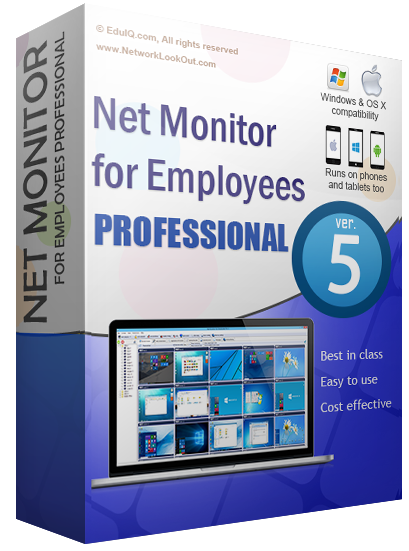
The application features a centralized dashboard where remote screens are displayed as a customizable grid of thumbnails. Users can intervene directly by taking control of a remote system’s mouse and keyboard or execute specific commands across multiple workstations simultaneously. Beyond passive monitoring, Net Monitor Professional includes administrative restrictions, enabling the immediate blocking of specific applications or internet access to maintain productivity and security.
For collaborative tasks or classroom instruction, the software supports bidirectional screen sharing, allowing a host to broadcast their desktop to all connected clients. The system is cross-platform, offering compatibility with Windows as well as mobile operating systems including Android and iOS. Setup is streamlined through a step-by-step installation process that requires no registration, allowing for rapid deployment across a local network. Key capabilities include:
- Live monitoring of multiple remote desktops via a thumbnail view.
- Remote control of mouse and keyboard inputs.
- Scheduled recording of desktop activity to video files.
- Application and web filtering to restrict access to specific content.
- Multi-platform support for desktop and mobile devices.
Top 5 Reasons To Download Net Monitor Professional
If you have ever felt the overwhelming stress of managing a dozen different tasks across a dozen different screens, then you know exactly why the digital age requires a new kind of oversight. Whether you are a business owner trying to keep a team on track, a teacher guiding a classroom of distracted students, or a parent worried about what your children are seeing online, the need for a central "command center" has never been greater. That is where Net Monitor Professional enters the frame. This isn't just another utility; it is a comprehensive solution for anyone who needs to see, manage, and secure multiple workstations from a single vantage point. Today, we are looking at why this specific giveaway is a must-download for anyone serious about digital management.
Before we dive into the nitty-gritty details of how this software functions and why it belongs in your toolkit, let’s look at the core value proposition. Here are the top five reasons you need to download Net Monitor Professional right now:
- Unrivaled Real-Time Visual Oversight: Monitor dozens of screens simultaneously through a customizable thumbnail grid that shows you exactly what is happening in real-time.
- Full Remote Command and Control: Take total control of any remote computer’s mouse and keyboard to provide instant support, fix issues, or stop unauthorized activity.
- Proactive Productivity and Security Management: Instantly block distracting applications and restricted websites across your entire network with just a few clicks.
- High-Quality Activity Recording and Auditing: Schedule and record desktop activity into high-quality MPEG4 files for training, evidence, or performance reviews.
- Seamless Cross-Platform Accessibility: Deploy the software in minutes and monitor your network from Windows, Android, iOS, or Windows Phone devices.
Now, let’s break these down and explore why Net Monitor Professional is the game-changer you have been waiting for. As a tech reviewer, I see a lot of "monitoring" tools, but few strike the balance between power and ease of use quite like this one.
1. Unrivaled Real-Time Visual Oversight
The biggest hurdle in managing multiple users—be they employees or students—is the "tab-switching" problem. You can’t be everywhere at once. Or can you? Net Monitor Professional solves this by providing a "God’s-eye view" of your entire network. When you fire up the console, you aren't just looking at a list of names or IP addresses; you are looking at live, breathing thumbnails of every active screen in your domain.
The beauty of this feature lies in its customization. You can arrange these thumbnails in a table, adjusting the number of rows and columns to fit your monitor setup. This means if you have a secondary monitor, you can dedicated it entirely to the live feed of your team or classroom. It eliminates the guesswork. Instead of wondering if your team is working on that quarterly report, you can see the report on their screen. Instead of worrying if your child is on a social media site they shouldn't be, you can see the browser window clearly. It brings a level of transparency to digital environments that was previously impossible without standing directly behind someone.
Furthermore, the "live" aspect is crucial. We aren't talking about static screenshots that refresh every five minutes. This is a fluid representation of activity. If an employee switches from a spreadsheet to a game, you see it the moment it happens. This real-time feedback loop is essential for maintaining a high-performance environment where every second counts. It turns a reactive management style into a proactive one.
2. Full Remote Command and Control
Visibility is only half the battle. What happens when you see something that needs to be addressed immediately? Perhaps an employee is struggling with a software bug, or a student has accidentally navigated to a confusing page. This is where Net Monitor Professional truly shines. It allows you to step beyond the role of a passive observer and become an active participant through its remote control features.
With a simple click, you can take over the mouse and keyboard of any remote computer. For IT managers, this is a godsend. Instead of walking across a large office building or trying to explain complex instructions over the phone, you can simply "jump in" and fix the problem yourself. This reduces downtime significantly and keeps the workflow moving. For teachers, it means you can help a student who is stuck on a specific task without having to leave the front of the classroom, allowing you to maintain the flow of the lesson for everyone else.
But it goes deeper than just mouse clicks. The software allows you to execute several actions on all remote computers simultaneously. Need to shut down all PCs at the end of the day? One click. Need to restart the fleet after an update? One click. Need to lock the screens to get everyone’s attention for a live announcement? Again, one click. This level of administrative power is usually reserved for highly complex enterprise tools that cost thousands of dollars, yet here it is, accessible and easy to use.
3. Proactive Productivity and Security Management
Let’s be honest: the internet is a distraction factory. Even the most well-intentioned person can find themselves falling down a rabbit hole of news articles, social media feeds, or YouTube videos. In a business environment, this is a drain on the bottom line. In a school environment, it is a barrier to learning. Net Monitor Professional gives you the "off switch" you’ve always wanted.
The software includes robust tools to block specific applications and internet access. You can create "blacklists" of prohibited software—like games or messaging apps—and ensure they cannot be opened during work or school hours. Similarly, you can restrict web browsing to only the sites that are necessary for the task at hand. This isn't about being a "Big Brother" figure; it’s about creating an environment conducive to focus and success.
Beyond productivity, there is the massive issue of security. By monitoring and controlling which applications are running, you can prevent the execution of unauthorized or potentially malicious software. If you see a user attempting to open a suspicious file or visit a known phishing site, you can intervene instantly. You can even block internet access entirely for specific machines if you suspect a security breach is in progress. This makes Net Monitor Professional an essential layer in your overall digital security strategy.
4. High-Quality Activity Recording and Auditing
Sometimes, seeing what is happening in the moment isn't enough. You need a record. Whether it's for performance reviews, legal compliance, or creating training materials, the ability to record screen activity is a "must-have" feature. Net Monitor Professional allows you to schedule remote desktop recordings that are saved as MPEG4 files.
Think about the possibilities here. For a business, you can record the workflow of your top-performing employees to use as a gold standard for training new hires. You can show exactly how they navigate software, how they organize their tasks, and how they achieve their results. Conversely, if there is a dispute regarding an employee's behavior or productivity, you have an objective, unalterable record of their computer usage. This protects both the employer and the employee by providing clear evidence of what actually happened.
For parents, this feature offers a way to review a child's digital footprint without having to watch them every second of the day. You can review the recordings at the end of the week to ensure they are practicing safe online habits. The fact that these files are stored in MPEG4 format is a huge plus, as it ensures they are high-quality while remaining compressed enough to not eat up all your hard drive space. You can easily play them back on any standard media player, making the auditing process smooth and painless.
5. Seamless Cross-Platform Accessibility
In the past, monitoring software was often clunky, difficult to install, and tied you to a specific desktop workstation. Net Monitor Professional has broken those chains. One of the most compelling reasons to download this giveaway is just how modernized the delivery system is. We are talking about an installation process that takes roughly five minutes. There is no tedious registration, no jumping through hoops, and no need for an advanced degree in network engineering.
But the real kicker? The mobile support. The application now runs on Android, iOS, and Windows Phone. This means you don't even have to be at your desk to keep an eye on things. If you are a manager grabbing a coffee, you can check your phone to see if the morning shift is running smoothly. If you are a parent at the grocery store, you can check your tablet to see if your kids are actually doing their homework. This mobility transforms the software from a "stationary tool" into a "lifestyle tool."
Furthermore, the software is designed to be lightweight. It doesn't bog down the remote computers with heavy background processes that kill performance. Your users likely won't even notice it's there, which is exactly how good monitoring software should operate. It stays out of the way until you need it, and when you do need it, it’s just a few taps or clicks away. This ease of use, combined with its multi-platform reach, makes it one of the most versatile monitoring solutions on the market today.
The Final Verdict: Why You Should Click "Download"
We live in an era where digital distractions and security threats are everywhere. To manage a team, a classroom, or a household effectively, you need tools that are as fast and flexible as the technology we use every day. Net Monitor Professional isn't just about "watching" people; it's about managing your environment to ensure that everyone is safe, productive, and supported.
From the live thumbnail view that gives you instant clarity, to the remote control features that allow for immediate intervention, this software covers all the bases. The ability to block distractions and record activity for future review adds layers of utility that go far beyond simple observation. And when you factor in the 5-minute setup and the ability to monitor from your smartphone, the value proposition becomes undeniable.
Net Monitor Professional is a professional-grade tool that has been made accessible for everyone. It bridges the gap between high-end corporate surveillance and user-friendly home management. Whether you’re looking to boost your company’s ROI by eliminating time-wasting, or you’re a teacher looking to regain control of your digital classroom, this software provides the features you need in a package that anyone can master.
Don’t wait for a productivity dip or a security scare to realize you need better oversight. This giveaway is your chance to take control of your digital domain with one of the most respected names in the industry. Download it, install it, and experience the peace of mind that comes from knowing exactly what is happening on every screen in your network. It’s time to work smarter, not harder. Grab this giveaway today and see the difference that true professional monitoring can make.
Summary of Key Features Included:
- Live picture of remote screens.
- Control of remote mouse and keyboard.
- Displaying your screen to remote computers (perfect for presentations).
- MPEG4 recording of remote desktops.
- One-click bulk actions (shutdown, restart, lock).
- App and web blocking to keep users on task.
- Mobile apps for monitoring on the go.
- No registration required and 5-minute setup.
In the fast-paced world of tech, opportunities to grab a comprehensive suite like Net Monitor Professional for free don't come around often. Make sure you don't miss out on the chance to upgrade your management capabilities and secure your digital environment once and for all. It is efficient, it is powerful, and most importantly, it puts you back in the driver's seat.


Reviews for Net Monitor Professional
Click Here to Read Reviews for Net Monitor Professional >> Click Here to Submit Reviews for Net Monitor Professional >>