What Does KiwiG Data Recovery Do?
KiwiG Data Recovery is a specialized utility designed to retrieve lost or inaccessible files from a wide range of digital storage environments. Built with a focus on stability and speed, the software addresses data loss resulting from accidental deletion, disk formatting, partition errors, and hardware malfunctions. It operates through three distinct recovery modes: Deleted File Recovery, Partition Recovery, and Format Recovery.
The application supports a diverse array of storage media, including SATA, SCSI, and IDE hard drives, SSDs, USB flash disks, memory cards, and digital cameras. Users can recover various file formats, including documents, graphics, video, audio, and emails. To streamline the workflow, the software utilizes a simplified three-step process that allows users to perform scans and restorations without extensive technical knowledge.
Technical features integrated into the tool include:
- Preview functionality: Users can inspect files before committing to the final recovery process.
- Bad sector management: The software automatically skips damaged sectors to reduce total scanning time.
- File sorting: Results are organized by type to optimize the search for specific data.
- Read-only operation: The tool is designed to retrieve data without overwriting or damaging existing information.
Once a scan is complete, the software presents all recoverable data in a well-organized library, ensuring an efficient restoration of lost digital assets.
Top 5 Reasons To Download KiwiG Data Recovery
If you have ever experienced that heart-stopping moment when a folder of family photos disappears or a vital work presentation vanishes into the digital ether, you know that data loss is more than just a technical glitch—it is a genuine emergency. Today, I am looking at KiwiG Data Recovery, a professional-grade "Data Doctor" that promises to be the cure for your digital headaches. Whether you are a tech-savvy power user or someone who just wants their files back without a hassle, this software is a must-have addition to your utility belt. Here are the top five reasons why you need to download this giveaway right now.
- Universal Compatibility Across All Storage Media: From modern SSDs to legacy floppy drives, this tool handles it all.
- Simplified 3-Step Recovery Workflow: You do not need a degree in computer science to navigate this "Geek or Not" interface.
- Deep-Level Forensic Recovery Modes: Specialized algorithms for deleted files, lost partitions, and formatted drives ensure maximum retrieval rates.
- Advanced "Read-Only" Safety and Stability: The software protects your remaining data by skipping bad sectors and preventing accidental overwriting.
- Comprehensive File Type Support with Instant Preview: You can verify documents, images, and videos before you commit to the recovery process.
1. Universal Compatibility Across All Storage Media
In the modern age, our data is scattered across a dizzying array of devices. You might have your primary documents on an internal NVMe SSD, your backup archives on a high-capacity HDD, your vacation photos on an SD card, and your quick-transfer files on a USB thumb drive. Most recovery tools specialize in one or two formats, but KiwiG Data Recovery distinguishes itself by being a true "Swiss Army Knife" for storage media.
The software supports an exhaustive list of hardware interfaces, including IDE, USB, SCSI, SATA, and FireWire. But it goes much further than just standard hard drives. If you are a photography enthusiast, you will appreciate its ability to interface directly with digital cameras and camcorders. If you are a musician or a mobile user, its support for memory sticks, CF/SD cards, and micro cards means your creative work is never truly gone. It even supports dynamic disks and Zip drives for those maintaining legacy systems. This level of versatility is rare; it means that no matter where your data was sitting when the disaster struck, KiwiG has the mechanical and logical compatibility to reach in and pull it back out.
Why this matters: When you are in a panic because a drive has failed, the last thing you want to do is hunt for a specific tool that only works with "FAT32 USB sticks" or "NTFS internal drives." You want a single, robust engine that can scan anything you plug into your machine. By offering such broad support, KiwiG ensures that it is the only data recovery tool you will ever actually need to install.
2. Simplified 3-Step Recovery Workflow
Let’s be honest: most professional data recovery software is intimidating. They often greet you with complex command lines, hex editors, and cryptic terminology that makes you feel like you’re hacking into a government mainframe just to find a deleted Word document. KiwiG Data Recovery takes a refreshing, user-centric approach. Its "3-Step" philosophy is designed to minimize user fatigue and maximize efficiency.
The process is incredibly straightforward. First, you select the recovery mode that fits your situation. Second, you choose the drive or partition you want to scan. Third, you click "Recover" once you have found your files. That is it. The interface is clean, well-organized, and avoids the clutter that plagues many of its competitors. This "Geek or Not" design philosophy ensures that even your least tech-savvy relative could successfully rescue their files without calling you for tech support.
Efficiency is the name of the game here. The software organizes its findings into a structured library after the scan is complete. Instead of a chaotic list of thousands of files with gibberish names, you get a clear, navigable tree. This reduces the time spent searching through the "wreckage" of a crashed drive. In a crisis, time is of the essence, and KiwiG’s streamlined workflow ensures you aren't wasting a second of it.
3. Deep-Level Forensic Recovery Modes
Data loss is not a "one size fits all" problem. Sometimes you just accidentally hit Shift+Delete on a folder. Other times, a virus might have corrupted your entire file system, or a partition might have simply "vanished" due to a software crash. KiwiG Data Recovery addresses these distinct scenarios with three specialized recovery modes: Deleted File Recovery, Partition Recovery, and Format Recovery.
The Deleted File Recovery mode is optimized for speed. It targets the file system's index to quickly find files that have been marked as "available space" but have not yet been overwritten. This is your go-to for accidental deletions. Partition Recovery is a more advanced tool that can find data on partitions that have been mistakenly deleted, hidden, or lost during a failed OS installation or disk management error. Finally, Format Recovery is the "heavy lifter" of the trio. It is designed to handle the most dire situations: system formats, virus attacks, crashed file systems, and even "RAW" partitions that Windows can no longer recognize.
The tech reviewer’s perspective: Having these three distinct paths is crucial because it allows the software to use the most effective algorithm for the specific type of damage. If you try to use a basic file-un-deleter on a formatted drive, you will likely get nothing. By switching to the Format Recovery mode, KiwiG performs a deep-sector scan that looks for file signatures rather than just file system entries, significantly increasing your chances of success where other apps would simply fail.
4. Advanced "Read-Only" Safety and Stability
One of the most dangerous things you can do to a failing hard drive is to keep "writing" to it. Most people don't realize that installing software or even just browsing the web on a compromised drive can overwrite the very data they are trying to save. KiwiG Data Recovery is built with a "Read-Only" architecture. This means that during the entire scanning process, the software never writes a single byte of data to the source drive. It simply "reads" and "copies," ensuring that the original state of your lost files remains pristine.
Furthermore, the software includes a sophisticated feature that automatically skips bad sectors. When a hard drive starts to fail physically, it develops "bad sectors"—areas of the disk that are physically damaged. Standard operating systems often hang or crash when they hit these sectors, which can lead to further disk degradation. KiwiG is smart enough to detect these trouble spots and bypass them, which not only stabilizes the recovery process but also significantly reduces scanning time. It focuses on the healthy parts of the disk to get your data out as fast as possible before the hardware gives up the ghost entirely.
Stability is the backbone of professional recovery. You want a tool that is "cost-effective" in terms of its system resource usage and "reliable" in its execution. KiwiG’s ability to handle high-stress recovery environments without crashing your system is a testament to its robust engineering. When you are dealing with precious memories or critical business data, you want a "Data Doctor" that follows the Hippocratic oath: First, do no harm.
5. Comprehensive File Type Support with Instant Preview
There is nothing more frustrating than spending three hours scanning a 2TB hard drive, seeing a list of 500 recovered "images," and then discovering after the recovery that half of them are corrupted or are just system icons you didn't need. KiwiG Data Recovery solves this with its intelligent preview and sorting system.
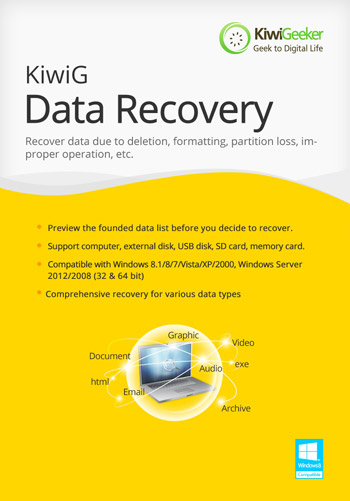
The software supports an enormous range of file types, including Documents (DOCX, PDF, XLSX), Graphics (JPG, PNG, RAW), Video (MP4, MOV, AVI), Audio, Email, and even Archives like ZIP and RAR. Before you even click the "Recover" button, the software allows you to preview these files. You can actually see the photo or read the text in a document to verify that it is intact. This is a massive time-saver. Instead of recovering everything and sorting it out later, you can be surgical—selecting only the specific files that matter most.
Additionally, the software allows you to sort file types before the preview. This means you can tell the software, "only show me the video files," or "only show me the emails." This level of organization turns a daunting mountain of data into a manageable library. By optimizing the search results and providing a high-quality preview, KiwiG ensures that the final step of the recovery process is as successful and satisfying as the first.
Final Thoughts: We live in a world where our digital lives are often more fragile than we care to admit. KiwiG Data Recovery offers a professional, stable, and incredibly easy-to-use safety net. It handles the "impossible" tasks—like recovering data from a formatted SSD or a corrupted camera card—with the same ease that it handles a simple accidental deletion. Given the power, speed, and safety features packed into this application, it is an absolute no-brainer for anyone looking to protect their digital legacy. Don't wait until the disaster happens; download this "Data Doctor" now and give yourself the peace of mind that comes with knowing your data is never truly lost.

Reviews for KiwiG Data Recovery
Click Here to Read Reviews for KiwiG Data Recovery >> Click Here to Submit Reviews for KiwiG Data Recovery >>