What Does Nero MediaHome 2020 Do?
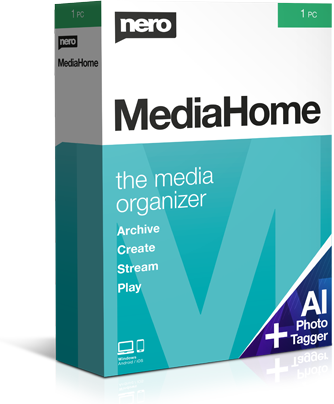
Nero MediaHome serves as a centralized management hub for digital multimedia, designed to organize photos, music, and video files across PCs and mobile devices. The software functions as a universal media center, streamlining the process of archiving, editing, and accessing fragmented digital libraries.
The Archive feature allows users to import media via USB or wirelessly from iOS and Android devices. It integrates Gracenote technology to automatically include original album art when ripping audio CDs. To improve findability, the software categorizes files by date, facial recognition, location, and custom tags. It also maintains direct compatibility with iTunes and Windows Media Player libraries.
The Create and Stream tools provide utility beyond simple storage. Users can refine photos with automated tools, generate slideshows with templates and credits, and assemble music playlists. For home entertainment, the software streams content directly to Smart TVs. The companion Nero Streaming Player app allows mobile devices to function as a remote control for the media library.
Playback and synchronization are managed through the WiFi Sync app, which facilitates wireless file exchange between desktop environments and mobile hardware. This ensures media is accessible for both local playback and on-the-go use, maintaining a unified database across all connected hardware.
Top 5 Reasons To Download Nero MediaHome 2020
- A Unified Command Center for Your Entire Media Ecosystem: Say goodbye to fragmented folders and scattered files; this is the definitive hub for everything you own.
- Intelligent AI-Driven Organization: Automated face recognition, geolocation tagging, and Gracenote album art technology do the heavy lifting for you.
- High-Octane Creative Tools: Transform raw memories into polished productions with built-in slideshow creators, movie templates, and photo enhancement tools.
- Seamless Wireless Streaming: Turn your PC into a media powerhouse and beam your content to Smart TVs and mobile devices with zero lag.
- Total Mobile Integration and Syncing: Effortlessly move files between iOS, Android, and PC without ever reaching for a USB cable.
We have all been there. You are sitting on your couch, trying to find that one specific video from your summer vacation three years ago, or perhaps that one song you ripped from a CD back in the early 2000s. Instead of enjoying your media, you find yourself digging through a digital basement of cluttered folders, unnamed files, and obscure subdirectories. It is frustrating, it is time-consuming, and frankly, it is a relic of an older era of computing. In the modern age, your media should work for you, not the other way around. This is where Nero MediaHome enters the frame, and let me tell you, as someone who has tested dozens of media managers, this is the one you have been waiting for. This giveaway isn’t just a free piece of software; it is a total lifestyle upgrade for your digital existence. Let’s dive deep into why you need to hit that download button right now.
1. A Unified Command Center for Your Entire Media Ecosystem
The biggest problem we face today isn't a lack of content; it’s the fact that our content is scattered across a dozen different "islands." You have photos on your phone, movies on an external hard drive, music on your laptop, and perhaps even some old files lingering in your Windows Media Player or iTunes libraries. Managing this manually is a nightmare. Nero MediaHome solves this by acting as the heart of your multimedia world. It creates a centralized archive where every single file has a home.
When you first launch the software, the "Archive" feature feels like a breath of fresh air. It doesn’t matter if your files are coming from a USB stick, a memory card, or an external HDD—Nero handles the import process with surgical precision. But it goes beyond just copying files. It integrates directly with your existing iTunes and Windows Media Player libraries, effectively bridging the gap between different ecosystems. For anyone who has spent years building a specific library in one app but wants the modern features of another, this interoperability is a game-changer. You are no longer locked into one way of viewing your content. You get one unified, beautiful interface that displays everything you own, regardless of where it was originally stored.
This "one home" philosophy extends to your mobile devices as well. The ability to send photos and movies to your PC wirelessly from your iOS or Android device means your phone’s storage is never held hostage by old memories. You can clear up space on your device while knowing your high-resolution originals are safely tucked away in your central PC archive. It is the kind of peace of mind that you didn’t know you needed until you have it.
2. Intelligent AI-Driven Organization
Organization is usually the part of media management that everyone hates. Nobody wants to sit there for hours tagging photos or looking up album art. Nero MediaHome understands this and utilizes some seriously impressive technology to do the work for you. Let’s talk about Gracenote. If you are a music lover, this is a feature that will make you smile. When you import music or rip audio CDs, the software uses Gracenote technology to automatically pull in the original album art and metadata. No more "Track 01" by "Unknown Artist." Your library will look like a professional digital storefront, complete with high-quality visuals that make browsing your music a joy.
The visual organization for photos and videos is equally impressive. The software categorizes your media by date, which is standard, but it goes much further by utilizing "Faces" and "Places." The face recognition technology is a massive time-saver. Once you identify a person, Nero can find them across your entire archive, allowing you to pull up every photo of a specific friend or family member in seconds. Similarly, the "Places" feature uses GPS metadata to map out your memories. Want to see every photo you took in Paris? Just click the location. For those who want even more control, the personal tags and favorites system allows you to build a custom hierarchy that matches exactly how your brain works. It turns a chaotic pile of data into a curated gallery.
What I love most as a reviewer is how this organization isn't just "static." It is dynamic. As you add more media, the system continues to sort and categorize. It creates a living, breathing archive that grows with you. The time you save by not having to manually sort your files is time you can spend actually enjoying them, which is the whole point of having a media library in the first place.
3. High-Octane Creative Tools
Many media managers are just "viewers"—they let you see your files, but they don't let you touch them. Nero MediaHome breaks that mold by including a suite of creative tools that are surprisingly powerful yet incredibly easy to use. Once you have all your media in one place, the "Create" module invites you to make that media even better. If you have photos that look a bit dull or were taken in poor lighting, the automated refinement tools can breathe new life into them with just a few clicks. There are a variety of effects that allow you to add artistic flair without needing to be a Photoshop expert.
The real star of the show here is the slideshow and movie creator. We all have hundreds of photos from big life events—weddings, birthdays, vacations—that just sit there. Nero MediaHome allows you to turn those static images and raw video clips into a cinematic experience. You can use movie design templates that handle the heavy lifting of aesthetics, and then add your own opening and closing credits for a professional touch. You can even sync these creations to your own music library, creating a personalized soundtrack for your life’s highlights.
This isn't just about making "cute" videos; it’s about storytelling. The software allows you to create entire albums that mix photos, videos, and music into a cohesive narrative. For a tech reviewer, seeing this level of creative integration in a media manager is refreshing. It means you don’t have to export your files to a complicated third-party video editor just to make a simple, high-quality slideshow. Everything is built-in, streamlined, and designed for speed.
4. Seamless Wireless Streaming
In today's world, we don't just want to watch movies on our computer monitors. We want them on the big screen in the living room. Nero MediaHome excels as a media server, providing some of the most stable and user-friendly streaming functions I’ve encountered. Using the streaming features, you can easily play your photos, slideshows, videos, and music directly to your Smart TV. It supports the protocols necessary to make sure your TV "sees" your PC library without you having to jump through technical hoops.
But here is the "cool factor" that really sells it: the Nero Streaming Player App. By installing this on your iOS or Android device, your phone becomes a high-tech remote control for your entire Nero media library. You can browse your PC’s archive from your phone while sitting on the couch and "flick" the content over to your TV wirelessly. It feels futuristic and, more importantly, it works flawlessly. You aren't tethered to your desk anymore.
This streaming capability effectively turns your home PC into a private cloud. You get the benefits of a service like Netflix or Spotify, but with the content you actually own. You don't have to worry about licenses expiring or content being removed from a platform. As long as it is in your Nero MediaHome archive, you can stream it anywhere in your house. The convenience of being able to show off your latest vacation slideshow on a 65-inch TV with just a few taps on your phone is something you have to experience to truly appreciate.
5. Total Mobile Integration and Syncing
The final reason this giveaway is a must-download is the sheer freedom it gives you through the Nero MediaHome WiFi Sync App. We live in a mobile-first world, and any software that doesn't respect that is stuck in the past. This app ensures that your PC and your mobile devices are always in perfect harmony. You can exchange and play files wirelessly between your iOS/Android devices and your media center without ever needing to hunt for a cable.
This is particularly useful for people who are "on the go." If you have a long flight or a commute, you can quickly sync your favorite movies or new music albums from your PC to your tablet or phone. Conversely, when you get home from an event with a phone full of new photos, the WiFi Sync kicks in to bring those files into your permanent archive. It is a two-way street of data fluidity that eliminates the friction usually associated with file management.
The "Play" aspect of the mobile integration is also worth noting. Because you can access your entire media archive—sorted by the intelligent categories we discussed earlier—you can find what you are looking for instantly, even from your mobile device. You aren't just looking at a file list; you are looking at your organized library. This level of accessibility means your favorite files are always at your fingertips, whether you are in your backyard, in bed, or halfway across the country (provided you have your network set up). It’s about removing the barriers between you and your media.
Final Thoughts: Why You Need This Now
Nero MediaHome is more than just a media player; it is the glue that holds your digital life together. In an era where we are constantly bombarded with new files, new devices, and new platforms, having a single, reliable "heart" for your multimedia world is essential. It takes the stress out of digital organization and replaces it with the joy of discovery and creation.
As a reviewer, I am always looking for software that simplifies complex tasks. Nero MediaHome does exactly that. It takes the complex task of managing thousands of files across multiple devices and turns it into a streamlined, automated, and actually fun experience. You get the professional-grade archiving of a high-end database, the creative power of a video suite, and the convenience of a modern streaming service, all in one package.
Do not let this giveaway pass you by. We all have digital clutter that we have been meaning to "get around to" organizing. This is your chance to finally take control. Download it, let it scan your drives, and watch as your chaotic collection of files transforms into a beautiful, searchable, and streamable library. Your photos, your music, and your movies deserve a better home. They deserve Nero MediaHome.
Whether you are a photography enthusiast with thousands of RAW files, a music buff with a massive collection of high-fidelity tracks, or just a parent who wants to make sure their family videos are safe and easy to find, this software caters to everyone. The interface is intuitive enough for beginners, yet the underlying technology—like the Gracenote integration and the advanced streaming protocols—is powerful enough for the most demanding tech-savvy users. It is the universal media center we have been promised for years, and now it is within your reach. Make your multimedia world a better place and get started with this download today.

Reviews for Nero MediaHome 2020
Click Here to Read Reviews for Nero MediaHome 2020 >> Click Here to Submit Reviews for Nero MediaHome 2020 >>