What Does CutOut 4 Do?
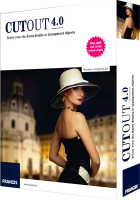
CutOut 4 is a specialized image processing utility designed for precise object extraction and the creation of photo-montages. The software focuses on the technical challenge of isolating complex subjects from their backgrounds, even when dealing with intricate textures or transparency.
The application employs advanced edge recognition and matting algorithms to handle fine details such as hair, fur, and feathers. By utilizing "chroma keying"—a technique common in film production—users can isolate subjects against monochrome backgrounds with a single click. For more complex environments, the software provides inside and outside matting tools to define boundaries accurately.
Key functional capabilities include:
- Layered Processing: Users can combine extracted elements with new backgrounds, adjusting lighting, color, and saturation for each layer independently.
- Retouching Tools: An intelligent eraser and error brush allow for the removal of unwanted artifacts and background elements.
- Portrait Enhancement: An integrated soft-focus function enables users to apply localized bokeh effects and reduce background sharpness.
- Workflow Integration: The package functions as a standalone editor and includes plug-ins for Adobe Photoshop and Photoshop Elements.
Additionally, CutOut 4 features a collection of one-click filters and basic transformation tools for cropping and framing, consolidating the extraction and post-processing workflow into a single interface.
Top 5 Reasons To Download CutOut 4
1. Unmatched Precision for Complex Details: CutOut 4 masters the "impossible" selections, such as individual strands of hair, delicate feathers, and fine fur, ensuring your subjects look natural against any background.
2. Professional-Grade Chroma Keying: Use the same technology employed by Hollywood filmmakers and high-end modeling agencies to swap backgrounds instantly using monochrome backdrops.
3. Intelligent Object Removal: Easily eliminate photobombers, power lines, or distracting elements from your images with a smart eraser that preserves the underlying texture and logic of the photo.
4. Creative Soft Focus and Bokeh: Transform flat, amateur snapshots into professional portraits by digitally manipulating depth of field to create beautiful, creamy background blur.
5. A Comprehensive All-in-One Workflow: Beyond mere cutting, this software offers a full suite of image processing tools, including lighting adjustments, color saturation controls, and a Photoshop plugin for seamless integration.
The Magic of Precision: Mastering the Fine Details
If you have ever spent hours in a traditional photo editor trying to trace the outline of a person with "big hair" or a pet with fluffy fur, you know that the "Lasso" tool is often your worst enemy. It is the ultimate test of patience, and more often than not, the result looks "cut out" in the worst way possible—jagged edges, missing strands, and a weird halo effect that screams amateur hour. This is the first and perhaps most compelling reason why CutOut 4 is a mandatory addition to your digital toolkit. It tackles the technical nightmare of fine-edge recognition with an elegance that is usually reserved for software costing hundreds of dollars.
The secret lies in its advanced edge recognition algorithms. When you are dealing with transparent objects—think of a wine glass, a bridal veil, or even smoke—standard selection tools fail because they cannot distinguish between the transparency of the object and the complexity of the background. CutOut 4 uses a specialized inside/outside matting system. By simply defining what is definitely "inside" the object and what is definitely "outside" the object, the software’s engine calculates the micro-transparency of the pixels in between. This means you can lift a model with flowing hair off a busy city street and place her on a pristine beach without a single pixel looking out of place. For any serious photographer or digital artist, the ability to preserve these fine details is what separates a "montage" from a "masterpiece."
Imagine the creative freedom this provides. You are no longer restricted by the environment in which you took the photo. If the lighting was perfect on your subject but the background was cluttered with distracting textures, you can simply extract the subject. Because the software handles the fine details so well, the transition is seamless. You won't find those tell-tale "white fringes" around hair that usually ruin a composite. This level of precision ensures that your creative compositions—your trompe-l’oeil montages—actually fool the eye, which is exactly what high-level digital art is supposed to do.
Hollywood Tech on Your Desktop: Chroma Keying Simplified
We have all seen the "behind the scenes" footage of our favorite blockbuster movies where the actors are performing in front of a giant green or blue screen. This is known as chroma keying, and for a long time, it was a technique reserved for high-budget film studios and professional modeling agencies. The second reason you need to download this giveaway is that CutOut 4 brings this professional-level filmmaking technique directly to your desktop. It simplifies the process to such a degree that even a novice can achieve studio-quality results with a single click of the mouse.
The beauty of chroma keying within this software is the speed and efficiency it adds to your workflow. If you are a content creator, a small business owner taking product shots, or a portrait photographer, you can set up a simple, one-color background for your shoot. Once you bring those images into the program, you can choose the background color and watch as it vanishes, leaving your subject perfectly isolated. This isn't just about removing a background; it’s about the quality of the removal. CutOut 4 handles the color "spill" (the tiny bit of green or blue light that sometimes reflects onto the subject) with incredible intelligence, ensuring the colors of your subject remain natural and vibrant.
This feature is a game-changer for anyone looking to create consistent branding or professional portfolios. You can take fifty different portraits in front of the same blue screen and then, in post-processing, place each person in a unique environment—from a modern office to a scenic mountain range. The software’s ability to process these layers individually means you can then tweak the lighting and color of the subject to match the new background, ensuring that the final composition looks like it was all shot in the same frame. It is professional efficiency at its finest.
The Power of the Intelligent Eraser: Cleaning Up Your World
Let's be honest: the world is a messy place. How many times have you captured the perfect sunset, only to realize there is a massive power line cutting through the sky? Or perhaps you took a stunning photo of a historical monument, but a tourist in a neon yellow shirt decided to walk right into your frame at the last second? These "unwanted objects" are the bane of a photographer's existence. The third reason to jump on this CutOut 4 download is its suite of intelligent retouching tools, specifically designed to clean up your images without leaving a trace.
While many programs offer a basic "clone stamp," CutOut 4 goes several steps further with its "intelligent eraser" and "error brush." These aren't just tools that copy pixels from one spot to another; they are designed to understand the context of the image. When you use the intelligent eraser to remove an object, the software analyzes the surrounding pixels—the textures, the gradients, and the lighting—and fills in the gap with startling accuracy. It’s like the object was never there to begin with. This allows you to "de-clutter" your photos, removing everything from small dust spots on a camera lens to large, distracting elements like cars or signs.
This retouching capability is also vital for portrait photography. The "error brush" allows you to fix minor imperfections or distractions on a subject's skin or clothing with surgical precision. Because the software is built on an engine that understands edges and layers, you don't have to worry about accidentally blurring the edge of a face while trying to remove a stray hair or a blemish. It gives you the power to present the world exactly as you want to show it—clean, focused, and free of the distractions that often plague real-world photography. It is, quite literally, your "undo" button for the physical world.
Professional Portraits through Soft Focus and Bokeh
One of the hallmarks of professional photography—particularly in portraits and wedding photography—is a shallow depth of field. This is that beautiful effect where the subject is tack-sharp, but the background melts away into a soft, creamy blur known as bokeh. Usually, achieving this look requires very expensive lenses with wide apertures. However, the fourth reason you need to get your hands on this software is its integrated soft-focus function, which allows you to recreate this high-end look digitally.
The soft-focus function in CutOut 4 is not just a simple "blur" filter that you might find in a basic mobile app. It is a sophisticated tool that allows you to creatively control the areas of focus in your image. Because the software is already world-class at identifying the edges of your subject, it can apply the soft-focus effect to the background while keeping the foreground perfectly crisp. This creates a sense of depth and three-dimensionality that is often missing from photos taken with standard point-and-shoot cameras or smartphones.
This tool is particularly powerful for creating "perfect portraits." You can take a photo in a busy park and, with a few clicks, make the background disappear into a soft wash of color, drawing all the viewer's attention to the subject's eyes and expression. It allows you to guide the viewer’s gaze exactly where you want it to go. Furthermore, the software includes a collection of one-click filters for trendy styles, allowing you to add artistic flair and mood to your portraits after you have perfected the focus. It’s like having a bag full of expensive prime lenses and a darkroom full of filters, all contained within a single piece of software.
The Ultimate All-In-One Workflow: Comprehensive Image Processing
Finally, the fifth reason to download CutOut 4 is that it isn't just a "utility" for cutting things out; it is a comprehensive image processing suite. Many users make the mistake of thinking they need one program for masking, another for retouching, and a third for color grading. This software proves that you can have it all in one package. It is designed to be a complete ecosystem for creating compositions, from the initial cut to the final color-balanced masterpiece.
Within CutOut 4, you have access to a wide range of matting functions and tools to adapt lighting, color, and saturation. This is crucial for creating realistic composites. When you take an object from one photo and place it into another, the "lighting" rarely matches perfectly. This software allows you to adjust the foreground and background independently. You can change the color temperature of the subject to match the sunset in your new background, or adjust the brightness so the shadows look consistent across the entire composition. This "expert software" just got more comprehensive, offering tools to transform, crop, and perfect the result without ever needing to export the file to another program.
Moreover, for those who are already integrated into the Adobe ecosystem, CutOut 4 includes a plugin for Adobe Photoshop and Photoshop Elements. This means you can use the world-class masking and cutting algorithms of CutOut 4 as part of your existing Photoshop workflow. It gives you the best of both worlds: the specialized, high-precision tools of a dedicated masking program and the familiar environment of the industry-standard editor. Whether you use it as a standalone program or as a plugin, it provides an "all-in-one" solution that streamlines your creative process, saving you time and effort while significantly elevating the quality of your output.
Conclusion: Why You Shouldn't Miss This Download
In the fast-paced world of digital content, the quality of your visuals is your primary currency. Whether you are a hobbyist looking to make your family photos look professional, a digital artist creating surreal landscapes, or a professional photographer looking to speed up your post-production workflow, CutOut 4 is a tool that provides immediate, tangible value. It solves the most frustrating problems in photo editing—complex selections and distracting backgrounds—with a level of technical sophistication that is truly impressive.
By downloading this software, you are not just getting a "background remover." You are getting a creative engine that allows you to reimagine your photography. You are getting the ability to isolate the finest details, the power to remove the unwanted, and the tools to create professional-grade portraits with stunning bokeh. The inclusion of chroma keying and the Photoshop plugin makes this a professional-grade package that is accessible to everyone. In the style of a tech reviewer who has seen it all, I can tell you: this is the one you want. Don't let the opportunity to own such a powerful, specialized piece of software pass you by. Download it, experiment with the layered processing, and start showing the world your vision exactly as you want it to be seen. Your portfolio—and your creative sanity—will thank you.
The versatility of this program is its greatest strength. From the intelligent eraser that cleans up your shots to the high-end chroma keying that opens up new worlds of composition, CutOut 4 represents a significant leap forward in accessible photo manipulation. It is precise, powerful, and, most importantly, designed with the user's creative needs at the forefront. Make sure to grab this giveaway while you can and add a professional edge to your digital photography toolkit.


Reviews for CutOut 4
Click Here to Read Reviews for CutOut 4 >> Click Here to Submit Reviews for CutOut 4 >>