What Does Bytescout Watermarking PRO Do?
Watermarking Pro for Windows is a dedicated utility designed for high-volume image processing and digital asset protection. The application streamlines the workflow by integrating directly into the Windows Explorer context menu, allowing users to manage assets directly from their file directories. Beyond simple text overlays, the tool supports batch resizing and the application of various visual effects to entire photo libraries.
The software is engineered to handle complex file types that standard editors often overlook. This includes support for animated GIF images and multipaged TIFF files, which is particularly useful for watermarking scanned black-and-white documents. A real-time preview engine ensures that every adjustment is visible before the final output is generated, reducing the risk of processing errors during large batch jobs.
Key functional capabilities include:
- Simultaneous Watermarking: The Pro version allows for the application of multiple stamps at once, such as combining a bottom-aligned timestamp with a top-aligned corporate logo.
- Metadata Integration: Users can utilize EXIF and IPTC macros to automatically pull data from image headers into the watermark text.
- Nested Processing: The software can automatically traverse folders and sub-folders to process deep directory structures in a single pass.
- Specialized Symbols: The tool offers quick access to copyright (©) and registered (®) marks for professional branding.
Furthermore, the application provides access to advanced settings for granular control over transparency, positioning, and font styling across all supported image formats.
Top 5 Reasons To Download Bytescout Watermarking PRO
- Unrivaled Batch Processing Efficiency: Save hours of manual labor by processing entire folders and sub-folders simultaneously, even launching tasks directly from Windows Explorer.
- Professional-Grade Layering: The Pro version allows you to apply multiple watermarks at once, such as combining a copyright logo with a dynamic date and time stamp.
- Smart Metadata Integration: Utilize EXIF and IPTC macros to automatically pull data from your photos and embed it as visible text watermarks.
- Comprehensive Format Support: Go beyond standard JPEGs with full support for multi-page TIFF documents and even animated GIF images.
- Real-Time Precision and Effects: Preview every change instantly before applying, while simultaneously resizing images and adding professional effects to your entire library.
In the digital age, your content is your currency. Whether you are a professional photographer, a small business owner, or a social media manager, the images you produce represent your hard work, your brand, and your intellectual property. Unfortunately, the internet is a wild frontier where "right-click and save" is the norm, and your unique creations can be stripped of their context and ownership in a matter of seconds. This is why a robust watermarking strategy isn't just a suggestion; it is a necessity. However, most of us dread the process. Traditional image editors are often too bloated, slow, or complex for the simple task of protecting a gallery of photos. This is exactly where Watermarking Pro for Windows steps in to change the game. As a tech reviewer who has seen dozens of "lightweight" utilities come and go, I can confidently say that this giveaway provides a tool that balances power and simplicity in a way that few others manage.
If you have been looking for a way to streamline your workflow while ensuring your images remain uniquely yours, you need to pay attention to this software. It is not just about slapping a name on a photo; it is about a sophisticated, automated system that respects your time and your creative vision. Below, I am going to break down the top five reasons why Watermarking Pro for Windows is an essential addition to your digital toolkit and why you should take advantage of this giveaway immediately.
1. Unrivaled Batch Processing Efficiency
We have all been there. You come home from an event or a product shoot with five hundred high-resolution images. You need to get them onto your website or social media feed as quickly as possible, but you also need to make sure your logo is on every single one of them. In a standard editor, this would take an entire afternoon of repetitive clicking. With Watermarking Pro for Windows, that afternoon is condensed into a few seconds of configuration and a single click of a button.
The sheer speed of the batch processing engine is the backbone of this application. It doesn't just handle a handful of files; it is built to navigate through complex directory structures. You can point the software at a root folder, and it will intelligently process every image within every sub-folder, maintaining your organization while applying your protective marks. This "set it and forget it" mentality is what separates professional tools from hobbyist apps.
Furthermore, the integration with Windows Explorer is a stroke of genius. You don't even have to open the main interface to get started. By allowing users to run tasks directly from the right-click context menu in Windows, the developers have removed the friction that usually leads to people skipping the watermarking step entirely. It makes protection a natural part of your file management workflow rather than a separate, tedious chore. When you save time on the mundane tasks, you have more time to spend on the actual photography and creation, which is where your value truly lies.
2. Professional-Grade Layering and Multi-Watermarking
One of the most significant limitations of standard watermarking software is the "one and done" approach. Often, you are forced to choose between a text mark or a logo mark, or you have to run the same batch of photos through the software twice to get both. This is not only inefficient but can also degrade image quality if not handled correctly. The PRO version of this software eliminates this headache by supporting multiple watermarks at once.
Imagine a scenario where you need to protect a corporate gallery. You might want your company logo in the top right corner to maintain brand presence, but you also need a dynamic date and time stamp at the bottom to indicate when the photo was taken for archival purposes. Perhaps you also want a subtle "Proof" watermark diagonally across the center to prevent unauthorized printing. Watermarking Pro allows you to layer these elements simultaneously.
This level of layering provides a professional aesthetic that is hard to achieve elsewhere. You can adjust the opacity, position, and scale of each individual element, ensuring that the watermarks protect the image without completely distracting from the subject matter. This versatility ensures that whether you are creating a "Internal Use Only" document or a public-facing portfolio, the software adapts to your specific needs. The ability to stack these requirements into a single pass is a massive value-add for anyone dealing with high-volume image output.
3. Smart Metadata Integration with EXIF and IPTC Macros
This is where Watermarking Pro truly leans into its "Pro" moniker. For the uninitiated, EXIF and IPTC data are bits of information stored inside your image files by your camera. This data includes things like the camera model, aperture, shutter speed, and—most importantly—the date and time the photo was captured. Manually typing this information onto a photo as a watermark is an exercise in futility if you have more than five images.
With the PRO ONLY macro support, the software can automatically read this metadata and convert it into a text watermark. This is a game-changer for forensic photographers, real estate agents, or event coordinators. You can set up a template that says "Captured on: %DATE%" and the software will automatically fill in the correct date for every individual photo in a 1,000-image batch.
This automation ensures 100% accuracy. There is no risk of human error or typos when the software is pulling the data directly from the source file. It adds a level of data integrity to your images that is essential for professional documentation. By using these macros, your watermarks become more than just a name; they become a functional part of the image's story, providing context and verified information to anyone viewing the file.
4. Comprehensive Format Support: TIFF and Animated GIFs
Most watermarking tools are designed with the casual Instagram user in mind, meaning they usually only support JPEG and PNG files. While these are the most common formats, they are far from the only ones used in professional environments. Watermarking Pro for Windows stands out by offering robust support for multi-page TIFF images and animated GIFs.
TIFF files are the standard in many legal, medical, and archival industries because they preserve high levels of detail and can contain multiple pages in a single file. Watermarking a multi-page TIFF can be a nightmare in standard software, often resulting in the loss of the multi-page structure. This tool handles them with ease, allowing you to protect scanned documents or high-fidelity renders without compromising the file format's integrity.
On the other end of the spectrum, we have the animated GIF. In the modern social media landscape, GIFs are a primary way to share short loops and memes. However, they are notoriously difficult to watermark because you have to apply the mark to every single frame of the animation while maintaining the timing and transparency of the original file. The PRO version of this software automates this complex process. You can brand your custom animations as easily as you brand a static photo, ensuring that your viral content always points back to you as the creator. This format flexibility makes the software a true "Swiss Army Knife" for digital media.
5. Total Customization, Previewing, and Image Effects
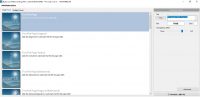
A watermark that looks good on a bright beach photo might be completely invisible on a dark forest shot. This is why the preview support in Watermarking Pro is so vital. Before you commit to a batch process that might take several minutes, you can see exactly how your watermark will interact with your images. You can tweak the font, the color, and the placement until it is perfect. The inclusion of special symbols like © and ® makes it easy to create legally recognizable copyright notices without hunting through character maps or copying and pasting from the web.
Beyond simple watermarking, the software also acts as a light-weight image editor. One of the most common tasks required alongside watermarking is resizing. If you are uploading photos to a web gallery, you likely need them to be a specific width or height to ensure fast loading times. Watermarking Pro allows you to resize your images during the watermarking process, effectively killing two birds with one stone.
You can even apply image effects to enhance the look of your batch. Whether you need to sharpen the images or adjust the contrast to make them pop, having these tools integrated into the same workflow saves you from having to open a heavy-duty editor like Photoshop. It is this combination of protection, preparation, and presentation that makes this giveaway such a high-value proposition. You aren't just getting a tool to put your name on a photo; you are getting a comprehensive post-processing engine designed for speed and professional results.
In conclusion, Watermarking Pro for Windows is a masterclass in functional software design. It identifies the pain points of content creators—time consumption, format limitations, and metadata management—and solves them with an interface that is accessible to beginners yet powerful enough for power users. This giveaway is an incredible opportunity to secure a tool that will protect your digital legacy for years to come. Don't let your hard work go unprotected. Download it, set up your templates, and take control of your digital footprint today. You will find that once you have integrated this level of automation into your workflow, you’ll wonder how you ever managed without it. It is efficient, it is professional, and most importantly, it gives you the peace of mind that your creative work remains yours, no matter where it travels on the internet.


Reviews for Bytescout Watermarking PRO
Click Here to Read Reviews for Bytescout Watermarking PRO >> Click Here to Submit Reviews for Bytescout Watermarking PRO >>