What Does Advanced CD Ripper Pro Do?
Advanced CD Ripper Pro is a utility designed to convert physical audio CDs into various digital formats, including MP3, WAV, WMA, FLAC, APE, AAC, and OGG Vorbis. The software performs these conversions "on-the-fly," meaning it encodes data directly to the target format without generating temporary WAV files. It utilizes the LAME encoder for MP3 production, which supports full Variable Bit Rate (VBR) options, and includes native support for the WMA v9 codec.
The application features integrated metadata management through FreeDB support, allowing users to query internet databases for artist, album, and track information. It also supports local CD database storage and proxy settings for network queries. Metadata is further handled through comprehensive ID3 tag support for both V1 and V2 versions. For users requiring precise disc imaging, the software can generate CUE files and supports track normalization to maintain consistent volume levels across ripped files.
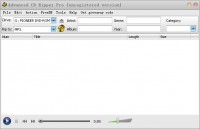
Beyond its ripping capabilities, the software functions as a CD player and playlist creator, with export options for M3U, PLS, XML, and HTML formats. It includes a visual audio editor for post-processing, providing tools for cutting, copying, and deleting silence, as well as applying filters such as BandPass, HighPass, and Notch. The interface supports multiple CD-ROM or DVD-ROM drives and offers conversion speeds up to five times faster than real-time playback.
Top 5 Reasons To Download Advanced CD Ripper Pro
- Audiophile-Grade Output and Versatile Format Support: Advanced CD Ripper Pro isn't just a basic converter; it utilizes the industry-leading LAME encoder and Vorbis SDK to provide bit-perfect ripping into formats like FLAC, APE, and high-bitrate MP3 with VBR support.
- Blazing Fast "On-The-Fly" Encoding: Say goodbye to the archaic two-step process of ripping to a temporary WAV file before converting. This software encodes directly to your chosen format in real-time, reaching speeds up to five times faster than standard rippers.
- Automated Metadata and Comprehensive Database Integration: No more "Track 01" headaches. With full FreeDB and local CDDB support, the app automatically fetches album art, artist names, and track titles, while supporting advanced ID3 V1 and V2 tags for perfect organization.
- Integrated Professional Audio Editing Suite: Beyond ripping, this tool includes a visual audio editor and a suite of digital filters—including BandPass, HighPass, and Notch filters—allowing you to normalize and clean up your audio during the conversion process.
- Total Media Management and Playback: It functions as a complete audio ecosystem, featuring a built-in CD player, multi-drive support, and the ability to export playlists in PLS, M3U, HTML, and XML formats, ensuring your music is ready for any device or platform.
If you are anything like me, your shelves are probably still lined with stacks of jewel cases that represent a lifetime of musical curation. We all transitioned to digital years ago, but there is a nagging problem that many of us face: the digital copies we made in 2005 often sound like they were recorded underwater. Most of us used generic, bottom-tier software to rip our collections back in the day, resulting in low-bitrate files that lack the punch, clarity, and soul of the original discs. This is where Advanced CD Ripper Pro steps in. This isn't just another utility; it is a precision tool designed for people who actually care about how their music sounds. In this review, I am going to break down exactly why you need to grab this giveaway right now and why it deserves a permanent spot on your workstation.
1. Audiophile-Grade Output and Versatile Format Support
When we talk about ripping audio, the most important factor—above all else—is the quality of the codec. Advanced CD Ripper Pro understands this implicitly. It doesn't use some generic, proprietary encoder that muddies the highs and flattens the lows. Instead, it relies on the LAME encoder, specifically the newest versions that support full MP3 options with Variable Bit Rate (VBR) properties. For the uninitiated, VBR is the gold standard for MP3 compression because it allocates more data to complex segments of a song and less to the simple parts, resulting in a smaller file size that sounds significantly better than a standard constant bitrate file.
But it doesn't stop at MP3s. If you are an audiophile, you know that lossy compression is only half the story. This software supports FLAC (Free Lossless Audio Codec) and APE (Monkey's Audio). These formats are essential for anyone looking to archive their CD collection properly. When you rip to FLAC, you are getting a bit-for-bit recreation of the data on the disc. It is the digital equivalent of a master copy. Having a tool that handles these formats natively, along with OGG Vorbis, WMA v9, AAC, and WAV, means you have a universal key to every audio standard currently in use. Whether you are prepping music for a high-end home theater system or a portable player, the output quality here is simply unmatched.
Furthermore, the inclusion of WMA v9 support with VBR capabilities ensures that those who prefer the Windows Media ecosystem aren't left behind. This level of versatility is rare. Most rippers force you into one or two formats, but Advanced CD Ripper Pro gives you the entire spectrum. It treats your music with the respect it deserves, ensuring that the digital file is a true reflection of the physical media.
2. Blazing Fast "On-The-Fly" Encoding
Time is the one thing we can't get more of, and if you have a collection of five hundred CDs, the last thing you want is a software package that takes twenty minutes to process a single disc. Traditional CD rippers often operate in a "two-pass" style: first, they extract the raw audio data into a massive, temporary WAV file on your hard drive, and then they begin the slow process of converting that WAV file into an MP3 or FLAC. This wastes time, and it puts unnecessary wear and tear on your storage drive.
Advanced CD Ripper Pro utilizes on-the-fly encoding. This means the software reads the data from the laser and encodes it into your target format immediately, without ever creating a temporary file. This is a game-changer. Not only does it save a massive amount of disk space during the process, but it also speeds up the ripping cycle significantly. We are talking about speeds that are 5X faster than real-time. You can pop a disc in, hit a button, and have the entire album converted and tagged before you’ve even finished making a cup of coffee.
This efficiency is further bolstered by the software's support for Multiple CD-ROM and DVD-ROM drives. If you have a tower with two or three drives, or even a couple of external USB drives plugged in, this software can handle them. This allows for a "batch" style workflow that can churn through a massive physical library in a fraction of the time it would take with standard software. It is built for power users who need high-volume output without sacrificing a single drop of audio fidelity.
3. Automated Metadata and Comprehensive Database Integration
Let’s be honest: the worst part of digitizing music is the typing. No one wants to manually enter the album title, the artist name, the year, the genre, and every single track name for every disc they own. It is tedious, prone to typos, and frankly, it is work that the computer should be doing for you. Advanced CD Ripper Pro solves this by integrating with FreeDB and local CDDB databases.
The moment you insert a disc, the software queries massive online databases to find the exact match for your album. Within seconds, your tracklist is populated with the correct titles. It even supports proxy settings, so if you are using this in an environment with a strict firewall, you can still reach out to the database to get your info. But it goes a step further by offering a powerful local CD database. This means once you have identified a disc, that information is stored locally. If you ever need to re-rip that disc or reference it, the data is already there, instantly accessible without an internet connection.
The metadata management extends to the ID3 Tag support (V1 and V2). This is crucial for modern playback. When you load these files onto your smartphone, your car’s head unit, or a dedicated media player like Winamp or Foobar2000, the tags ensure that the album art shows up correctly and that the songs are sorted in the right order. The software allows you to easily rename every track's title in the list and convert tracks to variety of compressed audio with useful tag fields, giving you total control over how your library is presented.
4. Integrated Professional Audio Editing Suite
What really sets Advanced CD Ripper Pro apart from the "basic" rippers you find online is its built-in suite of audio processing tools. Sometimes, the source material isn't perfect. Maybe you have an older CD that was mastered at a very low volume, or perhaps there is a bit of digital hiss on a rare live recording. Most rippers would just give you a digital copy of those flaws. Advanced CD Ripper Pro gives you the tools to fix them during the rip.
First, there is the Normalize function. This is a lifesaver. It analyzes the peak volume of the tracks and adjusts them to a consistent level. This prevents that annoying situation where one song is quiet and the next one blasts your eardrums. But the real "Pro" features lie in the Visual Audio Editor and the filter support. The software includes professional-grade filters like BandPass, FFT HighPass, HighShelf, LowPass, LowShelf, and Notch. If you know your way around audio engineering, you can use these to carve out unwanted frequencies or enhance the warmth of the recording.
The editor also allows for Cut, Copy, Paste, and DeleteSilence operations. If you are ripping a hidden track that has ten minutes of silence at the beginning, you don’t have to keep that dead space. You can visually identify the sound data and trim it right there in the app. This level of post-processing capability is usually reserved for expensive Digital Audio Workstations (DAWs), but here it is integrated directly into your ripping workflow. It’s about taking a raw rip and turning it into a polished, professional audio file.
5. Total Media Management and Playback
Finally, we have to talk about the user experience and the "ecosystem" the software creates. Advanced CD Ripper Pro isn't just a utility that you open, use, and close. It is designed to be a full-featured CD player and playlist creator. You can highlight any track in your list to play it instantly, using the software's full audio playback control functions. It is "freedb-aware," meaning even when you are just using it to listen to a disc, it provides all the context and info about what you are hearing.
For those who still use dedicated media players, the Winamp playlist support is a massive win. You can save your CD tracks directly to output playlists in PLS, HTML, M3U, or XML formats. This makes it incredibly easy to create a digital "backup" of your disc that is ready to be imported into any media server. Furthermore, the support for CUE file output is a critical feature for many collectors. A CUE file allows you to rip an entire CD as a single large audio file while maintaining a metadata map of where each individual track starts and ends. This is the preferred method for many high-end archival projects.
The interface itself is user-friendly and highly customizable. It supports "skins," allowing you to change the interface to suit your aesthetic preferences. And while it is built with modern power, it maintains Windows XP compatibility with a native XP-style look and feel for users on older systems. This combination of "old school" reliability and "new school" features like real-time encoding and visual editing makes it a uniquely powerful package. It’s easy to use for beginners but deep enough for power users who want to tweak every single variable of their audio extraction.
In conclusion, if you have a physical music collection, you owe it to yourself to use a tool that captures every nuance of that music. Advanced CD Ripper Pro is that tool. It is fast, it is incredibly powerful, and it offers a level of control that few other programs can match. From the LAME-powered MP3s to the Visual Audio Editor, every part of this app is designed to produce the best possible results. This giveaway is an absolute "must-download" for anyone who values high-quality audio and efficient digital organization. Don't let your CD collection gather dust or, worse, settle for low-quality rips. Download this now and start building the high-fidelity digital library you've always wanted.


Reviews for Advanced CD Ripper Pro
Click Here to Read Reviews for Advanced CD Ripper Pro >> Click Here to Submit Reviews for Advanced CD Ripper Pro >>