
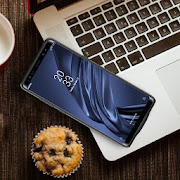
This is not a standalone app
In order to use this locker, you need to Install the following applications:
--Kustom LockScreen (Pro Version)
https://play.google.com/store/apps/details?id=org.kustom.lockscreen.pro
You Will Get
-Elegant LockScreen
-Automatic Wallpapers (You choose the time)
-Customize with the different widgets included
-Animated music player
-Slide to find many options
-Animations and More
-Don’t miss your important Notifications
How to use:
Open the Elegance KLCK app from App Drawer and choose your favorite Kustom Lockscreen.
Kustom LockScreen will open, Just Click on the save icon and you're done.
Soon Samsung Lockscreen, stay tuned.
If you have questions please contact me.
In order to use this locker, you need to Install the following applications:
--Kustom LockScreen (Pro Version)
https://play.google.com/store/apps/details?id=org.kustom.lockscreen.pro
You Will Get
-Elegant LockScreen
-Automatic Wallpapers (You choose the time)
-Customize with the different widgets included
-Animated music player
-Slide to find many options
-Animations and More
-Don’t miss your important Notifications
How to use:
Open the Elegance KLCK app from App Drawer and choose your favorite Kustom Lockscreen.
Kustom LockScreen will open, Just Click on the save icon and you're done.
Soon Samsung Lockscreen, stay tuned.
If you have questions please contact me.
Reviews for Elegance KLCK
Click Here to Read Reviews for Elegance KLCK >> Click Here to Submit Reviews for Elegance KLCK >>