What Does Ashampoo Backup Pro 16 Do?
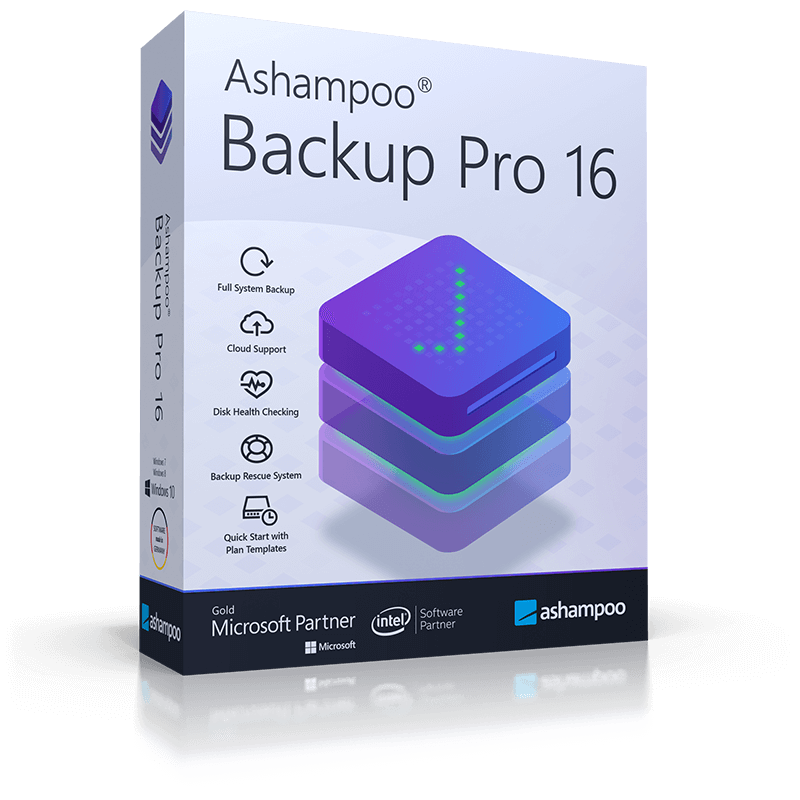
Ashampoo Backup Pro 16 is a Windows-based utility designed to safeguard data through automated backups of individual files, disk partitions, and entire bootable operating systems. The software utilizes background monitoring to ensure that backup tasks only execute when sufficient system resources are available, preventing performance degradation during normal PC usage.
The program offers versatile storage options, allowing users to save encrypted archives to local hard disks or various integrated cloud service providers. To optimize storage efficiency, the software employs four selectable compression methods. In the event of a total system failure or malware infection, an integrated rescue system enables users to boot their machines from a portable USB drive or optical medium to restore data without loss.
Operational reliability is maintained through continuous data verification and a built-in disk health monitor that alerts users to potential hardware issues before they occur. This version is fully compatible with Windows 11 and includes updated cloud interfaces for improved transfer speeds and security. Users can manage their tasks through a centralized interface featuring the following capabilities:
- Automated background backups that adapt to system load.
- Bootable rescue media for emergency system restoration.
- Disk health monitoring with instant failure notifications.
- Windows Messaging integration for real-time status updates.
- Ready-to-use presets for routine data protection tasks.
- Support for various storage media, including local drives and cloud services.
Top 5 Reasons To Download Ashampoo Backup Pro 16
Before we dive into the nitty-gritty of why this software is a mandatory addition to your digital toolkit, here are the top five reasons why you should download Ashampoo Backup Pro 16 today:
- Seamless Background Automation: The software works silently in the background, monitoring system resources to ensure your backups never slow down your workflow.
- Comprehensive System Rescue: It includes a powerful rescue system that allows you to boot your machine and restore your data even after a total operating system failure or hardware crash.
- Proactive Disk Health Monitoring: Beyond just backing up files, it constantly checks the health of your hard drives to warn you before a hardware failure occurs.
- Universal Cloud Integration: It offers overhauled, high-speed support for all major cloud providers, ensuring your data is safe off-site and accessible from anywhere.
- Total Flexibility and Security: From individual files to entire partitions, everything is protected with professional-grade encryption and space-saving compression.
The Peace of Mind You Deserve: Why Ashampoo Backup Pro 16 is a Game Changer
In the modern digital age, our lives are stored on our hard drives. From irreplaceable family photos and sensitive financial documents to the complex configuration of our operating systems, we are only one hardware failure or one malware infection away from losing everything. As a tech reviewer, I have seen countless users learn the hard way that "it won't happen to me" is not a data security strategy. That is why I am so adamant about the software we are looking at today. Ashampoo Backup Pro 16 isn't just a utility; it is an insurance policy for your digital life. When you look at the sheer volume of features packed into this giveaway, it becomes clear that this is a professional-grade solution designed for everyone, from the casual browser to the power user.
What sets Ashampoo Backup Pro 16 apart from the sea of mediocre backup tools is its philosophy of set it and forget it. Most people avoid backups because they are tedious, they slow down the computer, or they are too complicated to set up. Ashampoo has systematically dismantled every one of those excuses. By the time you finish reading this review, you will understand why missing out on this giveaway would be a significant mistake for your PC’s health and your own peace of mind.
1. Seamless Background Automation: Productivity Without Interruption
The number one reason most people stop using backup software is the performance hit. We’ve all been there: you’re in the middle of an important task or a gaming session, and suddenly the system starts chugging because a backup process decided to seize 90% of your CPU and disk bandwidth. Ashampoo Backup Pro 16 solves this with Smart Background Technology. This isn't just a fancy marketing term; it is a sophisticated resource monitor that tracks your system load in real-time.
When you are actively using your computer, the software steps back. It waits for those moments when your processor is idling or when disk activity is low. Only then does it resume the backup process. This ensures that your work remains the priority. For the user, this means the software is essentially invisible. You won't see annoying pop-ups telling you that a backup is starting, and you won't feel the stuttering mouse cursor that plagues inferior products. This level of automation is crucial because a backup system is only effective if it actually runs. By making the process painless and unnoticeable, Ashampoo ensures that your data is always current without you ever having to lift a finger.
Furthermore, the automation extends to the backup plans themselves. With built-in presets for routine tasks, you don't need to be an IT professional to set up a robust schedule. Whether you want to back up your entire system drive every night or just your "Documents" folder every hour, the software handles the logistics. It keeps track of versions, manages old archives to save space, and ensures that the most recent version of your life is always tucked away safely.
2. Comprehensive System Rescue: Your Safety Net for the Worst-Case Scenario
We often think of backups as a way to get back a deleted file, but what happens when Windows refuses to boot? What happens when a "Blue Screen of Death" becomes a permanent fixture of your morning? This is where Ashampoo Backup Pro 16 truly shines. It isn't just about individual files; it is about system image backups. This software can clone your entire operating system, including your settings, installed programs, and even your desktop wallpaper.
The inclusion of a built-in rescue system is perhaps the most critical feature of this entire package. You can create a bootable rescue medium on a USB flash drive or a DVD. If your hard drive dies or a virus wipes out your boot partition, you simply plug in your rescue drive, boot from it, and let Ashampoo do its magic. It will pull your entire system back from the brink, restoring it to a perfectly functional state from your last backup. You don't have to reinstall Windows, you don't have to hunt for license keys, and you don't have to spend three days re-downloading all your software. It is the ultimate "undo" button for hardware and software disasters.
This rescue system is incredibly user-friendly. Even in the high-stress environment of a system crash, the interface remains intuitive. It guides you through the restoration process, ensuring that even users with minimal technical knowledge can successfully recover their data. In a world where ransomware can lock you out of your own computer in seconds, having a bootable, external way to restore your entire environment is not just a luxury—it is a necessity.
3. Proactive Disk Health Monitoring: Stopping Disaster Before It Strikes
Most backup software is reactive—it reacts to your command or a schedule. Ashampoo Backup Pro 16 takes a proactive approach to data safety. One of its most underrated features is the integrated disk health monitoring. Hard drives and SSDs are mechanical and electronic components that will eventually fail; it is a matter of when, not if. Often, these drives give off subtle warnings via SMART (Self-Monitoring, Analysis, and Reporting Technology) data before they finally give up the ghost.
Ashampoo Backup Pro 16 monitors this data constantly. If it detects that your drive is overheating or that the "reallocated sectors" count is rising—sure signs of an impending crash—it will notify you immediately. This gives you the precious window of time needed to perform an emergency backup and replace the hardware before the data is lost forever. It even checks for data consistency during the backup process itself, ensuring that the files you are saving aren't already corrupted.
By combining disk health monitoring with automated backups, Ashampoo creates a closed-loop security system. It ensures the medium you are backing up from is healthy, it ensures the data is backed up correctly, and it alerts you if the hardware is becoming unreliable. This holistic approach to data integrity is something you typically only find in high-end enterprise solutions, yet here it is, packaged in an accessible, consumer-friendly interface.
4. Universal Cloud Integration: Your Data, Anywhere and Everywhere
Local backups are great for speed, but they don't protect you from physical disasters like fire, theft, or floods. True data security requires "off-site" storage. In the past, this meant rotation of physical tapes or external drives to a different location. Today, we have the cloud. Ashampoo Backup Pro 16 features newly overhauled cloud service interfaces that make off-site storage faster and more secure than ever before.
The software supports all the major players, including Dropbox, Google Drive, OneDrive, and specialized providers like Nextcloud or any WebDAV-based service. What makes Ashampoo's implementation special is the speed and the security. The program uses modern APIs to ensure that uploads are as fast as your internet connection allows. More importantly, it doesn't just "dump" your files into the cloud. It encrypts them locally before they are uploaded. This means that even if a hacker were to breach your cloud provider's servers, your data would be unreadable without your private key.
The cloud integration is also remarkably flexible. You can choose to store your entire system image in the cloud (if you have the bandwidth) or just your most critical, sensitive files. This hybrid approach—keeping a full image on a local external drive for fast recovery and a copy of your vital documents in the cloud for disaster recovery—is the "gold standard" of backup strategy. Ashampoo Backup Pro 16 makes this complex setup as simple as clicking a few buttons.
5. Total Flexibility and Security: Tailored to Your Specific Needs
Finally, we have to talk about the versatility and security of the software. Ashampoo Backup Pro 16 doesn't force you into a "one size fits all" workflow. If you only want to back up your browser bookmarks and your email client, you can. If you want to back up your entire 2TB game partition, you can do that too. It supports four different compression methods, allowing you to choose the balance between backup speed and storage space efficiency. This is particularly useful for those with limited external storage or those using cloud services with storage caps.
The security protocols used here are top-tier. The strong encryption (using AES-256) ensures that your private data stays private. In an era of increasing data breaches and privacy concerns, knowing that your personal archives are protected by the same encryption standards used by governments and financial institutions is incredibly reassuring. Furthermore, the software is fully Windows 11-ready, utilizing the latest Windows Messaging integration to keep you updated on your backup status via the native notification center. This integration makes the software feel like a natural part of the operating system rather than a clunky third-party add-on.
The user interface also deserves a mention. Ashampoo has a reputation for creating "well laid out" interfaces, and Backup Pro 16 is a prime example. All the important information is available at a glance. You can see the health of your drives, the status of your last backup, and the schedule for your next one without digging through layers of menus. It provides single-click access to all important functions, making it one of the most accessible pro-grade tools on the market today.
Conclusion: Why You Need to Download This Right Now
We often treat our digital data with a "out of sight, out of mind" attitude until something goes wrong. But when that hard drive makes a clicking sound or when a Windows update goes sideways, that attitude turns into panic. Ashampoo Backup Pro 16 is the cure for that panic. It is a robust, fast, and incredibly stable solution that handles the heavy lifting of data protection so you don't have to.
Think about the value of what is on your computer right now. If you lost everything today, how much would you pay to get it back? Hundreds? Thousands? The cost of professional data recovery services is astronomical, and they often fail anyway. By downloading this giveaway, you are getting a professional-grade tool that prevents that nightmare scenario from ever happening. You are getting the Smart Background Technology that respects your time, the Rescue System that saves your OS, the Disk Monitoring that predicts failure, the Cloud Integration that secures your data off-site, and the Encryption that protects your privacy.
This isn't just another piece of software you'll download and never use. This is an essential utility that serves as the backbone of your computer's health. Ashampoo has spent years refining this engine, making it one of the most stable and versatile solutions on the market. With its full Windows 11 compatibility and its streamlined, modern interface, it is ready to protect your modern machine. Don't wait for the inevitable hardware failure to wish you had a backup solution. Take control of your data security today, download Ashampoo Backup Pro 16, and rest easy knowing that your digital world is safe, secure, and always recoverable.
In the world of tech, we always say that there are two types of people: those who have lost data, and those who are about to lose data. With Ashampoo Backup Pro 16, you can finally be the third type: the person who is prepared for anything. This giveaway provides an incredible opportunity to secure your PC with a top-tier tool for free. It is a no-brainer for any Windows user who values their time, their files, and their peace of mind. Download it, set up your first backup plan, and enjoy the confidence that comes with knowing you are protected by one of the best in the business.

Reviews for Ashampoo Backup Pro 16
Click Here to Read Reviews for Ashampoo Backup Pro 16 >> Click Here to Submit Reviews for Ashampoo Backup Pro 16 >>