What Does Ashampoo Burning Studio 2025 Do?
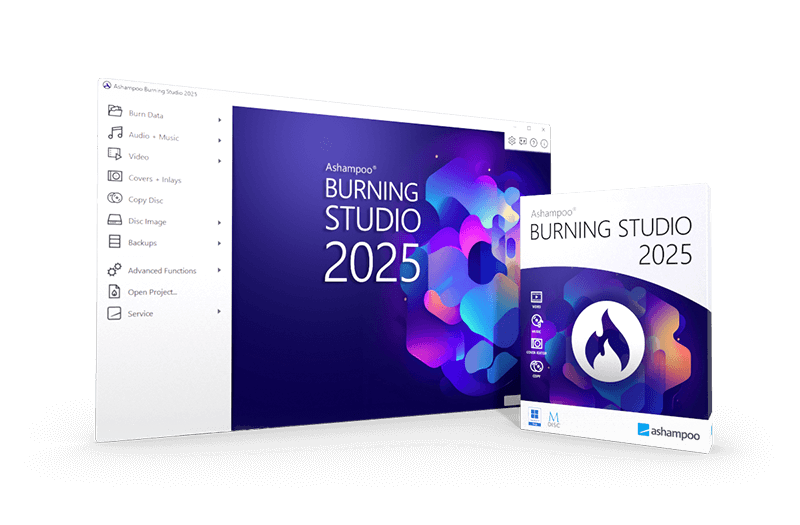
Ashampoo Burning Studio 2025 is a comprehensive utility for writing data, movies, and music to various optical media, including CD, DVD, and high-capacity Blu-ray formats like BDXL. The software facilitates file backups to discs, USB flash drives, or external hard drives, and includes a dedicated function for securing data from mobile devices and tablets.
The application provides several advanced management tools for complex projects:
- Disc Spanning: Automatically distributes large datasets across multiple discs to maximize storage efficiency and facilitate easy restoration.
- Media Ripping: Extracts audio from CDs with automated track identification, playlist creation, and CD-text support for metadata.
- Disc Images: Allows users to create, browse, and preview standard image formats such as ISO or CUE/BIN.
- Scratch Protection: Employs technology that ensures data remains readable even if the physical disc surface suffers minor damage.
- Design Suite: Includes an integrated, user-friendly editor for creating custom covers and cases.
The 2025 version focuses on reliability and media compatibility. It supports high-security disc burning for sensitive information and provides seamless disc-to-disc copying. Users can also utilize the software to manage disc images with full preview capabilities. The software is engineered to handle everything from routine data archiving to specialized multimedia production without unnecessary complexity.
Top 5 Reasons To Download Ashampoo Burning Studio 2025
If you have been around the tech world for any length of time, you know that trends come and go. We went from floppy disks to CDs, from DVDs to Blu-rays, and eventually, everyone told us that the "Cloud" was the final destination for all our data. But as any seasoned tech enthusiast will tell you, relying 100% on the cloud is a gamble. Servers go down, subscription prices hike up, and privacy can be a major concern. That is why having a physical, tangible backup of your most precious data is not just a legacy habit—it is a smart, modern strategy. Enter Ashampoo Burning Studio 2025, a powerhouse of a utility that proves disc-burning software is more relevant today than ever before. This is not just a tool; it is a full-fledged digital archiving suite. Here are the top five reasons why you need to jump on this giveaway right now:
- Universal Media Support and Versatility: From standard CDs to high-capacity BDXL discs, it handles every format with professional-grade precision.
- Next-Gen Data Protection and Scratch Resistance: Innovative technology ensures your data remains readable even if the physical disc suffers minor damage.
- Comprehensive Backup Solutions: Beyond discs, it offers seamless backup options for mobile devices, USB drives, and external hard drives.
- High-Fidelity Audio Ripping and Organization: Automatically identifies tracks, reads CD-text, and creates perfectly ordered playlists during the ripping process.
- Professional Creative Tools: Built-in features for designing custom covers, cases, and booklets, alongside advanced disc imaging capabilities like ISO and CUE/BIN support.
1. Universal Media Support and Versatility
In the world of tech reviews, we often talk about the "all-in-one" solution, but few programs actually live up to that title as well as Ashampoo Burning Studio 2025. When you download this software, you are not just getting a simple "burner." You are getting a tool that is compatible with every major disc format currently available on the market. Whether you are looking to burn a simple audio CD for an older car stereo, a DVD for a family movie night, or a massive 100GB BDXL Blu-ray for long-term data cold storage, this app handles it with ease.
The beauty of the 2025 version lies in its efficiency. It does not matter if you are working with movies, music, or raw data files; the software optimizes the burning process based on the media you are using. For those of us who deal with massive file libraries, the "Disc Spanning" feature is a total game-changer. Imagine you have a 50GB folder of high-resolution RAW photos, but you only have standard 4.7GB DVDs on hand. Instead of manually trying to figure out which folders fit on which disc, Ashampoo Burning Studio 2025 automatically distributes the data across multiple discs. It even provides an easy way to restore that data later. This level of versatility ensures that no matter what hardware you have, your software will never be the bottleneck.
Furthermore, the software supports high-security discs. In an era where data theft and privacy breaches are common, being able to burn encrypted, password-protected discs is an essential layer of security for sensitive documents. The software's ability to handle these complex tasks while maintaining a clean, user-friendly interface is exactly why it stands out in a crowded market.
2. Next-Gen Data Protection and Scratch Resistance
One of the biggest arguments against physical media in the past was its fragility. We have all been there: you pull out an old disc only to find a tiny scratch has made the entire thing unreadable. This is where Ashampoo Burning Studio 2025 really shows its technical muscle. It includes a specialized "scratch protection" function that is designed for the long haul. This feature allows you to burn data in a way that remains readable even if the surface of the disc becomes damaged over time.
How does it do this? By creating multiple copies of the data across the disc's surface along with emergency recovery information. It is essentially an insurance policy for your files. If you are archiving something irreplaceable—like your child's first steps or your tax records from the last decade—this feature alone makes the software a mandatory download. You can rest easy knowing that a minor mishap won't result in a total loss of information.
But the protection doesn't stop at physical discs. The 2025 version includes a robust backup module that extends to your modern hardware. You can secure files on USB drives or external hard drives with just a few clicks. The software is designed to be a central hub for all your "safety copies," bridging the gap between old-school physical media and modern external storage. In my experience as a reviewer, finding a tool that treats disc burning and USB backups with the same level of professional care is incredibly rare.
3. Comprehensive Backup Solutions
Let’s talk about the modern user's biggest headache: mobile device storage. We are constantly running out of space on our smartphones and tablets because of high-definition videos and thousands of photos. Ashampoo Burning Studio 2025 addresses this by offering a one-click backup solution for mobile devices. You can quickly offload your media from your phone or tablet directly to a secure backup on a disc or external drive. This keeps your mobile devices running fast and your memories safe from accidental deletion or device failure.
The backup feature is intelligently designed to be as "set it and forget it" as possible. It is not just about moving files; it is about organizing them. When you are performing backups, the software helps you categorize and manage your archives so that when you actually need to find a specific document two years from now, you aren't digging through a digital haystack. It supports scheduled backups and incremental updates, ensuring that your archives are always current without requiring you to manually restart the process every single time.
For power users, the ability to back up entire folders or partitions is a massive benefit. If you are a freelancer or a creative professional, you know that a hard drive failure can be a career-ending event. By using the backup tools within Ashampoo Burning Studio 2025, you are creating a redundant system that follows the 3-2-1 backup rule (three copies of your data, on two different media, with one offsite). This software makes following that golden rule of data safety incredibly simple.
4. High-Fidelity Audio Ripping and Organization
If you are an audiophile, you know that not all ripping software is created equal. Many generic tools compress the audio or fail to capture the metadata correctly, leaving you with a library of "Track 01" and "Unknown Artist." Ashampoo Burning Studio 2025 treats your music collection with the respect it deserves. The CD ripping process is fast, efficient, and—most importantly—accurate. It automatically identifies the tracks and names them for you, saving you hours of tedious typing.
The latest version takes it a step further by reading CD-text data whenever it is available. This means that even if you are ripping an obscure indie album, the software has a much higher chance of pulling the correct artist and title information directly from the disc itself. During the ripping process, it can also automatically create playlists. This is a subtle but vital feature; it ensures that when you move your music to your digital player or phone, the songs play in the intended order rather than just alphabetically.
Beyond ripping, the software is a master at creating music discs. Whether you want to make an MP3 or WMA disc for a long road trip or a high-quality audio CD that sounds perfect on a high-end stereo system, the software provides the tools to do it. It even includes features to equalize and "normalize" the volume of different tracks, so you won't have to constantly reach for the volume knob because one song is significantly louder than the next. It’s these "under the hood" features that truly demonstrate Ashampoo's commitment to quality.
5. Professional Creative Tools
What good is a high-quality backup or a custom music mix if it looks like a generic silver disc in a plain plastic case? Part of the joy of physical media is the presentation, and Ashampoo Burning Studio 2025 excels here. It includes a user-friendly cover and case designer that allows you to create professional-looking artwork in minutes. You don’t need to be a graphic designer to use it; the software provides templates and intuitive tools to help you create custom booklets, tray inserts, and labels.
For the more technical users, the disc imaging features are a standout. The software allows you to create and browse disc images like ISO, CUE/BIN, or ASHDISC. This is perfect for anyone who wants to create a digital "clone" of a software disc or a game for easy mounting later. The built-in image browser even lets you see what is inside an ISO file before you burn it, which is a fantastic time-saver. You can preview the contents, ensure you have the right version, and then proceed with confidence.
The software also simplifies the process of copying discs. If you need a direct 1:1 copy of an existing CD, DVD, or Blu-ray, the "seamless copying" feature handles it without a hitch. It manages the buffer and the data transfer so efficiently that you rarely have to worry about "buffer underrun" errors that used to plague older burning software. From the creative exterior to the technical interior, Ashampoo has thought of every step of the disc creation process.
In conclusion, Ashampoo Burning Studio 2025 is a masterclass in how to modernize a classic utility. It takes the traditional concept of disc burning and elevates it with features that address the modern problems of data safety, mobile device management, and high-fidelity audio organization. In a world where digital subscriptions can be revoked and cloud services can change their terms of service overnight, owning a copy of this software is like giving yourself a permanent, high-tech vault for your digital life.
Final Reviewer Verdict: This is an absolute no-brainer. The combination of "Scratch Protection," mobile backup capabilities, and the robust suite of creative tools makes Ashampoo Burning Studio 2025 an essential part of any tech-savvy user's toolkit. Do not miss out on this giveaway—this is the kind of software that you might not think you need today, but you will be incredibly thankful you have it the moment you need to save a precious file or archive a lifetime of memories. Download it, install it, and take control of your data once and for all.

Reviews for Ashampoo Burning Studio 2025
Click Here to Read Reviews for Ashampoo Burning Studio 2025 >> Click Here to Submit Reviews for Ashampoo Burning Studio 2025 >>