What Does CutOut 7 Do?
This software provides a specialized toolkit for image segmentation and the creation of digital photo montages. The primary function involves isolating specific objects or subjects from their original environments with high precision. By utilizing targeted selection tools, users can remove backgrounds and composite the remaining elements into new photographic contexts to produce a seamless final image.
The latest iteration of the software introduces several technical enhancements designed to streamline the compositing workflow and improve edge detection:
- Three individual matting methods: These algorithms are optimized for different subject types, allowing for the accurate extraction of complex edges, such as hair, fur, or transparent materials, depending on the specific theme of the photo.
- Direct background swapping: The interface supports the immediate replacement of background layers, reducing the manual labor involved in layer management and alignment.
- Integrated asset library: The package includes 100 professional-grade background photos, providing immediate assets for users to utilize in their new compositions.
The software aims to produce results where the lighting and edges of the isolated object integrate naturally with the destination background. By automating the more labor-intensive aspects of pixel-level masking, the tool allows for precise cutting and rapid experimentation with creative photo montages. This utility is specifically suited for users who require high-quality object extraction without the complexity of general-purpose image editing suites.
Top 5 Reasons To Download CutOut 7
- Unrivaled Precision for Complex Micro-Details: Capture the finest image details, including hair, fur, and transparent objects, without the frustration of manual selection.
- Three Specialized Matting Methods: Use tailored algorithms designed for different themes and edge types to ensure the perfect cutout every single time.
- Direct Background Swapping: Save hours of workflow time with a new, streamlined system for swapping layers and backgrounds instantly within the interface.
- Built-in Library of 100 Professional Backgrounds: Gain immediate access to a curated collection of high-quality backdrops to jumpstart your creative projects.
- Pro-Level Montages for Everyone: Achieve seamless, realistic results that make your subjects look like they were originally photographed in their new environment, regardless of your skill level.
If you have ever spent hours hunched over your computer, squinting at a screen while trying to trace the fine edges of a subject’s hair or the translucent wings of a dragonfly, you know that photo extraction is the ultimate test of patience. In the world of digital photography and graphic design, the "cutout" is the foundation of creativity. Whether you are a hobbyist looking to place your family in a exotic locale or a professional creating a high-end composite for a client, the quality of your final product lives and dies by the precision of your selection. This is why the latest software giveaway is such a game-changer. It takes the most tedious, difficult part of photo editing and turns it into a streamlined, intelligent process that feels almost like magic.
As a tech reviewer who has tested everything from basic mobile filters to high-end enterprise suites, I have seen many tools try to solve the "cutting out" problem. Most fail because they treat every pixel the same. But this software is different. It understands that a solid edge, like a car door, requires a different mathematical approach than a soft edge, like a woolen sweater or a puff of smoke. By downloading this giveaway, you aren't just getting another tool; you are getting a specialized engine designed specifically for the art of the montage. Let’s dive deep into the five reasons why this is a mandatory addition to your digital toolkit.
1. Unrivaled Precision for Complex Micro-Details
The most common giveaway of a poorly edited photo is the "halo" effect. You’ve seen it before: a person is cut out of one photo and placed into another, but they are surrounded by a thin, distracting line of the previous background. Or even worse, their hair looks like a solid block of plastic because the software couldn't distinguish between the strands and the sky behind them. This software solves that problem by focusing on finest image details.
When we talk about precision, we are talking about the ability to handle micro-details. The algorithm used here is designed to look at the transition of colors at a granular level. It understands the concept of transparency. If you are cutting out a glass of water, you don't just want the shape of the glass; you want the way the light passes through it. This software allows you to maintain those delicate details, ensuring that when you place your object into a new scene, it doesn't just sit on top of the image—it integrates with it. This level of detail used to require hours of manual work with a pen tool, but now, it is accessible with just a few clicks. For anyone who values the professional look of their work, this feature alone makes the download worthwhile.
Imagine being able to take a portrait of someone in front of a busy, cluttered street and, within minutes, have them perfectly extracted—down to the last stray hair—ready to be placed in a serene studio setting. That is the power of precision. It removes the technical barriers between your imagination and the final image. You no longer have to avoid certain photos because they are "too hard to cut out." With this tool, everything is fair game.
2. Three Specialized Matting Methods
In the world of photo editing, there is no such thing as a "one-size-fits-all" solution. A landscape photographer has different needs than a product photographer. This is why the inclusion of three individual matting methods is such a brilliant addition to this software. Instead of forcing a single algorithm to try and handle every possible scenario, the software gives you the power to choose the right tool for the specific theme of your photo.
The first method is typically optimized for chroma-key style extractions, where you have a relatively uniform background. This is the fastest way to work and yields incredibly clean results for studio shots. The second method focuses on edge-based selection, which is perfect for objects with well-defined borders like buildings, vehicles, or furniture. The third method is the "secret sauce"—a detail-based matting method that is specifically tuned for those nightmare scenarios involving complex textures like fur, feathers, and foliage.
By having these three distinct paths, the software ensures that you aren't fighting against the tool. If one method doesn't give you the perfect result, you can instantly try another. This flexibility is what separates professional-grade software from the basic "remove background" buttons you find on free websites. It gives the user control while still doing the heavy lifting behind the scenes. It's about working smarter, not harder, and these three methods are the key to that efficiency.
3. Direct Background Swapping
Workflow is everything. If a piece of software is powerful but clunky to use, it eventually ends up gathering digital dust in your applications folder. The developers of this tool clearly understood this, which is why the new direct background swapping feature is a highlight of this version. In older versions or in competing software, you often have to export your cutout as a transparent PNG, open another program, import your new background, and then manually align the layers. It’s a multi-step process that breaks your creative flow.
With this giveaway, the process is contained within a single, elegant interface. Once you have made your selection, you can swap the background layers directly. This allows for instantaneous experimentation. You can try out ten different backgrounds in the time it used to take to do one. Does the subject look better in a forest? How about a minimalist office? Or perhaps a dramatic sunset? You can flip through these options and see the result in real-time.
This "live" feel to the editing process is essential for creative photo montage. It allows you to see how the colors and lighting of the background interact with your subject. If something looks slightly off, you can adjust your cutout or try a different background without ever leaving the workspace. It turns photo editing from a chore into an iterative, playful process. For the professional, this saves time. For the amateur, it makes the learning curve much less daunting.
4. A Massive Library of 100 Professional Backgrounds Included
One of the biggest hurdles in creating a convincing photo montage is actually finding a high-quality background to use. You can have the perfect cutout of a person, but if you place them into a low-resolution, poorly lit stock photo, the whole illusion is ruined. Finding the right background often involves spending hours on stock photo websites or paying high licensing fees. This is why the inclusion of 100 professional background photos in this giveaway is such a massive value-add.
These aren't just random snapshots; they are professionally shot and curated images designed specifically for use in montages. They cover a wide range of themes, from industrial settings and modern interiors to lush natural landscapes and abstract textures. Having this library built directly into the package means you can start creating the moment you finish the installation. You don't need to go searching for assets; the assets are already there, waiting for your subjects.
This library also serves as a great source of inspiration. Sometimes you might have a great photo of a subject but no idea what to do with it. Scrolling through these 100 backgrounds can spark an idea for a creative project you hadn't even considered. It’s a complete "montage-in-a-box" solution. When you combine this with the direct swapping feature mentioned earlier, you have a powerhouse of creative potential that is ready to go from second one.
5. The Ultimate Tool for Creative Freedom and Professional Results
The final reason to download this giveaway is more holistic: it provides a level of creative freedom that is rarely found in software that is this easy to use. The ultimate goal of any photo montage is to make it look as if you photographed your object in front of this background. Achieving that "in-camera" look is the holy grail of digital editing. It requires perfect edges, perfect blending, and perfect composition.
This software empowers you to reach that goal without needing a degree in graphic design. By automating the most difficult parts of the process—the cutting and the matting—it frees up your brain to focus on the artistic side of the montage. You can spend more time thinking about lighting, shadows, and perspective, and less time clicking on individual pixels. This software bridges the gap between the vision in your head and the image on your screen.
Furthermore, because this is a giveaway, you are getting professional-grade technology at no cost. In the tech world, we often talk about the "democratization of tools." This software is a perfect example of that. It takes high-end features that were once the exclusive domain of expensive Hollywood VFX houses or elite ad agencies and puts them in the hands of everyday users. Whether you are creating a funny meme for your friends, a polished post for social media, or a piece of digital art for your home, this tool ensures the quality is top-notch. It removes the "amateurish" look from your projects and replaces it with a clean, professional finish that will have people asking, "Wait, how did you take that photo?"
In conclusion, there is no reason to let this opportunity pass you by. The ability to handle the finest image details, the flexibility of three matting methods, the efficiency of direct layer swapping, and the wealth of professional backgrounds all combine to make this a must-have application. Photo editing should be fun, and it should be rewarding. By removing the primary source of frustration in the montage process—the cutout—this software makes that possible. Download it today, explore the features, and start transforming your photo collection into a series of stunning, professional-grade masterpieces. You will be amazed at what you can create when the technical hurdles are finally out of your way.
The world of digital imagery is constantly evolving, but the need for clean, precise extractions remains a constant. Don't settle for "good enough" selections that leave your images looking flat and artificial. Give your photos the treatment they deserve with a tool that respects the details as much as you do. This giveaway is your ticket to a higher standard of creative work, and once you’ve experienced the ease of use and the quality of the results, you’ll wonder how you ever managed without it. Download it now and start your journey toward becoming a master of the photo montage!

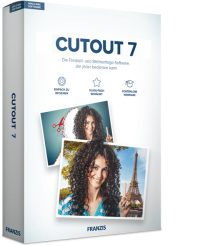

Reviews for CutOut 7
Click Here to Read Reviews for CutOut 7 >> Click Here to Submit Reviews for CutOut 7 >>