What Does CutOut 8 Do?
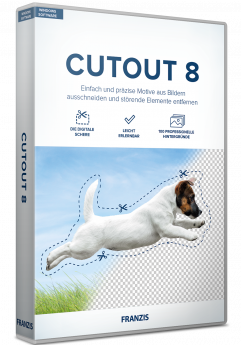
CutOut 7 is a specialized image editing utility designed for precise object extraction and digital compositing. The software focuses on the "matting" process, allowing users to isolate complex subjects—such as hair, fur, or translucent materials—from their original backgrounds with high accuracy. By identifying edge contrast and color values, the tool enables the creation of photo montages where objects are transposed onto entirely different environments.
This version introduces direct background layer swapping, streamlining the workflow for users who perform sky replacements or studio-to-lifestyle transitions. The software provides three distinct matting methods, each optimized for different visual themes and edge complexities. This technical approach ensures that fine details remain intact during the selection process, reducing the necessity for manual pixel-level correction.
In addition to its extraction tools, the package includes a library of 100 professional background images. These assets serve as ready-to-use environments for subjects once they have been isolated. The application aims to facilitate a seamless visual integration between the foreground object and the new background layer, mimicking the appearance of a single, original exposure. The interface is designed to handle both simple product cutouts and more intricate creative compositions.
Top 5 Reasons To Download CutOut 8
- Unrivaled Precision in Object Extraction: Achieve pixel-perfect accuracy even with the most complex subjects like hair, fur, and translucent fabrics.
- Simplified Background Swapping: The new direct layer swapping functionality eliminates the tedious steps usually required to merge subjects into new environments.
- Three Specialized Matting Methods: Use tailored algorithms for different photographic themes to ensure the software always uses the best math for your specific image.
- Huge Instant Asset Library: Gain immediate access to 100 professional-grade background photos to kickstart your creative projects without searching for stock images.
- Professional Results for Everyone: This software bridges the gap between amateur snapshots and high-end commercial montages through an intuitive, streamlined workflow.
1. Unrivaled Precision in Object Extraction
If you have ever spent hours in a standard photo editor trying to trace the outline of a person’s head, you know the absolute nightmare that is stray hairs. It is the ultimate test for any photo editor. Most basic tools leave you with a "halo" effect or jagged edges that immediately scream "this is a fake photo." This software, however, is built specifically to tackle the most intricate details that usually drive designers crazy. When we talk about "finest image details," we are talking about the micro-level nuances that separate a hobbyist project from a professional masterpiece.
The cutting engine behind this giveaway is designed to recognize the difference between the subject and the background at a granular level. Whether you are dealing with a model with flowing hair, a pet with fluffy fur, or even complex objects like a glass vase or a bicycle with thin spokes, the precision is breathtaking. It uses advanced edge detection that understands transparency and soft edges. In the world of digital photography, this is often referred to as "masking," and it is usually the most difficult skill to master. This software automates that difficulty, giving you the power of a pro with just a few clicks.
By downloading this tool, you are essentially skipping the years of practice required to master the "Pen Tool" in expensive subscription-based software. You can zoom in at 400% and see that the software has successfully navigated the tiny gaps between a bride's lace veil or the subtle semi-transparency of a wine glass. This level of detail ensures that when you place your subject into a new scene, it doesn't just sit "on top" of the background; it looks as if it were actually there when the shutter clicked. This precision is the foundation of believable creative photo montage work.
2. Simplified Background Swapping
The workflow of a traditional photo montage usually involves multiple steps: cutting the object, saving it as a transparent file, opening a new background, importing the object, and then resizing it. This software revolutionizes that process with its new direct background layer swapping. It is a game-changer for anyone who values their time. The interface allows you to toggle backgrounds instantly, seeing how your cut-out subject interacts with different colors, lighting, and textures in real-time.
This "direct swapping" isn't just about speed; it is about creative flow. When you can see your subject against a dozen different backgrounds in sixty seconds, you are more likely to experiment and find a visual combination that you never would have thought of otherwise. Perhaps that portrait of your friend looks better in a gritty urban alleyway than a sunny park? With this tool, you can test that theory instantly. The software handles the layering logic for you, ensuring that the subject remains the focus while the background serves its purpose.
Furthermore, the direct swap feature is integrated with the software's lighting adjustment tools. One of the biggest giveaways of a photo montage is when the lighting on the subject doesn't match the lighting of the background. Because this software treats the background and the subject as integrated layers, you can make adjustments to ensure the shadows and highlights align. This creates a cohesive image that looks natural. If you are a social media influencer, a small business owner, or just a family historian, the ability to quickly swap a boring backyard for a majestic mountain range—and have it look real—is an incredible asset to have in your digital toolkit.
3. Three Specialized Matting Methods
Not all photos are created equal, and this software recognizes that by offering three individual matting methods. In many other photo editing applications, you are stuck with a "one size fits all" approach to cutting out objects. This often fails because the algorithm that works for a solid-edged car might not work for a wispy cloud or a person wearing a fuzzy sweater. By providing three distinct methods, this software ensures that you have the right tool for every specific theme.
The first method is typically optimized for chroma keying or high-contrast backgrounds. If you have a subject against a relatively solid color, this method will fly through the process with lightning speed. The second method focuses on edge-based detection, which is perfect for hard-surface objects like buildings, furniture, or vehicles where clean, sharp lines are the priority. The third method is the "segment-based" or "inside/outside" method, which is the "secret sauce" for complex textures like hair and foliage. You simply indicate roughly what is the foreground and what is the background, and the software's AI does the heavy lifting to find the microscopic border between the two.
Having these three options means you are never at a dead end. If one method doesn't give you the perfect result, you can switch to another without losing your progress. This versatility is usually reserved for high-end "plugin" software that costs hundreds of dollars. Getting this functionality in a single, streamlined package—especially as a giveaway—is a massive win for the user. It empowers you to handle everything from product photography for an e-commerce site to whimsical artistic creations for your personal blog.
4. Huge Instant Asset Library
One of the biggest hurdles in photo montage work isn't just cutting out the object—it's finding a high-quality background to put it in. Most people end up scouring the internet for hours, trying to find a high-resolution image that isn't watermarked or low-quality. This software solves that problem immediately by including 100 professional background photos right out of the box. These aren't just random snapshots; they are curated, high-resolution professional images designed specifically for compositing.
The library includes a wide variety of themes, from breathtaking landscapes and architectural marvels to studio settings and abstract textures. This means that as soon as you finish cutting out your subject, you have a "wardrobe" of 100 different environments to try on. It’s like having a professional photography studio and a travel ticket around the world built directly into your computer. For those who do commercial work, this library alone is worth the download, as it provides royalty-free options that can be used to enhance any project.
Think about the possibilities: you take a photo of your child in the living room, and within minutes, you’ve used the precision cutting tool to lift them out of the clutter and place them on a professional studio background or a fairytale forest. Or, you take a photo of a product you want to sell, and you swap your kitchen counter for a clean, minimalist professional backdrop. The inclusion of these assets makes the software a complete creative suite rather than just a utility tool. It provides both the "scissors" and the "canvas."
5. Professional Results for Everyone
The final, and perhaps most compelling, reason to download this giveaway is the democratization of professional-grade editing. For a long time, the ability to create seamless photo montages was a "dark art" known only to professional retouchers who spent years learning expensive, complicated software suites. This app changes the narrative. It is designed with a user interface that prioritizes intuition over complexity. You don't need to know what "alpha channels" or "vector masks" are to get professional results.
The software is built for the user who wants to spend their time creating, not troubleshooting. Every feature is aimed at making the "perfect photo montage" accessible. The "few mouse clicks" promise isn't just marketing speak; it's the core philosophy of the program. Because the software handles the complex mathematics of pixel blending and edge refinement in the background, you are free to focus on the artistic side of the project. You can concentrate on composition, color matching, and storytelling.
In today's visual-heavy world, the ability to produce high-quality imagery is more important than ever. Whether you are building a brand, growing a social media presence, or simply preserving family memories, the quality of your photos says a lot about your attention to detail. This software gives you a competitive edge. It allows you to produce images that look like they were shot by a professional photographer with a full crew and a massive budget. Downloading this giveaway isn't just about getting a new app; it's about unlocking a level of creative potential that was previously out of reach for the average user.
Conclusion: Why You Need to Act Now
We see a lot of software giveaways, but few offer this specific combination of power and simplicity. Most free tools are either too basic to be useful or so complicated that you give up after ten minutes. This software hits the "sweet spot." It addresses the most difficult task in photo editing—precise cutting—and makes it look easy. With the added value of the 100 professional backgrounds and the new layer-swapping features, it is a comprehensive solution for anyone interested in digital photography.
Imagine the time you will save. Think about the frustration you will avoid. Instead of fighting with your software, you will be playing with it. You will find yourself looking through your old photo archives, seeing new potential in images you previously thought were "ruined" by a bad background or a distracting element. You can rescue those photos, breathe new life into them, and create something entirely new. This is the essence of creative freedom.
Do not let this opportunity pass you by. High-quality matting and cutting software is a staple in any serious creator's arsenal. Whether you use it once a week for fun or every day for work, the value it provides is immense. The "perfect photo montage" is no longer a dream reserved for the pros—it is a reality that is just a download away. Get your hands on these professional tools today and start seeing your photos in a whole new light. Your creative journey deserves the finest image details and precise cutting that only a specialized tool like this can provide.
In summary, this software isn't just a utility; it's a bridge to a higher level of digital artistry. By simplifying the most tedious parts of the editing process, it allows your imagination to take the lead. From the three individual matting methods to the 100 professional backgrounds, every aspect of this package is designed to help you succeed. Download it, install it, and start creating "perfect photo montages" today. You will wonder how you ever managed without it.

Reviews for CutOut 8
Click Here to Read Reviews for CutOut 8 >> Click Here to Submit Reviews for CutOut 8 >>