What Does DoYourData File Eraser Do?
Standard data deletion methods, such as emptying a Recycle Bin or formatting a partition, do not physically remove information from storage media. These actions merely mark the disk sectors as available for new data, leaving the original files accessible to data recovery software. DoYourData File Eraser is a specialized security tool designed to bridge this gap by permanently destroying targeted digital information.
The utility provides users with the ability to securely shred individual files and entire folders. It is compatible with a wide range of hardware, including:
- Internal PC hard drives and SSDs.
- USB flash drives and thumb drives.
- External hard drives and memory cards.
- Digital cameras and other portable storage.
The software utilizes advanced overwriting algorithms to ensure that once information is wiped, it is unrecoverable. This process replaces the original data bits with random information, neutralizing the effectiveness of forensic recovery tools. Users can employ this service to clean sensitive financial records, private documents, or personal data before selling a device or repurposing a drive. By selecting specific items for erasure, the tool ensures that only the intended files are destroyed while the rest of the storage remains intact. The primary function is to provide a secure method for file disposal where standard operating system commands are insufficient.
Top 5 Reasons To Download DoYourData File Eraser
Before we dive into the nitty-gritty of digital security, let’s look at the core reasons why you need to stop what you are doing and download this tool right now. If you value your privacy, your identity, and your peace of mind, these five points are the absolute highlights of what DoYourData File Eraser brings to your digital arsenal:
- Absolute Data Irrecoverability: Unlike standard deletion, this software ensures that once a file is gone, it is gone forever, even from the most advanced forensic recovery tools.
- Universal Media Support: Whether it is your internal PC hard drive, an external SSD, a USB flash drive, or a camera’s SD card, this tool handles them all with ease.
- Certified Erasing Algorithms: The software utilizes industry-standard overwriting methods, including military-grade standards, to ensure your data is overwritten multiple times.
- Streamlined User Experience: You do not need to be an IT professional to use this; the interface is designed for quick, efficient, and intuitive file shredding.
- Total Privacy Protection for Resale: It is the ultimate tool for anyone looking to sell, donate, or recycle their old hardware without risking their personal information falling into the wrong hands.
Now, let’s take a deep dive into why these reasons matter and why DoYourData File Eraser is a non-negotiable addition to your software library.
Reason 1: The Illusion of Deletion and the Reality of Irrecoverability
We have all been there. You select a sensitive file—perhaps a scan of your passport, a tax document, or a private photo—and you hit "Delete." You might even go the extra mile and empty the Recycle Bin. You think the data is gone. As a tech reviewer, I am here to tell you: it is not. When you delete a file in Windows or macOS, the operating system simply removes the "pointer" to that data and marks the space as available for new information. The actual bits and bytes of your file remain on the disk until they are eventually overwritten by something else. This could take days, months, or even years depending on your usage.
This is where data recovery software comes in. There are dozens of tools out there specifically designed to find these "ghost" files and bring them back to life. For a cybercriminal or a curious buyer of your old hardware, recovering your "deleted" files is often as easy as clicking a single button. This is why you need a dedicated file eraser. DoYourData File Eraser does not just remove the pointer; it destroys the data itself. It goes into the sectors of your drive and replaces your sensitive information with random binary junk. By the time the software is finished, there is nothing left for recovery tools to find. This level of irrecoverable destruction is the only way to be 100% sure that your private life stays private.
Imagine the peace of mind knowing that your most sensitive financial records aren't just hidden, but have been physically scrubbed from existence. This isn't just about being paranoid; it is about modern digital hygiene. In an age where data breaches are common, taking control of your own local data security is the first line of defense.
Reason 2: One Tool for Every Storage Device You Own
One of the biggest frustrations with security software is when it only works on specific types of hardware. You might find a tool that works great for your internal C: drive but refuses to acknowledge your external Western Digital backup drive or your SanDisk USB stick. DoYourData File Eraser breaks down those barriers. It is designed to be a universal solution for all your media storage devices.
Think about all the places your data lives. It is on your laptop’s SSD, sure. But it is also on that thumb drive you used to move files to the office. It is on the microSD card in your dashcam or your digital camera. It is on the old external hard drive sitting in your desk drawer. Each of these devices is a potential leak point for your personal information. This software allows you to target files and folders across all these platforms. If your computer can see the drive, DoYourData File Eraser can clean it.
This versatility is especially important for people who deal with a lot of removable media. If you are a photographer, a videographer, or a student constantly swapping files via USB, you are leaving digital footprints everywhere. Being able to plug in any device and securely erase specific folders without having to format the entire drive is a massive workflow advantage. It gives you surgical precision over your data destruction across your entire hardware ecosystem.
Reason 3: Military-Grade Standards at Your Fingertips
You might be wondering, "How exactly does it erase the data?" This is where the tech gets really interesting. DoYourData File Eraser doesn't just write a bunch of zeros over your file and call it a day. While that might stop a casual snooper, professional data recovery experts can sometimes use magnetic force microscopy to see what was on a disk even after a single pass of overwriting. To combat this, the software employs Certified Erasing Algorithms.
We are talking about standards like DoD 5220.22-M (the U.S. Department of Defense standard), the Peter Gutmann method (which uses 35 passes of overwriting), and HMG Infosec. These are the same protocols used by government agencies and top-tier corporations to ensure their secrets never leak. When you use these algorithms, the software writes multiple layers of random data over your original file, effectively "shredding" the digital fibers of the information.
Having access to these professional-grade tools in a consumer-friendly package is a huge win. You don't need a degree in computer science to implement high-level security. You simply choose the level of "destruction" you want, and the software handles the complex math and disk-writing procedures in the background. It is like having a professional-grade paper shredder, but for your hard drive.
Reason 4: An Interface That Respects Your Time
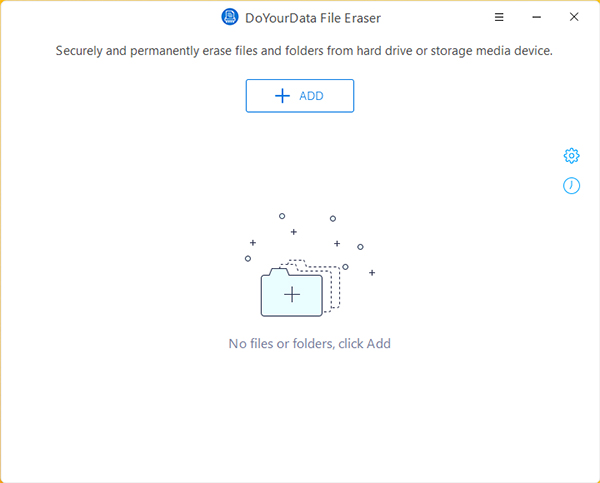
Let's be honest: most security software is ugly, clunky, and confusing. If a tool is too hard to use, people simply won't use it, which defeats the purpose of having it in the first place. One of the standout features of DoYourData File Eraser is its user-friendly interface. From the moment you launch the application, it is clear exactly what you need to do.
The software typically offers a few straightforward modes. You can select specific files and folders to erase, which is perfect for daily maintenance. If you have a folder of old bank statements, you just drag, drop, and click "Erase." There is no guesswork involved. The layout is clean, the buttons are clearly labeled, and the progress bars give you a real-time look at how much of your data has been pulverized.
For those who want even more convenience, the software often integrates directly into your workflow. It allows you to maintain a clean digital environment without it feeling like a chore. Efficiency is key in tech, and this tool understands that your time is valuable. It performs the complex task of secure overwriting quickly, allowing you to get back to your work (or play) knowing that your background security is being handled by a pro.
Reason 5: The Ultimate Safeguard for Resale and Disposal
We are living in a "cycle-and-replace" culture. Every year or two, many of us upgrade our laptops, buy larger external hard drives, or get faster USB 3.2 sticks. But what happens to the old ones? Maybe you sell them on an online marketplace, donate them to a local school, or give them to a friend. If you haven't used a tool like DoYourData File Eraser, you are essentially giving away your identity along with the hardware.
Think about what is on your computer right now: your browser's saved passwords, your "Auto-fill" data, your chat logs, your private emails, and perhaps even your saved credit card information. Even if you "reset" Windows, a dedicated person can still dig up remnants of your old life. This is the single biggest reason to download this giveaway. Before you let a piece of hardware leave your possession, you need to run it through a secure erasure process.
This software acts as your final "check-out" procedure. It ensures that when the next owner boots up that computer or plugs in that USB drive, they are seeing a truly blank slate. It protects you from identity theft, which can take years and thousands of dollars to resolve. It protects your employer from corporate espionage if you are disposing of a work-related device. In the context of a giveaway, getting this level of protection for free is an absolute "no-brainer." It is an investment in your future security that costs you nothing but a few minutes of download time.
The Science of Secure Erasing: Why You Can't Rely on "Format"
I want to take a moment to explain a common misconception. Many users think that "Formatting" a drive is the same as erasing it. When you perform a "Quick Format" in Windows, you are essentially just deleting the file system's table of contents. The book (your data) is still there; you just removed the index. Even a "Full Format" doesn't always overwrite every sector with the level of randomness required to defeat modern recovery software.
DoYourData File Eraser is specifically engineered to go deeper than a standard OS format. It targets the physical sectors on the disk. This is especially important for SSDs (Solid State Drives). SSDs manage data differently than old-school HDDs (Hard Disk Drives) through a process called "wear leveling." This means that data can be scattered in ways that make traditional deletion even more unreliable. You need a tool that understands these storage architectures and can effectively communicate with the drive controller to ensure the data is truly gone. This software provides that specialized touch.
Who Is This Software For?
While I believe everyone should have this tool, there are specific groups of people who will find it absolutely indispensable:
- Freelancers and Professionals: If you handle client data, NDAs, or proprietary designs, you have a legal and ethical obligation to ensure that data is destroyed when it is no longer needed.
- Students: You are likely constantly sharing drives and using public computers. Keeping a portable version of a file eraser can help you clean up your tracks on shared machines.
- Parents: Protect your family's privacy. When you pass down an old tablet or laptop to your kids, make sure your old tax returns and personal emails aren't still buried in the drive's memory.
- Tech Enthusiasts: If you are someone who constantly benchmarks new drives and sells the old ones, this is a core part of your toolkit.
The Psychological Benefit: Digital Peace of Mind
There is a weight that comes with digital clutter—specifically, the "dangerous" kind of clutter. Knowing that you have old, sensitive files floating around on various devices can be a source of low-level anxiety. By using DoYourData File Eraser, you are practicing proactive privacy. There is a profound sense of relief that comes from knowing your "deleted" files are actually, finally, and permanently gone.
In my years of reviewing tech, I have seen countless people lose their data, but I have also seen the devastating effects of people unintentionally sharing their data. Identity theft is not just a buzzword; it is a reality for millions. Tools like this are the "deadbolts" on your digital doors. You wouldn't leave your front door wide open when you move out of a house, so why would you leave your digital life open when you move on from a piece of hardware?
Final Thoughts: Why Grab This Giveaway Now?
Opportunities to secure premium security software for free do not come around every day. DoYourData File Eraser is a polished, professional, and powerful utility that addresses a fundamental flaw in how our computers handle data deletion. It bridges the gap between the "Delete" key and actual security.
To summarize, you are getting a tool that provides military-grade data destruction, supports every device you own, utilizes proven algorithms, remains incredibly easy to use, and protects your identity during the resale process. It is a comprehensive package that solves a real-world problem effectively.
Don't wait until you are getting ready to sell your laptop on a Sunday night to realize you need this. Download it now, install it, and make it a part of your regular maintenance routine. Shred those old bank statements, wipe those temporary work files, and clear those private folders. Your future self—the one whose identity hasn't been stolen—will thank you for it. This is a must-have download for any responsible PC user. Get it, use it, and breathe easier.

Reviews for DoYourData File Eraser
Click Here to Read Reviews for DoYourData File Eraser >> Click Here to Submit Reviews for DoYourData File Eraser >>