What Does HDR Projects 10 [with AI] Do?
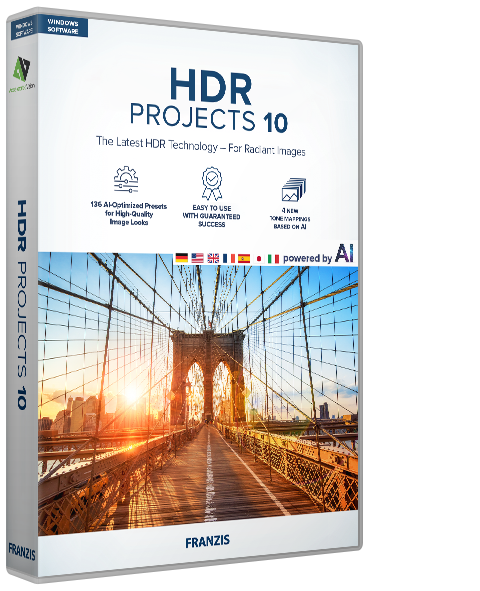
HDR projects 10 is a Windows-based post-processing tool designed to resolve exposure challenges in high-contrast photography. The software specializes in blending overexposed and underexposed areas to recreate scenes that the human eye perceives but traditional camera sensors often fail to capture. At its core, the application uses 136 AI-optimized templates across ten categories to automate the conversion of raw data into balanced images.
The technical suite includes HDR fusion stacking and advanced ghost image correction. These features allow for halo-free results and the removal of artifacts caused by moving objects during exposure sequences. Users can generate automatic exposure series from standard photo files or extract them directly from video footage. For manual control, the software provides a selective editing module and a configurable category bar for workspace customization.
Functional features include:
- AI-Powered Fusion: State-of-the-art tone mapping and fusion processes for natural color transitions.
- Dynamic Sourcing: Automatic creation of exposure series from photos or video files.
- Technical Corrections: Integrated sensor error correction and focus peaking analysis.
- Advanced Stacking: Halo-free fusion technology for clean high-dynamic-range transitions.
- Creative Control: Virtual micro-details, grain modules, and selective editing for precision adjustments.
This software functions as a standalone application, offering professional-grade tools for managing difficult lighting conditions such as sunsets and backlit subjects.
Top 5 Reasons To Download HDR Projects 10 [with AI]
- AI-Powered Precision with 136 Professional Templates: Leverage the power of cutting-edge artificial intelligence to instantly transform flat RAW data into vibrant, perfectly balanced masterpieces across ten distinct categories.
- Halo-Free Fusion Stacking for Flawless Exposures: Achieve technical perfection with state-of-the-art stacking technology that eliminates the "glowing edges" and unnatural artifacts commonly associated with lesser HDR software.
- Intelligent Ghost Image Correction for Moving Subjects: Capture dynamic environments without fear, as the software automatically detects and removes "ghost" silhouettes caused by moving people, vehicles, or foliage during your exposure sequence.
- Revolutionary Video-to-HDR Workflow Integration: Go beyond traditional still photography by creating high-quality exposure series directly from video files, providing unparalleled flexibility in how you source your dynamic range data.
- Granular Creative Control via Selective Editing and Micro-Details: Take total command of your image with professional-grade modules for sensor error correction, focus peaking, and virtual micro-details that add depth and texture far beyond the reach of standard editing tools.
If you have ever spent a golden hour standing in front of a breathtaking sunset, only to look down at your camera screen and see a washed-out sky or a pitch-black foreground, you know the inherent frustration of digital photography. Our eyes are magnificent instruments, capable of seeing incredible detail in both the brightest highlights and the deepest shadows simultaneously. Unfortunately, even the most expensive modern camera sensors still struggle to match the human eye's dynamic range. This is where high-dynamic-range (HDR) photography comes in, and more importantly, this is why HDR projects 10 is the tool you need in your creative arsenal.
As a tech reviewer, I see hundreds of photo editing apps cross my desk. Most of them promise the world but deliver "crunchy," over-processed images that look more like a neon fever dream than a professional photograph. HDR projects 10 is a different beast entirely. It is built for the photographer who demands realism, technical excellence, and a streamlined workflow. This software isn't just about making things brighter; it is about reclaiming the data that your camera failed to capture. In this article, we are going to dive deep into why you absolutely need to download this giveaway and how it will fundamentally change the way you look at difficult lighting.
1. AI-Powered Precision with 136 Professional Templates
Let’s talk about the intelligence behind the image. In the past, HDR editing was a tedious process of sliding bars back and forth, hoping you wouldn’t destroy the color science of your shot. HDR projects 10 flips the script by utilizing 136 AI-optimized image templates. These aren't just simple filters; they are complex algorithms that analyze the luminance and chromatic data of your specific image to apply the best possible tone mapping.
The software categorizes these templates into ten distinct areas, such as Landscape, Architecture, Surreal, and Artistic. This means that whether you are working on a gritty urban street scene or a soft morning mist over a lake, the AI understands the context of the shot. It looks for the subtle transitions in the clouds and the hidden textures in the shadows, ensuring that the final result remains natural. For the professional who is short on time, this is a lifesaver. You can cycle through these templates to find a "look" that works and then fine-tune it from there. It takes the guesswork out of the initial processing phase, giving you a professional-grade starting point in seconds rather than hours.
The tone mapping processes powered by this AI are particularly impressive. Traditional tone mapping often leads to "graying" of the midtones or a loss of saturation in the highlights. The AI-driven engine in this software maintains the integrity of the original colors, ensuring that a sunset remains warm and a blue hour shot remains cool and crisp. It is this level of technical sophistication that separates a hobbyist tool from a professional powerhouse.
2. Halo-Free Fusion Stacking for Flawless Exposures
One of the biggest "tells" of a poorly edited HDR photo is the halo effect. You’ve seen it before: a weird, glowing outline around a building or a tree where it meets the sky. This happens because the software can’t decide how to blend the light from one exposure with the dark of another. It creates a digital seam that ruins the immersion of the photograph. HDR projects 10 solves this with its innovative HDR fusion stacking technology.
The fusion process is designed to be halo-free. It uses advanced mathematical models to ensure that the transition between different exposure levels is seamless. When you stack your images, the software doesn’t just smash them together; it intelligently selects the best pixels from each frame to create a composite that feels organic. This is particularly crucial for architectural photography, where sharp lines and high-contrast edges are everywhere. By eliminating these artifacts, your photos maintain a sense of "believability" that is often lost in the HDR process.
Beyond just stacking, the software includes technical precision tools like sensor error correction and focus peaking analysis. We often forget that our hardware isn't perfect; dust on the sensor or slight focus breathing can ruin a multi-shot sequence. HDR projects 10 identifies these technical flaws and allows you to correct them during the fusion process. This ensures that the final high-resolution output is as clean and sharp as possible, meeting the standards required for large-format printing or high-end digital portfolios.
3. Intelligent Ghost Image Correction for Moving Subjects
The biggest enemy of HDR photography has always been movement. Because HDR typically requires taking three, five, or even seven different photos at different exposure levels, anything that moves between those frames—a car driving by, a bird flying, or even leaves blowing in the wind—will appear as a transparent "ghost" in the final image. Historically, this meant HDR was only viable for perfectly still landscapes or empty interiors.
HDR projects 10 features a smart ghost image correction module that is truly a game-changer. It analyzes the sequence of photos and identifies objects that have changed position. It then allows you to designate a "master" frame for those specific moving parts, blending them perfectly into the high-dynamic-range background. The result is a crisp, sharp subject with no transparency issues, surrounded by a perfectly exposed environment.
This feature opens up a whole new world of creative possibilities. You can now take HDR shots in crowded city squares or during windy days on the coast without worrying about the final image being a messy blur. It gives you the freedom to shoot in the real world, rather than waiting for a perfectly still moment that might never come. For the travel photographer who doesn't always have the luxury of a controlled environment, this feature alone makes the software worth the download.
4. Revolutionary Video-to-HDR Workflow Integration
This is where HDR projects 10 really separates itself from the competition. In a standard workflow, you need to set your camera to "exposure bracketing" and fire off a series of stills. But what if you missed the shot? What if you were filming a cinematic 4K video and realized later that the lighting was spectacular, but the dynamic range was too much for a single frame to handle?
This software allows you to load exposure sequences directly from video files. This is an incredible innovation for the modern hybrid creator. You can pull frames from a high-quality video file and use them to generate a professional HDR image. This allows for a much more fluid way of capturing a scene. Instead of worrying about shutter clicks, you can pan across a landscape in video mode and later extract the perfect moment to process as a high-dynamic-range still.
The versatility doesn't stop there. As a stand-alone version for Windows, it handles the heavy lifting of raw data processing without needing a third-party host. The interface includes a new category bar that allows for individual configuration of editing areas, making the transition from "video source" to "HDR masterpiece" intuitive and fast. Whether you are a dedicated still photographer or a videographer looking to pull high-end stills for marketing or thumbnails, this feature provides a level of flexibility that is rarely seen in the industry.
5. Granular Creative Control via Selective Editing and Micro-Details
While the AI does a fantastic job of the initial heavy lifting, the true professional wants to put their thumbprint on the final image. HDR projects 10 provides an incredible suite of selective editing tools that allow you to apply adjustments only where they are needed. If you want to boost the saturation in just the flowers of a foreground, or increase the sharpness only on the texture of a distant mountain, you can do that with surgical precision.
One of my favorite features in this module is the virtual micro-details and grain module. Digital photos can sometimes look a bit "sterile" or too smooth, especially after aggressive noise reduction. This module allows you to reintroduce a film-like grain or enhance the microscopic textures of a surface—like the bark of a tree or the stone of a cathedral. This adds a sense of "tangibility" and depth to the photo that makes it pop off the screen or the page. It’s about more than just exposure; it’s about the feel of the image.
Furthermore, the software includes a professional sensor polishing tool. Every camera sensor has its quirks, and as we push the limits of dynamic range, those quirks (like noise in the shadows or color casting) can become more apparent. HDR projects 10 provides the tools to "polish" the image at a sensor level, ensuring that the technical foundation of your photo is flawless before you even get to the creative styling. This level of control ensures that you aren't just using a "filter," but are actually engaging in professional-grade digital development.
Final Thoughts: Why You Shouldn't Miss This Giveaway
We live in an era where everyone is a photographer, but very few people have the tools to create images that truly stand out. The difference between a "good" photo and a "breathtaking" one often comes down to how the light is handled. HDR projects 10 is designed to bridge the gap between what your camera sees and what your heart feels when you're standing in that perfect light.
By downloading this giveaway, you aren't just getting another photo editor; you are getting a specialized laboratory for light. You are getting an AI assistant that understands color and composition, a technical engine that eliminates the flaws of traditional HDR, and a creative suite that lets you manipulate the very texture of your images. Whether you're a seasoned pro looking to speed up your workflow or a beginner who is tired of ruined sunset photos, this software provides a professional standard of HDR photography that was previously locked behind expensive subscriptions or overly complex interfaces.
Don't let difficult lighting conditions ruin your creative vision. The world is full of high-contrast beauty, from the neon lights of a rainy city street to the first rays of light hitting a mountain peak. With HDR projects 10, you finally have the power to capture it all. This is a rare opportunity to add a high-end, AI-powered tool to your kit for free. Download it, experiment with the 136 templates, try out the video-to-HDR workflow, and see for yourself how your photography can transcend the limitations of the human eye and the digital sensor alike. Your portfolio—and your creative soul—will thank you.

Reviews for HDR Projects 10 [with AI]
Click Here to Read Reviews for HDR Projects 10 [with AI] >> Click Here to Submit Reviews for HDR Projects 10 [with AI] >>