What Does iBeesoft Data Recovery Do?
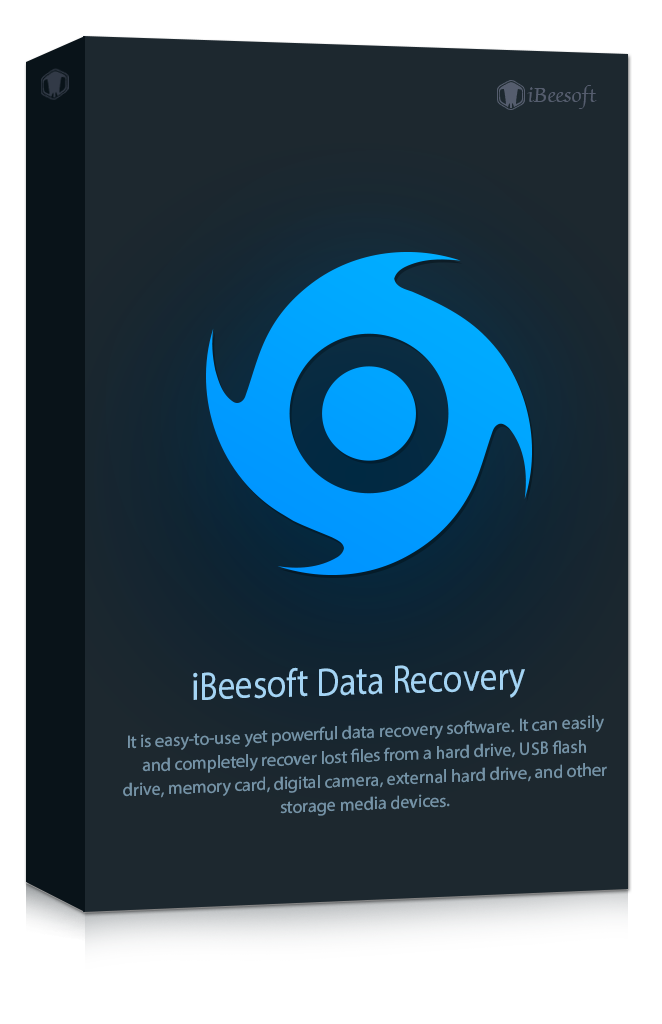
iBeesoft Data Recovery is a comprehensive utility designed to retrieve lost or inaccessible files across various storage scenarios. The software addresses data loss resulting from accidental deletion, disk formatting, partition loss, virus infections, and system crashes. It is compatible with internal HDDs and SSDs, as well as external media such as USB flash drives, memory cards, and digital cameras.
The application features a file explorer-like interface intended to simplify navigation for all user levels. Key technical capabilities include:
- Broad File Support: Compatible with nearly all file types, including documents, photos, videos, and music.
- File Reconstruction: Includes a built-in repair algorithm capable of reconstructing damaged files during the recovery process.
- Accuracy Verification: Provides a pre-recovery preview function for common file types to verify data integrity before restoration.
- Localization: Supports over 20 languages with the ability to switch preferences without restarting the program.
The tool facilitates recovery from emptied Recycle Bins, formatted volumes, and failing hardware. By combining a streamlined user interface with advanced reconstruction algorithms, iBeesoft Data Recovery provides a technical solution for restoring data across diverse storage environments and file loss conditions.
Top 5 Reasons To Download iBeesoft Data Recovery
Before we dive into the nitty-gritty details of why this software is a must-have for your digital arsenal, here are the top five reasons why you should download iBeesoft Data Recovery right now:
- Universal File and Hardware Compatibility: It recovers virtually any file type from almost any storage device.
- Advanced File Repair Technology: It doesn't just find lost files; it actually repairs corrupted ones during the recovery process.
- Zero Learning Curve Interface: Designed like a familiar file explorer, it is accessible to tech novices and pros alike.
- Risk-Free Pre-Recovery Preview: You can see exactly what you are getting back before you commit to the recovery process.
- Global Accessibility: With support for over 20 languages and a lightweight engine, it works seamlessly across different regions and systems.
In the digital age, our lives are stored on silicon and spinning platters. From the precious photos of a child’s first steps to the high-stakes spreadsheets required for a quarterly board meeting, our data is our history, our livelihood, and our memory. But technology is fallible. A misplaced click, a sudden power surge, or a corrupted SD card can wipe away years of work in a heartbeat. This is where iBeesoft Data Recovery steps in as a digital life-saver. As a tech reviewer, I see dozens of recovery utilities every year, but few manage to balance power and simplicity as effectively as this one. If you are looking at this giveaway, you are looking at a premium insurance policy for your data that costs you nothing but a few minutes of your time.
1. Universal File and Hardware Compatibility
One of the most frustrating aspects of data recovery is finding a tool that only works for "some" files. You might find a program that is great at getting back deleted Word documents but fails miserably when it comes to obscure RAW photo formats or specialized video codecs. iBeesoft Data Recovery shatters this limitation. It is built on a comprehensive database of file signatures, allowing it to identify and reconstruct almost every file type imaginable. We are talking about photos, videos, documents, music, archives, and even email attachments.
Whether you are a photographer dealing with proprietary RAW files from a high-end Sony or Canon camera, or a student trying to recover a lost PDF, this software treats every bit of data with the same level of precision. But the compatibility doesn't stop at file types; it extends to the hardware itself. Many modern recovery tools struggle with the nuances of different storage architectures. iBeesoft handles HDD, SSD, external hard drives, USB flash drives, and even those tiny microSD cards used in drones and dashcams.
Think about the sheer variety of devices we use today. You might have an old external drive from five years ago that suddenly won't mount, or a brand-new NVMe SSD that suffered a partition loss. iBeesoft is engineered to communicate with these controllers effectively, bypassing the file system errors that prevent Windows or macOS from seeing the data. It is this "all-in-one" approach that makes it an essential tool. You don't need a separate tool for your camera and another for your PC. This giveaway provides a centralized solution for your entire digital ecosystem.
2. Advanced File Repair Technology
This is the feature that truly separates the "good" recovery tools from the "elite" ones. If you've ever used free recovery software before, you may have experienced the heartbreak of "ghost recovery." This happens when the software tells you it found your lost video or photo, you hit recover, and then you try to open the file only to see an error message saying "File Format Not Supported" or "File is Corrupted."
Data loss isn't always a clean break. Often, when a file is deleted or a drive is formatted, the headers of the files—the "instructions" that tell your computer how to read the data—become damaged. iBeesoft Data Recovery includes a built-in damaged file repair algorithm. During the scanning process, if the software detects that a file is fragmented or has a broken header, it doesn't just ignore it. It attempts to reconstruct the data bits, stitching the file back together so that it is actually usable once it hits your hard drive.
Imagine recovering a video from a corrupted dashcam SD card after an accident. Usually, those files are the first to corrupt because the camera loses power mid-write. iBeesoft’s algorithm can often repair those video frames, giving you the evidence you need. This isn't just data recovery; it's data restoration. By downloading this giveaway, you are getting a sophisticated repair shop for your files, ensuring that what you recover is actually what you can use.
3. Zero Learning Curve Interface
As a reviewer, I often criticize software that is "powerful but unapproachable." If you have to watch a two-hour YouTube tutorial just to understand how to scan a thumb drive, the software has failed you. Data loss is already a high-stress situation; the last thing you need is a complex interface adding to your anxiety. iBeesoft clearly understands the psychology of the user in crisis.
The interface is remarkably clean and follows a file explorer-like logic. If you know how to navigate folders in Windows, you know how to use iBeesoft. When you launch the program, you aren't greeted by a wall of technical jargon or hexadecimal code. Instead, you see a clear list of your drives and common locations like the Desktop or the Recycle Bin. You select the location, click "Scan," and the software does the heavy lifting.
For those who want a bit more control, the detailed configuration instructions are written in plain English, not "tech-speak." It guides you through the difference between a Quick Scan (for recently deleted files) and a Deep Scan (for formatted drives or complex data loss). This transparency empowers the user. You feel like you are in control of the process, rather than being a bystander to a mysterious black-box operation. This ease of use makes it the perfect tool to keep on your system "just in case," because when disaster strikes, you won't have the patience to learn a difficult new system.
4. Risk-Free Pre-Recovery Preview
Efficiency is key when dealing with large amounts of data. If you are scanning a 2TB hard drive that was accidentally formatted, you might find hundreds of thousands of files. You don't want to spend ten hours recovering everything just to find the one specific folder you actually needed. The pre-recovery preview feature is a massive time-saver and a hallmark of professional-grade software.
Once the scan is complete, iBeesoft allows you to browse through the results and actually see the contents of the files. You can look at the photos, read the text in documents, and even listen to snippets of audio files. This serves two vital purposes. First, it confirms the integrity of the file. If you can see the photo in the preview window, it means the software has successfully reconstructed it, and it will be 100% functional upon recovery. Second, it allows for selective recovery. You can check the boxes for only the items you need, saving disk space and hours of transfer time.
This feature takes the guesswork out of the equation. It transforms the recovery process from a "shot in the dark" into a surgical strike. You know exactly what you are getting back, which provides immense peace of mind during a stressful data loss event. In my testing, the preview engine is snappy and supports all the most common file formats, making the post-scan organization a breeze.
5. Global Accessibility and Multilingual Support
In today's interconnected world, software needs to be accessible to everyone, regardless of their primary language. iBeesoft Data Recovery stands out by supporting over 20 languages. This isn't just a gimmick; it's about making sure that in a moment of panic, the user can read instructions and warnings in the language they are most comfortable with. Misinterpreting a "Format" vs. "Scan" prompt because of a language barrier could lead to permanent data loss. By offering a localized experience, iBeesoft minimizes this risk.
What’s even more impressive is the flexibility of the language engine. You can switch languages on the fly within the settings without having to restart the entire program or, worse, re-download a different version. This speaks to the refined coding and architecture of the software. It is a lightweight, efficient application that doesn't hog system resources, making it suitable for older laptops as well as high-end workstations.
Furthermore, the software is designed to handle various file systems used globally, including FAT, exFAT, NTFS, ReFS, APFS, HFS+, and RAW. Whether you are using a drive formatted on a Mac, a PC, or a Linux-based digital camera, iBeesoft understands the underlying language of the storage media. This global compatibility ensures that no matter where you are or what hardware you are using, you have a reliable path back to your lost data.
Conclusion: Why You Should Act Now
We often don't think about data recovery until it is too late. We assume our drives will last forever or that we are too careful to ever hit "Delete" by mistake. But the reality is that data loss is a matter of when, not if. By the time you realize you need a tool like iBeesoft Data Recovery, you might be in a situation where you don't have the time or the mental energy to shop around for a solution.
This giveaway is a rare opportunity to secure a pro-level utility for your toolkit. It combines a sophisticated reconstruction engine with a user interface that anyone can master. It addresses the two biggest fears of data recovery: "Will it find my files?" and "Will the files actually work?" With its advanced repair algorithms and pre-recovery preview, the answer to both is a resounding yes.
iBeesoft Data Recovery isn't just another utility; it’s a safety net. It’s the digital equivalent of a spare tire or a fire extinguisher. You hope you never have to use it, but you'll be incredibly glad it's there when you do. Whether it’s a virus infection that scrambled your partitions, a power outage that corrupted your latest project, or an accidental "Empty Recycle Bin" moment, iBeesoft has the tools to undo the damage. Don't wait for the disaster to happen. Download this giveaway, install it, and rest easy knowing that your digital life is protected by one of the most comprehensive recovery tools on the market today.
In summary, the combination of high-tech repair capabilities, wide-ranging device support, and an intuitive design makes iBeesoft Data Recovery a top-tier choice. It is efficient, reliable, and now, thanks to this giveaway, incredibly accessible. Take advantage of this offer and give yourself the peace of mind that comes with knowing your data is never truly gone.

Reviews for iBeesoft Data Recovery
Click Here to Read Reviews for iBeesoft Data Recovery >> Click Here to Submit Reviews for iBeesoft Data Recovery >>