What Does iCare SD Memory Card Recovery Do?
iCare SD Card Recovery is a specialized utility designed to retrieve lost or inaccessible information from a broad spectrum of flash storage media. Functioning as a read-only tool, the software scans devices without overwriting existing sectors or causing further degradation to the stored data. It is compatible with multiple hardware formats, including SD, MicroSD, SDXC, TF, XD, and CF cards commonly used in smartphones and digital cameras.
The software addresses several common data loss scenarios through its recovery algorithms:
- Accidental Deletion: Restoring files removed by the user.
- Formatting and Resets: Recovering data after a drive format or factory reset.
- System Errors: Handling RAW drive errors, virus attacks, and "card not detected" messages.
- Improper Handling: Retrieving files from cards removed without proper ejection or those reporting denied accessibility.
While the software cannot repair physical hardware failure, it is engineered to extract data from cards that are logically corrupted or inaccessible via standard file explorers. Users can initiate scans to identify and restore document, photo, and video files, provided the storage medium is still recognized by the operating system. This tool serves as a non-destructive solution for salvaging data that would otherwise remain unreachable due to software-level malfunctions.
Top 5 Reasons To Download iCare SD Memory Card Recovery
- Universal Compatibility Across All Memory Card Formats: Whether you use a professional DSLR or a budget smartphone, this software supports everything from SDXC to MicroSD and CF cards.
- Comprehensive Recovery for Complex Data Loss Scenarios: It handles more than just simple deletions, tackling "Raw Drive" errors, accidental formatting, and virus attacks with ease.
- Non-Destructive Read-Only Technology: The software ensures that your lost data remains untouched and uncorrupted during the scanning process by utilizing a strict read-only protocol.
- User-Friendly Interface for Non-Techies: You do not need to be a data forensic expert to use it; the intuitive design guides you through the recovery process in just a few clicks.
- A Cost-Effective Alternative to Professional Services: By downloading this giveaway, you gain a powerful tool that performs the same functions as expensive data recovery labs without the massive price tag.
We have all been there. You are out in the field, capturing the perfect sunset, or perhaps you are at a family wedding recording once-in-a-lifetime moments. You get home, plug your SD card into your computer, and a terrifying message pops up: "The disk in drive is not formatted. Do you want to format it now?" Or worse, the card simply does not show up at all. The panic that follows is real. Your photos, your documents, and your memories seem to have vanished into the digital void. This is precisely why having a reliable data recovery tool in your digital arsenal is not just a luxury—it is a necessity. Today, we are looking at iCare SD Card Recovery, and I am going to explain why this specific giveaway is something you absolutely need to download right now.
1. Universal Compatibility Across All Memory Card Formats
One of the most frustrating aspects of modern technology is the sheer variety of storage formats. If you are a tech enthusiast, you likely own a dozen different devices, each using a slightly different type of flash memory. Your high-end camera might use a CF (CompactFlash) card or an SDXC card for high-speed data transfer. Your Android smartphone or Nintendo Switch likely relies on a MicroSD or TF card. Meanwhile, older gadgets might still be clinging to XD cards or standard SD cards.
The beauty of iCare SD Card Recovery is its "one size fits all" approach. Many recovery tools on the market are specialized, or worse, they struggle to recognize certain file systems used by different hardware manufacturers. This software bridges that gap. It is designed to interface with the controller chips of virtually every memory card type available. When you download this giveaway, you are getting a Swiss Army knife for flash memory. You won't have to worry about whether your specific card brand or model is supported. From the smallest MicroSD card used in a dashcam to the high-capacity SDXC cards used by professional videographers, this tool is built to see through the hardware layers and find your files.
This versatility extends beyond just the physical card type. It also handles the various file systems these cards use, such as FAT32, exFAT, and NTFS. This is crucial because different devices format cards differently. A drone might format a card in a way that your Windows PC struggles to read, but iCare SD Card Recovery bypasses those OS-level limitations to get to the raw data underneath. Having this tool ready on your desktop means you are prepared for any device failure, no matter how niche the hardware might be.
2. Comprehensive Recovery for Complex Data Loss Scenarios
Most people think data recovery is only for when you accidentally hit the "delete" button. While iCare SD Card Recovery handles simple deletions perfectly, its true power lies in how it manages catastrophic logical failures. Have you ever seen a "Raw Drive Error"? This happens when the file system of your SD card becomes corrupted to the point where the operating system no longer recognizes what it is. To your computer, the card looks like an uninitialized hunk of plastic. Most standard file explorers will simply tell you the card is empty or broken.
This software is specifically engineered to handle these "Raw" states. It doesn't rely on the card's corrupted file table; instead, it performs a deep scan of the memory sectors to identify file signatures. This means that even if you have accidentally formatted the card or performed a factory reset on your camera while the card was inside, the data is often still there. It is just the "index" that has been wiped. iCare goes in and rebuilds that index for you.
Furthermore, it addresses the common "Removal without Ejecting" syndrome. We are all guilty of pulling an SD card out of a slot before the computer is finished with it. This often leads to corrupted headers and "Denied Accessibility" errors. This software can navigate these permission errors and extraction-related corruptions. It also provides a shield against virus attacks that might have hidden your files or turned them into shortcuts. By downloading this giveaway, you are giving yourself a safety net against the most common ways we lose data in the modern age.
3. Non-Destructive Read-Only Technology
This is perhaps the most important technical reason to choose this software over others. When it comes to data recovery, there is one golden rule: Do no harm. Many amateur or poorly designed recovery tools actually attempt to "fix" the card while they are scanning it. They might try to write new directory structures or repair the boot sector on the fly. This is incredibly dangerous. If a recovery tool writes even a single byte of data to a corrupted card, it could potentially overwrite the very files you are trying to save.
iCare SD Card Recovery is a read-only utility. This means that during the entire scanning and preview process, the software does not write a single bit of information to your SD card. It simply "reads" what is there and recreates the data in a safe location on your computer's hard drive. This em-phasizes the safety of your data. You can scan the card ten times, and the data on the card will remain exactly as it was when you started.
In the world of professional data forensics, this is the standard operating procedure. By using a read-only tool, you ensure that if the software cannot find the file on the first pass, the file hasn't been destroyed, allowing you to try other methods if necessary. This non-destructive approach gives you peace of mind. You can explore the contents of your "broken" card without the fear that you are making the situation worse. It turns a high-stress situation into a controlled, safe process.
4. User-Friendly Interface for All Skill Levels
Let's be honest: most powerful tech tools are a nightmare to use. They often come with command-line interfaces or dozens of confusing sub-menus filled with jargon like "cluster size" and "hexadecimal offsets." The average user doesn't want to learn computer science just to get their vacation photos back. They want a button that says "Recover."
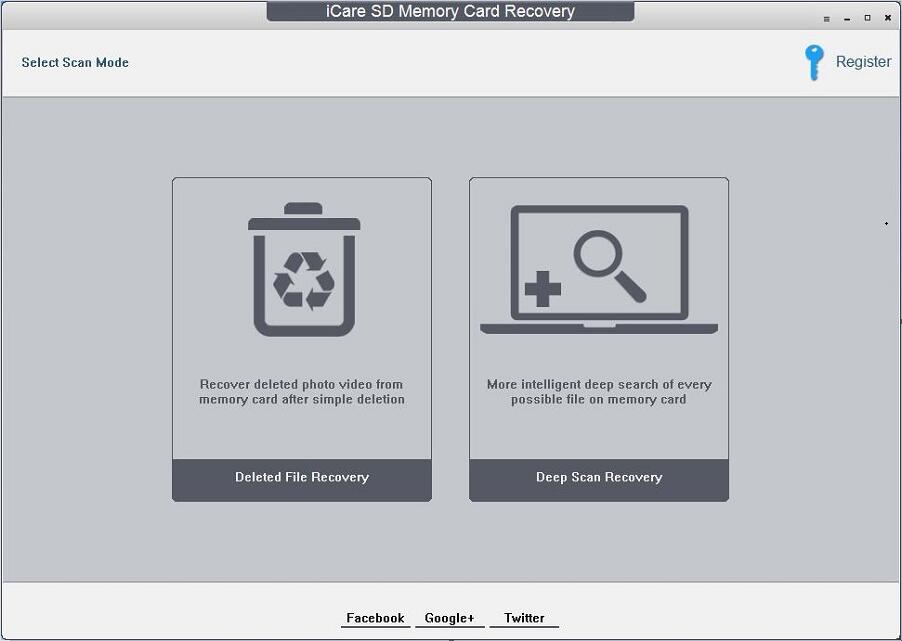
iCare SD Card Recovery excels in its simplicity. The interface is designed with a wizard-style workflow that guides you through the process step-by-step. You select the drive that represents your SD card, you click "Scan," and you wait. Once the scan is complete, the software presents your lost files in a folder structure that looks familiar, similar to the Windows File Explorer. You can even preview many file types, such as images and text files, before you commit to recovering them. This preview feature is vital because it lets you know immediately if a file is intact or if it was partially overwritten.
The beauty of this design is that it empowers the user. You don't have to call your "tech-savvy" nephew or pay a local computer shop fifty dollars to run a scan for you. You can do it yourself, in the comfort of your home, with total privacy. The software takes the complex algorithms of data reconstruction and hides them behind a clean, easy-to-understand GUI. For a tech reviewer like myself, this is a huge selling point. Software is only useful if people can actually use it without a manual, and iCare passes this test with flying colors.
5. A Cost-Effective Alternative to Professional Services
Finally, we have to talk about the value proposition. Professional data recovery services are notoriously expensive. If you take a corrupted SD card to a specialized lab, you are often looking at a starting price of several hundred dollars, sometimes climbing into the thousands if they have to perform "clean room" surgery on the device. While those services are necessary for physically snapped or burnt cards, over 90% of SD card failures are logical, not physical.
This means that in the vast majority of cases, the data is still physically there on the flash chips; the computer just doesn't know how to read it. iCare SD Card Recovery is designed to solve that 90% of problems. By downloading this giveaway, you are essentially putting a professional-grade recovery lab on your hard drive for free. It is an insurance policy that costs you nothing today but could save you a fortune tomorrow.
Think of it this way: even if you don't have a broken SD card right now, it is only a matter of time before a card fails, a file is accidentally deleted, or a camera glitch wipes a folder. Having this software installed and ready to go means you can react instantly. In data recovery, time is of the essence. The longer a card sits or the more it is messed with, the lower the chances of recovery. Having this tool at your fingertips the second a problem occurs is the best way to ensure a 100% recovery rate. It is a "no-brainer" download for anyone who takes photos, records video, or uses a smartphone.
Conclusion: Don't Wait Until It's Too Late
In the digital age, our data is our history. Our photos are our memories, and our documents are our livelihoods. We trust these tiny slivers of plastic—SD cards—to hold everything, yet they are among the most fragile storage media we use. They are prone to corruption from static electricity, improper ejection, and simple wear and tear. iCare SD Card Recovery is the specialized tool designed to combat these inevitable failures.
As a tech reviewer, I see hundreds of utilities, but few are as essential as a solid recovery tool. This software stands out because it doesn't try to be a "bloated" all-in-one suite. It focuses on doing one thing exceptionally well: recovering data from memory cards. Its support for everything from MicroSD to CF cards, its ability to handle "Raw" and formatted drives, and its commitment to a safe, read-only recovery process make it a top-tier choice.
The fact that this is available as a giveaway makes it an even more compelling proposition. You are getting a high-quality, professional-grade utility that is easy enough for your grandmother to use but powerful enough for a pro photographer. Remember, the software only works if the card is not physically damaged—if the card is snapped in half, no software can save it. But for every other nightmare scenario—the "Card Not Detected," the "Format Required," the "Accidental Delete"—this is the solution.
Download iCare SD Card Recovery today. Don't wait for the day your screen flashes a disk error and your heart drops into your stomach. Be proactive, be prepared, and keep your digital memories safe. This is one giveaway that you will definitely thank yourself for downloading when the inevitable happens. It is fast, it is safe, and most importantly, it works. Get it now and breathe easy knowing your data is protected by one of the best in the business.

Reviews for iCare SD Memory Card Recovery
Click Here to Read Reviews for iCare SD Memory Card Recovery >> Click Here to Submit Reviews for iCare SD Memory Card Recovery >>