What Does Nero TuneItUp PRO Do?
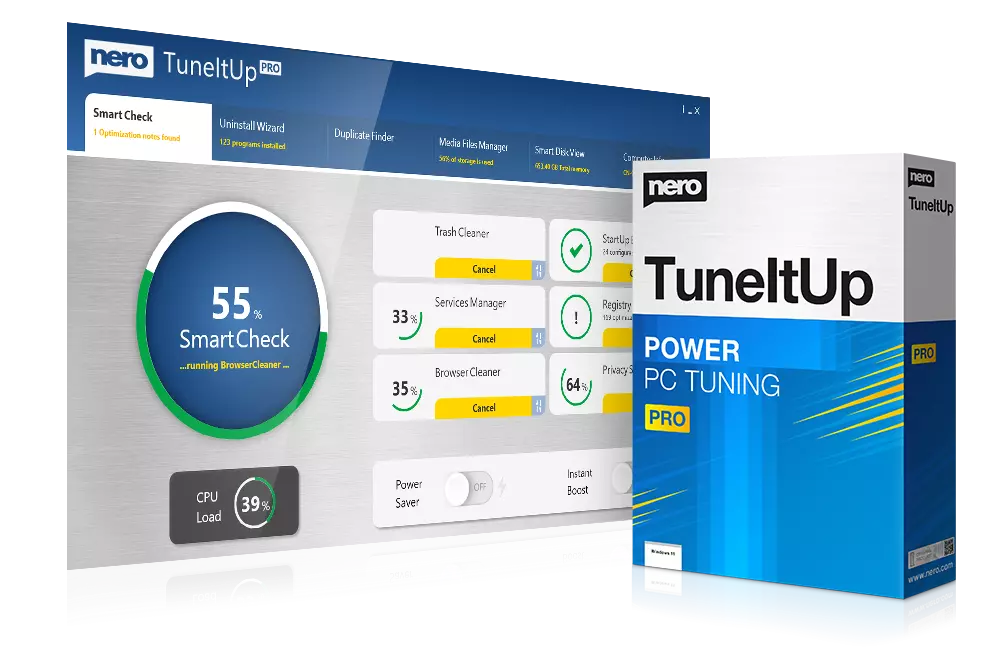
Nero TuneItUp PRO is a comprehensive system utility designed to streamline PC performance and resolve common hardware bottlenecks. The software provides a centralized interface for managing system resources, offering both manual control and an automated "watchdog" function that monitors for performance degradation in real-time.
The utility focuses on four primary optimization areas:
- Startup Management: It identifies and disables non-essential background processes and preloaded programs that prolong Windows boot times.
- Web Optimization: The tool analyzes browser configurations for Chrome, Firefox, and Internet Explorer, adjusting internal settings to improve browsing speeds.
- Operating System Refinement: Users can disable superfluous Windows services and automate OS settings to prioritize speed and stability. The software also allows for the customization of hidden Windows features to better suit specific user workflows.
- Power Efficiency: A dedicated energy-saving module optimizes system configurations to reduce power consumption. This feature is designed to extend notebook battery longevity without compromising hardware performance.
By automating routine maintenance and providing tools to eliminate system bloat, Nero TuneItUp PRO aims to maintain a persistent balance between system responsiveness and resource efficiency. The software ensures that the operating system remains agile by preventing the accumulation of unnecessary background tasks.
Top 5 Reasons To Download Nero TuneItUp PRO
If you have been feeling the frustration of a sluggish computer that seems to take forever to boot up, or if your web browser is crawling at a snail’s pace despite having a high-speed connection, then Nero TuneItUp PRO is exactly what you need. This powerful suite of tools is designed to breathe new life into your hardware. Here are the top five reasons why you should download this giveaway today:
- Drastic Reduction in Windows Boot Times: Nero TuneItUp PRO identifies and disables unnecessary background processes that load during startup, allowing your PC to reach the desktop significantly faster.
- One-Click Internet Speed Optimization: The software analyzes your browser settings for Chrome, Firefox, and Internet Explorer, fine-tuning them to ensure you are getting the maximum speed from your broadband connection.
- Automated "Watchdog" Maintenance: Unlike manual cleaners, the PRO version features a background monitor that alerts you the moment your system performance begins to dip, ensuring your PC stays fast permanently.
- Deep Operating System Fine-Tuning: It goes beyond basic file deletion by optimizing hidden Windows services and settings that are often overlooked, tailoring the OS to your specific usage needs.
- Enhanced Energy Efficiency and Battery Life: For laptop users, the software provides a specialized energy-saving mode that reduces power consumption without sacrificing the performance you need for daily tasks.
Now, let’s take a deep dive into why these features are essential for any modern computer user and how Nero TuneItUp PRO stands out in a crowded market of system utilities.
1. Drastic Reduction in Windows Boot Times
We have all been there. You press the power button on your computer, go to the kitchen to make a cup of coffee, and by the time you come back, the machine is still churning away, trying to load the desktop. This phenomenon is known as "startup bloat." Over months and years of use, almost every piece of software you install tries to insert itself into your Windows startup routine. From update checkers to "quick launch" helpers, these programs eat up your CPU cycles and RAM before you even have a chance to open a single document.
The beauty of Nero TuneItUp PRO is how it handles this mess. It doesn't just give you a list of programs and expect you to know what is safe to turn off. It intelligently categorizes these processes, showing you exactly which ones are essential and which ones are simply dragging you down. By switching off these unnecessary autostart processes, you reclaim your system’s resources. The result is a boot sequence that feels as crisp and snappy as the day you first unboxed your computer. This isn't just about saving thirty seconds in the morning; it is about reducing the cumulative wear and tear on your hardware and starting your workday without the stress of a lagging machine.
Furthermore, managing startup items manually through the Windows Task Manager can be intimidating for the average user. Nero simplifies this with a user-friendly interface that puts the power of a professional IT technician in your hands. You don't need to be a "techie" to understand what is happening; the software guides you through the process, ensuring that you only disable the fluff while keeping your vital applications intact.
2. One-Click Internet Speed Optimization
It is one of the most common complaints in the digital age: "I pay for high-speed fiber, but my browser feels slow." Often, the bottleneck isn't your ISP or your router; it is the way your operating system and your browser interact with the web. Windows comes with "stock" settings that are designed to work for everyone, but they are rarely optimized for anyone. Over time, as you install various updates and different browsers like Chrome, Firefox, or Edge, these settings can become mismatched or cluttered with legacy configurations.
Nero TuneItUp PRO acts as a digital tuner for your internet connection. It performs a comprehensive analysis of your web settings, looking at things like your MTU (Maximum Transmission Unit) and other technical parameters that dictate how data packets are sent and received. Instead of forcing you to dive into the Windows Registry or complex browser "about:config" menus, Nero allows you to optimize everything with a single click.
Imagine browsing the web without those micro-stutters when a page is loading, or seeing your video streams stabilize much faster. By aligning your system settings with the actual capabilities of your broadband connection, Nero ensures that you are finally getting the speed you are actually paying for. It’s an essential tool for anyone who relies on their PC for streaming, gaming, or heavy professional web work.
3. Automated "Watchdog" Maintenance
The biggest problem with most PC maintenance software is that it is reactive. You wait until the computer is unbearably slow, then you run a scan, fix the issues, and then... you forget about it for another six months while the junk starts building up again. This "cycle of sluggishness" is exactly what Nero TuneItUp PRO aims to break with its automatic watchdog function.
This "Watchdog" is a background service that keeps a constant eye on your system’s health. Think of it as a digital mechanic who lives under your hood. As soon as the software detects that temporary files are piling up, or that a new installation has added a resource-heavy process to your startup, it alerts you immediately. This allows you to nip performance issues in the bud before they ever become a noticeable problem.
The PRO version’s ability to work in the background means you no longer have to remember to perform maintenance. The software ensures that your PC remains permanently fast and agile. This proactive approach to system health is what separates a professional-grade utility from a basic cleaner. It offers peace of mind, knowing that your computer is always running at its peak potential without you having to lift a finger.
4. Deep Operating System Fine-Tuning
Windows is a massive, complex operating system designed to run on everything from low-powered tablets to massive server farms. Because of this "one size fits all" approach, your standard Windows installation is running dozens of services in the background that you will likely never use. For example, if you don't use a printer, you don't need the print spooler service. If you don't use a tablet with your PC, you don't need the touch-screen input services. Individually, these services are small, but collectively, they represent a significant drain on your system's agility.
Nero TuneItUp PRO takes the guesswork out of optimizing these services. It identifies the "superfluous" Windows services that are not necessary for your specific daily PC work and allows you to switch them off safely. This is a level of optimization that usually requires a deep understanding of the Windows architecture, but Nero makes it accessible to everyone.
Beyond just turning things off, the software allows you to customize Windows settings to suit your personal needs. Whether it is adjusting visual effects for better performance or tweaking how the OS handles file indexing, Nero provides a centralized hub for all the most useful Windows settings. It transforms a generic Windows experience into a lean, mean, productivity machine that is tailored specifically to how you use your computer.
5. Enhanced Energy Efficiency and Battery Life
In today's world, efficiency is everything. Whether you are trying to be more environmentally conscious or you just want to get through a long flight without your laptop dying, energy management is crucial. However, the standard Windows "Power Saver" mode often goes too far, making the computer feel slow and unresponsive by drastically capping the CPU speed.
The energy-saving features in Nero TuneItUp PRO are much more sophisticated. The software analyzes your system configuration and finds ways to save power that don't result in a frustrating lag. It optimizes the power consumption of various hardware components and ensures that background processes aren't waking up your processor unnecessarily. For notebook users, this can lead to a significant extension in battery life, allowing you to stay productive for longer periods without hunting for a power outlet.
Furthermore, by ensuring that your system is properly configured and only running the processes it needs, Nero reduces the overall heat generated by your PC. A cooler PC is a more stable PC, and it is a PC that will likely last longer. This feature isn't just about saving a few cents on your electricity bill; it is about protecting the longevity of your hardware and ensuring that your mobile workstation is as efficient as possible.
Conclusion: Why You Need To Act Now
Software giveaways of this caliber do not come around often. Nero is a name that has been trusted in the tech industry for decades, known for creating high-quality, reliable utilities. With the Nero TuneItUp PRO version, you aren't just getting a simple junk file remover; you are getting a comprehensive suite of performance-enhancing tools that work together to create a better computing experience.
We often spend hundreds or even thousands of dollars on new hardware, only to let it degrade through software neglect. Using this tool is like giving your computer a professional "tune-up" every single day. You will notice the difference from the very first reboot. Your applications will open faster, your web pages will load with more snap, and your system will feel more responsive to your every command.
Don't let your digital life be slowed down by system rot and hidden bottlenecks. Take control of your PC's performance, protect your hardware, and enjoy a faster, more efficient Windows experience. Downloading this giveaway is the first step toward a frustration-free digital life. Nero TuneItUp PRO provides the total control you need to keep your PC fast, agile, and reliable for years to come.
Summary of benefits you will experience:
- Better Productivity: Spend less time waiting for things to load and more time getting things done.
- Better Gaming: Free up RAM and CPU cycles to ensure your games run with the highest possible framerates.
- Longevity: Keep your hardware running cool and efficient, extending the life of your components.
- Simplicity: No complex manuals required; the interface is designed for users of all skill levels.
In the world of tech, there is no such thing as a "maintenance-free" computer. Every system needs a bit of care to stay at its best. Nero TuneItUp PRO is the most effective and user-friendly way to provide that care. Grab this giveaway while you can and see for yourself just how much speed you’ve been missing out on!

Reviews for Nero TuneItUp PRO
Click Here to Read Reviews for Nero TuneItUp PRO >> Click Here to Submit Reviews for Nero TuneItUp PRO >>