What Does Nostalgia Photo Editor Pro Do?
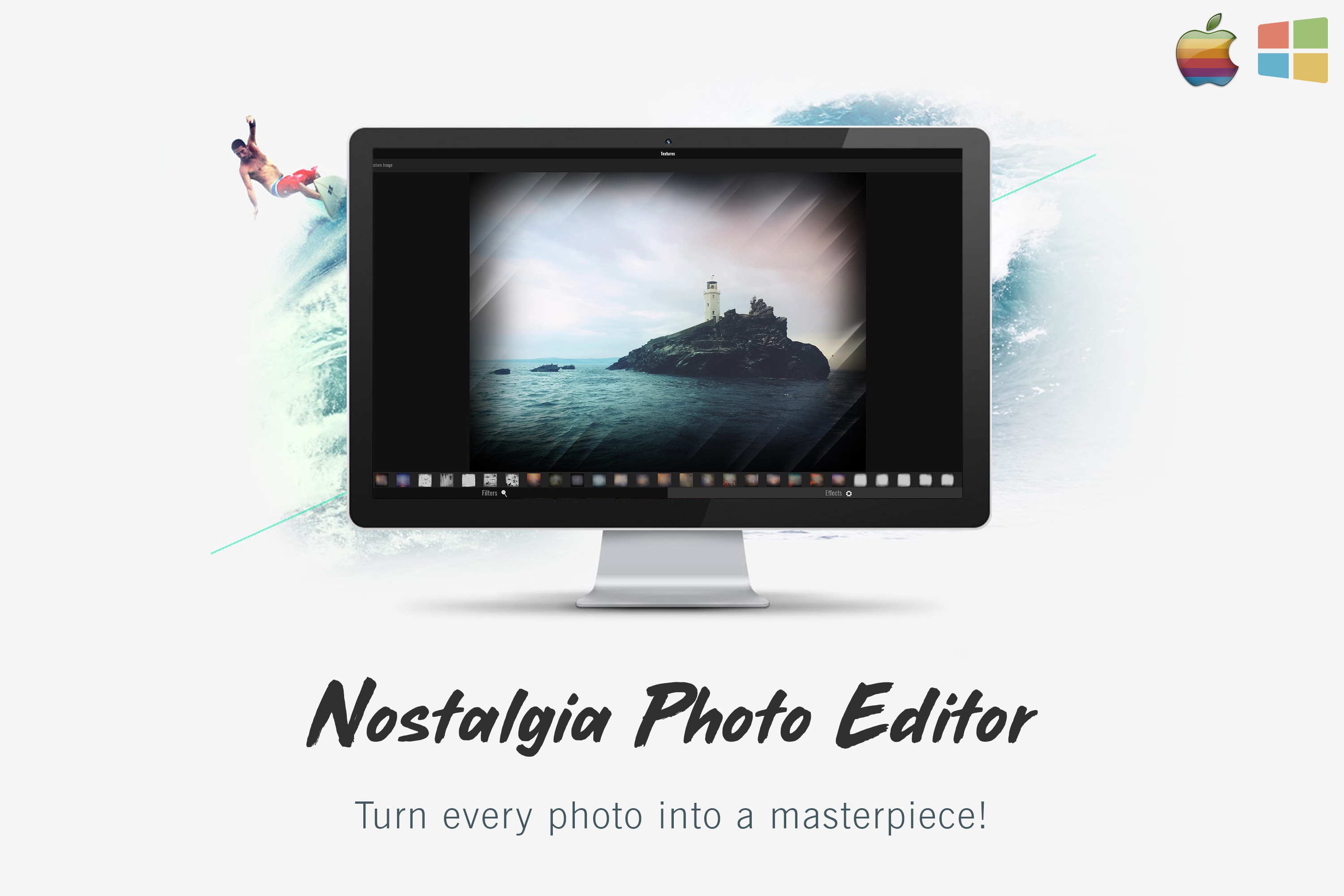
Nostalgia Photo Editor is a web-based utility designed to streamline the process of applying vintage aesthetics to digital photography. The software focuses on replicating the specific visual characteristics of traditional film through a dedicated library of pre-made filters and grain textures. By utilizing these specialized overlays, users can transform standard digital files into images that mirror the depth and tonalities of analog development. The tool is engineered to bridge the gap between modern high-definition photography and classic cinematic styles without requiring extensive manual post-processing.
Beyond its creative filter suite, the application provides essential photo manipulation tools necessary for refining image composition. Users have access to foundational adjustment options, including cropping, flipping, resizing, and straightening, to correct orientation and framing issues. These features are integrated into a simplified interface that prioritizes operational efficiency and accessibility. The software allows for complex visual adjustments and structural corrections with just a few clicks, making it a functional choice for users who require rapid results.
Core features of this software include:
- Access to a curated collection of film-look textures and overlays.
- Advanced photo manipulation and pre-made filters for high-impact styles.
- Compositional tools including crop, flip, resize, and straighten functions.
- A user-friendly interface optimized for quick navigation and execution.
- Tools for achieving the best composition and correcting photo orientation.
Top 5 Reasons To Download Nostalgia Photo Editor Pro
- Instant Cinematic Film Aesthetics: Transform sterile digital shots into soul-stirring film masterpieces with authentic textures and grain.
- High-Level Photo Manipulation for Everyone: Access complex editing power without the steep learning curve of professional-grade desktop suites.
- Precision Composition Tools: Perfect your framing with professional-grade cropping, straightening, and orientation features.
- Versatile Pre-Made Filters and Overlays: A massive library of creative assets that allows for one-click transformations and unique artistic flares.
- Unbeatable Workflow Efficiency: Save hours of manual labor with a streamlined interface designed for speed and professional results.
Look, let’s be honest for a second. We are all living in an era where everyone is a photographer. With the advent of high-resolution sensors in our pockets, we’re snapping more photos than ever before. But there is a glaring problem that many of us face: digital photos can often feel a bit, well, empty. They are sharp, they are clear, and they are technically perfect, but they often lack that "soul" or that "vibe" we see in professional editorial work or vintage film photography. This is where most people get stuck. They try to edit their photos using basic social media tools, only to find the results looking artificial or tacky. If you’ve ever wanted your photos to look like they were pulled from a high-end film set or a classic 1970s magazine, you know exactly how difficult that is to achieve manually.
That is precisely why the Nostalgia Photo Editor giveaway is such a game-changer. As someone who spends far too many hours testing the latest and greatest in creative software, I can tell you that finding a tool that balances power with simplicity is the holy grail of tech. This isn’t just another app to clutter your hard drive; it is a focused, powerful engine designed to give your images a definitive "look" that stands out in a crowded digital landscape. In this article, I’m going to break down the top five reasons why you need to stop what you’re doing and download this giveaway immediately. We’re going to dive deep into the technical and creative benefits that make this software a must-have for your digital toolkit.
1. Instant Cinematic Film Aesthetics
There is a reason why film photography has seen such a massive resurgence in recent years. Film has a specific way of capturing light and shadow that digital sensors simply cannot replicate on their own. Film has "bite." It has "character." When you look at a photo shot on 35mm or medium format film, you notice the subtle grain, the way the highlights roll off into the shadows, and the unique color shifts that give the image a sense of time and place. Achieving this look in post-production used to take years of color grading experience. You’d have to manually adjust RGB curves, add noise layers, and hope for the best.
The Nostalgia Photo Editor changes that narrative entirely. One of the primary reasons to download this tool is its incredible library of film look textures. This software doesn't just slap a brown tint over your photo and call it "vintage." It integrates high-quality textures that mimic the physical properties of actual film stock. We’re talking about realistic grain patterns that vary based on the luminosity of the image, subtle light leaks that look like they were caused by a vintage camera body, and dust or scratch overlays that add a layer of authenticity to your shots.
When you use these features, you aren't just "editing" a photo; you are storytelling. You are taking a photo of a modern street corner and turning it into a nostalgic memory. The ability to add these awesome film-look textures with just a few clicks means you spend less time tweaking sliders and more time creating art. It’s about giving your digital files a physical, tangible quality that resonates with the viewer on an emotional level. If you want your Instagram feed or your professional portfolio to have that timeless, cinematic quality, this feature alone makes the download worth it.
2. High-Level Photo Manipulation for Everyone
In the world of professional photography, there is a massive gap between "retouching" and "manipulation." Retouching is fixing a blemish; manipulation is changing the very essence of the image to fit a creative vision. Traditionally, true photo manipulation was reserved for people who had the budget and the patience for complex, expensive software that required a college degree to master. Most of us don't have time for that. We want professional results, but we want them now.
Nostalgia Photo Editor bridges this gap by offering Photo Manipulation capabilities that are accessible to the average user. What does this mean in practice? It means you have the power to alter the mood, lighting, and structure of your photos without needing to understand complex layering systems or mask-based workflows. The software is designed to handle the heavy lifting under the hood, allowing you to manipulate the visual elements of your shot to create something entirely new.
Think about those photos that look like "masterpieces"—the ones where the lighting seems perfectly dramatic, or the atmosphere feels heavy and intentional. That doesn't happen by accident. It happens through manipulation. By downloading this software, you are giving yourself the capability to turn a "good" photo into a "great" one. Whether you are looking to change the color science of a landscape or create a surrealist portrait, the manipulation tools provided here are intuitive and impactful. It’s about democratizing high-end editing, ensuring that the only limit to your photos is your imagination, not your technical knowledge.
3. Precision Composition Tools
We’ve all heard it before: composition is king. You can have the best lighting and the most expensive camera in the world, but if your horizon is crooked or your subject is awkwardly placed in the frame, the photo is going to fail. Beginners often overlook the basic technical aspects of a photo, while pros know that a perfect crop can save even the most chaotic shot. One of the most underrated reasons to grab this software is its robust suite of tools dedicated to composition and orientation.
The Nostalgia Photo Editor provides an easy-to-use interface for the "big four" of composition: Crop, Flip, Resize, and Straighten. While these might sound like basic features, the way they are implemented here is what sets the software apart. The straightening tool is precise, allowing you to fix those annoying tilted horizons in a matter of seconds. The cropping tool allows you to re-frame your subject, perhaps moving them to a "rule of thirds" position to create a more balanced and professional look.
Furthermore, the orientation tools allow you to flip and rotate images seamlessly. Sometimes, a photo just "works" better when the subject is facing the opposite direction—it’s a trick used by professional editors to guide the viewer’s eye through the frame. Having these tools integrated into a fast, responsive environment means you can build the foundation of your masterpiece before you even start adding the "cool" effects. It ensures that every photo you produce is structurally sound, professionally framed, and ready for the world to see. You'll be amazed at how much better your photos look just by mastering these orientation tools.
4. Versatile Pre-Made Filters and Overlays
Let’s talk about filters. In some circles, "filter" has become a dirty word because of the low-quality, heavy-handed options found in basic smartphone apps. But in the world of professional photography, filters (and specifically overlays) are essential tools for creating a consistent brand and aesthetic. The pre-made filters in Nostalgia Photo Editor are not your average presets. They are carefully curated to provide a wide range of looks, from high-contrast black and white to warm, sun-drenched gold tones.
The real magic, however, happens when you combine these filters with awesome overlays and effects. Overlays are essentially extra layers of visual information that you can place on top of your photo. Imagine adding a subtle "haze" to a morning forest shot, or a soft "bokeh" effect to a portrait to make the subject pop. These effects add depth and dimension that a flat photo simply doesn't have. They allow you to simulate different environmental conditions or lens characteristics that weren't present when you snapped the shutter.
The beauty of this giveaway is the variety on offer. You aren't limited to just one "style." You can experiment with different combinations of filters and overlays until you find the perfect match for that specific image. Because these are pre-made, you can achieve a "masterpiece" look in a fraction of the time it would take to build these effects from scratch. It’s like having a digital darkroom full of specialized chemicals and lenses, all available at the touch of a button. For any creator looking to increase their output without sacrificing quality, this library of assets is a goldmine.
5. Unbeatable Workflow Efficiency
As a tech reviewer, the number one complaint I hear from users is that photo editing takes too long. People have thousands of photos sitting on their hard drives because they dread the hours spent in front of a monitor trying to make them look presentable. The fifth and perhaps most compelling reason to download the Nostalgia Photo Editor is its Easy to Use philosophy. This software is built for speed. It is built for the creator who wants to spend more time shooting and less time clicking through confusing menus.
The "few clicks" promise isn't just marketing fluff; it’s a design principle. The interface is clean, the tools are where you expect them to be, and the feedback is instantaneous. When you apply a film texture or a resize command, you see the results immediately. This real-time feedback loop is crucial for creative flow. It allows you to experiment—to try a filter, realize it doesn't work, and swap it for another in seconds. This speed encourages creativity. When editing is easy, you’re more likely to do it, and when you do it more often, you become a better artist.
By downloading this giveaway, you are essentially buying back your time. You are getting a professional-grade editor that doesn't demand your entire afternoon. Whether you are a professional photographer looking to quickly proof a batch of photos for a client, or a hobbyist who just wants their vacation photos to look spectacular, the efficiency of this software is a massive benefit. It simplifies the path from "raw file" to "finished masterpiece," making the entire process of photography more enjoyable and less of a chore. In the fast-paced world of digital content, having a tool that is both powerful and fast is the ultimate competitive advantage.
Final Thoughts from the Reviewer: Every once in a while, a piece of software comes along that just makes sense. It doesn't try to be everything to everyone; instead, it focuses on doing a few things exceptionally well. Nostalgia Photo Editor focuses on the feeling of photography. It focuses on the texture, the composition, and the "soul" of the image. It takes the technical hurdles that usually stand between a photographer and their vision and simply removes them. Given that this is currently available as a giveaway, there is absolutely no reason not to add this to your arsenal. It is lightweight, powerful, and produces results that speak for themselves. Don't let your photos sit in digital limbo—download this tool, apply those cinematic film textures, and start turning your snapshots into the masterpieces they were meant to be. Trust me, your portfolio will thank you.

Reviews for Nostalgia Photo Editor Pro
Click Here to Read Reviews for Nostalgia Photo Editor Pro >> Click Here to Submit Reviews for Nostalgia Photo Editor Pro >>