
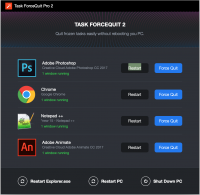
Many Windows apps crash when you least expect it. But what if you could close them immediately? Introducing Task ForceQuit 2! Six years ago we launched Task ForceQuit to help users end frozen tasks on Windows PC. Today we are happy to unveil its long-awaited iteration – Task ForceQuit 2. Now it features a completely new design and works flawlessly on all Windows systems. Even in 2018 – it’s one of the easiest ways to force quit any app on Windows PC.
Official Product Description
Overview
What Does Task ForceQuit Pro 2 Do?
Task ForceQuit 2 is a specialized system utility designed to address the common issue of non-responsive applications on Windows operating systems. As the first major update in six years, this iteration builds upon the foundation of the original Task ForceQuit, which was initially released to provide a more direct method for ending frozen processes.
The primary function of the software is to facilitate the immediate termination of programs that have crashed or become unstable. While Windows includes a native Task Manager, Task ForceQuit 2 aims to simplify the recovery process through a streamlined interface that prioritizes speed. Users can view a comprehensive list of active tasks and execute a force-quit command with minimal navigation, bypassing the multiple steps often required by default system tools.
Key technical improvements in this version include:
- A completely redesigned user interface optimized for modern display standards.
- Full compatibility across all active Windows versions, ensuring stability on both legacy hardware and contemporary operating systems.
- Refined process management tools designed to identify and close background applications that impact system performance.
For users who frequently encounter software instability or require an efficient way to manage system resources, this utility acts as a dedicated failsafe. It focuses strictly on the force-quit mechanism, providing a lightweight solution for maintaining workflow continuity when standard applications fail to close through normal commands.
Top 5 Reasons To Download Task ForceQuit Pro 2
1. Instant Recovery from System Freezes: Say goodbye to the dreaded "Not Responding" cursor and the frustration of a locked-up computer.
2. A Completely Modernized Interface: Enjoy a sleek, intuitive design that fits perfectly with contemporary Windows aesthetics while remaining incredibly functional.
3. Universal Windows Compatibility: Whether you are running an older setup or the latest build, this tool works flawlessly across all versions of the Windows ecosystem.
4. Maximum Resource Efficiency: Unlike heavy background monitors, this utility is lightweight, ensuring your PC speed is never compromised while it stands ready to help.
5. Superior Ease of Use Compared to Task Manager: It streamlines the "Force Quit" process into a single, effortless action, removing the complexity of navigating nested tabs and processes.
The Essential Tool for Every Windows Power User
We have all been there. You are in the middle of an intense gaming session, halfway through rendering a high-definition video, or deep into a research project with thirty browser tabs open. Suddenly, everything stops. The screen dims, the cursor turns into that agonizing blue spinning circle, and the application you were relying on becomes a ghost of its former self. In the world of Windows, "Not Responding" is perhaps the most frustrating phrase a user can encounter. While Windows has improved its stability over the decades, the reality of software development is that apps will always crash. When they do, they often take your productivity—and your patience—down with them.
For years, the standard solution has been the "Ctrl+Alt+Delete" dance, hoping the Task Manager will load before the entire system locks up. But sometimes, even the Task Manager feels like it is moving through molasses. This is where Task ForceQuit 2 enters the frame. As a tech reviewer who has tested thousands of utilities designed to "optimize" or "clean" your PC, I rarely get excited about a simple tool. However, Task ForceQuit 2 is different. It does one thing, and it does it with absolute perfection. It is the digital equivalent of a fire extinguisher: you hope you never need it, but when you do, you want it to be the fastest, most reliable tool in your arsenal. This giveaway is your chance to secure that peace of mind for free.
Reason 1: Instant Recovery from System Freezes
The primary reason you need to download Task ForceQuit 2 immediately is its sheer effectiveness at handling frozen applications. When a Windows application crashes, it often enters a state where it is still consuming system resources—specifically CPU cycles and RAM—but it is no longer communicating with the user interface. This "zombie" state can cause a ripple effect, slowing down other applications and eventually leading to a full system hang. Under normal circumstances, you would wait for Windows to realize the app is dead, or you would try to navigate the complex list of processes in the default system tools.
Task ForceQuit 2 acts as a specialized surgical tool. It identifies these hung processes with surgical precision and terminates them instantly. The "Force" in Task ForceQuit is not just a marketing term; it refers to the high-priority command sent to the operating system to shut down the offending thread without waiting for the app's permission. This is critical because many modern apps are designed with "fail-safes" that actually make them harder to close when they are stuck. By using Task ForceQuit 2, you are bypassing the bureaucracy of the OS and taking direct control of your hardware. It saves you the five to ten minutes of frustration spent waiting for a program to "respond" and allows you to get back to work (or play) in seconds.
Reason 2: A Completely Modernized Interface
Six years ago, the original Task ForceQuit was a functional but utilitarian tool. It looked like many of the apps of its era—heavy on grey buttons and standard Windows UI elements. While it worked, it didn't exactly feel like a "modern" piece of software. The developers at Softorino and xSecuritas recognized that in 2018 and beyond, users expect more than just functionality; they expect a seamless, aesthetically pleasing user experience. This long-awaited iteration, Task ForceQuit 2, features a ground-up redesign that is truly impressive.
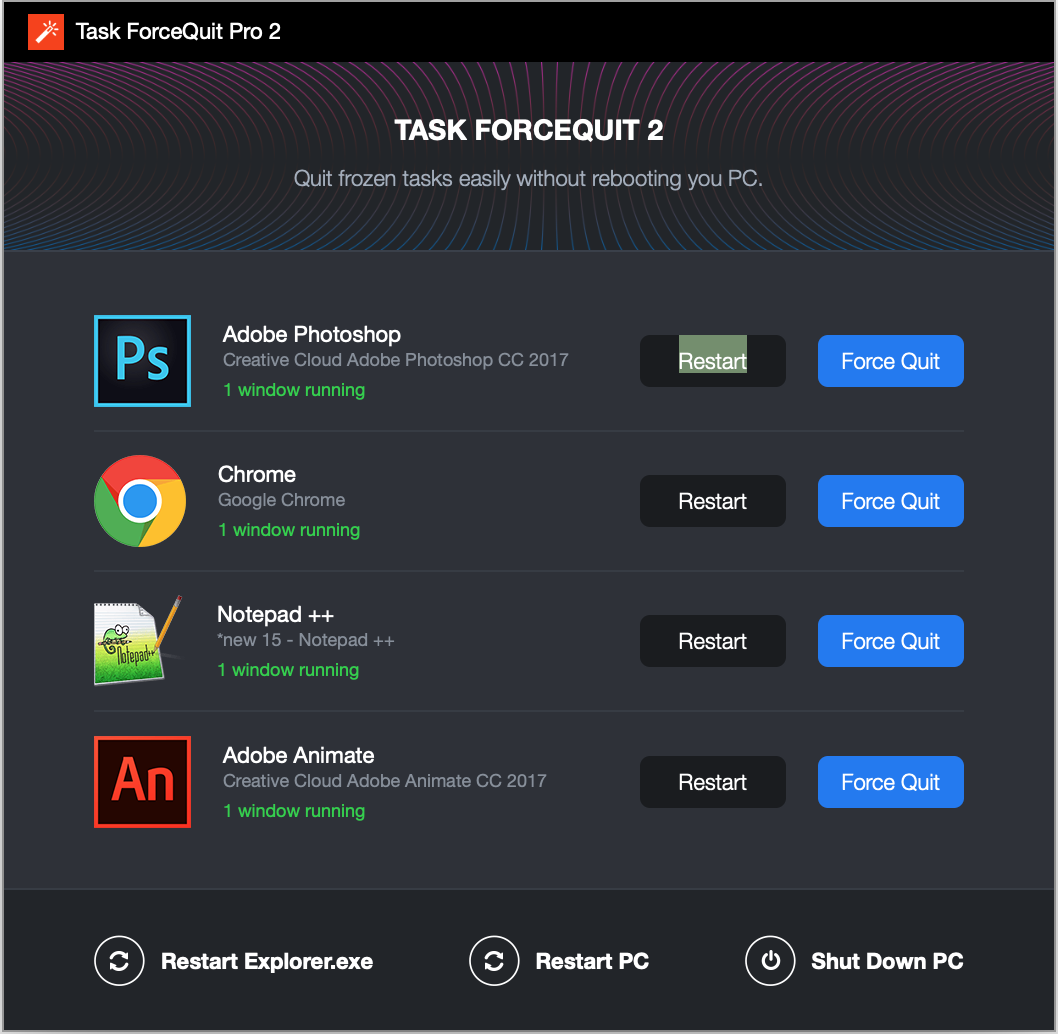
The new interface is clean, dark, and minimalist. It doesn't clutter your screen with unnecessary data or complex graphs that you don't need when you are in a panic. Instead, it provides a clear, high-contrast list of your currently running applications. The typography is sharp, and the interaction design is built around the "one-click" philosophy. When your computer is acting up, the last thing you want is a UI that requires a manual to navigate. Task ForceQuit 2 feels like a native part of a high-end operating system. It is elegant enough to keep pinned to your taskbar but simple enough that even a novice user can master it in under thirty seconds. This marriage of form and function is a hallmark of great software design.
Reason 3: Universal Windows Compatibility
One of the biggest headaches for tech enthusiasts is the "version gap." You find a great tool, only to realize it was built for Windows 7 and behaves erratically on Windows 10, or it’s a modern app that won't run on your older secondary laptop. Task ForceQuit 2 solves this by offering flawless compatibility across the entire Windows spectrum. Whether you are running a legacy machine for specific hardware needs or the absolute latest cutting-edge build of Windows, this app performs without a hitch.
This universal compatibility is achieved through a deep understanding of the Windows kernel. The developers didn't just skin an old app; they rebuilt the underlying logic to ensure it interacts correctly with the various ways different Windows versions handle process management. This is particularly important for users who work in corporate environments or use specialized setups where system stability is paramount. Knowing that your "emergency exit" software will work regardless of which machine you are sitting at provides a level of reliability that few other utilities can match. It is a robust, "set it and forget it" solution that grows with your hardware rather than becoming obsolete after the next OS update.
Reason 4: Maximum Resource Efficiency
There is a cruel irony in many "PC optimizer" or "task management" tools: they often consume so many resources themselves that they contribute to the very system slowdowns they are supposed to fix. Many of these apps run heavy background services, constantly polling the CPU for data or indexing files, which can be a nightmare for users with mid-range or older PCs. Task ForceQuit 2 takes the opposite approach. It is designed to be incredibly lightweight.
When you download this giveaway, you are getting a tool that sits quietly in the background, using a negligible amount of RAM and almost zero CPU cycles. It doesn't nag you with notifications, it doesn't try to upsell you on other products, and it doesn't "call home" with unnecessary telemetry that eats up your bandwidth. Its footprint is so small you will forget it is even installed—until that moment when an app freezes. Then, with a quick shortcut or click, Task ForceQuit 2 springs into action, utilizing its optimized code to handle the heavy lifting of killing a crashed process. It is efficiency at its finest, proving that software doesn't have to be bloated to be powerful.
Reason 5: Superior Ease of Use Compared to Task Manager
Let's talk about the elephant in the room: Windows Task Manager. Yes, every PC has it. Yes, it is "free." But let’s be honest—Task Manager has become increasingly bloated and difficult to use for the average person. In recent versions of Windows, Task Manager is filled with tabs for "Performance," "App History," "Startup," "Users," "Details," and "Services." If you are a system administrator, this is great. If you are a regular user trying to close a frozen instance of a web browser, it is a nightmare. You often have to click "More Details," find the app in a moving list of processes, right-click, and select "End Task," only to be met with a dialogue box asking if you are sure you want to do that.
Task ForceQuit 2 simplifies this entire workflow. It strips away the data that doesn't matter in a crisis and presents you with a "Panic Button" interface. You see the app that is causing trouble, and you click the button to quit it. There are no confirmation loops, no hunting through sub-menus, and no confusing technical jargon. It is the "easiest way to force quit any app on Windows PC" for a reason. By focusing exclusively on the "Force Quit" functionality, the developers have created a tool that is faster and more intuitive than the native OS options. For anyone who values their time, this simplification is worth the download alone.
A Reviewer’s Final Verdict
In my years of reviewing software, I have seen many "must-have" apps come and go. Most of them try to do too much and end up failing at everything. Task ForceQuit 2 is the exception. It identifies a specific, universal problem—application instability on Windows—and provides the most efficient solution possible. The jump from the original version to this second iteration is significant, not just in terms of how it looks, but in how it feels to use. It feels like a professional tool designed by people who actually use Windows every day and understand the frustrations of the modern user.
Why should you download this giveaway? Because it solves a problem you will have. It is not a matter of "if" an app will crash, but "when." Having Task ForceQuit 2 ready on your system is like having insurance; you'll be incredibly glad you have it when things go wrong. Between the sleek new design, the rock-solid stability across all Windows versions, and the sheer speed of its "force quit" command, there is simply no reason not to have this in your utility folder. It turns a potential system-wide disaster into a minor two-second inconvenience. Don't wait until your computer is frozen and you are staring at a dead screen to wish you had this tool. Download it now, set it up, and enjoy the confidence of knowing you are always in control of your PC.
Task ForceQuit 2 is more than just a utility; it is a productivity booster. By eliminating the downtime associated with software crashes, it pays for itself in saved time almost immediately. It is rare to find a tool that is this focused and this effective. In the fast-paced world of 2018 and beyond, we don't have time for software that doesn't behave. Task ForceQuit 2 is the enforcer that ensures your Windows experience remains smooth, fast, and interruption-free. Get it today and see for yourself why this is the one giveaway you cannot afford to miss.
Reviews for Task ForceQuit Pro 2
Click Here to Read Reviews for Task ForceQuit Pro 2 >> Click Here to Submit Reviews for Task ForceQuit Pro 2 >>