
Supported aspect ratios: 16:9, 18:9, 18.5:9, 19:9, 19.5:9.
Update:
Added 1 homepage setup with 12 apps and 4 different wallpapers.
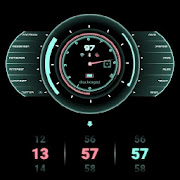
The theme describes the futuristic design.
There are 12 default colours, but you can change to whatever colour you like in klwp.
This Theme is 4 screens setup preset that include 2 main sections:
1. Homepage:
There are total 36 favorite apps. You can replace those default apps to your favorite apps by accessing overlapped groups: H1b, H2b ( I have already named those groups for you to find theme easily).
Main apps (Phone, Browser, Messages, Gallery, Camera) are placed in the overlapped group named: H6.
You can change colors, toggle wifi, bluetooth, airplane mode here as well.
You can hide these apps to display the information of date and main apps only.
2. Information:
To enter this section, the theme will provide you a method to get in by touching the animated button.
A. Weather Information
B. Calendar information
C.News
There are 4 news sources: GlobalIssues world, Buzzfeed World, Yahoo World, C|net Android Update, BBC World and BBC Football
D. Music Player
Notes:
1. This is not a standalone app. You need: Nova Launcher Prime, KLWP pro to run it.
2. In Nova Settings, you need to do:
A. Homescreen -> Dock -> Disable it
B. Homescreen -> Page Indicator -> None
C. Homescreen -> Advanced -> Show Shadow, off
D. App Drawer -> Swipe Indicator -> off
E. Look and Feel -> Show Notification Bar -> off
E. Look and Feel -> Hide Navigation Bar -> checked
On the main homescreen outside, you set 4 pages. And in the Klwp editor, under the Plus button, you will see the simple that looks like the monitor, tap it and then set the X variable to 4. And Y is 1 only because this Theme is not supported for vertical swiping.
Tutorial videos:
1. Changing favorite apps and main apps:
https://m.youtube.com/watch?v=jUb5CZrkD98
2. Changing rss sources:
https://m.youtube.com/watch?v=DmJa3jJW5TY
If you have any troubles in using the theme, please email me at any time, I am very happy to help you. My email: [email protected].
Thank you very much.
Update:
Added 1 homepage setup with 12 apps and 4 different wallpapers.
The theme describes the futuristic design.
There are 12 default colours, but you can change to whatever colour you like in klwp.
This Theme is 4 screens setup preset that include 2 main sections:
1. Homepage:
There are total 36 favorite apps. You can replace those default apps to your favorite apps by accessing overlapped groups: H1b, H2b ( I have already named those groups for you to find theme easily).
Main apps (Phone, Browser, Messages, Gallery, Camera) are placed in the overlapped group named: H6.
You can change colors, toggle wifi, bluetooth, airplane mode here as well.
You can hide these apps to display the information of date and main apps only.
2. Information:
To enter this section, the theme will provide you a method to get in by touching the animated button.
A. Weather Information
B. Calendar information
C.News
There are 4 news sources: GlobalIssues world, Buzzfeed World, Yahoo World, C|net Android Update, BBC World and BBC Football
D. Music Player
Notes:
1. This is not a standalone app. You need: Nova Launcher Prime, KLWP pro to run it.
2. In Nova Settings, you need to do:
A. Homescreen -> Dock -> Disable it
B. Homescreen -> Page Indicator -> None
C. Homescreen -> Advanced -> Show Shadow, off
D. App Drawer -> Swipe Indicator -> off
E. Look and Feel -> Show Notification Bar -> off
E. Look and Feel -> Hide Navigation Bar -> checked
On the main homescreen outside, you set 4 pages. And in the Klwp editor, under the Plus button, you will see the simple that looks like the monitor, tap it and then set the X variable to 4. And Y is 1 only because this Theme is not supported for vertical swiping.
Tutorial videos:
1. Changing favorite apps and main apps:
https://m.youtube.com/watch?v=jUb5CZrkD98
2. Changing rss sources:
https://m.youtube.com/watch?v=DmJa3jJW5TY
If you have any troubles in using the theme, please email me at any time, I am very happy to help you. My email: [email protected].
Thank you very much.
Reviews for Futuristic Theme
Click Here to Read Reviews for Futuristic Theme >> Click Here to Submit Reviews for Futuristic Theme >>