What Does Gilisoft Movie DVD Creator Do?
Gilisoft Movie DVD Creator is a comprehensive utility designed to convert digital video files into playable DVD discs, folders, or ISO images. The software supports a wide array of input formats, including AVI, MP4, MKV, MOV, and WMV, as well as high-definition footage from smartphones and camcorders. A key technical advantage is its ability to operate without the installation of external video codecs, streamlining the conversion process.
The application provides several tools for personalizing media. Users can build custom DVD menus using a library of professionally designed templates or by importing their own graphics and background music. The interface allows for the manual arrangement of chapter buttons, titles, and captions to create a specific aesthetic.
In addition to disc authoring, the software includes built-in video editing features. These capabilities include:
- Trimming and Clipping: Capture specific segments or remove unwanted footage.
- Visual Adjustments: Crop frames to remove black edges and adjust brightness, contrast, or saturation.
- Overlays: Add watermarks and load external subtitle or audio tracks.
The program supports both PAL and NTSC standards and is compatible with all popular disc types, including DVD-5, DVD-9, and rewritable formats. It features an automatic bitrate calculator that balances disc capacity with picture quality, ensuring that users can fit the maximum amount of content on a single disc without significant visual degradation.
Top 5 Reasons To Download Gilisoft Movie DVD Creator
Before we dive into the nitty-gritty details of why this software is a total game-changer for your digital media collection, let's look at the highlights. If you are looking for a reason to hit that download button, here are the top five reasons why Gilisoft Movie DVD Creator deserves a permanent spot on your hard drive:
- Universal Format Support without External Codecs: You can convert almost any video file imaginable—from standard AVI and MP4 to high-definition MKV and MTS—without ever having to hunt down a codec pack again.
- Professional-Grade Menu Customization: Turn home movies into cinematic experiences with stylish templates, custom background music, and personalized photos that make your DVDs look like retail releases.
- Built-in Advanced Video Editing Suite: You don't need a secondary editor; you can crop, trim, add watermarks, and adjust visual effects like brightness and contrast directly within the app.
- Intelligent Bitrate and Quality Optimization: The software automatically calculates the best balance between file size and visual fidelity, ensuring you get the most out of your DVD capacity without sacrificing quality.
- Ultimate Output Versatility: Whether you are burning to a physical DVD-5, a dual-layer DVD-9, or simply creating an ISO file for digital archiving, this tool handles every disc format and TV standard with blazing speed.
In an era where we are constantly told that everything belongs in "the cloud," there is something uniquely satisfying and incredibly practical about owning your media in a physical format. Whether it is a wedding video, a collection of family birthdays, or a curated anthology of your favorite clips, having a DVD ensures that your memories are safe, portable, and playable on any home theater system. However, the process of getting a digital file onto a disc has historically been a nightmare of compatibility issues, confusing settings, and ugly menus. That is where Gilisoft Movie DVD Creator steps in. As a tech reviewer who has seen dozens of these tools come and go, I can tell you that this is one of the most polished, user-friendly, and powerful solutions on the market today. Let's break down exactly why you need to download this giveaway right now.
1. Universal Format Support: Say Goodbye to Codec Hell
We have all been there. You download a video or receive a file from a friend, try to open it in a burning program, and get the dreaded "Format Not Supported" error. Usually, this means you have to spend the next hour searching the dark corners of the internet for a "codec pack" that might or might not contain malware. With Gilisoft Movie DVD Creator, those days are officially over. This software is a literal Swiss Army knife of video compatibility.
One of the most impressive features of this tool is its native ability to handle a massive library of formats without needing any extra installations. We are talking about the staples like AVI, MP4, MPG, and WMV, but it goes much deeper than that. It handles XviD, DivX, RMVB, and VOB with ease. For those of you working with high-definition footage from modern cameras, it supports MKV, H.264/AVC, M2TS, and TS files. Even mobile-specific formats like 3GP and 3G2 or web-centric files like FLV and F4V are welcomed with open arms.
As a reviewer, I appreciate the "plug and play" nature of this software. You simply drag your files in, and the engine takes care of the rest. It doesn't matter if your source material came from an old camcorder, an iPhone, an Android device, or a high-end DSLR; the software recognizes the stream and prepares it for the DVD structure flawlessly. This saves you hours of conversion time and eliminates the technical hurdles that usually stop people from preserving their videos.
2. Professional-Grade Menu Customization: Make It Your Own
A DVD without a menu is just a file on a disc. To truly capture the "movie experience," you need a navigation system that looks professional. Most free burning tools give you a generic, ugly screen that looks like it was designed in 1995. Gilisoft Movie DVD Creator, however, provides a library of professionally designed templates that give your project an immediate sense of polish.
But it doesn't stop at presets. The level of personalization here is what really sets it apart. You can insert your own background pictures, which is perfect for creating themed discs. Imagine a wedding DVD where the menu background is a beautiful shot of the couple, or a vacation disc featuring a stunning landscape from the trip. You can also add background music, ensuring that the second the disc is inserted, the mood is set.
Furthermore, the software allows you to arrange chapter buttons anywhere on the screen and customize menu titles and captions. You can add an "opening film clip" that plays before the menu appears—just like a real Hollywood movie. This isn't just about utility; it’s about creativity. You are the director, the editor, and the producer. The software gives you the canvas; you just provide the vision.
3. Built-in Advanced Video Editing Suite: The All-in-One Solution
One of the biggest chores in DVD creation is realizing your video has five minutes of "dead air" at the beginning or a distracting black border around the edges. Usually, you would have to open a heavy-duty video editing program, fix the issue, export it, and then bring it into your burning software. This giveaway eliminates that tedious middle step entirely.
Gilisoft Movie DVD Creator features a robust suite of editing tools built right into the interface. You can crop video files to remove those annoying black edges or focus on a specific part of the frame. If your video is too long, the trim function allows you to capture only your favorite clips, ensuring your DVD is tight and engaging.
But the features don't stop at simple cuts. You can actually enhance the visual quality of your footage. The software allows you to adjust brightness, contrast, and saturation. If your home video looks a little dark or washed out, you can fix it in a couple of clicks. You can even apply special effects to give your footage a unique look. For those looking to protect their work or add context, the ability to add watermarks and external subtitles is a massive bonus. It supports loading multiple audio tracks as well, making it perfect for multi-language projects or adding a commentary track to your films.
4. Intelligent Bitrate and Quality Optimization: No More Guesswork
Digital video storage can be confusing. How do you fit three hours of footage onto a 4.7GB disc without it looking like a blurry mess? In the past, you had to manually calculate bitrates and resolution settings, hoping you didn't run out of space or end up with a tiny file that looks terrible on a big-screen TV.
This software takes the guesswork out of the equation. According to the capacity of the disc you are using (whether it's a standard DVD-5 or a high-capacity DVD-9), Gilisoft Movie DVD Creator automatically calculates the optimal bitrate. It finds that "perfect balance" between storage space and picture quality. If you want to cram as many movies as possible onto one disc, the software will handle the compression intelligently to keep the image as sharp as possible.
This "Smart Fit" technology is a lifesaver for hobbyists. You don't need to be a video engineer to get great results. You just need to know which disc you have in your hand. The software also supports both PAL and NTSC TV standards, which is crucial if you are sending DVDs to friends or family in different parts of the world. You can be confident that the disc you burn will work perfectly on their home player, regardless of their local broadcast standard.
5. Ultimate Output Versatility: Discs, Folders, and ISOs
While the goal is often to create a physical disc, sometimes you want more flexibility. Maybe you don't have a blank DVD handy right now, or maybe you want to create a backup on your hard drive that you can burn later. Gilisoft Movie DVD Creator is incredibly versatile in how it handles the final output.
First, it supports every popular disc format on the market. Whether you use DVD-R, DVD+R, DVD-RW, DVD+RW, DVD+R DL, or DVD-R DL, this software can handle it. It even supports DVD-RAM. The burning engine is optimized for high speed, meaning you won't be sitting around all day waiting for the laser to do its work. It is designed to be stable and reliable, reducing the number of "coasters" (failed burns) that plague lesser software.
Beyond physical media, the ability to convert videos into DVD Folders and ISO files is a standout feature. An ISO file is a perfect digital replica of a DVD. You can store it on an external hard drive, share it over the internet, or "mount" it on your computer to watch it as if it were a real disc. This makes the software an excellent tool for digital archiving. You can organize your entire movie library into ISO files, complete with menus and chapters, and then burn them to physical discs whenever you feel like it. This flexibility ensures that your work is never trapped in a single format.
The Final Verdict: Why You Should Download It Today
As a tech reviewer, I see a lot of software that tries to do too much and ends up failing at everything. Gilisoft Movie DVD Creator is different. It knows exactly what it is: a bridge between your digital video files and a professional, physical viewing experience. It takes a process that used to be reserved for pros and makes it accessible to everyone.
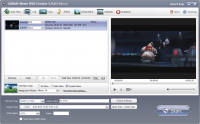
The interface is clean and intuitive. You aren't buried under layers of menus or technical jargon. Instead, you are guided through a logical workflow: Load your videos, edit them to perfection, design your menu, and burn. It is fast, it is effective, and it produces results that you will be proud to show off on your living room TV.
In this giveaway, you are getting a premium tool that solves real-world problems. You are getting the ability to preserve your memories, the freedom to bypass codec issues, and the creative power to design something truly personal. Whether you are a tech-savvy user looking for a reliable burning engine or a beginner who just wants to see their iPhone videos on the big screen, this software is the answer.
Don't let your videos sit forgotten in a folder on your computer. Give them the presentation they deserve. Download Gilisoft Movie DVD Creator today and start turning your digital clutter into a professional movie library. It is efficient, powerful, and remarkably easy to use—exactly what a great piece of software should be.
With its wide range of supported formats, intelligent quality controls, and beautiful menu templates, there is simply no reason to pass this up. This is your chance to own a high-tier media utility that will serve you for years to come. Grab it now and start creating!


Reviews for Gilisoft Movie DVD Creator
Click Here to Read Reviews for Gilisoft Movie DVD Creator >> Click Here to Submit Reviews for Gilisoft Movie DVD Creator >>