What Does IdolSoundLab Do?
IdolSoundLab is a desktop application designed for comprehensive audio file management, offering tools for editing, playback, recording, and format conversion. The software is available in two configurations: the standard IdolSoundLab, which requires a CD or DVD drive for its integrated player functions, and IdolSoundLabMini, a version tailored for users without physical optical drives.
The utility supports a wide array of audio formats, including:
- Wave and True Audio
- Ogg Vorbis and FLAC
- Monkeys Audio and Musepack
- Wavpack, CD Audio, and Windows Media Audio (WMA)
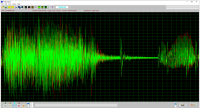
Functionally, the software allows users to cut, copy, paste, and merge audio segments. For signal processing, it includes features to normalize amplitude levels and remove DC signals. Tonal adjustments are handled via a 10-band equalizer to enhance audio output quality. Beyond editing, the application facilitates format transcoding, allowing users to convert files between any of the supported formats. Recording capabilities are also integrated, enabling the capture of both live streamed audio data and vocal input through a microphone.
Top 5 Reasons To Download IdolSoundLab
If you have ever found yourself tangling with a dozen different apps just to manage your music library, record a quick vocal track, or convert a stubborn audio format, then you know the struggle of the modern digital audiophile. The search for a "Swiss Army Knife" of audio is often met with over-complicated professional workstations or "free" tools that are riddled with bloatware. That is why today’s giveaway of IdolSoundLab is such a game-changer for the tech community. This software isn't just another media player; it is a comprehensive suite designed to handle every facet of your audio life with precision and ease. Whether you are a casual listener who wants better sound quality or a hobbyist producer looking for a reliable recording and editing rig, this giveaway is something you cannot afford to pass up.
Before we dive into the nitty-gritty of why this software deserves a permanent spot on your hard drive, let’s look at the highlights. Here are the top five reasons why you need to download this giveaway immediately:
- Unrivaled Format Support for Audiophiles: From standard MP3s to high-fidelity formats like FLAC, Monkeys Audio, and Musepack, IdolSoundLab handles the widest array of audio files with ease.
- Professional-Grade Editing Tools: You get a full suite of precision tools to cut, copy, paste, and merge audio, allowing you to craft the perfect track without needing a degree in sound engineering.
- Advanced Audio Restoration and Enhancement: Features like DC signal removal, amplitude normalization, and a 10-band equalizer allow you to breathe new life into old or poorly recorded files.
- Versatile Recording Capabilities: Whether you are capturing a live stream from the web or recording your own vocals via microphone, the recording engine is robust, clear, and incredibly reliable.
- Flexible System Footprint: With the choice between the full IdolSoundLab and the lightweight IdolSoundLabMini, you can tailor the software to your specific hardware needs, ensuring peak performance on any PC.
1. Unrivaled Format Support for Audiophiles
In the world of digital audio, format compatibility is usually the first wall that users hit. We have all been there: you download a high-quality track only to find that your default player doesn't recognize the extension. IdolSoundLab completely eliminates this frustration by providing native support for an exhaustive list of formats. We aren't just talking about your standard Wave or WMA files here. This software goes deep into the enthusiast territory.
One of the standout features is its support for True Audio (TTA) and Monkeys Audio (APE). For those who aren't familiar, these are lossless compression formats that are favorites among purists who refuse to lose even a single bit of sound quality. While many mainstream players require clunky third-party plugins to handle these, IdolSoundLab treats them like first-class citizens. You also get support for Ogg Vorbis, Flac, Musepack, and Wavpack. Having all of these under one roof means you can finally stop hunting for "codec packs" that often do more harm to your system than good.
Furthermore, the software includes a powerful conversion engine. This is perhaps the most practical benefit of the giveaway. If you have a library of high-fidelity FLAC files but need to convert them to a more portable format for a specific device, IdolSoundLab handles the transition seamlessly. You can convert between any of the supported formats—Wave, TrueAudio, Ogg, Flac, Monkeys Audio, Musepack, Wavpack, and WMA—with just a few clicks. This versatility ensures that your music is always ready for whatever device or situation you find yourself in.
2. Professional-Grade Editing Tools
Many users shy away from "audio editors" because they imagine a complex interface filled with hundreds of knobs and confusing timelines. IdolSoundLab takes a different approach by offering professional-grade power through an intuitive interface. The core editing functions—cut, copy, paste, and merge—are as simple to use as they are in a word processor, yet they are powered by an engine that ensures sample-accurate precision.
Think about the possibilities here. Have you ever had a recording of a live concert where the "dead air" between songs lasted way too long? With this software, you can simply highlight the silence and cut it out in seconds. Do you have two separate recordings that you want to join into a single seamless experience? The merge function allows you to stitch audio files together without any "pop" or noticeable seam at the transition point. It turns the complex task of audio manipulation into something that anyone can master in a single afternoon.
What makes this giveaway even more compelling is the destructive and non-destructive flexibility it offers. You can experiment with your tracks, layering segments and testing transitions, until the audio sounds exactly the way you envisioned it. For content creators, this is an essential tool. If you are making a podcast or a voice-over for a video, being able to quickly trim mistakes or merge different takes is the difference between a project that sounds amateur and one that sounds like it was produced in a studio. By downloading this giveaway, you are essentially getting a digital workbench that would normally cost a premium.
3. Advanced Audio Restoration and Enhancement
Sometimes, the audio we have isn't the audio we want. Maybe you recorded something that came out too quiet, or perhaps there is a strange "hum" in the background of a legacy file. This is where IdolSoundLab truly shines as a restoration tool. One of its most impressive technical features is the ability to remove DC signals. For those who aren't audio engineers, a DC offset is a common technical glitch where the waveform isn't centered on the zero line. It can cause clicking sounds and reduce the overall "headroom" of your audio. IdolSoundLab identifies and fixes this automatically, resulting in a much cleaner, more professional sound.
Then there is the Amplitude Normalization feature. We have all experienced the annoyance of a playlist where one song is whisper-quiet and the next is deafeningly loud. Normalization adjusts the volume of your files to a standard level without distorting the sound quality. It ensures that your entire audio collection has a consistent, comfortable volume. When you combine this with the software's 10-band equalizer, you have total control over the sonic profile of your music. You can boost the low-end for a richer bass experience, or sharpen the high-frequencies to bring out the clarity in a vocal performance. It allows you to "remaster" your own files at home.
The equalizer isn't just a gimmick; it is a precision tool. Because it covers ten specific frequency bands, you can target very specific parts of the sound. If a recording sounds "muddy," you can dip the lower-mid frequencies to clean it up. If a podcast sounds "tinny," you can add warmth by bumping the 250Hz to 500Hz range. This level of control is usually reserved for expensive standalone plugins, but here, it is integrated directly into the IdolSoundLab experience.
4. Versatile Recording Capabilities
In the age of digital content, the ability to record high-quality audio on the fly is a necessity. IdolSoundLab offers two distinct recording modes that make it an invaluable tool for different types of users. First, it features streamed audio data recording. This is a "must-have" for anyone who spends time listening to web radio, webinars, or online performances. It allows you to capture the audio passing through your sound card with perfect digital fidelity. Instead of worrying about missing a live broadcast or trying to find a "download" button that doesn't exist, you can simply hit record and save the stream directly to your hard drive.
The second recording mode is vocal capture via microphone. This is where IdolSoundLab becomes a creative powerhouse. Whether you are recording a voice memo, a vocal track for a song, or narration for a presentation, the software provides a clean, lag-free recording environment. Because you can immediately take that recording and put it into the editor—where you can normalize it, EQ it, and trim it—the workflow is incredibly fast. You don't have to export from a recording app and import into an editing app; everything happens in one place.
For students, this is a fantastic way to record lectures and then go back to "cut" the important parts into study bites. For musicians, it serves as a "sketchpad" where you can lay down a melody using a microphone and then use the merge tool to layer ideas. The reliability of the recording engine means you won't have to worry about the software crashing in the middle of a once-in-a-lifetime capture. This giveaway provides a level of dependability that is rare in the world of free or discounted software.
5. Flexible System Footprint
One of the most thoughtful aspects of this software package is the inclusion of two distinct versions: IdolSoundLab and IdolSoundLabMini. In an era where software developers often try to "force" features on users that they don't need, this choice is incredibly refreshing. The full version of IdolSoundLab is built for the user who still values physical media. If your computer has a CD or DVD drive, the full version allows you to interact with CD audio files directly, making it an excellent tool for those who want to digitize their physical disc collection or work with legacy media.
On the other hand, IdolSoundLabMini is the perfect solution for modern laptop users or those with sleek, minimalist desktop setups that lack an optical drive. By removing the CD-player components, the "Mini" version offers a faster, more streamlined experience that focuses entirely on digital file manipulation. It uses fewer system resources and loads almost instantly. This flexibility means that whether you are running a high-end workstation or an older budget laptop, you can choose the version that provides the best performance for your specific hardware.
This "user-first" design philosophy extends to the entire interface. The software is built to be "great sounding," but also "great performing." It doesn't bog down your CPU with unnecessary visual flourishes; it focuses on the math of the audio. When you download this giveaway, you aren't just getting a tool; you are getting a piece of software that respects your system's resources. In a world of "heavy" apps that take forever to open, having a lightweight, powerful audio suite like IdolSoundLab is a breath of fresh air.
Conclusion: Why You Should Act Now
It is rare to find a giveaway that offers this much utility without any hidden catches. IdolSoundLab is a robust, professional, and versatile package that solves almost every common audio problem. From the audiophile who needs to convert Monkeys Audio files to the aspiring podcaster who needs to record and edit their first episode, this software covers all the bases. You get format support that rivals the most expensive players, editing tools that are both powerful and accessible, and restoration features that can save your favorite recordings from the scrap heap.
Don't let the simplicity of the name fool you; this is a serious tool for people who care about sound. The addition of the 10-band equalizer and the DC signal removal tool alone makes this worth the download. When you add in the fact that you can choose the version that best fits your computer (Standard or Mini), it becomes clear that the developers have thought of everything. This is your chance to upgrade your digital toolkit with a comprehensive audio solution that will serve you for years to come. Download IdolSoundLab today and take the first step toward a cleaner, better, and more professional audio experience. Your ears will thank you!


Reviews for IdolSoundLab
Click Here to Read Reviews for IdolSoundLab >> Click Here to Submit Reviews for IdolSoundLab >>