What Does iOrgsoft Data Recovery Do?
iOrgsoft Data Recovery is a dedicated utility designed to retrieve digital assets lost through accidental deletion, partition formatting, or system errors. The software serves as a contingency tool for users who have bypassed the recycle bin or emptied their system’s trash, offering a pathway to restore data that would otherwise be inaccessible through standard operating system commands.
The application supports a broad spectrum of file formats, ensuring compatibility across various media types. Users can utilize the tool to recover productivity documents, including Word, Excel, PPT, and PDF files. For multimedia restoration, the software identifies and recovers common image formats like JPG and PNG, alongside various video and audio extensions. This versatility makes it a comprehensive solution for both professional and personal data loss scenarios.
Beyond internal hard drives, iOrgsoft Data Recovery extends its functionality to external storage media. This includes the ability to scan and retrieve data from USB flash drives, SD cards, and other portable storage devices. The recovery process is engineered to be safe and non-destructive, prioritizing the integrity of the original data. By scanning local and removable volumes, the program identifies recoverable sectors to facilitate the return of missing files to their original state without compromising existing system data.
Top 5 Reasons To Download iOrgsoft Data Recovery
- Universal File Format Support: From critical business documents like Word and Excel to precious media files like JPG and MP4, this tool handles them all.
- Comprehensive Storage Device Compatibility: It doesn't just work on your internal hard drive; it rescues data from SD cards, USB sticks, and external drives.
- The Ultimate "Safety Net" for Emptied Trash: It can bypass the finality of an emptied trash bin, retrieving files you thought were gone forever.
- Risk-Free and Non-Destructive Recovery: The software is designed to read your data without overwriting or damaging the existing file structure.
- Simplicity Meets Power: You don't need to be a forensic data expert to navigate the interface; it is built for the everyday user who needs results fast.
We have all experienced that heart-stopping moment of pure, unadulterated panic. You are cleaning up your workspace, moving folders around, and clicking through confirmation boxes with a bit too much speed. Suddenly, you realize that the folder you just deleted wasn't the "Temp" folder—it was your entire project directory for the quarter. Or perhaps you’ve plugged in an old SD card from a family vacation only to see the dreaded message: "The disk is not formatted. Do you want to format it now?" In the world of modern computing, data is our most valuable currency, yet it remains incredibly fragile. This is exactly why iOrgsoft Data Recovery is an essential addition to your digital toolkit. As a tech reviewer, I see hundreds of utilities, but few are as mission-critical as a reliable data recovery suite. If you are looking for a reason to jump on this giveaway, look no further. Here is the deep dive into why this software is a must-download.
1. Universal File Format Support: One Tool for Every File
One of the biggest frustrations with entry-level recovery tools is their limited scope. There is nothing worse than running a scan for two hours only to find that the software can see your deleted files but doesn't actually support the "recovery" of that specific file extension. iOrgsoft Data Recovery eliminates this hurdle by offering an incredibly broad spectrum of file support. Whether you are a professional photographer, a student, or a corporate executive, your data needs are diverse, and this software is built to match them.
For the office power user, the ability to recover Word, Excel, PPT, and PDF files is non-negotiable. These documents often represent hundreds of hours of labor. Losing a spreadsheet with complex formulas or a pitch deck the night before a big meeting can be a career catastrophe. This program understands the internal structures of these document types, ensuring that when they are recovered, they are actually functional and not just a jumbled mess of code.
Beyond the office, our digital lives are defined by media. We carry around thousands of JPG and PNG images that represent years of memories. We have video and audio files that are often irreplaceable. iOrgsoft handles these high-bitrate files with ease. It doesn't matter if it's a high-resolution 4K video or a simple MP3 recording; the recovery algorithms are tuned to identify these file headers and reconstruct them perfectly. This versatility makes it the only recovery tool most users will ever need.
2. Comprehensive Storage Device Compatibility
Modern data doesn't just live on our C: drives anymore. We live in an era of "sneaker-net" and portable storage. We use USB flash drives to move files between home and the office, SD cards to capture photos in our DSLRs, and external hard drives to back up our entire digital existence. However, these portable devices are significantly more prone to corruption and accidental formatting than internal drives.
The beauty of iOrgsoft Data Recovery lies in its ability to interface with almost any storage medium the OS can recognize. If you have an external drive that has "vanished" from your file explorer due to a logical error, this software can often still see the raw data and pull it back from the brink. It acts as a bridge between your hardware and your lost files. For photographers specifically, the SD card support is a lifesaver. SD cards are notorious for "file system RAW" errors, where the camera or computer suddenly claims the card is unreadable. Instead of formatting and losing your shoot, you can use this program to bypass the file system error and extract the images directly.
This cross-device compatibility ensures that no matter where your data was stored, you have a path to getting it back. It treats your USB drives, microSD cards, and external SSDs with the same level of rigorous scanning as your primary hard drive, giving you a universal solution for data loss regardless of the hardware involved.
3. The Ultimate "Safety Net" for Emptied Trash
Most users believe that once they empty the Trash or the Recycle Bin, the data is physically wiped from the face of the earth. This is a common misconception, but it is one that causes a lot of unnecessary grief. When you empty the trash, the operating system simply marks the space occupied by those files as "available." The data is still there; the computer just doesn't know how to find it anymore. This is where iOrgsoft Data Recovery performs its most impressive magic.
By using advanced scanning techniques, the software looks past the "available" markers set by your OS and finds the original data packets. It allows you to undo the act of emptying the trash. This is the ultimate "I messed up" button. We have all had that moment where we realized, five minutes after hitting "Empty," that a vital file was sitting in that bin. Without a tool like this, that file is effectively a ghost. With iOrgsoft, you can perform a targeted scan that specifically looks for these recently de-indexed files.
It provides a second chance that the operating system simply doesn't offer. By downloading this giveaway, you are essentially installing an "insurance policy" against your own accidental clicks. The peace of mind that comes with knowing an "Empty Trash" command isn't the end of the world is worth the download alone. It transforms a potential disaster into a minor five-minute inconvenience.
4. Risk-Free and Non-Destructive Recovery
When people realize they have lost data, their first instinct is often to try everything they can to fix it. Unfortunately, many "fix-it" utilities actually write new data to the drive in an attempt to repair the file system. This is the worst thing you can do, as writing new data can overwrite the very files you are trying to save. iOrgsoft Data Recovery is built on the principle of non-destructive recovery. It is designed to be "read-only" during the scanning phase.
This means the software analyzes your drive, identifies the lost files, and allows you to preview them without changing a single bit of data on the source drive. It ensures that the state of your lost data doesn't get worse while you are trying to make it better. This is a professional-grade approach to data recovery that is often missing from free, open-source alternatives. When you are dealing with sensitive documents or one-of-a-kind photos, you want a tool that respects the integrity of the disk.
Furthermore, the "easily and safely" aspect mentioned in the software's benefits refers to the stability of the program itself. It won't crash your system or cause further logical errors during the deep scan process. It is a refined, polished piece of software that manages system resources effectively, even when scanning massive multi-terabyte drives. Safety isn't just about the files; it's about the entire recovery environment, and iOrgsoft excels here.
5. Simplicity Meets Power: Professional Results for Everyone
In the past, data recovery was the domain of IT professionals who worked in dark rooms with command-line interfaces. If you lost a file, you paid a technician hundreds of dollars to get it back. iOrgsoft Data Recovery changes that dynamic entirely by wrapping powerful, professional-grade recovery algorithms in a user-friendly interface. You don't need to understand what a "partition table" is or how "sectors" work to use this program effectively.
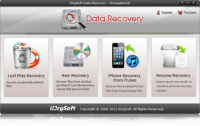
The workflow is intuitive: you select the drive you want to scan, you let the software do the heavy lifting, and you browse a list of recoverable files that looks just like your standard file explorer. It takes the "tech-speak" out of the equation and replaces it with a streamlined process that anyone—from a teenager to a grandparent—can navigate. This democratization of data recovery is a huge win for the average user.
Efficiency is the keyword here. The software is designed to get you from "lost" to "found" in as few clicks as possible. It categorizes files by type, making it easy to find that one specific PDF in a sea of thousands of recovered items. You can filter the results, preview the files to ensure they are intact, and then restore them to a safe location with a single click. It is the perfect balance of "under-the-hood" power and "front-end" simplicity. For a tech reviewer, this is always the gold standard—software that is powerful enough to do the job, but simple enough that you don't need a manual to use it.
Conclusion: Why You Should Act Now
Data loss is not a matter of "if," but a matter of "when." At some point, a drive will fail, a file will be accidentally deleted, or a partition will become corrupt. The worst time to look for a data recovery solution is after the disaster has already happened. In those moments of panic, you don't want to be searching the internet, comparing features, or worrying about whether a piece of software is legitimate. You want the solution already sitting on your hard drive, ready to go.
This giveaway of iOrgsoft Data Recovery is a rare opportunity to secure a high-quality, versatile, and safe recovery tool at no cost. It covers every major file type you use on a daily basis, it works with all your external gadgets, and it provides a safety net for those "Empty Trash" mistakes we all make. It is a professional-grade utility designed for the everyday user, ensuring that your digital memories and professional hard work are never truly gone.
Don't wait until you see that "File Not Found" error. Download this giveaway today, install it, and keep it in your arsenal. It is the kind of software you hope you never have to use, but you will be eternally grateful to have when the time comes. iOrgsoft Data Recovery is reliable, efficient, and incredibly easy to use. In the world of tech, that is a winning combination that is hard to ignore. Protect your data, protect your peace of mind, and grab this powerful recovery tool while you can.
Final Verdict: For anyone who uses a computer for more than just browsing the web, this is a must-have download. The breadth of file support and the ease of use make it a top-tier choice in the crowded field of data recovery utilities. Get it now and breathe a sigh of relief knowing your data is safe.


Reviews for iOrgsoft Data Recovery
Click Here to Read Reviews for iOrgsoft Data Recovery >> Click Here to Submit Reviews for iOrgsoft Data Recovery >>