
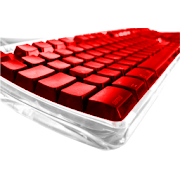
Skin for "Smart Keyboard" or "Better Keyboard" Users.
To launch :
1- Make sure you have "Smart Keyboard" or "Better Keyboard" installed. (If not, search on the Market)
2- In "Smart Keyboard", press "Menu" -> "General Settings" -> "Choose the Skin" -> * (Almost the same with "Better Keyboard")
3- Select skin
To launch :
1- Make sure you have "Smart Keyboard" or "Better Keyboard" installed. (If not, search on the Market)
2- In "Smart Keyboard", press "Menu" -> "General Settings" -> "Choose the Skin" -> * (Almost the same with "Better Keyboard")
3- Select skin
Reviews for KB Skin : InovationRed
Click Here to Read Reviews for KB Skin : InovationRed >> Click Here to Submit Reviews for KB Skin : InovationRed >>