What Does KooRaRoo Media Do?
KooRaRoo Media is a DLNA server and media organizer designed to stream movies, music, and photos across a local home network. The software allows users to broadcast digital content from a central PC or NAS drive to various compatible hardware, including smart TVs, Blu-ray players, game consoles, and mobile devices.
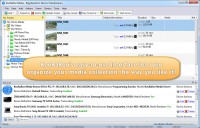
The application functions as more than a basic file streamer by incorporating automated organization features. It utilizes file metadata to generate hierarchical playlists, making large media libraries easier to navigate. To ensure compatibility, the software features automatic on-the-fly transcoding, which converts files into formats supported by the receiving device in real time.
Key technical features include:
- Parental Controls: Administrators can restrict specific files or folders based on content ratings, ensuring that certain devices only access age-appropriate material.
- Advanced Subtitle Support: The server manages external subtitle formats such as SRT and SMI. For devices that do not natively support external subtitles, the software can burn them directly into the video stream.
- System Efficiency: The software is optimized for low memory usage and high-speed indexing, allowing for simultaneous streaming to multiple devices without significant performance lag.
Setup involves installing the self-contained package on a computer and pointing the software to existing media directories. Once active, KooRaRoo Media is automatically detected by DLNA-compliant devices on the network, enabling immediate playback.
Top 5 Reasons To Download KooRaRoo Media
If you are looking for a way to centralize your digital life and finally bridge the gap between your computer's hard drive and your living room television, look no further. Here are the top five reasons why you need to download KooRaRoo Media today:
- Seamless Universal Compatibility and On-the-Fly Transcoding: Never worry about file formats again; if your device can't play it, KooRaRoo converts it instantly.
- Advanced, Automated Media Organization: Transform a messy folder of files into a professional, metadata-rich library with smart playlists.
- Granular Parental Controls and Device Permissions: Control exactly what content is visible on which device, ensuring a safe viewing environment for children.
- Superior Subtitle Support: Whether through external files or "burning" subtitles directly into the stream, you will never miss a word of dialogue.
- High-Speed Performance with Minimal Resource Footprint: Enjoy a lightning-fast interface and smooth streaming without slowing down your PC or laptop.
Let’s be honest for a second: we live in an era of digital clutter. Between the movies we have archived, the thousands of high-resolution family photos, and music libraries that span decades, our media is often scattered across various PCs, laptops, and external hard drives. The real frustration begins when you want to actually enjoy that content. You find yourself trying to copy files to a USB stick, only to find out your smart TV doesn't support the file format, or you try to stream over the network only to have the video stutter and freeze. This is where a high-quality DLNA server becomes the most important tool in your digital arsenal.
I have spent years testing various media servers, from the overly complex enterprise-grade solutions to the "bare bones" streamers that barely function. KooRaRoo Media sits in that "Goldilocks" zone—it is incredibly powerful and feature-rich, yet it is so user-friendly that you can have it up and running in seconds. It isn't just a file server; it is a sophisticated media organizer that understands the nuances of modern home networking. If you are serious about your home theater experience, this is the giveaway you cannot afford to miss.
1. Seamless Universal Compatibility and On-the-Fly Transcoding
The single biggest headache in home networking is the dreaded "Unsupported File Format" error. You sit down with your popcorn, turn on your expensive 4K TV or your PlayStation, navigate to your movie folder, and—nothing. The device refuses to play the file because it doesn't like the codec, the container, or the bit rate. This is usually where most users give up and go back to watching movies on their tiny laptop screen.
KooRaRoo Media solves this problem with a feature called on-the-fly transcoding. This is essentially the "magic" behind the software. When you click play on a device, KooRaRoo checks that device’s capabilities in real-time. If the device doesn’t support the native format of your movie or song, KooRaRoo converts the file into a compatible format as it streams. You don’t have to wait for a conversion process to finish, and you don’t have to keep multiple copies of the same file in different formats. It just works.
This is particularly vital for those of us with a mix of old and new hardware. Your brand-new tablet might support every modern codec under the sun, but your older Blu-Ray player in the bedroom might be a lot pickier. KooRaRoo treats every device with the specific care it needs, ensuring that your entire library is available everywhere, regardless of the hardware's age or brand. It takes the technical guesswork out of the hands of the user and puts it into a smart, automated system.
2. Advanced, Automated Media Organization
If you are like me, your media collection is a bit of a mess. You have folders named "New Downloads," "Vacation 2018," and "Music Backup." Finding a specific song or a particular episode of a TV show in that mess can feel like a full-time job. KooRaRoo Media acts as your digital librarian. When you point the software to your media folders, it doesn't just list the files; it organizes them.
The software uses powerful metadata scanning to identify your files. It looks at the tags inside your music and video files to pull in information like artist names, album art, movie genres, and release years. This allows you to browse your collection on your TV by genre, actor, or year, rather than just scrolling through a long, alphabetical list of filenames. It makes your home-grown media collection feel as professional and polished as a premium streaming service.
Furthermore, the smart playlist feature is a game-changer. You can set up rules—for example, "Create a playlist of all Action movies released after 2010"—and KooRaRoo will automatically populate that list for you. As you add new movies to your hard drive that fit those criteria, the playlist updates itself. This level of automation means you spend less time managing your files and more time actually enjoying them. The original files on your hard drive remain untouched and unmodified, ensuring that your data stays exactly where and how you want it.
3. Granular Parental Controls and Device Permissions
In a modern household, the "home network" is shared by everyone. This creates a significant privacy and safety concern. You might have a collection of R-rated horror movies that are perfectly fine for the master bedroom, but you absolutely do not want those files appearing on the tablet your six-year-old uses in the playroom. Most media servers are "all or nothing," meaning every device on the network sees every file.
KooRaRoo Media offers a sophisticated parental control system that is refreshingly easy to use. You can assign content ratings to your files and then set a maximum allowed rating for each individual device on your network. If a movie is rated above the threshold you’ve set for the kids’ TV, it won't even show up in the menu. To the child browsing the library, those files simply do not exist. This provides an incredible peace of mind that is often missing from other home server setups.
Beyond just parental controls, this feature is excellent for general organization. If you have a dedicated audio-visual receiver in your listening room, you might only want it to display your high-resolution FLAC music files and hide the folders full of low-res photos. KooRaRoo allows you to customize the experience for every room in the house, ensuring that each device only shows the content that is relevant to that specific location. It turns your home into a truly "smart" media environment.
4. Superior Subtitle Support
For cinema buffs, subtitles are not an optional extra; they are a necessity. Whether you are a fan of international cinema, you have a hearing impairment, or you simply prefer to watch movies with the volume low while the rest of the house sleeps, getting subtitles to work on a DLNA stream is notoriously difficult. Many TVs simply refuse to recognize external SRT files over a network connection.
KooRaRoo Media handles this with two distinct, powerful methods. First, if your device supports external subtitle files (like SRT, SMI, or SUB), KooRaRoo will serve them up perfectly. But the real "pro" feature is the subtitle burning capability. If you are using a device that is stubborn and refuses to show subtitles, KooRaRoo can "burn" the text directly onto the video stream in real-time. This means the subtitles become part of the image being sent to the TV, ensuring they appear 100% of the time, regardless of how limited your TV's software might be.
Even better, you have full control over the aesthetic of these subtitles. You can choose the font, the size, and the color to ensure they are perfectly legible against any background. You can also specify your preferred audio language and copy embedded subtitles from the source file. It is the most comprehensive subtitle management system I have seen in a DLNA server, removing one of the most common frustrations of digital media playback.
5. High-Speed Performance with Minimal Resource Footprint
There is nothing worse than a piece of software that "hogs" your computer's resources. Many media servers are built on bulky, inefficient frameworks that slow down your PC, making it difficult to work or play games while the server is running in the background. They often take ages to scan for new files, and the user interface can feel sluggish and unresponsive.
KooRaRoo Media is built for speed. It is an incredibly lightweight application that uses very little memory. Even when it is performing complex tasks like transcoding a high-definition video, it manages resources efficiently so that your computer remains usable. The installation process is self-contained and takes only a few seconds—no hunting for external drivers or additional software packages is required. It is a "set it and forget it" piece of software that runs quietly in the system tray.
This efficiency extends to the browsing experience on your devices as well. When you open the media menu on your TV or PlayStation, you don't want to wait several seconds for every folder to load. KooRaRoo’s optimized database ensures that browsing through thousands of files is instantaneous. It provides a smooth, fluid experience that feels like using a high-end dedicated hardware streamer, but with the power and flexibility of your own PC. For those of us who value a responsive and snappy user interface, KooRaRoo is the gold standard.
The Final Verdict: Why You Should Act Now
In the world of tech, we often look for the "killer app"—that one piece of software that justifies the hardware we’ve bought. If you own a smart TV, a game console, or a tablet, KooRaRoo Media is that app. It bridges the gap between your storage and your screen, removing the technical hurdles that usually get in the way of a good movie night. It turns your home computer into a powerhouse media hub without requiring you to have a degree in information technology.
Setting up a home server used to be a daunting task reserved for the most tech-savvy among us. You would have to manually configure network protocols, convert files for hours, and hope that your devices would play nice together. KooRaRoo Media has modernized this entire process. It takes the "heavy lifting" of transcoding, organizing, and streaming and handles it all behind the scenes. It respects your time, your hardware, and your privacy.
DLNA technology is already built into millions of devices worldwide—you likely already own several pieces of hardware that are ready to use this service right now. By downloading this giveaway, you are unlocking the full potential of the electronics you already have in your home. You are gaining a professional-grade media organizer, a powerful video converter, and a secure content management system all in one package. Don't let your media stay trapped on a hard drive. Download KooRaRoo Media and start enjoying your movies, music, and photos the way they were meant to be seen: on the big screen, with perfect quality and total ease of use.
This is a rare opportunity to get your hands on a premium piece of software that solves one of the most persistent problems in the modern home. Whether you are a hardcore cinephile with a massive 4K library or a parent who just wants an easy way to show family photos on the living room TV, KooRaRoo Media is the solution you have been looking for. Experience your media without limits—download it now!


Reviews for KooRaRoo Media
Click Here to Read Reviews for KooRaRoo Media >> Click Here to Submit Reviews for KooRaRoo Media >>