
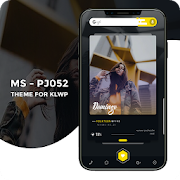
Este não é um aplicativo independente. O tema exige Kustom Live Wallpaper PRO ( Não a versão gratuita do KLWP ).
Kustom ( KLWP PRO ) https://play.google.com/store/apps/details?id=org.kustom.wallpaper.pro
O que você precisa:
✔ Kustom ( KLWP PRO )
✔ Um lançador compatível com KLWP ( Recomendo o lançador Nova Launcher )
Como instalar:
✔ Baixe o MS - PJ052
✔ Abra seu aplicativo KLWP PRO, escolha o ícone de menu na parte superior esquerda, em seguida, clique em carregar predefinição.
✔ Encontre e toque no tema MS - PJ052.
✔ Clique no botão "Salvar" no canto superior direito
Nas configurações do KLWP você precisa:
✔ selecionar 1 tela.
(OBS) Abra o KLWP em seguida va na aba globais, no final da lista você pode esta adicionando uma foto de perfil, nome de usuário e seu endereço de e-mail. No global ‘’LINK’’ você deve apagar o link que esta e colar o link do seu perfil de alguma rede social de sua preferência como o G+ por exemplo.
Assista ao video apresentação do projeto, o procedimento é mostrado no video!
Nas configurações do lançador Nova Launcher você precisa:
✔ Selecionar 1 tela.
✔ Ocultar a Dock.
✔ Ocultar a Status Bar.
✔ Remover indicador de pagina.
Se você gostou do tema MS - PJ052, não se esqueça de avaliar com as estrelas e deixar seu comentário!
Entre em contato comigo com quaisquer questões / problemas antes de deixar uma classificação negativa.
Aprecie!This is not a standalone application. The theme requires Kustom Live Wallpaper PRO (not the free version of KLWP).
Kustom (KLWP PRO) https://play.google.com/store/apps/details?id=org.kustom.wallpaper.pro
What do you need:
✔ Kustom (KLWP PRO)
✔ A launcher compatible with KLWP (I recommend the launcher New Launcher)
How to install:
✔ Download MS - PJ052
✔ Open your KLWP PRO application, choose the menu icon at the top left, then click Load default.
✔ Find and tap the topic MS - PJ052.
✔ Click the "Save" button at the top right
In KLWP settings you need:
✔ select one screen.
(Note) Open KLWP then va the Global tab at the end of this list you can add a profile photo, username and your e-mail. The global '' LINK '' you must delete the link to this and paste the link to your profile in any social network of your choice like the G + for example.
Watch the video presentation of the project, the procedure is shown in the video!
In the launcher settings Nova Launcher you need:
✔ 1 Select screen.
✔ Hide the Dock.
✔ Hide Status Bar.
✔ Remove the page indicator.
If you like the MS theme - PJ052, be sure to evaluate the stars and leave your comment!
Please contact me with any questions / problems before leaving a negative rating.
Enjoy!
Kustom ( KLWP PRO ) https://play.google.com/store/apps/details?id=org.kustom.wallpaper.pro
O que você precisa:
✔ Kustom ( KLWP PRO )
✔ Um lançador compatível com KLWP ( Recomendo o lançador Nova Launcher )
Como instalar:
✔ Baixe o MS - PJ052
✔ Abra seu aplicativo KLWP PRO, escolha o ícone de menu na parte superior esquerda, em seguida, clique em carregar predefinição.
✔ Encontre e toque no tema MS - PJ052.
✔ Clique no botão "Salvar" no canto superior direito
Nas configurações do KLWP você precisa:
✔ selecionar 1 tela.
(OBS) Abra o KLWP em seguida va na aba globais, no final da lista você pode esta adicionando uma foto de perfil, nome de usuário e seu endereço de e-mail. No global ‘’LINK’’ você deve apagar o link que esta e colar o link do seu perfil de alguma rede social de sua preferência como o G+ por exemplo.
Assista ao video apresentação do projeto, o procedimento é mostrado no video!
Nas configurações do lançador Nova Launcher você precisa:
✔ Selecionar 1 tela.
✔ Ocultar a Dock.
✔ Ocultar a Status Bar.
✔ Remover indicador de pagina.
Se você gostou do tema MS - PJ052, não se esqueça de avaliar com as estrelas e deixar seu comentário!
Entre em contato comigo com quaisquer questões / problemas antes de deixar uma classificação negativa.
Aprecie!This is not a standalone application. The theme requires Kustom Live Wallpaper PRO (not the free version of KLWP).
Kustom (KLWP PRO) https://play.google.com/store/apps/details?id=org.kustom.wallpaper.pro
What do you need:
✔ Kustom (KLWP PRO)
✔ A launcher compatible with KLWP (I recommend the launcher New Launcher)
How to install:
✔ Download MS - PJ052
✔ Open your KLWP PRO application, choose the menu icon at the top left, then click Load default.
✔ Find and tap the topic MS - PJ052.
✔ Click the "Save" button at the top right
In KLWP settings you need:
✔ select one screen.
(Note) Open KLWP then va the Global tab at the end of this list you can add a profile photo, username and your e-mail. The global '' LINK '' you must delete the link to this and paste the link to your profile in any social network of your choice like the G + for example.
Watch the video presentation of the project, the procedure is shown in the video!
In the launcher settings Nova Launcher you need:
✔ 1 Select screen.
✔ Hide the Dock.
✔ Hide Status Bar.
✔ Remove the page indicator.
If you like the MS theme - PJ052, be sure to evaluate the stars and leave your comment!
Please contact me with any questions / problems before leaving a negative rating.
Enjoy!
Reviews for MS – PJ052 Theme for KLWP
Click Here to Read Reviews for MS – PJ052 Theme for KLWP >> Click Here to Submit Reviews for MS – PJ052 Theme for KLWP >>