What Does Noteburner M4V Converter Do?
NoteBurner M4V Converter for Windows is a dedicated utility designed to strip Digital Rights Management (DRM) from iTunes video content. This software facilitates the conversion of both purchased and rented M4V movies, music videos, and television shows into standardized, non-DRM formats. By removing these digital restrictions, media originally locked to the Apple ecosystem can be viewed on a variety of non-Apple hardware, including Android smartphones, tablets, and gaming consoles such as the Xbox 360 and PlayStation 3.
The application supports conversion into several common containers, including MP4, AVI, MOV, FLV, and MPEG. It also allows for the extraction of audio into MP3 or AAC formats. Users can customize output files by adjusting parameters such as video and audio codecs, bitrates, aspect ratios, and frame sizes. For increased efficiency, the software features a batch conversion mode, allowing for the simultaneous processing of multiple files with a single command.
Key features of the software include:
- DRM removal for both rented and purchased iTunes media.
- Hardware-specific conversion profiles for Kindle Fire, BlackBerry, Nokia, and Sony Walkman.
- Integrated frame-capture tools for extracting still images from video files.
- A streamlined user interface optimized for high-speed processing and ease of use.
The service includes technical support and lifetime software updates to ensure continued compatibility with Windows operating systems and evolving media formats.
Top 5 Reasons To Download Noteburner M4V Converter
If you have ever felt trapped by the digital walls of the iTunes ecosystem, you are not alone. We have all been there: you spend hard-earned money on a blockbuster movie or a trending TV show, only to realize you can only watch it on specific Apple-sanctioned devices. It is frustrating, limiting, and frankly, outdated. That is where NoteBurner M4V Converter for Windows comes into play. This isn't just another utility; it is a liberation tool for your digital library. If you are looking for a way to truly own the content you have paid for, this is the download you have been waiting for. Here are the top five reasons why you need to grab this software right now.
- Complete DRM Removal for Purchases and Rentals: Break free from the restrictive Digital Rights Management that locks your iTunes content to specific players.
- Universal Format Conversion: Transform M4V files into widely supported formats like MP4, AVI, and MOV without losing quality.
- Cross-Platform Device Compatibility: Watch your favorite iTunes movies on Android, gaming consoles, and non-Apple tablets with ease.
- High-Efficiency Batch Processing: Save time by converting entire seasons of TV shows or full movie collections in one single click.
- Advanced Output Customization: Take control of your file sizes and quality by adjusting bitrates, codecs, and resolutions to fit your specific needs.
1. Complete DRM Removal for Purchases and Rentals
Let’s talk about the elephant in the room: DRM (Digital Rights Management). While it was designed to protect copyright, it often ends up punishing the honest consumer. When you buy a movie on iTunes, you don't "own" it in the traditional sense; you own a license to watch it on Apple-approved hardware. This becomes an even bigger headache with rentals. We have all experienced that stress—you rent a movie, life gets in the way, and suddenly your 24-hour viewing window has expired before you could even hit play.
The NoteBurner M4V Converter for Windows acts as a professional-grade solution to this problem. It is specifically designed to remove DRM protection from both purchased and rented M4V videos. This is done legally and efficiently on the Windows operating system. By stripping away these digital shackles, the software allows you to keep a backup of your rentals or enjoy your purchases on any software player you prefer. Imagine the peace of mind knowing that the movie you paid for isn't going to vanish or become unplayable just because you decided to switch from an iPhone to an Android device. This feature alone makes the software an essential tool for any serious media collector.
Furthermore, the removal process is incredibly clean. Unlike some "screen recording" workarounds that result in choppy frames and desynced audio, NoteBurner works at a system level to ensure that the DRM removal is seamless. You are left with a high-quality video file that behaves exactly like any other file on your hard drive. No logins, no "authorizing this computer," and no annoying errors when you try to open the file in a third-party player like VLC.
2. Universal Format Conversion
The M4V format is essentially a container developed by Apple. While it is similar to MP4, it is intentionally designed to be difficult to play on anything other than QuickTime or iTunes. If you have ever tried to move an iTunes file to a thumb drive to watch on your smart TV, you know the frustration of the "File Format Not Supported" error. This is where the conversion prowess of NoteBurner shines.
This software is a "magic" tool for converting those stubborn M4V files into MP4, AVI, MOV, FLV, 3GP, and MPEG1/2. Why does this matter? Because MP4 is the gold standard of digital video. It plays on virtually every screen on the planet, from your smart fridge to your high-end gaming PC. By converting your library to these "plain" formats, you are future-proofing your collection. You are no longer reliant on Apple continuing to support a specific format or software version.
But it doesn't stop at video. NoteBurner also allows for audio extraction, enabling you to convert M4V files into MP3 or AAC formats. This is a game-changer for music videos or concert films. If you have a high-definition recording of a live concert in your iTunes library, you can easily strip the audio and put it on your MP3 player for your morning run. The versatility offered here is unparalleled, turning a restrictive video file into a flexible asset that you can use however you see fit.
3. Cross-Platform Device Compatibility
We live in a multi-platform world. You might use a Windows PC for work, an iPad for reading, and a Samsung Galaxy for your phone. In a perfect world, your media would follow you across all these devices. Unfortunately, Apple’s ecosystem is notoriously "walled." NoteBurner M4V Converter is the bridge over that wall. It is an expert at making your iTunes M4V movies compatible with the rest of your tech life.
With this software, you can easily prepare your movies for Android tablets, Google Pixel phones, BlackBerry devices, and Nokia handsets. But it goes beyond just phones. Are you a gamer? You can convert your movies to play on your PSP, PS3, or Xbox 360. Are you a fan of high-fidelity portable players? It supports Creative Zen, Sandisk Sansa, and Sony Walkman. This software ensures that your media is as mobile as you are.
Think about the convenience during travel. You could load up a microSD card with twenty of your favorite movies, all converted to a lightweight MP4 format, and slide it into your Android tablet for a long-haul flight. No need to worry about internet connections for "verification" or whether the iTunes app will glitch mid-flight. By downloading this converter, you are essentially granting yourself the freedom to choose your hardware without sacrificing your media library.
4. High-Efficiency Batch Processing and Customization
If you have a large library, the thought of converting movies one by one is enough to make anyone give up. Tech reviewers like myself value efficiency above almost everything else, and NoteBurner delivers here with its Batch Conversion function. You don't have to babysit your computer. You can simply drag and drop an entire season of a TV show into the interface, select your desired output settings, and hit "Convert." The software handles the rest, processing each file in sequence while you go about your day.
What makes this even better is the level of customization available. NoteBurner is not a "one-size-fits-all" tool. It allows you to dig into the technical weeds if you want to. You can customize the video and audio codecs, the frame size, the bitrate, the aspect ratio, and even the audio channels. This is vital for users who are conscious of storage space. If you are converting a movie for a device with a smaller screen, you can lower the resolution and bitrate to save space without a noticeable loss in quality on that specific screen.
For the creative types, there is even a feature to capture favorite pictures from the M4V videos. If there is a particular cinematic shot you love, you can snap a high-quality still directly through the converter. Everything about the software is designed for high speed, high quality, and maximum convenience. It respects your time and your disk space, giving you the tools to create a media library that is tailored specifically to your hardware and your eyes.
5. User-Friendly Interface and Lifetime Support
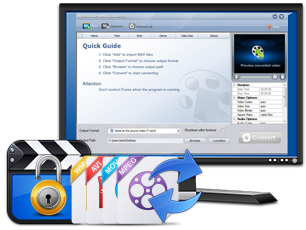
One of the biggest hurdles with "professional" software is often a steep learning curve. Many DRM removal tools look like they were designed in the 90s and require a computer science degree to operate. NoteBurner breaks this trend with a clear, intuitive interface. The layout is clean, the buttons are clearly labeled, and the workflow is logical. Even if you consider yourself "tech-illiterate," you can finish a DRM removal and video conversion in just a few clicks.
The software provides a preview window so you can see the process as it happens, ensuring that everything is looking exactly the way it should. But the value goes beyond the software itself. When you download and use NoteBurner, you aren't just getting a file; you are getting the peace of mind that comes with free Technical Support and lifetime free Upgrades. This is a huge selling point. Software environments change—Windows updates, iTunes updates, and DRM protocols evolve. Having a team that provides lifetime upgrades ensures that your tool won't become a paperweight in six months.
As a tech reviewer, I always tell my readers to look for products that offer "reassurance." The fact that NoteBurner stands behind their product with constant updates and support makes it a "must-download" during this giveaway. You are getting a premium experience that is usually reserved for high-priced professional suites, all wrapped in a package that is simple enough for anyone to use.
The Final Verdict
In the digital age, the concept of "ownership" is constantly under attack. We are pushed toward subscriptions and locked ecosystems that dictate how and where we can enjoy the things we buy. NoteBurner M4V Converter for Windows is a powerful counter-measure to that trend. It gives the power back to the user. Whether you want to watch a movie on your Android phone, keep a permanent copy of a rental, or simply organize your library in a more flexible format, this software is the key.
The combination of DRM removal, universal conversion, device compatibility, batch processing, and a simple UI creates a compelling package. It is rare to find a tool that balances such technical power with such ease of use. If you have even a single movie in your iTunes account, you owe it to yourself to download this giveaway. It is time to stop asking for permission to watch your own movies. Download NoteBurner M4V Converter today and experience the freedom of a truly open media library. Your devices—and your wallet—will thank you.
Don't wait for the next update to lock your files down even further. Take control now, convert your collection, and enjoy your media on your own terms. This is a top-tier recommendation for anyone looking to maximize their digital entertainment experience.

Reviews for Noteburner M4V Converter
Click Here to Read Reviews for Noteburner M4V Converter >> Click Here to Submit Reviews for Noteburner M4V Converter >>