What Does Pochade for Mac Do?
Pochade is a color management utility designed for designers, developers, and digital artists who need to capture and organize color values from their screen. The application functions as a centralized repository for palettes, allowing users to sample any pixel on their display and store it within a structured library.
The software focuses on workflow efficiency by allowing users to group related colors into distinct collections. This organizational structure is beneficial for professionals managing multiple projects or brand guidelines. Users can extract color values in several formats to match their specific development or design environment. Furthermore, Pochade supports industry-standard compatibility through the importation of existing color collection files, including ACO, ASE, and CLR formats.
Key features of the application include:
- Screen Sampling: Select and capture any color visible on the display.
- Collection Management: Save and categorize colors into groups for access across different applications.
- Format Flexibility: Copy color values in the specific notation required for code or design documents.
- File Import: Integrate existing palettes from standard color file types.
By providing a dedicated interface for color data, Pochade facilitates a consistent workflow when switching between various design tools and code editors. It is a functional tool for anyone required to frequently translate visual elements into precise digital values.
Top 5 Reasons To Download Pochade for Mac
Before we dive into the deep end of the color spectrum, let’s look at the quick hits. If you are a creative professional or a developer, these are the five pillars that make Pochade an absolute essential for your toolkit:
- Precision Pixel-Perfect Color Sampling: The ability to grab any color from any corner of your screen with surgical accuracy.
- Dynamic Output and Value Formatting: Instant conversion of colors into the specific formats you need, whether it is Hex, RGB, or code-ready snippets.
- Smart Collection Management: A robust system to group, categorize, and archive your color palettes so you never lose a "signature" shade again.
- Professional-Grade File Compatibility: Full support for industry-standard formats like ACO, ASE, and CLR, allowing you to bridge the gap between different design software.
- Universal Workflow Synchronization: A lightweight, system-wide utility that eliminates the need to open heavy design suites just to reference a single color value.
In the world of digital creation, precision isn’t just a luxury—it is the baseline for professionalism. As someone who spends a significant portion of my life staring at monitors, tweaking CSS files, and refining UI elements, I have seen my fair share of "color pickers." Most of them are clunky, some are bloated, and others are so basic they are practically useless. Then comes Pochade. It is the kind of tool that makes you wonder how you ever managed your workflow without it. If you have been looking for a way to streamline your design process and ensure color consistency across every project you touch, this is the giveaway you cannot afford to ignore. Let’s break down exactly why Pochade is a game-changer for your digital workspace.
1. Precision Pixel-Perfect Color Sampling
We have all been there. You are browsing a beautifully designed website, or perhaps you are looking at a high-resolution photograph, and you see a shade of blue that is just... perfect. In the old days, you would have to take a screenshot, open up a heavy-duty application like Photoshop or Affinity Designer, paste the image, and use the eyedropper tool. By the time you’ve done all that, the creative spark might have already flickered out.
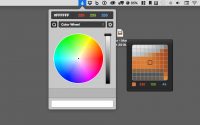
Pochade changes that narrative entirely. As a reviewer, the first thing I look for in a utility tool is "friction." How much friction exists between my thought and the execution? With Pochade, that friction is zero. The app allows you to select any color from your screen—not just within the app itself, but across your entire operating system. Whether it is a tiny icon in your menu bar or a specific pixel in a 4K video stream, Pochade’s sampling tool is incredibly precise.
This level of accuracy is vital because, in the world of web design and branding, being "close enough" isn't good enough. A Hex code that is off by one digit can ruin the brand consistency of a multi-million dollar company. Pochade provides a magnified view as you hover, ensuring that you are picking up the exact color of the pixel you intended, rather than a muddy average of the surrounding area. It is this attention to detail that sets a professional utility apart from a hobbyist's tool.
Furthermore, the sampling tool is designed to work seamlessly with modern high-DPI displays. If you are working on a Retina or 5K monitor, you know that picking colors can sometimes be tricky due to how pixels are scaled. Pochade handles this with grace, giving you the confidence that what you see is exactly what you get. It turns your entire screen into a digital canvas where every pixel is a potential source of inspiration.
2. Dynamic Output and Value Formatting
Once you have captured that perfect color, what do you do with it? If you are a developer, you likely need a Hex code for your CSS or a Swift/Objective-C snippet for your app’s UI code. If you are a graphic designer, you might need RGB or HSL values. This is where most color pickers fall short—they give you one format and expect you to find a converter for the rest.
Pochade understands that the user's needs vary depending on the task at hand. One of the most compelling reasons to download this app is its sheer flexibility in output. It allows you to get the color value exactly the way you want it. You can toggle between different formats with ease, making it an indispensable companion for full-stack developers who might be jumping between backend logic and frontend styling.
Imagine you are working on a React project. You need to quickly grab the brand colors from a PDF style guide. With Pochade, you sample the color and immediately have the Hex code ready to paste into your styled-components. Ten minutes later, you are working on a mobile app in Xcode; you sample the same color and get the specific code-ready value required for your platform. This versatility saves an incredible amount of time over the course of a work week. You are no longer wasting seconds (which turn into hours) manually converting values or hunting for the right syntax. It is a "set it and forget it" type of efficiency that elevates your entire production speed.
Additionally, the "copy value" feature is refined. It isn't just about getting the numbers; it’s about how those numbers are presented. Being able to copy a value with or without the hash symbol, or in a specific format that matches your coding standards, shows that Pochade was built by people who actually understand the daily grind of design and development.
3. Smart Collection Management
If you are working on more than one project at a time—and let’s be honest, who isn’t these days?—you know the nightmare of keeping track of palettes. You have the "Client A Brand Colors," the "Personal Portfolio Palette," the "New App Dark Mode Scheme," and a dozen others. Storing these in a random text file or a sticky note is a recipe for disaster.
Pochade solves this organizational headache with its "Collections" feature. Think of Collections as your digital library of inspiration. You can group your colors by project, by mood, or by client. This structural approach to color management is what transforms Pochade from a simple utility into a comprehensive workflow solution. When you save a color, you aren't just putting it in a temporary clipboard; you are archiving it for future use.
As a tech reviewer, I am always looking for software that encourages "best practices." Managing colors in collections is a best practice that every designer should adopt. It allows for a level of consistency that is hard to maintain otherwise. If you return to a project six months later, you don't have to go hunting through old files to find the exact shade of "off-white" you used for the background. You simply open your Pochade collection, and there it is, ready to be used again.
The interface for managing these collections is intuitive and clutter-free. You can quickly name your collections, add or remove colors, and navigate between different projects without feeling overwhelmed. It turns the chaotic process of color selection into an organized, zen-like experience. For anyone who balances multiple clients or complex design systems, this feature alone is worth the download.
4. Professional-Grade File Compatibility
One of the most frustrating aspects of the creative industry is the "walled garden" effect. Adobe has its way of doing things, Apple has its own, and various open-source tools have theirs. Moving assets between these environments is often a headache. Pochade breaks down these walls by offering robust support for industry-standard color file formats: ACO, ASE, and CLR.
For the uninitiated, ACO (Adobe Color) and ASE (Adobe Swatch Exchange) are the gold standards for professionals using Photoshop, Illustrator, and InDesign. CLR (Color List) files are native to the macOS color picker. By supporting these imports, Pochade ensures that you are never starting from scratch. You can take your existing palettes from a professional design suite and bring them directly into Pochade’s streamlined interface.
This compatibility is a massive win for collaborative environments. Imagine your lead designer sends you an .ase file with the approved palette for a new branding campaign. Instead of manually entering each value into your own tools, you simply import the file into Pochade. Now, those colors are available system-wide, regardless of which app you are currently using to build the project. It creates a bridge between your high-end design software and your everyday workflow.
This feature demonstrates that Pochade isn't trying to replace your professional design tools; it’s trying to make them better. It acts as the glue that holds your different applications together, ensuring that the "Color Truth" remains consistent whether you are in a code editor, a browser, or a presentation tool. It respects the ecosystem you already have while providing a more efficient way to interact with it.
5. Universal Workflow Synchronization
Finally, we have to talk about the "Weight" of your workflow. Modern design tools like Photoshop or Figma are powerful, but they are also resource-heavy. Sometimes, you don't want to launch a massive application just to check a color value or see if two colors look good together. You need something that lives in the background, ready when you are, but invisible when you don't need it.
Pochade is the ultimate lightweight companion. Its greatest strength is its presence as a universal utility. Because it allows you to share colors across several applications easily, it becomes the central hub for your visual identity. You can be working on a website in a text editor, a logo in a vector tool, and an email template in a web browser—all while pulling from the same Pochade collection.
This cross-application synchronization is the secret sauce for high-speed productivity. It eliminates the "Context Switching" penalty. We often underestimate how much time we lose when we alt-tab between programs, wait for a window to focus, and then search for the tool we need. Pochade sits there, ready to serve, making the act of color application feel like a natural extension of your mouse or trackpad.
In my time reviewing productivity apps, I’ve found that the tools people love most are the ones that "just work" without demanding attention. Pochade fits this description perfectly. It is a "utility" in the truest sense of the word—designed to perform a specific set of tasks with absolute reliability. For a color enthusiast, this is like having a digital swatch book that is always open to the right page.
Conclusion: Why You Should Download Pochade Today
In summary, Pochade is more than just a color picker; it is a sophisticated management system for one of the most important elements of digital design. If you value your time, your precision, and your sanity, this is a tool that belongs on your machine. From the pixel-perfect sampling to the professional import capabilities, it checks every box that a serious designer or developer could have.
Think about the hours you spend every month hunting for Hex codes or trying to match a color from a screenshot. Now, imagine all of that time being returned to you. That is the value proposition of Pochade. It turns a tedious, repetitive task into a seamless, enjoyable part of your creative process. It is lightweight, powerful, and built with a deep understanding of the modern digital workflow.
Don’t let your colors remain scattered across different files and applications. Centralize your inspiration, standardize your output, and elevate your design game. Whether you are building the next big app, designing a stunning website, or just playing around with color palettes for fun, Pochade is the partner you’ve been looking for. This giveaway is your chance to grab a premium experience that will pay dividends in productivity for years to come. Download it, set up your first collection, and see for yourself how much smoother your projects become when you have the right tool for the job. You won't regret it.
Final Verdict: If you deal with color on a screen, you need Pochade. It’s as simple as that. It is the gold standard for screen-sampling and color organization, wrapped in a user-friendly interface that respects your time and your workflow. Don't miss out on this essential utility.


Reviews for Pochade for Mac
Click Here to Read Reviews for Pochade for Mac >> Click Here to Submit Reviews for Pochade for Mac >>