What Does Gold Burn Do?
Gold Burn is a multifunctional disc management utility designed for duplicating, extracting, and mastering various optical media. The software supports a wide range of formats, including standard CDs, DVDs, Blu-ray, and HD-DVDs. It is designed to function as a comprehensive solution for data backup and media creation through a structured, wizard-based interface.
The application provides several core functionalities for media and data handling:
- Data Backup: Users can burn files and folders to any supported disc type to prevent data loss, with support for bootable disc creation for system recovery.
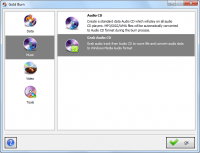
- Audio Management: The tool rips audio tracks from CDs for digital storage and burns audio files, such as MP3, WMA, WAV, OGG, WMV, and ASF, to standard audio CDs.
- Video Production: It allows for the creation of Video CDs, Super Video CDs, and DVD-Video discs from MPEG-1 and MPEG-2 source files.
- ISO Mastering: A wizard-driven interface enables users to create ISO images from local files, rip ISOs from physical discs, or burn image files back to media.
Beyond burning and ripping, Gold Burn includes a disc eraser for clearing rewritable media and a device information tool to display hardware specifications for drives and inserted discs. The software is optimized for high-speed burning and is compatible with both professional and casual workflows.
Top 5 Reasons To Download Gold Burn
- All-in-One Multi-Format Support: Whether you are working with standard CDs, high-capacity DVDs, or even cutting-edge Blu-ray and HD-DVD media, this software handles it all with professional-grade precision.
- High-Fidelity Audio Ripping and Burning: Transform your digital library into physical media or vice-versa with support for MP3, WMA, WAV, OGG, and more, ensuring your music sounds perfect in the car or on your home hi-fi system.
- Professional ISO Mastering Suite: Take full control of your disc images by creating, ripping, and burning ISO files with a simplified workflow that rivals expensive enterprise-level software.
- Foolproof "Wizard" Interface: Designed for both power users and beginners, the step-by-step wizard ensures you never make a mistake, guiding you through complex burning tasks in seconds.
- Essential System Utilities: Beyond just burning, you get powerful tools to erase rewritable discs, view detailed hardware information, and even create bootable discs for system recovery.
If you have been around the tech block as long as I have, you know that the "cloud" isn't the silver bullet everyone claims it is. Sure, streaming is convenient, and cloud storage is great for quick transfers, but there is an undeniable, tactile security that comes with physical media. Whether it is a hard backup of your wedding photos, a custom-mixed audio CD for a road trip, or a bootable recovery disc for when your OS inevitably hits a snag, having a reliable disc burner in your digital toolkit is non-negotiable. Today, I am looking at a piece of software that has been making waves in the utility space: Gold Burn. This isn't just another generic burner; it is a comprehensive suite that bridges the gap between old-school reliability and modern file formats. If you are on the fence about whether you need another utility on your hard drive, let me break down exactly why this giveaway is a must-download.
1. All-in-One Multi-Format Support
One of the biggest headaches in the world of optical media is compatibility. There is nothing more frustrating than downloading a burning tool only to realize it doesn't support Blu-ray, or it chokes when you try to feed it an HD-DVD. Gold Burn eliminates this frustration entirely. It is a multifunctional powerhouse that treats every type of disc with the same level of importance. When we talk about "Multi-Format Support," we aren't just talking about the difference between a CD-R and a CD-RW. We are talking about the full spectrum of modern and legacy optical storage.
For the data-heavy users among us, the ability to burn to Blu-ray and HD-DVD is a game-changer. Think about the sheer volume of data we generate today. High-resolution 4K videos, massive RAW photo libraries, and complex project folders can easily exceed the 4.7GB limit of a standard DVD. By supporting Blu-ray, Gold Burn allows you to archive up to 25GB or even 50GB on a single disc. This is the ultimate "set it and forget it" backup solution. You can burn your most precious data, toss the disc in a fireproof safe, and know that it won't be subject to the whims of a server outage or a forgotten subscription fee.
But it isn't just about the big discs. Gold Burn excels at the bread-and-butter tasks too. Whether you are duplicating a data disc for a colleague or extracting files from an old archive, the software maintains data integrity with obsessive detail. The duplication engine is built to be bit-perfect, ensuring that the copy is an exact clone of the original. In an era where data corruption is a constant threat, having a burner that prioritizes verification and accuracy is refreshing. This is why it is marketed as a professional solution that remains accessible to casual users—it has the "under-the-hood" power of a workstation tool but keeps the complexity hidden away from the user.
2. High-Fidelity Audio Ripping and Burning
Let’s talk about music. I know, I know—everyone has a streaming app on their phone. But if you are a true audiophile, or if you drive a vehicle that pre-dates the Bluetooth revolution, you know the value of a high-quality Audio CD. Gold Burn’s audio suite is one of the most robust I’ve seen in a giveaway. It doesn't just "burn files"; it creates standard Red Book Audio CDs that are compatible with literally any CD player on the planet. Whether it’s an old Sony Discman or a high-end Bose home system, the discs produced here are flawless.
The software supports an impressive array of formats including MP3, WMA, WAV, OGG, WMV, and ASF. What I find particularly impressive is the internal transcoding engine. You don't have to worry about converting your OGG files to WAV before you start the burning process. You simply drag your playlist into the wizard, and Gold Burn handles the heavy lifting, ensuring the sampling rates are correct and the gaps between tracks are perfectly timed. It’s about convenience without compromise.
On the flip side, the "ripping" functionality is equally impressive. If you have a shelf full of old CDs that haven't seen the light of day in a decade, Gold Burn is your ticket to digitizing that collection. The extraction process is fast and, more importantly, accurate. It pulls the audio tracks from the disc and converts them into digital files on your computer, allowing you to transfer your rare b-sides and live albums to your smartphone or portable media player. In the tech reviewer world, we call this "future-proofing your past," and Gold Burn does it better than almost any other "free" tool I've tested.
3. Professional ISO Mastering Suite
For the power users and IT professionals reading this, the ISO features are likely what will seal the deal. ISO images are the gold standard for distributing software and preserving disc structures. Gold Burn treats ISO mastering not as an afterthought, but as a core pillar of its functionality. The software offers a three-pronged approach to ISO files: you can create them from your own files and folders, rip them from existing physical discs, or burn them back onto blank media.
Why is this important? Imagine you have a complex software installation disc with specific boot sectors and hidden partitions. A simple "copy-paste" of the files won't work. You need an ISO rip to capture the entire architecture of the disc. Gold Burn makes this "as easy as drinking water," as the developers say. With just a few clicks, you can create a digital "ghost" of any disc you own. This is perfect for gamers who want to run their titles without having the physical disc spinning in the drive (using a virtual drive), or for sysadmins who need to deploy operating systems across multiple machines.
The "Mastering" aspect is where it gets really fun. You can take a random assortment of files on your hard drive—maybe a collection of drivers, some PDFs, and a few utility installers—and wrap them up into a single ISO file. This makes sharing large batches of files incredibly organized. Instead of sending someone fifty different folders, you send them one ISO. It is clean, professional, and incredibly efficient. This level of ISO control is usually reserved for paid "Pro" versions of software, but getting it in this giveaway is an absolute steal.
4. Foolproof "Wizard" Interface
We’ve all been there: you download a powerful piece of software, open it up, and it looks like the cockpit of a commercial airliner. There are buttons everywhere, cryptic abbreviations, and a manual that is 400 pages long. Gold Burn takes the opposite approach. It uses a step-by-step wizard mode that I believe is the benchmark for user interface design in the utility category.
The genius of the wizard is that it breaks down complex technical operations into a series of simple questions. "What do you want to do?" "Which files do you want to include?" "Which drive are you using?" By the time you reach the "Finish" button, the software has already configured the buffer sizes, the burning speed, and the file system settings in the background. For a beginner, this means you can burn a DVD-Video disc for your grandparents without needing to know the difference between PAL and NTSC or MPEG-2 bitrates. You just follow the prompts.
But don't let the simplicity fool you—this is sophisticated software. For the advanced users, the wizard doesn't get in the way; it simply streamlines the workflow. It ensures that you don't skip a crucial step, like finalizing the disc or verifying the data after the burn. In my testing, this wizard-driven approach significantly reduces the "coaster rate" (the number of discs that fail during burning and become useless). It is efficient, it is clean, and it makes the entire process of disc mastering feel less like a chore and more like a quick task.
5. Essential System Utilities and Bootable Discs
The final reason to grab this giveaway is the "hidden" value in the extras. Gold Burn includes a suite of tools that go beyond mere burning. First, let’s talk about the Disc Eraser. If you use rewritable media (CD-RW or DVD-RW), you know that managing those discs can be a pain. Gold Burn’s eraser is fast and thorough, allowing you to wipe old data and prepare the disc for a fresh burn in seconds. It’s an environmentally friendly and cost-effective way to manage your physical storage.
Then there is the Device Information tool. This might seem minor until you actually need it. It provides a deep dive into the capabilities of your hardware. Do you know if your external drive supports "Burn-Proof" technology? Do you know the maximum write speed for the specific brand of media you just bought? Gold Burn tells you exactly what your hardware can and cannot do, which is vital for troubleshooting and for ensuring you get the fastest possible burn without errors.
Finally, and perhaps most importantly, is the ability to create bootable discs. This is a life-saver feature. If your computer’s operating system crashes or becomes corrupted, a bootable disc is often the only way to get back into the system to recover your files or repair the OS. Most people don't think about creating a bootable recovery disc until after their computer won't start. By downloading Gold Burn now, you give yourself the tools to create an emergency kit today. You can burn an ISO of a recovery environment or a Linux live distro, giving you a "Plan B" that could save you hundreds of dollars in professional repair fees. This feature alone makes the software worth the download.
Conclusion: Don't Miss Out
In summary, Gold Burn is a rare example of a utility that manages to be both "wide" and "deep." It is wide because it covers everything from audio and video to data and ISOs. It is deep because it offers professional-level features like Blu-ray support and bootable disc creation. As a tech reviewer, I see a lot of software that tries to do too much and fails at everything. Gold Burn is different. It focuses on the core necessity of disc management and executes every task with a level of polish that is hard to find.
We are living in a digital age, but the physical world still matters. Whether you're archiving a lifetime of memories, burning a movie for a family night, or preparing for a worst-case system failure, you need a tool you can trust. Gold Burn is that tool. It’s fast, it’s reliable, and with the wizard-based interface, it’s a joy to use. This giveaway is a fantastic opportunity to add a "Gold" standard utility to your collection without spending a dime. Download it, install it, and burn with confidence.


Reviews for Gold Burn
Click Here to Read Reviews for Gold Burn >> Click Here to Submit Reviews for Gold Burn >>